




















PEM31SM3SS General Electric Microwave - Instructions
Keep searches simple. Use keywords, e.g. "leaking", "pump", "broken" or "fit".
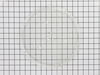
Broke glass plate cooking tray in microwave
-
Jan from Los Gatos, CA
-
Difficulty Level:Really Easy
-
Total Repair Time:Less than 15 mins
Was this instruction helpful to you?
Thank you for voting!
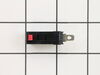
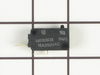
would not turn on - plug in and would shut off right away
-
Vita from Flagstaff, AZ
-
Difficulty Level:Easy
-
Total Repair Time:Less than 15 mins
-
Tools:Screw drivers
Was this instruction helpful to you?
Thank you for voting!
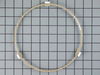
lost roller turntable guide
Installed new one. I do not know if these rings can be repaired
Parts Used:
-
ruth from pawleys island, SC
-
Difficulty Level:Really Easy
-
Total Repair Time:Less than 15 mins
Was this instruction helpful to you?
Thank you for voting!
Not heating
Removed the above stove microhood. Removed the side panels & the top panel. Diode located on right hand side of microwave. Removed with screwdriver & replaced new diode. It's best to get the microwave schematic online to pinpoint location of the part.
Parts Used:
-
Debra from Concord, CA
-
Difficulty Level:Easy
-
Total Repair Time:Less than 15 mins
-
Tools:Nutdriver, Screw drivers
Was this instruction helpful to you?
Thank you for voting!
turn table motor failed
1. Using wire cutters, cut out sheet metal cover over motor on oven bottom. The stamped bottom is retained by the four corners which were not cut in the stamping. 2. Remove and replace motor. 3. Replace motor cover with supplied screw. (failure symptoms: turn table vibrated before it stopped completely.)
Parts Used:
-
Joe from Prescott, AZ
-
Difficulty Level:Easy
-
Total Repair Time:Less than 15 mins
-
Tools:Pliers, Screw drivers
Was this instruction helpful to you?
Thank you for voting!
diode burnt
-
MANUEL from ESCONDIDO, CA
-
Difficulty Level:Really Easy
-
Total Repair Time:Less than 15 mins
-
Tools:Screw drivers
Was this instruction helpful to you?
Thank you for voting!
Unit would not come on.
removed access panal, found soft switch as discribed on your web site. removed and replaced.
Parts Used:
-
Phillip from Umatilla, FL
-
Difficulty Level:Really Easy
-
Total Repair Time:Less than 15 mins
-
Tools:Screw drivers
Was this instruction helpful to you?
Thank you for voting!
Broken plate in microwave
I slipped the new saucer out of the box and placed it in the microwave. I was very disappointed to discover that the new one didn't fly like the old one.
Parts Used:
-
Patrick from Charlotte, NC
-
Difficulty Level:A Bit Difficult
-
Total Repair Time:Less than 15 mins
Was this instruction helpful to you?
Thank you for voting!
Microwave would not turn on
Microwave would not turn on. Lights and fan worked fine. Before the microwave stopped completely, it would turn the microware fan on even when door was open. I read the reviews and they were exactly the same issue that others were facing. Once I opened the front panel and got to the switches it was easy to figure out which switch was bad as it was the one that was soft (When clicking it). It was hard to take it out though (it seemed stuck). So, I used a plier to yank it out. I put in the new switch and everything worked just great! I would like to thank other comments that were left on the site to make my task much easier. Thank you (to the commenters on PartsSelect), you not only saved me money, but also ensured that I learn about the microwave more and give me the confidence that I could fix it.
Parts Used:
-
Prashant from Dardenne Prairie, MO
-
Difficulty Level:Really Easy
-
Total Repair Time:1- 2 hours
-
Tools:Pliers, Screw drivers, Socket set
Was this instruction helpful to you?
Thank you for voting!