
















KEMC378KSS01 KitchenAid Microwave Oven Combo - Instructions
Keep searches simple. Use keywords, e.g. "leaking", "pump", "broken" or "fit".
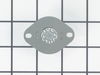
After using self cleaning feature oven wouldn't heat
I looked up the problem and determined I needed to replace the limit switch which is inside the back panel. As a 78 year old woman who isn't afraid to tackle these problems I found this easier than most. Just be sure to disconnect the electrical connection if you don't have long enough length to pull oven from the wall cabinet. I won't put any sheet pans in the oven next time I self clean it.
Parts Used:
-
Nadine from ALACHUA, FL
-
Difficulty Level:Really Easy
-
Total Repair Time:30 - 60 mins
-
Tools:Screw drivers
1 person
found this instruction helpful.
Was this instruction helpful to you?
Thank you for voting!
replaced lower blower of a double wall oveno
Easily, Removed the oven with help of my grandson, this model is quite heavy. Open the back cover panel, removed the old blower. replaced with the new blower, covered with the back protective panel. About one hour because some screws much harder to reach.
Parts Used:

-
Duane from COON RAPIDS, MN
-
Difficulty Level:Really Easy
-
Total Repair Time:30 - 60 mins
-
Tools:Pliers, Screw drivers
1 person
found this instruction helpful.
Was this instruction helpful to you?
Thank you for voting!
Replace broken part

-
Ed from BELLEVUE, WA
-
Difficulty Level:Really Easy
-
Total Repair Time:30 - 60 mins
-
Tools:Screw drivers
1 person
found this instruction helpful.
Was this instruction helpful to you?
Thank you for voting!
The oven in the demo video did not have an interior set of screws holding in the exterior glass
Watched the repair video and started the project. Ran into a problem when trying to remove the interior panel off the door to reach the broken interior glass. On this model Kitchen Aid there is another section that is screwed in holding the exterior glass pieces in place. It prevents the interior panel from coming off the front of the oven door. So we had to flip over the door and unscrew the glass retaining bars to get the interior panel off and reach the glass. This allows the entire door to come apart in pieces so you have to carefully line up everything to re-assemble the door. Part of the issue with this is some of the retaining screws are not very long so you have to press the pieces back together to make sure the screw will catch in the original hole. We had to do this twice to ensure the interior door glass was laying flush on its mounts. A bit fiddly for sure, and if I was working alone it may not have been successful. But at least we know how the door is put together!
Parts Used:

-
KEVIN from HOUSTON, TX
-
Difficulty Level:A Bit Difficult
-
Total Repair Time:30 - 60 mins
-
Tools:Screw drivers
1 person
found this instruction helpful.
Was this instruction helpful to you?
Thank you for voting!
Limit Thermostat had burned out due to high temp of self cleaning mode
1) Removed the trim pieces (2 screws). 2) removed the 2 screws holding the oven in the wall. 3) Slid the oven out of the wall cabinet 4) removed the back panel of the oven ( 10 screws. 5.) removed the old thermostat (2 nuts) 6.). Installed the new thermostat and reversed steps 4-1
Parts Used:
-
Jay from MINNETRISTA, MN
-
Difficulty Level:Easy
-
Total Repair Time:30 - 60 mins
-
Tools:Nutdriver, Screw drivers
1 person
found this instruction helpful.
Was this instruction helpful to you?
Thank you for voting!
The interior glass broke when I tried to wipe hot glass with a cold washcloth
I watched the video on the product page and followed it step by step. Not difficult at all.
Parts Used:
-
Susan from PLANO, TX
-
Difficulty Level:Really Easy
-
Total Repair Time:30 - 60 mins
-
Tools:Screw drivers
1 person
found this instruction helpful.
Was this instruction helpful to you?
Thank you for voting!
The oven was over heating because it wasn’t reading the temperature
Pulled the stove out, unscrewed the back and plugged the new thermostat in. Screwed the back back on
Parts Used:

-
LAURIE from BILTMORE LAKE, NC
-
Difficulty Level:Really Easy
-
Total Repair Time:30 - 60 mins
-
Tools:Screw drivers
2 of 4 people
found this instruction helpful.
Was this instruction helpful to you?
Thank you for voting!
Inner glass on the oven door was broken
First remove the side trimmings by opening the oven door and taking out the two screws near the bottom. Remove the bottom trim by removing the two screws now exposed. Here's the hard part .. The outer glass is held by 4 screws 2 at the top and 2 through U brackets at the bottom. You must remove the 2 bottom ones first and then VERY carefully, whilst supporting the glass remove the 2 top ones and then gently pull from the bottom to release the glass at the top and pull away. The rest is straightforward. There are 4 glass pieces to remove, make sure you clean the finger marks off as you replace them. I would suggest 2 people to replace the final outer glass 'to be safe"
Parts Used:
-
Stephen from Sunnyvale, CA
-
Difficulty Level:A Bit Difficult
-
Total Repair Time:15 - 30 mins
-
Tools:Screw drivers
6 of 16 people
found this instruction helpful.
Was this instruction helpful to you?
Thank you for voting!
Broken inside oven door glass
We followed the instructions given by Parts Service. The only problem we had (Whirlpool left two screws out of spacer bracket and it fell out requiring further removable of inner glass to replace spacer. Process took about twenty minutes.
Parts Used:
-
Bobby from Waterloo, SC
-
Difficulty Level:Easy
-
Total Repair Time:15 - 30 mins
-
Tools:Screw drivers
4 of 11 people
found this instruction helpful.
Was this instruction helpful to you?
Thank you for voting!
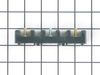
wire came loose and shorted out
Ordering the part online was easy. It arrived in a timely manner. I found a terrific video online showing how to install the terminal. It was so easy. Thank you for the great instructional video.
Parts Used:
-
Elizabeth from HOUSTON, TX
-
Difficulty Level:Really Easy
-
Total Repair Time:30 - 60 mins
-
Tools:Pliers, Screw drivers
1 of 2 people
found this instruction helpful.
Was this instruction helpful to you?
Thank you for voting!
Oven door would not close tightly to turn off the oven light
I follow the directions on the Maytag site. It is a very simple job. I appreciate the Information I got from Becky when ordering the hinges.
Parts Used:


-
Dan from OLYMPIA, WA
-
Difficulty Level:Really Easy
-
Total Repair Time:30 - 60 mins
-
Tools:Screw drivers
1 of 2 people
found this instruction helpful.
Was this instruction helpful to you?
Thank you for voting!
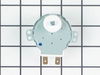
Turntable did not work
Ordered a new motor. Removed the outside trim of the oven-microwave combo. 2 screws at the bottom of the trim. Removed the screws that held the combination micro and oven unit in place. Removed the top and bottom black plastic grill of the microwave. 3 screws each. Pulled the entire unit out about 1 inch exposing the screws at each side of the microwave that hold it in place.
Snapped off the top control panel which exposed the wiring connecting the control panel.
Unplugged a couple of wire harness units to free the control panel.
Be sure to label the units to know which goes where during reassembly.
Remove the microwave unit from the housing and place it on its side.
Remove the metal plate that houses the motor. 4 screws hold the motor in place. Disconnect the 2 wires from the old motor and you are ready to install the new motor. Be sure to TURN OFF THE POWER to the unit at the breaker box and remove the turntable from inside the microwave.
Snapped off the top control panel which exposed the wiring connecting the control panel.
Unplugged a couple of wire harness units to free the control panel.
Be sure to label the units to know which goes where during reassembly.
Remove the microwave unit from the housing and place it on its side.
Remove the metal plate that houses the motor. 4 screws hold the motor in place. Disconnect the 2 wires from the old motor and you are ready to install the new motor. Be sure to TURN OFF THE POWER to the unit at the breaker box and remove the turntable from inside the microwave.
Parts Used:
-
Eldon from ORANGE, CA
-
Difficulty Level:Easy
-
Total Repair Time:30 - 60 mins
-
Tools:Screw drivers
1 of 2 people
found this instruction helpful.
Was this instruction helpful to you?
Thank you for voting!
The light in our microwave was out.
We had to remove screws from the vent covers above and below the microwave, then there were 2 screws (one on each side) that attached the microwave to the oven. Once all of the screws were removed we had to pull the microwave out. Then we pulled the light cord out, removed the burnt out light and installed the new one. Then reversed the steps.
Parts Used:
-
Michael from Ladson, SC
-
Difficulty Level:Difficult
-
Total Repair Time:More than 2 hours
-
Tools:Screw drivers
1 of 2 people
found this instruction helpful.
Was this instruction helpful to you?
Thank you for voting!
I snapped a bolt on the main power terminal block when connecting the pigtail.
Removed the small metal panel covering the main power terminal in back of the electric range. Removed the nuts holding the red, white and black electrical wires from the range using the appropriate socket (there will be two nuts on each bolt end). Removed the two screws holding the main power terminal block with appropriate screw driver. Connect the new main power terminal block to the range using the two screws. Reconnect the red, black and white electrical wires coming from the range using one nut for each wire. IMPORTANT: do no over tighten the nuts because the bolts could snap. Reconnect the pigtail and secure the small metal panel covering the main power panel.
Parts Used:
-
Frank from Palm Coast, FL
-
Difficulty Level:Easy
-
Total Repair Time:15 - 30 mins
-
Tools:Screw drivers, Socket set
3 of 8 people
found this instruction helpful.
Was this instruction helpful to you?
Thank you for voting!
Old microwave glass tray shattered while warming a hard-boiled egg.
I took the new tray out of the box and placed it in the microwave oven.. No tools needed.
Parts Used:

-
Raymond from HINSDALE, IL
-
Difficulty Level:Very Easy
-
Total Repair Time:Less than 15 mins
1 of 2 people
found this instruction helpful.
Was this instruction helpful to you?
Thank you for voting!