




















DVM1850SMC02 General Electric Microwave - Instructions
Keep searches simple. Use keywords, e.g. "leaking", "pump", "broken" or "fit".
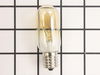
bulb burned out light that is under the microwave, which lights the oven below.
thank you for the video--very clear, responsible, applicable although the illustration was not exactly of our kind of light. the bulb was exactly like the one Hotpoint used in its microwave made in 1989! I will come back to you for parts in the future. (You have the model # from my original order.)
Parts Used:
-
Gary from UNIVERSITY PA, MD
-
Difficulty Level:Really Easy
-
Total Repair Time:Less than 15 mins
-
Tools:Screw drivers
1 person
found this instruction helpful.
Was this instruction helpful to you?
Thank you for voting!
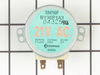
Stirrer Motor stopped working
Using a phillips screwdriver, remove 7 screws from the unerpanel of the Spacesaver Microwave. The panel will swing down from the rear edge hinge, exposing the lights and the stirrer motor. Remove the electrical connector and two screws holding the motor in place and remove the motor. The stirrer inside the oven can then be removed if desired. Install the new motor in reverse order. Note rotate the stirrer inside the oven to align the motor shaft to facilitate assembly.
Parts Used:
-
Dik from QUINCY, MA
-
Difficulty Level:Really Easy
-
Total Repair Time:15 - 30 mins
-
Tools:Screw drivers
1 person
found this instruction helpful.
Was this instruction helpful to you?
Thank you for voting!
Microwave turntable barely moving and motor making loud noises
Disconnect power to microwave. Remove plastic rotor attached to motor shaft. I had to pry up from underneath it with a screwdriver to break it loose. Cover surface below microwave as bottom cover screws are small and easily lost. Remove three front and two rear screws from bottom cover and it will swing down. Locate the drive motor on the cover, disconnect the power leads, remove one set screw and rotate the old motor off the cover. Reverse instructions to re-install new motor. Swing bottom cover back up and re-install the five small screws. I had a little trouble lining up the screw holes and it helped to use a finishing nail to align the holes in the cover with those in the microwave frame. Reinstall plastic rotor on motor shaft, reconnect power to microwave and test the turntable.
Parts Used:
-
Douglas R. from ETOWAH, NC
-
Difficulty Level:Really Easy
-
Total Repair Time:15 - 30 mins
-
Tools:Screw drivers
1 person
found this instruction helpful.
Was this instruction helpful to you?
Thank you for voting!
light bulb burned out
Remove 1 screw, remove light bulb and replace and replace screw. No problem.
Parts Used:
-
David from SAINT LOUIS, MO
-
Difficulty Level:Very Easy
-
Total Repair Time:Less than 15 mins
-
Tools:Screw drivers
1 person
found this instruction helpful.
Was this instruction helpful to you?
Thank you for voting!
Under the microwave there are two light bulbs that light up the top of the oven/range.
Last week I removed the glass cover that was held in by one screw and removed the burnt out light bulb. I ordered the bulb and left the glass cover off until the bulb arrived. I had to wait until this evening to put the glass cover back on and fasten the screw because I have a window right next to the oven and the sun streaming in made it too difficult for me to see how to put the glass back in and replace the screw.
Parts Used:
-
Janet from TREASURE IS, FL
-
Difficulty Level:Very Easy
-
Total Repair Time:Less than 15 mins
-
Tools:Screw drivers
1 person
found this instruction helpful.
Was this instruction helpful to you?
Thank you for voting!
Microwave cooking tray stopped turning
Unplugged microwave from the wall. Removed the screws on the bottom of the oven. Detached the light, removed the bottom panel. Unscrewed one more screw on the turn table motor and twisted to remove. Plugged in the new one and reattached the Electrical wires and bottom panel. Piece of cake. Just don't forget to reconnect the lights!
Parts Used:
-
Cecil from Gilbert, AZ
-
Difficulty Level:Really Easy
-
Total Repair Time:15 - 30 mins
-
Tools:Screw drivers
1 person
found this instruction helpful.
Was this instruction helpful to you?
Thank you for voting!
cooking tray would not rotate
ha to remove the bottom ,to get at the internal screws that held the drive motor. after disconnecting the power to the moter, i removed the two screws that held it in place. i installed thre new motor , reconnected the wire plug to motor . replaced the outer screws, and the project was done.
Parts Used:
-
robert from franklin, WI
-
Difficulty Level:Easy
-
Total Repair Time:15 - 30 mins
-
Tools:Screw drivers
1 person
found this instruction helpful.
Was this instruction helpful to you?
Thank you for voting!
Turntable would not rotate
Kept the microwave in place( it is above the stove) 1 unplug the microwave 2unscrew the cover plate on the bottom3unplug connections,light and drive motor.4 unscrew drive motor replace with new drive motor,reverse the remaining process. Part took about 3-4 days to deliver,plan accordingly.
Parts Used:
-
Paul from MEXICO, NY
-
Difficulty Level:Easy
-
Total Repair Time:15 - 30 mins
-
Tools:Screw drivers
1 person
found this instruction helpful.
Was this instruction helpful to you?
Thank you for voting!
Light in Microwave burnd out glas broken over lights

-
Charles from HOME, PA
-
Difficulty Level:Easy
-
Total Repair Time:15 - 30 mins
-
Tools:Pliers, Screw drivers
1 of 2 people
found this instruction helpful.
Was this instruction helpful to you?
Thank you for voting!
Microwave Food Turntable Not Working
Reviewed the current postings surrounding the problem i was experiencing on your website. Located the 5 phillips head screws on the bottom panel. Removed them letting panel hinge down, removed the motor connector and checked for 21V AC with Volt Meter confirming the motor was not operable. Ordered replacement motor which arrived 3 days later during the holidays. Repeated the panel removal then removed the moter retaining screw and replaced with the received part a perfect matching. All in both panel removals for diagnostics and replacement of the motor took about 20 minutes.
Parts Used:
-
Michael from Raleigh, NC
-
Difficulty Level:Easy
-
Total Repair Time:15 - 30 mins
-
Tools:Screw drivers
1 of 2 people
found this instruction helpful.
Was this instruction helpful to you?
Thank you for voting!
The bulbs burned out, the glass lens cracked and the light socket broke when trying to remove the bulb
Replaced the sockets, lens and bulbs. The first time the new bulb was touching the lens and the heat broke the lens and burnt out the bulb. The second time I adjusted the socket so that the bulb does not touch the lens.
Impressed by how quickly the parts arrived after the order was submitted. Two days.
Thank you.
Impressed by how quickly the parts arrived after the order was submitted. Two days.
Thank you.
Parts Used:
-
Warren from Council Bluffs, IA
-
Difficulty Level:Easy
-
Total Repair Time:15 - 30 mins
-
Tools:Screw drivers
1 of 2 people
found this instruction helpful.
Was this instruction helpful to you?
Thank you for voting!
Burned out bulb
-
John from Waterford, WI
-
Difficulty Level:Very Difficult
-
Total Repair Time:More than 2 hours
-
Tools:Nutdriver, Pliers, Screw drivers, Socket set, Wrench (Adjustable), Wrench set
1 of 2 people
found this instruction helpful.
Was this instruction helpful to you?
Thank you for voting!
Replaced drive motor on GE Spacemaker microwave
I thought this would be a major project but tured out to be very simple - 7 screws, 10 minutes and done.
Parts Used:
-
Troy from Zieglerville, PA
-
Difficulty Level:Really Easy
-
Total Repair Time:Less than 15 mins
-
Tools:Screw drivers
1 of 2 people
found this instruction helpful.
Was this instruction helpful to you?
Thank you for voting!
Light Bulb appeared to be burned out
The Halogen Light Bulbs for lighting the area below the microwave seemed to be burned out. I order new bulbs but by the time they arrived the old bulbs appeared to be working again. Not sure why this happened but I have new bulbs if they become burned out for good at some point.
Parts Used:
-
Peter from CHARLOTTESVLE, VA
-
Difficulty Level:Very Easy
-
Total Repair Time:Less than 15 mins
1 of 2 people
found this instruction helpful.
Was this instruction helpful to you?
Thank you for voting!
Turntable motor quit working
As others have desribed - remove 5 screws from the bottom cover. Lower cover and replace turntable motor with 2 screws.
Parts Used:
-
Bob from Colorado Springs, CO
-
Difficulty Level:Really Easy
-
Total Repair Time:Less than 15 mins
-
Tools:Screw drivers
1 of 2 people
found this instruction helpful.
Was this instruction helpful to you?
Thank you for voting!