



















DVM1850SMC02 General Electric Microwave - Instructions
Keep searches simple. Use keywords, e.g. "leaking", "pump", "broken" or "fit".
turntable was loud and not turning
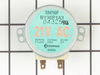
I removed the screws for the bottom plate, removed the motor and installed new motor. VERY EASY. I do love that you show pictures for your parts, will definately recommend your site. Thanks for all of your help.
Parts Used:
-
Portofino Island Resort from Pensacola Beach, FL
-
Difficulty Level:Really Easy
-
Total Repair Time:Less than 15 mins
-
Tools:Screw drivers
1 person
found this instruction helpful.
Was this instruction helpful to you?
Thank you for voting!
glass cooking tray stopped rotating
I removed the microwave oven from the wall by unscrewing a trim plate or frame that surrounds the face of the oven. Pulled the oven out of the cabinet. Removed the glass cooking tray and rollers from the oven interior. Turned the oven on its side to expose the bottom. I unscrewed the small cover plate in the middle of the bottom which exposed the turn table motor. The motor was attached by two screws and a connector plug. In a couple minutes I removed the motor and replaced it with the new one and reassembled the oven. I put it back in the cabinet and it works like new again.
Parts Used:
-
Glenn from Tucson, AZ
-
Difficulty Level:Really Easy
-
Total Repair Time:Less than 15 mins
1 person
found this instruction helpful.
Was this instruction helpful to you?
Thank you for voting!
Turntable quit working
Took the bottom of microwave off unplugged motor replaced it with new one (two screws) plugged it in replaced bottom and ther you go saved $240.00 over the local appliance repair company. Thanks Mike,
Parts Used:
-
Michael from Highlands Ranch, CO
-
Difficulty Level:Really Easy
-
Total Repair Time:Less than 15 mins
-
Tools:Screw drivers
1 person
found this instruction helpful.
Was this instruction helpful to you?
Thank you for voting!
Microwave noisey
Removed 5 screws to allow lower pan to hang down. Unplug motor, remove 2 more screws that hold motor in and pull it out. and reverse process for reinstallation of new motor. Took all of 4 minutes allowing time to drink a beer while taking the new motor out of the box
Parts Used:
-
Henry from Fort Stewart, GA
-
Difficulty Level:Really Easy
-
Total Repair Time:Less than 15 mins
-
Tools:Screw drivers
1 person
found this instruction helpful.
Was this instruction helpful to you?
Thank you for voting!
Glass cooking tray not turning
First I removed the 6 screws that hold the bottom panel in place. I removed the two screws that hold the element in place. I then pulled the element out about 3 inches and disconnected the two wires and then connected the two wires to the new element. Secured the element in place and replaced bottom panel.
Real simple process!
Thanks!
Real simple process!
Thanks!
Parts Used:
-
Antonio from Colorado Springs, CO
-
Difficulty Level:Really Easy
-
Total Repair Time:Less than 15 mins
-
Tools:Screw drivers
1 person
found this instruction helpful.
Was this instruction helpful to you?
Thank you for voting!
Turntable would not rotate.
First I unplugged microwave oven, then removed the six screws at the bottom of the microwave and lowered the base to expose the small motor. I removed the motor and replaced it with the new one. From inside the oven I pushed the drive shaft back into the new motor, then replaced the bottom with the six screws. I plugged the oven in and tested it. It worked! In less than 15 min. I saved over $220, and I'm a 65 year old Grandma! Thank you, thank you!
Parts Used:
-
Sherran from Sun City Center, FL
-
Difficulty Level:Really Easy
-
Total Repair Time:Less than 15 mins
-
Tools:Screw drivers
1 person
found this instruction helpful.
Was this instruction helpful to you?
Thank you for voting!
drive tray table failed to turn
unplugged the appliance, removed the glass tray from inside, turned the microwave on its side and removed the 3x3 panel, removed the drive motor by taking out two screws and disconnecting the two electrical wires, compared the new item with the old one, placed new in olds position and screwed in place. replaced the 3x3 cover, turned microwave upright, plugged in the power cord, placed a cup of water on the tray, turned the microwave on for 30 sec. and watched the table turn. Very simple and convenient application.
Parts Used:
-
Steven from Vista, CA
-
Difficulty Level:Really Easy
-
Total Repair Time:Less than 15 mins
-
Tools:Screw drivers
1 person
found this instruction helpful.
Was this instruction helpful to you?
Thank you for voting!
Microwave was making a koud grinding sound
First I unplugged the microwave from the wall receptacle. Next I removed eight screws that let the bottom plate of the microwave hood pivot down with its hinges. Next I removed two screws holding the turn motor in place. I then unplugged the motor and replaced it with the new motor and reversed the above procedures until everything was back in place. I then turned the microwave on and was thrilled to find it working properly again.
Parts Used:
-
Lloyd from Cleburne, TX
-
Difficulty Level:Really Easy
-
Total Repair Time:Less than 15 mins
-
Tools:Screw drivers
1 person
found this instruction helpful.
Was this instruction helpful to you?
Thank you for voting!
the glass cooking tray would no longer move.
We removed the vents from under the bottom and then the 4 screws and pulled the motor out. It was a no brainer to fix and the part came in alot faster than expected.
Thank You
Thank You
Parts Used:
-
Wendy from Sparta, AL
-
Difficulty Level:Really Easy
-
Total Repair Time:Less than 15 mins
-
Tools:Screw drivers
1 person
found this instruction helpful.
Was this instruction helpful to you?
Thank you for voting!
tray turned slow or stopped
Remove the 8 screws in the bottom pan covering the bottom, unpluged the lights and motor plug-ins, slid or pulled the pan forward or to me and removed pan. prized the triange piece which fit into the glass tray to turn it to remove it. removed the two screws which held the motor in place. presto, got the model # off the inside panel and ordered the part on the compiiter, \. arrived in 5 days.
P.S. cleaned everything while I had it apart, toke longer than chancing the part.
P.S. cleaned everything while I had it apart, toke longer than chancing the part.
Parts Used:
-
Lanier from Adairsville, GA
-
Difficulty Level:Really Easy
-
Total Repair Time:15 - 30 mins
-
Tools:Screw drivers
1 person
found this instruction helpful.
Was this instruction helpful to you?
Thank you for voting!
rotary dish tray would not revolve
Dropped the bottom of the microwave,removed the two screws holding the motor in, disconnected the electric wires, reversed the procedure and it worked like new!
Parts Used:
-
william from las vegas, NV
-
Difficulty Level:Really Easy
-
Total Repair Time:15 - 30 mins
-
Tools:Screw drivers
1 person
found this instruction helpful.
Was this instruction helpful to you?
Thank you for voting!
Drive motor failed
I removed the screws (7) around perimeter of bottom. Don't remove the middle screw as it holds some gizmo in place. Dropped down hinged bottom. Removed motor (2 screws and a plug) matched to picture on website and ordered.
2 days later, part arrived, installed, good to go.
Bill, Kentucky
2 days later, part arrived, installed, good to go.
Bill, Kentucky
Parts Used:
-
Bill from Bronston, KY
-
Difficulty Level:Really Easy
-
Total Repair Time:15 - 30 mins
-
Tools:Screw drivers
1 person
found this instruction helpful.
Was this instruction helpful to you?
Thank you for voting!
Noisy Glass Cooking tray
The Glass cooking tray was very noisy. This was verified by turning off the tray rotation.
1. Removed the two metal filters.
2. Removed the screws holding the bottom cover of the microwave. 6 or 7 I believe.
3. Removed the two screws holding the drive motor in place.
4. Started the microwave with the motor hanging down to to verify it was defective. I could hear the motor rotating and making noise.
5. Replaced the motor, bottom cover, & filters in reverse order.
6. Tested, Works fine!
1. Removed the two metal filters.
2. Removed the screws holding the bottom cover of the microwave. 6 or 7 I believe.
3. Removed the two screws holding the drive motor in place.
4. Started the microwave with the motor hanging down to to verify it was defective. I could hear the motor rotating and making noise.
5. Replaced the motor, bottom cover, & filters in reverse order.
6. Tested, Works fine!
Parts Used:
-
Mike from Youngsville, NC
-
Difficulty Level:Easy
-
Total Repair Time:15 - 30 mins
-
Tools:Screw drivers
1 person
found this instruction helpful.
Was this instruction helpful to you?
Thank you for voting!
the cooking tray would not turn (Motor was froze up)
ordered part from partselect received in about 3-4 days removed 6 ea screws from lower panel , removed 1 ea screw holding motor in place, pulled wire receptacle loose from motor, threw old motor in trash, put new motor up into plastic tray rotating device turned motor to secure on one side and installed screw to hold motor reinstalled wire plug and panel ops ckd good about 15 minutes to do could have done it quicker but my eyes ain't what they use to be Very easy fix when you get the right part and I got it on the first order with partselect ......Thank You Very Much
Parts Used:
-
William T. from San Antonio, TX
-
Difficulty Level:Really Easy
-
Total Repair Time:15 - 30 mins
-
Tools:Screw drivers
1 person
found this instruction helpful.
Was this instruction helpful to you?
Thank you for voting!
Previoous glass lens was broken
This repair was easy and could be done by anyone. If you undertake to do this replacement, remember to slowly bend the medal tabs back that hold the lens. Handled roughly these tabs could break off.
This repair can be don in under 5 minutes, easily !!
This repair can be don in under 5 minutes, easily !!
Parts Used:

-
Tommy from Santa clarita, CA
-
Difficulty Level:Really Easy
-
Total Repair Time:15 - 30 mins
-
Tools:Screw drivers
1 person
found this instruction helpful.
Was this instruction helpful to you?
Thank you for voting!