




















DVM1850BMC02 General Electric Microwave - Instructions
Keep searches simple. Use keywords, e.g. "leaking", "pump", "broken" or "fit".
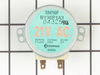
G.E. microwave turn table was loud and not working
I took it apart and found a small electric motor was not working . I couldn't find it locally so I ordered it from partselect and it was here in just a few days.the repair was easy only a few screws and plug it in.
Parts Used:
-
mark from oak lawn, IL
-
Difficulty Level:Easy
-
Total Repair Time:Less than 15 mins
-
Tools:Screw drivers
1 person
found this instruction helpful.
Was this instruction helpful to you?
Thank you for voting!
Turntable would not turn
took off steel plate---removed two screws--unpluged drive motor--replaced with new drive motor. reversed removal procedure . Took about 10 minutes.
Great service from PARTSELECT.
Great service from PARTSELECT.
Parts Used:
-
MABEL from GILROY, CA
-
Difficulty Level:Really Easy
-
Total Repair Time:Less than 15 mins
-
Tools:Screw drivers
1 person
found this instruction helpful.
Was this instruction helpful to you?
Thank you for voting!
glass cooking tray stopped rotating
I removed the microwave oven from the wall by unscrewing a trim plate or frame that surrounds the face of the oven. Pulled the oven out of the cabinet. Removed the glass cooking tray and rollers from the oven interior. Turned the oven on its side to expose the bottom. I unscrewed the small cover plate in the middle of the bottom which exposed the turn table motor. The motor was attached by two screws and a connector plug. In a couple minutes I removed the motor and replaced it with the new one and reassembled the oven. I put it back in the cabinet and it works like new again.
Parts Used:
-
Glenn from Tucson, AZ
-
Difficulty Level:Really Easy
-
Total Repair Time:Less than 15 mins
1 person
found this instruction helpful.
Was this instruction helpful to you?
Thank you for voting!
Turntable quit working
Took the bottom of microwave off unplugged motor replaced it with new one (two screws) plugged it in replaced bottom and ther you go saved $240.00 over the local appliance repair company. Thanks Mike,
Parts Used:
-
Michael from Highlands Ranch, CO
-
Difficulty Level:Really Easy
-
Total Repair Time:Less than 15 mins
-
Tools:Screw drivers
1 person
found this instruction helpful.
Was this instruction helpful to you?
Thank you for voting!
Turn Table Stopped Working
Very easy repair I did not even have to take the microwave down. Just removed the 7 screws, the bottom swung down removed the 2 screws holding the motor, unplugged it put the new one in put the screws back and Done.
Parts Used:
-
BARBARA from PORTSMOUTH, NH
-
Difficulty Level:Really Easy
-
Total Repair Time:Less than 15 mins
-
Tools:Screw drivers
1 person
found this instruction helpful.
Was this instruction helpful to you?
Thank you for voting!
Noisy turntable. (grinding)
Nice. Half dozen screws drops the bottom, 2 screws on the motor, pop in the new, reassemble and throw in the popcorn. (Was skeptical. Have replaced quite a few of these little motors in data centers. Common part in high-speed printers. Never saw one fail like this but your feedback convinced me otherwise.)
Parts Used:
-
Tom from Placentia, CA
-
Difficulty Level:Really Easy
-
Total Repair Time:Less than 15 mins
-
Tools:Screw drivers
1 person
found this instruction helpful.
Was this instruction helpful to you?
Thank you for voting!
Tray motor stopped working
Removed the cover, 6 screws and then the motor, 2 screws. Unpluged the old motor and just reversed the process.
Parts Used:
-
John from North Port, FL
-
Difficulty Level:Really Easy
-
Total Repair Time:Less than 15 mins
-
Tools:Screw drivers
1 person
found this instruction helpful.
Was this instruction helpful to you?
Thank you for voting!
Replaced drive motor on GE Spacemaker microwave
I thought this would be a major project but tured out to be very simple - 7 screws, 10 minutes and done.
Parts Used:
-
Troy from Zieglerville, PA
-
Difficulty Level:Really Easy
-
Total Repair Time:Less than 15 mins
-
Tools:Screw drivers
1 of 2 people
found this instruction helpful.
Was this instruction helpful to you?
Thank you for voting!
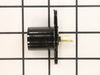
Bulb broke in light socket
Tyring to get bulb out i ruined the light socket. Unscrewed the bottom cover of microware. Took out screw holding light socket, removed wires to socket with pliers, intsalled new socket. It was a piece of cake and the part was a perfect match.
Parts Used:
-
Douglas from Ludington, MI
-
Difficulty Level:Easy
-
Total Repair Time:Less than 15 mins
-
Tools:Pliers, Screw drivers
1 of 2 people
found this instruction helpful.
Was this instruction helpful to you?
Thank you for voting!
Cooking Tray stopped turning, motor rattled
Removed the screws holding the bottom cover on, removed screws holding motor in place, replaced motor, put everything back in. Simple as changing batteries.
The nice thing is that PartSelect, as always, delivered exactly what I needed and very fast. Ordered on a Wednesday and received it on Thursday (the very next day!)
The nice thing is that PartSelect, as always, delivered exactly what I needed and very fast. Ordered on a Wednesday and received it on Thursday (the very next day!)
Parts Used:
-
Zayne from Blanchard, OK
-
Difficulty Level:Really Easy
-
Total Repair Time:Less than 15 mins
-
Tools:Screw drivers
1 of 2 people
found this instruction helpful.
Was this instruction helpful to you?
Thank you for voting!
motor that rotates glass cooking tray was not working
Disconnect the power cord. Removed the screws locate under the spacesaver microwave. The bottom will swing down and hang off the hooks on the back edge. Disconnect the wires plugged into the broken motor. Remove the two screws that hold the broken motor in place. Replace with new motor and re-insert screws and motor wires. Reassemble bottom panel and plug power cord back in.
Parts Used:
-
Ken from Cary, IL
-
Difficulty Level:Really Easy
-
Total Repair Time:Less than 15 mins
-
Tools:Screw drivers
1 of 2 people
found this instruction helpful.
Was this instruction helpful to you?
Thank you for voting!
Turntable motor burned out
Told by appliance repair service that parts were very expensive and service call started at $80 minimum. Finding replacement motor on your site was very easy. Instructions on repair were very complete and included pictures of the motor itself which had same capacity as replacement motor. Before ordering part from PartSelect I followed the online instruction for repair/replacement of the Microwave table motor and it was exactly as described. Removed filters and 10 screws with a single Phillips head screw driver. Motor looked the same as picture and ordered it. Part arrived in 24 hours and it took 4 minutes to replace the motor from start to finish. Total costs including shipping was approx 40 dollars. Great service and great site. This is my second repair using PartSelect.
Parts Used:
-
Marvin from Bradenton, FL
-
Difficulty Level:Really Easy
-
Total Repair Time:Less than 15 mins
-
Tools:Screw drivers
2 of 5 people
found this instruction helpful.
Was this instruction helpful to you?
Thank you for voting!
Micro Glass Tra Y Quit Rotating.
Took out the screw holding the old motor, unpluged it and reversed the procedure to install new part. My wife is now very happy!
Parts Used:
-
Stephen from Canal Winchester, OH
-
Difficulty Level:Really Easy
-
Total Repair Time:Less than 15 mins
-
Tools:Screw drivers
1 of 2 people
found this instruction helpful.
Was this instruction helpful to you?
Thank you for voting!
Grinding noise, tray didn't always turn.
Repair was simple. Remove screws on bottom panel of microwave, let cover hang on hinges. Remove two screws from drive motor, remove old motor, insert new motor, replace two screws, then reattach bottom panel. Done!
Quiet has returned to my microwave:-)
I also discovered that the (night light) bulbs are much easier to replace when the bottom panel is lowered.
Quiet has returned to my microwave:-)
I also discovered that the (night light) bulbs are much easier to replace when the bottom panel is lowered.
Parts Used:
-
James from Manassas, VA
-
Difficulty Level:Really Easy
-
Total Repair Time:Less than 15 mins
-
Tools:Screw drivers
1 of 2 people
found this instruction helpful.
Was this instruction helpful to you?
Thank you for voting!
The turntable began operating intermittently and making noise
The repair was extremely easy. Remove seven screws in the bottom trim, slip the electrical connector off and remove the two screws holding the motor. Slide the new motor into position, replace the connector and screws.
Parts Used:
-
William from Lake Sherwood, MO
-
Difficulty Level:Really Easy
-
Total Repair Time:Less than 15 mins
-
Tools:Screw drivers
1 of 2 people
found this instruction helpful.
Was this instruction helpful to you?
Thank you for voting!