




















JTP27WW3WW General Electric Wall Oven - Instructions
Keep searches simple. Use keywords, e.g. "leaking", "pump", "broken" or "fit".
Repeated Error Code
Removed all mounting screws with ease. Had some trouble deciding how much pressure to use to get wire connections off old unit. Had to pull pretty good with needlenose pliers, a bit concerned at first that I might break connector. It took a good solid tug. Then since there were a high number of connections I made sure to do them only one at a time and make the conntection to the new unit rather than getting confused with more than one wire loose at a time. New part works great and saved a bundle on a repairman.
Parts Used:
-
Kevin from Arlington, TX
-
Difficulty Level:Easy
-
Total Repair Time:30 - 60 mins
-
Tools:Pliers, Screw drivers, Socket set
3 of 5 people
found this instruction helpful.
Was this instruction helpful to you?
Thank you for voting!
oven would not get hot
ordered over the phone a new temp sensor. Un plug the oven, take off the back, open oven and unscrew the temp sensor, pull the sensor until the elec connector clip comes through so you can unclip the old sensor, clip on the new then pull the line back and re attach the sensor to the ovn. Plug in the oven.
Pretty simple, just hard to work inside the oven. I unclipped the sensor line outside the oven to make sure it would come apart first before I was working inside the oven.
Pretty simple, just hard to work inside the oven. I unclipped the sensor line outside the oven to make sure it would come apart first before I was working inside the oven.
Parts Used:
-
Paul from GATE CITY, VA
-
Difficulty Level:Easy
-
Total Repair Time:15 - 30 mins
-
Tools:Nutdriver, Screw drivers
2 of 2 people
found this instruction helpful.
Was this instruction helpful to you?
Thank you for voting!
oven racks very old and writing on knobs worn ff
-
Patricia from SAN JOSE, CA
-
Difficulty Level:Very Easy
-
Total Repair Time:Less than 15 mins
2 of 2 people
found this instruction helpful.
Was this instruction helpful to you?
Thank you for voting!
broken light cover
-
Francis from LAKE ELSINORE, CA
-
Difficulty Level:Very Easy
-
Total Repair Time:Less than 15 mins
2 of 2 people
found this instruction helpful.
Was this instruction helpful to you?
Thank you for voting!
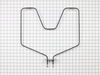
bake element cracked
1-SHUT OFF POWER. You can just unplug if possible, but it may be easier to flip the breaker to kill all power to the unit. 2-Use 1/4 in socket to loosen the two brass screws that hold the bake element into the back of the unit. 3-Gently pull out the wires, and pull the bake element from the wires. 4-Replace bake element and put back together. In all it took me longer to walk to the garage to get/replace my tools than it did to repair the unit. Don't be afraid to do it yourself...especailly cause it'll save you at least 50% on the job. :)
Parts Used:
-
Frank from Burr Ridge, IL
-
Difficulty Level:Really Easy
-
Total Repair Time:Less than 15 mins
2 of 3 people
found this instruction helpful.
Was this instruction helpful to you?
Thank you for voting!
temperature sensor went
Took back panel off unplugged sensor and replugged in and worked like a charm!Sears wanted $400 and was going to 'overrepair"Got the 60 dollar part on here. UPS shipped to wrong address and customer service refunded my shipping and was excellent! would definetly use again!thanks
Parts Used:
-
Alex R from Randoff, NJ
-
Difficulty Level:Easy
-
Total Repair Time:Less than 15 mins
-
Tools:Nutdriver
1 person
found this instruction helpful.
Was this instruction helpful to you?
Thank you for voting!
oven element
-
G.T from Lincoln, NE
-
Difficulty Level:Really Easy
-
Total Repair Time:Less than 15 mins
-
Tools:Nutdriver
2 of 4 people
found this instruction helpful.
Was this instruction helpful to you?
Thank you for voting!
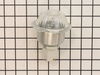
shortage in wiring cause the housing to burn out
Replaced new light housing.
Thanks to you guys for the prompt response
Thanks to you guys for the prompt response
Parts Used:
-
fred from PALM COAST, FL
-
Difficulty Level:Really Easy
-
Total Repair Time:Less than 15 mins
1 person
found this instruction helpful.
Was this instruction helpful to you?
Thank you for voting!
Bake Element was in need of replacement.
#1) Found electrical control breaker and moved to "off" position
#2) Removed two (2) screws with a nut driver, that were holding the bake element in position against the back wall of the oven. Gently pulled the original bake element out toward the door to expose the wire connectors from oven to element, then disengaged the connections.
#3) Removed the damaged element, replaced with the new element, reconnected the wires to the element, and returned same into the back wall opening and reinserted the two (2) screws with nut driver.
Repair was complete. Electrical breaker returned to on. Procedure Done!
#2) Removed two (2) screws with a nut driver, that were holding the bake element in position against the back wall of the oven. Gently pulled the original bake element out toward the door to expose the wire connectors from oven to element, then disengaged the connections.
#3) Removed the damaged element, replaced with the new element, reconnected the wires to the element, and returned same into the back wall opening and reinserted the two (2) screws with nut driver.
Repair was complete. Electrical breaker returned to on. Procedure Done!
Parts Used:
-
James from SIMPSONVILLE, SC
-
Difficulty Level:Really Easy
-
Total Repair Time:Less than 15 mins
-
Tools:Nutdriver
1 person
found this instruction helpful.
Was this instruction helpful to you?
Thank you for voting!
oven racks old and ugly
1. Open oven door
2. insert oven racks (perfect fit)
3. close oven door. Done and finished - man am I tired
2. insert oven racks (perfect fit)
3. close oven door. Done and finished - man am I tired
Parts Used:
-
Claudene from ORCUTT, CA
-
Difficulty Level:Very Easy
-
Total Repair Time:Less than 15 mins
1 person
found this instruction helpful.
Was this instruction helpful to you?
Thank you for voting!
F2 Code - Oven Overheating and Shutdown
Initially replaced thermostat sensor but unsuccessful. With some help from internet repair, the removal and replacement of the electronic board was easy given the labelling on the new board was essentailly identical to older model.
Parts Used:
-
Marc from Houston, TX
-
Difficulty Level:Easy
-
Total Repair Time:15 - 30 mins
-
Tools:Pliers, Screw drivers
3 of 8 people
found this instruction helpful.
Was this instruction helpful to you?
Thank you for voting!
The Bake Element Stopped Working
The first task is to turn off the breaker so there is no power coming to the oven. I learned in the hard way that even though the oven is turned off, there is still a hot wire connected to the bake element. Next,I removed the oven door and shelves. Then I used a nutdriver to remove the two screws holding the element in place. I expected to find a plug, however the element is connected to two wires buried in the insulation. I pulled the wires off of the bake element, connected them to the new element and put everything back together. This is not a difficult task.
Parts Used:
-
Arnold from Hayes, VA
-
Difficulty Level:Easy
-
Total Repair Time:30 - 60 mins
-
Tools:Nutdriver, Pliers
1 of 2 people
found this instruction helpful.
Was this instruction helpful to you?
Thank you for voting!
Bake Element Not Hot.
First I unplugged unit. Theni removed the two screws that hold the element in place . Then went to pull the element out to disconnect the two wires,but was having alittle trouble. There for I removed the large plate(cover) on the back of range,and removed the wires from this location. Put the new element in place,reattached wires,screwed back plate back on ,and pluged back in.
Parts Used:
-
Geoff from ANDOVER, MA
-
Difficulty Level:Easy
-
Total Repair Time:15 - 30 mins
-
Tools:Nutdriver
1 of 3 people
found this instruction helpful.
Was this instruction helpful to you?
Thank you for voting!
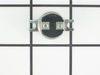
When baking F2 code flashed in the window and oven would shut down.
Removed oven from cabinet and replaced oven control board, door lock was included in package,installed it also, installed new limit sensors. removing the connections from the old control and putting them on the new one was a little difficult, just have to be gental,plyers worked well, the new control had revised selonids that had 4 terminals and I only had 2 wires, one for bake and one for broil, the selonids had paint dots to show you which ternimal to hook the wires to, yellow on bake and violet on the broil, Lb1 had a stamp on the circuit board next to the side ternimal, the other two ternimals were blank for me. It would be real nice if a diagram was included, even after contacting GE answer center and requesting a diagram, they only had the orginal print that came with the stove, revised the board and not the blueprints, see how that works, call a tech to hook up 2 wires. Put oven back in cabinet and no more error codes.
Parts Used:

-
Daniel from Ballston Spa, NY
-
Difficulty Level:Easy
-
Total Repair Time:30 - 60 mins
-
Tools:Nutdriver, Pliers, Screw drivers, Wrench set
Was this instruction helpful to you?
Thank you for voting!
Oven Sensor Replacement
The part was just like the old one and would have been an easy fix except our range suffered from a lighting hit. The clips had melted together. Called a dealer and asked about a new wiring harness. He said in those cases just cut the clip off and hard wire with wire clips,or firecrackers. We used wire nuts and taped all together and the oven works just great. Nothing is ever as easy as it should be.
Parts Used:
-
Barbara from Edwardsville, IL
-
Difficulty Level:A Bit Difficult
-
Total Repair Time:30 - 60 mins
-
Tools:Nutdriver
Was this instruction helpful to you?
Thank you for voting!