




















JMW9527BAB Jenn-Air Microwave Oven Combo - Instructions
Keep searches simple. Use keywords, e.g. "leaking", "pump", "broken" or "fit".
oven not heating to set temp. 100 degrees too cold
installed part,turned unit on-temp still cold. reset digital control, up 35 degrees, still cold. un-plugged unit,re-connect after 10 min. still cold.
Parts Used:

-
Robert from Funston, GA
-
Difficulty Level:Really Easy
-
Total Repair Time:Less than 15 mins
-
Tools:Screw drivers
2 of 4 people
found this instruction helpful.
Was this instruction helpful to you?
Thank you for voting!
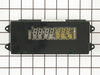
Digital readout went very dim
Open oven door, remove four phillips screws, lift off the faceplate. Remove circiut board containing the readouts with nutdriver unplug two connectors and install the new board. Very happy with results and saved a bundle !!
Parts Used:
-
Wallace from Mason City, IA
-
Difficulty Level:Really Easy
-
Total Repair Time:Less than 15 mins
-
Tools:Nutdriver, Screw drivers
1 person
found this instruction helpful.
Was this instruction helpful to you?
Thank you for voting!
Needed to replace the clock assembly
Repair was just exactly like a dozen I read before I ordered the part. Turn off breaker. Remove 4 phillips head screws on the bottom of the clock face. Tilt out from the bottom, take out 4 screws with 1/4" nutdriver, unplug 3 wiring harnesses. Replace in reverse order and turn the power back on.
Parts Used:
-
Terry from Grand Prairie, TX
-
Difficulty Level:Really Easy
-
Total Repair Time:Less than 15 mins
-
Tools:Nutdriver, Screw drivers
1 person
found this instruction helpful.
Was this instruction helpful to you?
Thank you for voting!
The timer/clock on the oven display was out.
Turned off power to the oven. Removed the four screws on the bottom of the control panel. The panel then needed to be lifted up just a bit to release from a bracket that holds the top in place. Because this is a built-in with a microwave oven above it I had to remove four screws to take off the decorative facade from around the microwave.
Once the surround on the microwave was removed I slide up the control panel. Removed 3 cables from the timer and the 4 screws holding it in place. Installed the new timer (4 screws and 3 cables), put the control panel back in place. Four screws in the bottom of the panel, four screws in the surround and done. Turned the power back on to the oven and 2 days later cooked a turkey for Thanksgiving.
Once the surround on the microwave was removed I slide up the control panel. Removed 3 cables from the timer and the 4 screws holding it in place. Installed the new timer (4 screws and 3 cables), put the control panel back in place. Four screws in the bottom of the panel, four screws in the surround and done. Turned the power back on to the oven and 2 days later cooked a turkey for Thanksgiving.
Parts Used:
-
Patrick from Carmel, IN
-
Difficulty Level:Really Easy
-
Total Repair Time:Less than 15 mins
-
Tools:Nutdriver, Screw drivers
1 person
found this instruction helpful.
Was this instruction helpful to you?
Thank you for voting!
the clock digets on the control panel faded away
I removed the four screws that hold the control panel in place, unpluged the three wire connectors, and removed the clock assembly by removing four screws that hold it in place. Next I replaced the four screws that hold the clock in place, pluged in the wire connectors, and replaced the control panel. It was a very simple task.
Parts Used:
-
William from Hayden Lake, ID
-
Difficulty Level:Really Easy
-
Total Repair Time:Less than 15 mins
-
Tools:Screw drivers
1 person
found this instruction helpful.
Was this instruction helpful to you?
Thank you for voting!
Clock display stopped working
Followed the very clear instructions written by others who also had a combination microwave/oven. Complication encountered because my oven is built into the cabinetry right next to a built-in refrigerator that protrudes by several inches. No room to get a screwdriver in to loosen the screws for the faceplate of the microwave on one side in order to remove the oven's display panel. Luckily had just the tip of a Phillips head and used pliers to carefully turn it just a bit with each turn until screw came out. Also didn't have the right tool to loosen the clock display little hex screws and used pliers for that as well. It was tough to get two of the electrical connections out--had to be careful wiggling them free so as not to break the wires. Finally used a tiny little flathead screwdriver to gently work each side up a bit until the whole connection could be pulled out. Took longer than it needed to.
Parts Used:
-
Jane from West Chester, PA
-
Difficulty Level:A Bit Difficult
-
Total Repair Time:30 - 60 mins
-
Tools:Pliers, Screw drivers
1 person
found this instruction helpful.
Was this instruction helpful to you?
Thank you for voting!
Oven control panel did not light up
Removed 4 screws from the front panel. Disconnected the wiring harness at three locations. The printed circuit popped out of the framework. Exhanged with a new one, and reversed procedure to reinstall.
Parts Used:
-
Sally from Walnut Grove, CA
-
Difficulty Level:Really Easy
-
Total Repair Time:15 - 30 mins
-
Tools:Screw drivers
1 person
found this instruction helpful.
Was this instruction helpful to you?
Thank you for voting!
"F3" error message and no oven heat
Unplugged the range, removed screws holding the old sensor. When I pulled it out, the wire connecting to the sensor was completely broken through,therefore I could not just pull the wire to get to the connector. Unscrewed one side of back panel to access the connector. Pushed the connector and wire of the new sensor through the hole ( and behind the insulation), disconnected the old sensor and connected the new one. Re screwed the new connector in place plus rescrewed the back panel. Plugged the range in and - Viola! Everything now works like a charm and I have my oven back. Easy-Peasy. Oh - I am an older female with very limited DYI experience. I just saved myself $650.00!
Parts Used:
-
Pat from PAYSON, AZ
-
Difficulty Level:Very Easy
-
Total Repair Time:15 - 30 mins
-
Tools:Screw drivers
1 person
found this instruction helpful.
Was this instruction helpful to you?
Thank you for voting!
Timer display on wall oven/microwave getting dim
Removed the four screws that hold the oven assembly in the cabinet, slid it part way out and let the front edge rest on the kitchen stool (these puppies are heavy!)
Removed bezel from around the microwave, removed screws that hold the microwave in, and slid it out.
removed the microwave tracks, and removed the top panel from the oven.
remove four screws that hold the timer to the front panel, unplugged three connectors, and remove timer.
Plug the three connectors back in; watch out, the pins bend easily!
Re-install the four screws; the top two are hard to see. A magnet on the nutdriver helps.
Re-install top panel, microwave tracks.
slide the microwave in, re-install bezel.
Heave the whole thing back into the cabinet, and shim to level; important step! otherwise the door won't close right.
Re-install the four screws that keep it in the cabinet. Not needed for strength, just in case gravity decides to stop operating.
Important; don't forget to cut off power before removing, don't forget to plug the microwave back in (ask me how I know) or you'll be pulling it out again.
Easy job except for two invisible screws, heavy components, and sharp-edged sheet metal. Probably saved more than $200 on service charges, between saving on parts and labor.
Removed bezel from around the microwave, removed screws that hold the microwave in, and slid it out.
removed the microwave tracks, and removed the top panel from the oven.
remove four screws that hold the timer to the front panel, unplugged three connectors, and remove timer.
Plug the three connectors back in; watch out, the pins bend easily!
Re-install the four screws; the top two are hard to see. A magnet on the nutdriver helps.
Re-install top panel, microwave tracks.
slide the microwave in, re-install bezel.
Heave the whole thing back into the cabinet, and shim to level; important step! otherwise the door won't close right.
Re-install the four screws that keep it in the cabinet. Not needed for strength, just in case gravity decides to stop operating.
Important; don't forget to cut off power before removing, don't forget to plug the microwave back in (ask me how I know) or you'll be pulling it out again.
Easy job except for two invisible screws, heavy components, and sharp-edged sheet metal. Probably saved more than $200 on service charges, between saving on parts and labor.
Parts Used:
-
Robert from Albuquerque, NM
-
Difficulty Level:A Bit Difficult
-
Total Repair Time:30 - 60 mins
-
Tools:Nutdriver, Screw drivers
3 of 7 people
found this instruction helpful.
Was this instruction helpful to you?
Thank you for voting!
Door hinge
My wife help take the door off. It was a little heavy . The door came apart very easy and went back the same way.We save over $300 by doing it our selfs.
Parts Used:
-
Mr. Mike F from SAN ANTONIO, TX
-
Difficulty Level:Really Easy
-
Total Repair Time:30 - 60 mins
-
Tools:Screw drivers
1 person
found this instruction helpful.
Was this instruction helpful to you?
Thank you for voting!
Oven temperature fluctuates
Replaced the thermostat according to existing videos and had to adjust the thermostat using instuctions in the user manual for model CWE4800ACB.
Parts Used:
-
Larry from SOLON, IA
-
Difficulty Level:Easy
-
Total Repair Time:30 - 60 mins
-
Tools:Screw drivers
1 person
found this instruction helpful.
Was this instruction helpful to you?
Thank you for voting!
F5 fault code kept appearing
I installed the new oven sensor but the problem continued. So I ordered a new relay board and installed it. Still no luck. So I pulled the new board back out and started trouble shooting it using my electronic background. I discovered the new board was using a pin for L2 that had no exit on the backplane, so I removed it and installed it where I believed it should go. Reinstalled the power relay board and presto. My oven is working lie a champ. Louis
Parts Used:
-
Louis Rodriguez from Granbury, TX
-
Difficulty Level:Very Difficult
-
Total Repair Time:More than 2 hours
-
Tools:Nutdriver, Screw drivers
1 person
found this instruction helpful.
Was this instruction helpful to you?
Thank you for voting!
Oven not heating to desired temp
Had to remove oven from mounting cabinet to get to the back since the wire lenght to the conector was to short to come through the mounting hole.
Other than that the repair was straight forward. 4 screws to dismount the Oven from cabinet, 2 screws to remove Sensor and 3 srews to open the back of the oven once out in the open. New cable adapter that came with the new sensor was needed in my case.
Other than that the repair was straight forward. 4 screws to dismount the Oven from cabinet, 2 screws to remove Sensor and 3 srews to open the back of the oven once out in the open. New cable adapter that came with the new sensor was needed in my case.
Parts Used:
-
Raymond from Ridgecrest, CA
-
Difficulty Level:A Bit Difficult
-
Total Repair Time:1- 2 hours
-
Tools:Nutdriver, Screw drivers
2 of 5 people
found this instruction helpful.
Was this instruction helpful to you?
Thank you for voting!
Oven would not heat
Flipped off breaker and removed oven door and pulled built in stove out so the back panel could be removed. Unplugged the sensor then removed the two screws securing the old sensor inside the oven and installed new sensor. Put stove back together and installed back into counter top, re-installed oven door, flipped on the breaker and oven works like new.
Parts Used:
-
Ralph from Nicholasville, KY
-
Difficulty Level:Easy
-
Total Repair Time:30 - 60 mins
-
Tools:Screw drivers
1 of 2 people
found this instruction helpful.
Was this instruction helpful to you?
Thank you for voting!
Clock and oven display was dim, could not read
Remove trim piece from microwave above oven.
Remove 5 screws from inside oven below the display and control module
Lift out module and unplug three wire harnesses
Remove display and PCB from module.
Install in reverse
Remove 5 screws from inside oven below the display and control module
Lift out module and unplug three wire harnesses
Remove display and PCB from module.
Install in reverse
Parts Used:
-
William from Escondido, CA
-
Difficulty Level:Easy
-
Total Repair Time:15 - 30 mins
-
Tools:Screw drivers
1 of 2 people
found this instruction helpful.
Was this instruction helpful to you?
Thank you for voting!