




















JMW9527BAB Jenn-Air Microwave Oven Combo - Instructions
Keep searches simple. Use keywords, e.g. "leaking", "pump", "broken" or "fit".
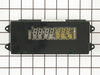
Time light dimmed and then no longer seen
First I had to remove the cover for the oven because my appliance is an oven/microwave combination. Then I just followed the directions of the people on site and it worked like a charm!!!
Parts Used:
-
Carol from Kilgore, TX
-
Difficulty Level:Really Easy
-
Total Repair Time:15 - 30 mins
-
Tools:Screw drivers, Wrench (Adjustable)
1 person
found this instruction helpful.
Was this instruction helpful to you?
Thank you for voting!
Broken oven door hinge
My daughter & I followed the instructions in your video and had fun repairing the door. The video showed exactly how to do the repair. I hope I don't need any appliance parts very soon but I will certainly pull up your web site if I do. Thanks for an excellent instruction video.
John - Hot Springs Village, AR
John - Hot Springs Village, AR
Parts Used:
-
John from HOT SPRINGS, AR
-
Difficulty Level:Very Easy
-
Total Repair Time:15 - 30 mins
-
Tools:Screw drivers
1 person
found this instruction helpful.
Was this instruction helpful to you?
Thank you for voting!
LED light on over temp gave up &died
I removed the front cover piece and looked at what I was going to replace and then put it back in place. I went on line and got the part from the manufacture, not returnable if I screw up and get the wrong part. Ordered and recieved-right one. I removed the front cover snaped in the electrical tested to make sure it worked, it did. 4 screws back together and it is working fine.
Parts Used:
-
Keith from Petaluma, CA
-
Difficulty Level:Really Easy
-
Total Repair Time:15 - 30 mins
-
Tools:Screw drivers
1 person
found this instruction helpful.
Was this instruction helpful to you?
Thank you for voting!
The display went dim and then out. Common problem - most in development have had to do- design flaw.
Open oven, Remove the 4 screws located on top leading edge of the oven. Pull the plugs from the pannel and then using the nut driver remove screws. Reattach plugs- note do not force. Two people- one to hold the pannel while you do change out.
Parts Used:
-
Michael from Lakewood, CO
-
Difficulty Level:Really Easy
-
Total Repair Time:15 - 30 mins
-
Tools:Nutdriver, Screw drivers
1 person
found this instruction helpful.
Was this instruction helpful to you?
Thank you for voting!
Oven clock was real dim.
First I removed the four screws from the control panel. This was done by opening the oven door. Lifted up on the control panel and removed it. Then unplulged the three conecters to the control board. Removed the four screws holding the board in place. Put the new board in, connected three plugs, put the control panel back on and attached it with the four screws from under neath.Simple!!!!!!!
Parts Used:
-
Gary from Lake Lure, NC
-
Difficulty Level:Really Easy
-
Total Repair Time:15 - 30 mins
-
Tools:Nutdriver, Screw drivers
1 person
found this instruction helpful.
Was this instruction helpful to you?
Thank you for voting!
Clock & Temp display fadded out
After reading how the others did this repair, I told Nancy, no sweat, you can do it. We removed the four screws from under the panal, removed the panal, unpluged the wire leads and laid the unit on a towel. We then removed the four nuts that held the clock assembly and exchanged the old for the new. Reversed the proceedure and it worked. Don't forget to turn the power off before the repair.
Parts Used:
-
Bob from Castle Rock, CO
-
Difficulty Level:Really Easy
-
Total Repair Time:15 - 30 mins
-
Tools:Nutdriver, Screw drivers
1 person
found this instruction helpful.
Was this instruction helpful to you?
Thank you for voting!
clock/light display dim or off
shut power off to wall oven,open oven door & with phillips screw driver remove 4 screws. lift clock display up & out,unplug three harness's & remove.unscrew the four 5/16 bolts and remove and replace the light display.
Parts Used:
-
Douglas from Nesconset, NY
-
Difficulty Level:Really Easy
-
Total Repair Time:15 - 30 mins
-
Tools:Nutdriver, Screw drivers
1 person
found this instruction helpful.
Was this instruction helpful to you?
Thank you for voting!
Oven clock display out
Remove 4 screws above oven door. Lift glass clock display from oven. Remove four nuts, unplug 3 connectors, lift module out. Install new module, reverse removal procedure. Shazam! Like new.
Parts Used:
-
Barbara from Port Charlotte, FL
-
Difficulty Level:Easy
-
Total Repair Time:15 - 30 mins
-
Tools:Nutdriver, Screw drivers
1 person
found this instruction helpful.
Was this instruction helpful to you?
Thank you for voting!
Oven door was locked, couldn't set oven temps
Got a bent metal coathook to temporarily release the oven door, removed the screws from the old probe, inserted the new one, and hooked it up, using the one of the plug adapters provided. Problem solved! The oven door latch was now disengaged, the oven would now accept temperature inputs, and the rear cooling fan (which wouldn't shut off) now turned off. That's a lot of things working better for less than $50!
Parts Used:

-
William from Nashville, TN
-
Difficulty Level:Easy
-
Total Repair Time:15 - 30 mins
-
Tools:Screw drivers
1 person
found this instruction helpful.
Was this instruction helpful to you?
Thank you for voting!
Oven would not hold temperature, not turn on, and would shut off during use.
Extremely simple repair to make. Move stove away from wall and disconnect power. Remove the oven racks. Remove the rear sheet metal panel covering the wiring harnesses. Caution: Sharp edges and corners on sheet metal.Sensor is located in upper left corner on rear oven wall. Using a long-shafted #2 Philips screwdriver, remove the two Philips head screws and gently pull the sensor 1" away from the oven wall. At this point, it will help to have an assist from someone while you are behind the range. Have the assistant gently tug on the sensor while you watch for wires moving on the rear of the range. After locating the sensor wires, gently disconnect the plastic connector clip. Note: plastic connectors become brittle with age and exposure to heat Move to front of range and gently remove sensor from rear wall by pulling the wiring through the oven wall. Before inserting the new sensor wire through the oven wall, "dry fit" the wiring connectors to see that the new sensor is a correct connection. Make connection, and secure the sensor to the rear oven wall with the two screws. Install racks, reinstall rear sheet metal panel, and connect the power. Set the oven baking temperature to a moderately low temp, 300 - 350 deg. to test the new sensor.
Parts Used:
-
John from Arvada, CO
-
Difficulty Level:Very Easy
-
Total Repair Time:Less than 15 mins
-
Tools:Nutdriver, Screw drivers
1 person
found this instruction helpful.
Was this instruction helpful to you?
Thank you for voting!
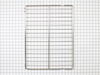
Needed replacement oven rack.
-
Bobby K. from Huntsville, TX
-
Difficulty Level:Very Easy
-
Total Repair Time:Less than 15 mins
1 person
found this instruction helpful.
Was this instruction helpful to you?
Thank you for voting!
No problem installing the sensor
I removed the two mounting screws and pulled the harness through the opening unsnapped the sensor from the harness and installed the new sensor i didn't have to used the adapters the new sensor fitted
Parts Used:
-
tommy from FAYETTEVILLE, NC
-
Difficulty Level:Very Easy
-
Total Repair Time:Less than 15 mins
-
Tools:Screw drivers
1 person
found this instruction helpful.
Was this instruction helpful to you?
Thank you for voting!
LED clock faded then black,oven worked but no clock
First: my problem was with the oven. Turn power off at breaker,should be one of the largest breakers, 30 or 40 amp. type.Then open door look up under LED readout you will see 4 phillip head screws, remove them,then lift LED section upward and off.You may want/need someone to hold this section.Then unplug the wires by pulling firmly upward and off of the LED plastic box. The box is held on by 4 hex nut screws, unscrew and remove box,install new LED display in reverse order. turn power back on.Set clock. Your done.Sounds like a long project but I actually had two ovens to do.Total time for the first oven was 12 minutes.
Parts Used:
-
George from Wilmington, DE
-
Difficulty Level:Really Easy
-
Total Repair Time:Less than 15 mins
-
Tools:Nutdriver, Screw drivers
1 person
found this instruction helpful.
Was this instruction helpful to you?
Thank you for voting!
The Clock Assy LED was so dim I could not see it.
I removed 4 screws on the under side of the glass that held the clock assy. removed the glass panel and removed 3 connectors off the back. Removed the 4 screws holding down the clock assy with a nut driver. Put the new part in place and it was back together in 3 min. Easy Peezy I would of felt foolish hireing a repairman to do this job....
Parts Used:
-
William from Morgan Hill, CA
-
Difficulty Level:Easy
-
Total Repair Time:Less than 15 mins
-
Tools:Screw drivers
1 person
found this instruction helpful.
Was this instruction helpful to you?
Thank you for voting!
Jenn-air oven electronic display ceased working
Number one: trip the breaker on the oven. Next, I removed four screws from the bottom of the front display panel. Then, unhooked the panel and gently placed it on the counter next to it. Then I un-plugged each of the three inputs and plugged them into the new component. I then unscrewed the four hex screws from assembly and removed the old unit. I reversed the process and screwed it back in, and when I turned on the circuit breaker, everything worked as advertised. Total time: less than 15 minutes.
Parts Used:
-
Jeffery from Seguin, TX
-
Difficulty Level:Really Easy
-
Total Repair Time:Less than 15 mins
-
Tools:Screw drivers, Socket set
1 person
found this instruction helpful.
Was this instruction helpful to you?
Thank you for voting!