




















CPMC3085KF3 Frigidaire Microwave Oven Combo - Instructions
Keep searches simple. Use keywords, e.g. "leaking", "pump", "broken" or "fit".
Everthing works except heating.
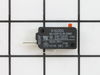
This is an OTR microwave oven, needs to be removed to diagnose problem. I did not diagnose problem properly, I searched online for possible causes, read that (99%)percent of the time the interlock switch was bad and replacement should solve my problem. It was also stated to be an easy fix,15- 45 minutes depending on ability. I ordered the relay switch. Took the oven down then removed outer shell. With my multimeter I began to test, fuses(2), interlock switches(3)and transformer. 3 interlock switches were ok, fuses were fine, and had power to the transformer, meter could not read output of transformer because of high voltage, (2300v). I'm down to magnetron (about a hundred bucks) or the touch pad/ circuit board. I have a countertop micro that I'm putting in place of the OTR. As far as Partselect, my item was shipped and delivered on time, instructions for changing that part was quite accurate. Would order from here again, just do my homework first.
Parts Used:
-
Michael from Waynesboro, PA
-
Difficulty Level:A Bit Difficult
-
Total Repair Time:30 - 60 mins
-
Tools:Pliers, Screw drivers
2 of 3 people
found this instruction helpful.
Was this instruction helpful to you?
Thank you for voting!
Hardboiled egg cooked in microwave and exploded
0. Turn off breaker to oven
1 Remove two screws holding oven into enclosure.
2. Remove trim piece from bottom.
3. Open oven door, and engage part on hinge which keeps door from closing all the way. Now, door can be lifted and removed, set aside.
4. Slide oven out. This is very heavy, and it's best to have two people as well as something slightly lower than the oven to put it on, I used a chair.
5. Remove microwave trim, 4 screws.
6. Remove baffle which protects microwave power cord.
7. Loosen 4 screws from bottom of microwave. I used a Screwdriver bit with a pliers, as there isn't much room. Slide microwave forward or back, and microwave can be lifted from oven.
8. Remove 4 screws on side, 2 security Star screws on bottom of back, and 3 regular screws on back.
9. Remove top heat shield, and top/sides cover. Danger, do not plug in microwave with top/side cover missing. Also, capacitor on right/back may hold dangerous voltages, short the terminals using well-insulated tool. There is a bleed resistor which is supposed to do this, but you can never be too careful.
10. Open microwave drawer. Unscrew the front control panel from the inside. Remove plastic part the door open button usually moves, the part needs to be pulled to the left side to be removed. Take a picture of the wires attached to the switches on the latch plate, so you put them back correctly.
11. Remove wire connectors from switches. These connectors have a retaining feature, if you push the retaining feature, it doesn't take too much force to remove it. There are 6 wires. Remove the latch plate, there may be a screw or two.
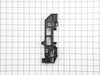
12. Take note of which switches are normally own and normally closed. They have to go back the same way. I mainly took out the latch plate because the switches stopped working, a couple had welded themselves together internally. But, I had to replace the latch plate because I improperly removed the switches and broke the plate. The switches are held in place by a pin through the switch, a couple of static parts from the latch plate, and a tab which sticks up from the bottom of the latch plate. The pin is very fragile. Depress the tan from the bottom of the latch plate, and the switch should rotate on the pin. Do not release the tab until the such has rotated past it. Now, you can lift the switch.
13. Reverse all of these steps with the new patch plate to put everything back together. You might want to test the microwave before reattaching it to the oven.
14. To put the oven back into the cavity, it's best to lean the back edge over the bottom of the cavity, then lift the oven from the front and slide it in.
1 Remove two screws holding oven into enclosure.
2. Remove trim piece from bottom.
3. Open oven door, and engage part on hinge which keeps door from closing all the way. Now, door can be lifted and removed, set aside.
4. Slide oven out. This is very heavy, and it's best to have two people as well as something slightly lower than the oven to put it on, I used a chair.
5. Remove microwave trim, 4 screws.
6. Remove baffle which protects microwave power cord.
7. Loosen 4 screws from bottom of microwave. I used a Screwdriver bit with a pliers, as there isn't much room. Slide microwave forward or back, and microwave can be lifted from oven.
8. Remove 4 screws on side, 2 security Star screws on bottom of back, and 3 regular screws on back.
9. Remove top heat shield, and top/sides cover. Danger, do not plug in microwave with top/side cover missing. Also, capacitor on right/back may hold dangerous voltages, short the terminals using well-insulated tool. There is a bleed resistor which is supposed to do this, but you can never be too careful.
10. Open microwave drawer. Unscrew the front control panel from the inside. Remove plastic part the door open button usually moves, the part needs to be pulled to the left side to be removed. Take a picture of the wires attached to the switches on the latch plate, so you put them back correctly.
11. Remove wire connectors from switches. These connectors have a retaining feature, if you push the retaining feature, it doesn't take too much force to remove it. There are 6 wires. Remove the latch plate, there may be a screw or two.
12. Take note of which switches are normally own and normally closed. They have to go back the same way. I mainly took out the latch plate because the switches stopped working, a couple had welded themselves together internally. But, I had to replace the latch plate because I improperly removed the switches and broke the plate. The switches are held in place by a pin through the switch, a couple of static parts from the latch plate, and a tab which sticks up from the bottom of the latch plate. The pin is very fragile. Depress the tan from the bottom of the latch plate, and the switch should rotate on the pin. Do not release the tab until the such has rotated past it. Now, you can lift the switch.
13. Reverse all of these steps with the new patch plate to put everything back together. You might want to test the microwave before reattaching it to the oven.
14. To put the oven back into the cavity, it's best to lean the back edge over the bottom of the cavity, then lift the oven from the front and slide it in.
Parts Used:
-
John from PLANO, TX
-
Difficulty Level:A Bit Difficult
-
Total Repair Time:30 - 60 mins
-
Tools:Nutdriver, Screw drivers
1 person
found this instruction helpful.
Was this instruction helpful to you?
Thank you for voting!
wrong part
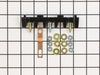
my original part arrived and it did not fit. When I called to explain the problem I was told it was the wrong part. The big problem is... Frigidaire calls the receptacle a terminal block kit as well as a terminal block kit which is a totally different part. I tried to explain that to several different folks I spoke to at your company as well as Frigidaire but I'm not sure if I got that point across. Take a look at part # 530 393 5058 and part # 530 440 9888 and you will see that they both mention terminal block kit. Hopefully the part I am getting from Frigidaire is an OEM part and will fit.
Parts Used:
-
Barbara from WICKENBURG, AZ
-
Difficulty Level:Very Difficult
-
Total Repair Time:30 - 60 mins
2 of 4 people
found this instruction helpful.
Was this instruction helpful to you?
Thank you for voting!
Inner window on my Frigidaire electric stove oven cracked
On this website, I found an instruction manual for this stove. There were 2 pages about how to change the glass on the oven door, including diagrams. I'd also checked a generic youtube video on changing inner glass on oven doors too, although the hinges in the youtube demo weren't exactly like those in mine. I printed out the instructions, checked the oven door to make sure the hinges looked like those in the diagrams, set aside a couple of hours on a free day with no other distractions, and did the job. I just kept removing screws from the inside oven door, peeling back the layers of the onion, until I got to the innermost glass, which was cracked. Put the new glass in, put it back together. On youtube the guy said it would take 20 minutes. It took me about an hour. Saved a ton of money by doing it myself.
Parts Used:
-
Jonathan M. from Sierra Madre, CA
-
Difficulty Level:Easy
-
Total Repair Time:1- 2 hours
-
Tools:Pliers, Screw drivers, Wrench (Adjustable)
1 of 3 people
found this instruction helpful.
Was this instruction helpful to you?
Thank you for voting!
No Power to the Oven
Watching the video showed an easy, unscrew and screw back on process while connecting the wires back. It was really that simple. Once it was complete (not even 10mins), plugged it back in, and its been working great since.
Parts Used:
-
Tony from Hartford, CT
-
Difficulty Level:Really Easy
-
Total Repair Time:Less than 15 mins
-
Tools:Screw drivers
1 of 3 people
found this instruction helpful.
Was this instruction helpful to you?
Thank you for voting!
light bilb went out
-
Denise from Landover, MD
-
Difficulty Level:Really Easy
-
Total Repair Time:Less than 15 mins
2 of 6 people
found this instruction helpful.
Was this instruction helpful to you?
Thank you for voting!
Lens cover for oven light broke.
Really a no brainer, but I do have to say that PartSelect customer service is excellent. My part was located and on it's way within a day and arrived a couple of days later.
Parts Used:
-
Amy from Corona, CA
-
Difficulty Level:Really Easy
-
Total Repair Time:Less than 15 mins
0 of 1 people
found this instruction helpful.
Was this instruction helpful to you?
Thank you for voting!
Timer runs, but no heat.
I purchased one relay switch (there are three) took one out one by one and replced it with the new one and tested it each time until it worked. Super easy and saved me hundreds of dollars by doing this myself.
Parts Used:
-
Joshua from Depoe Bay, OR
-
Difficulty Level:Really Easy
-
Total Repair Time:Less than 15 mins
-
Tools:Pliers, Screw drivers
0 of 1 people
found this instruction helpful.
Was this instruction helpful to you?
Thank you for voting!
Microwave Would Run And Count Down But Not Heat
Removed unit from above stove removed outer housing, interior shield and tested the 4 door relays. One was not working. Replaced parts and re installed unit over stove.
Parts Used:
-
John from Selma, CA
-
Difficulty Level:Easy
-
Total Repair Time:1- 2 hours
-
Tools:Screw drivers, Wrench set
0 of 1 people
found this instruction helpful.
Was this instruction helpful to you?
Thank you for voting!
Power, light, and clock work, micro/turntable not working
Much like the other post: 1. Removw vent case on top (3 screws) 2. Remove cover with control buttons (1 screw). 3. Removed bottom relay switch and replaced. Tight working space so be patient. Took 15 minutes Needle nose pliers used to crimp connector onto switch
Parts Used:
-
adam from new orleans, LA
-
Difficulty Level:Easy
-
Total Repair Time:15 - 30 mins
-
Tools:Pliers, Screw drivers
0 of 2 people
found this instruction helpful.
Was this instruction helpful to you?
Thank you for voting!
Instructions did not match the assembly of the ice maker.
I managed to move the auger far enough to allow me to insert the cup-drive and then realign the auger with the new cup-drive. I also have had one to break very shortly after installing it. This is my second part to replace and this one went really smooth, since I understood that the initial parts installation instructions did not apply on my ice maker.
Parts Used:
-
Harry from Cypress, TX
-
Difficulty Level:Very Difficult
-
Total Repair Time:More than 2 hours
0 of 3 people
found this instruction helpful.
Was this instruction helpful to you?
Thank you for voting!
Control will not work - only clock blinks
Took 3 panels off to get to the electric block. Replaced electrical block and put it back together. Still no change.
Parts Used:
-
Sue from Lampasas, TX
-
Difficulty Level:Really Easy
-
Total Repair Time:15 - 30 mins
-
Tools:Nutdriver, Pliers, Screw drivers
0 of 4 people
found this instruction helpful.
Was this instruction helpful to you?
Thank you for voting!
Broken globe in oven and burnt out light bulb
-
Sharon from Foley, AL
-
Difficulty Level:Really Easy
-
Total Repair Time:Less than 15 mins
0 of 5 people
found this instruction helpful.
Was this instruction helpful to you?
Thank you for voting!
inner glass uncleanable
Took door apart, went online to partselect, ordered new glass, and put it back together. Oven looks like new. Makes sense to order the isolation as well when you do the repair
Parts Used:
-
Krista from Newtown, CT
-
Difficulty Level:Easy
-
Total Repair Time:15 - 30 mins
-
Tools:Screw drivers
Was this instruction helpful to you?
Thank you for voting!
really bad ugly streaks inside of glass
open door,throw the door latches at the hinges and remove door. Take the out of the outer panel so you can separate the glasses. remove clip that hold the outer glass in place. I ordered a replacement glass as I never thought that it would come clean it looked so bad, but it cleaned up like new so I now have a spare glass for my oven door. Just reverse the way you take it apart to put it back together.
Parts Used:
-
John from Hemet, CA
-
Difficulty Level:Really Easy
-
Total Repair Time:15 - 30 mins
-
Tools:Screw drivers
Was this instruction helpful to you?
Thank you for voting!