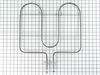
If your oven isn’t heating evenly or not heating at all, this bake element might be the fix. It’s the part at the bottom of the oven that gets hot and helps bake your food just right. Made to fit models from Whirlpool and other trusted brands, it’s built to last and easy to install. Just make sure your oven is unplugged before you start, and check that it’s the right fit for your model.
How Buying OEM Parts Can Save You Time and Money
Troubleshooting
This part fixes the following symptoms:
Little to no heat when baking | Element will not heat | Oven not heating evenly
Keep searches simple. Use keywords, e.g. "leaking", "pump", "broken" or "fit".
Sorry, we couldn't find any existing reviews that matched. Try using some different or simpler keywords.
★★★★★
★★★★★
D.J. V - March 5, 2020
Verified Purchase
Easy Repair
The part was easy to install. Make sure that you keep the original screws from old bake element as new ones are not included.
★★★★★
★★★★★
Dave J - November 12, 2018
Verified Purchase
Great service, had to repair delivery damage before installing
Service was great. Part was delivered very quickly to my door. Only concern was the connector tips on the element were bent, likely damaged in transit. Some.form of foam protectors would solve future problems. I bent them back into proper position without snapping them off. Element would not reinstall without my adjustment and works fine.
★★★★★
★★★★★
CAROL P - November 13, 2018
Verified Purchase
Element Working great!
Part arrived in good time, looked brand new and works perfect. My brother did not need the instructions I printed off for him, but I read them and I they were very understandable for a person with no technical knowledge. I am very happy with this purchase.
★★★★★
★★★★★
John J - November 12, 2018
Verified Purchase
Great part - arrived in reasonable time
worked out fine - I'll use this company again.
★★★★★
★★★★★
Kelly H - October 19, 2022
Verified Purchase
Excellent
Exactly as advertised and arrived quickly.
★★★★★
★★★★★
Adele E - September 6, 2018
Verified Purchase
Easy Repair
This part arrived sooner than expected, was installed quickly and works well. So glad to have my oven back!
★★★★★
★★★★★
Marilyn D - March 18, 2021
Verified Purchase
Repair went well , no issues
The element was easily installed and works great.
★★★★★
★★★★★
Michele S - February 23, 2023
Verified Purchase
Bake element
I received the element but sadly I didn’t install correctly and blew the main fuse in the entire stove, I couldn’t find a repair person to fix therefore had to purchase a brand new stove. The element is in perfect condition but the stove remains unusable. Thanks Michele Shaw
★★★★★
★★★★★
Rino P - May 14, 2019
Verified Purchase
Good stuff
Work well on my 15 year old Maytag.
★★★★★
★★★★★
Claire K - November 10, 2021
Verified Purchase
Direct fit
Fast delivery up and cooking again
< Prev
1
2
3
Next >
Customer Repair Stories
Average Repair Rating: 4.3 / 5.0, 27 reviews.
What's this?
< Prev
1
2
3
Next >
Sort by:
Search filter:
Clear Filter
Your search term must have 3 or more characters.
Keep searches simple. Use keywords, e.g. "leaking", "pump", "broken" or "fit".
Sorry, we couldn't find any existing installation instruction that matched.
Oven wouldn't get hot enough
First and MOST IMPORTANTLY, I located the breaker switch for my oven and turned it off. I verified this by noticing that the electric clock on the oven display was no longer powered.
After removing all the oven racks, I removed the two screws at the bottom of the back end of the oven holding the metal "floor" in place.
Removing the "floor" cover exposed the old heating element and I was able to quickly identify the corrosion of the old heating element which caused it break.
I unscrewed the two screws attaching the heating element to the bottom of the oven, then there was another screw attaching the back of the heating element to the back wall of the oven.
I had to pull the element towards me with a decent amount of force. This is the "quick and dirty" way of getting the job done, because I didn't want to have to find a way to pull my entire oven out from the wall of my kitchen in order to gain access to the back panel. Eventually with enough pulling, the two wires came through the holes with the gator clips still attached to the element (good! it would not have been fun if one of those came off too soon). Incidentally, a bit of fiberglass insulation also came through the holes. It didn't seem to be a big deal, I just discarded the fluff.
I detached the gator clips from the old heating element and removed it. It had a fair amount of black carbon residue (I assume) so you might want to wear gloves for this part or at least have a paper towel handy to clean your hands up.
Just follow the same directions in reverse the get the new element in. Hook up the gator clips, shove them through the two holes in the back of the oven, remount all the screws, remount the oven "flooring" and screw it back in. Before replacing the flooring, you may want to try turning on your oven to ensure it gives a nice pretty orange glow. Of course don't forget to let it cool down before proceeding, if you do that!
Don't think you have to be an expert to do this one. I was able to diagnose and fix this problem without any prior oven repair situations under my belt.
Other Parts Used:
Shawn from Atlantic Highlands, NJ
Difficulty Level:
Easy
Total Repair Time:
15 - 30 mins
Tools:
Screw drivers
139 of 150 peoplefound this instruction helpful.
Was this instruction helpful to you?
Thank you for voting!
Oven would not heat up past 225 degrees
Unplug the oven.
While you are back there, open the small access panel in the back, bottom center, by remoing one phillips head screw.
You'll see where the power cord is tied into the appliance, and above that there are two connectors attached to the two contacts on the element. These slide off. (Make sure the oven is unplugged or you'll electrocute yourself at which point fixing the oven is proably not a priority.)
Open the oven door and remove the oven racks.
There are two Pan-head Phillips screws securing the the base cover in the bottom of the oven cabinet. (Near the rear of the cabinet) There is a lip at the front edge, so after removing these screws you need to lift the panel up from the back , then turn the panel slightly (at an angle) to remove it; this exposes the element in the base of the cabinet.
There are two or three phillips screws holding the element into the base of the cabinet nearer the oven door--they drive through a small steel bracket attached to the element, and are difficult to miss.
There is one more screw on the back wall of the cabinet were the element exits out to the contacts you disconnected while not electrocuting yourself. Once you remove this screw the element slides right out.
Reverse the process to install the new one.
Final note: The bad element was eating itself; this occurs--apparently--when the oven is on and someone leaves the door open for an extended period of time. My suggestion, with Maytag's at least, is to make sure your furnace does not breakdown late on a sunday when it is extremely cold. If you need to heat the house with your oven--which I am not recommending--order a replacement element from Part Select that day, as you will need to replace it if you don't want your wife to have to cook thanksgiving dinner in the neighbors kitchen.
It took me less time to fix, that to explain how I did it.
Other Parts Used:
Steve from Merrimack, NH
Difficulty Level:
Really Easy
Total Repair Time:
Less than 15 mins
Tools:
Screw drivers
50 of 54 peoplefound this instruction helpful.
Was this instruction helpful to you?
Thank you for voting!
Burned out Heating Element
First I turned off the breaker for the oven. Next I pulled the oven out so I could access the back of the oven. Then I removed the back of the oven so that the connections for the heating element were exposed. I disconnected the wires from the element and then went back to the front of the oven. I removed the plate over the heating element (2 screws in the back) and then removed the screws that were holding the element in place. I pulled out the heating element and then put the new one in. Finally I hooked up the element to the electrical supply and then put everything back together. Don't forget to turn the breaker back on!
Other Parts Used:
Daniel from Fort Mill, SC
Difficulty Level:
Really Easy
Total Repair Time:
15 - 30 mins
Tools:
Screw drivers
12 of 14 peoplefound this instruction helpful.
Was this instruction helpful to you?
Thank you for voting!
The heating element for the oven section was luke warm even when the control was turned up high.
I wasn't sure if it was the heating element or the temperature probe not allowing the oven to go above 200 degrees so I ordered both from Selectparts. After receiving my replacement parts (in record time thank you) the oven element had a hidden slit on the underside near the connection. During its removal the element disintegrated at that point.
Since Maytag is very user friendly to maintain, it was a matter of removing the retaining nuts securing the element to the back of the oven, and resecuring after replacing with the new element. I did have to take the back panel off the oven to reattach the wiring to the element. This was necessary because while I was removing and replacing the element, the insulation was pulled through the access holes. I also replaced the temperature probe because I had already ordered it. This was easier to replace however and I did not encounter the isulation problem as I had when removing/replacing the element. I recommended your company to my friends and would definately order parts from you should I need to repair another appliance in the future. Thank you again.
unplugged oven from wall. Removed screws holding the inside element cover. Then removed the screws holding the element in place. disconnected wire from element. plug in new element and reinstall all screws and covers in reverse order. If wire to element pull throug back of oven, remove rear cover to expose all electrial connections. With new element screwed in place you can plug it in from the back. Reinstall rear cover. Plug in oven and test.
Purchased new bake element from PartsSelect. Very easy to install, unplug range, remove 6 screws, slide element out and unplug end, remove old element. Reverse procedure to install new element. My range was about 6 years old and in excellent condition, was considering buying a new range. Found PartsSelect on-line and ordered new element. Their website is very easy to use and find correct parts. Saved lots of dollars, this PartsSelect website and service is great.
Other Parts Used:
Michael from Torrington, CT
Difficulty Level:
Really Easy
Total Repair Time:
15 - 30 mins
Tools:
Screw drivers
5 of 6 peoplefound this instruction helpful.
Was this instruction helpful to you?
Thank you for voting!
Oven not heating pass 125, heating element not working
First I removed the screw behind the stove that hides the electrical wires. Pull off the two wires connecting the bake element with pliers. Unscrew the two screws holding down the floor pan which covers the baking element and pull out the floor pan. Here you will see the baking element, it is attached with a few screws. Remove the baking element and attach the new the same way. We could not believe how easy this repair was to do. Not to mention all the money we saved on a repair man. Thank you partselect.com, I'm glad I researched this on the net.
Other Parts Used:
Damaris from Ocala, FL
Difficulty Level:
Easy
Total Repair Time:
15 - 30 mins
Tools:
Pliers, Screw drivers
4 of 4 peoplefound this instruction helpful.
Was this instruction helpful to you?
Thank you for voting!
Bake element burnt out
After removing element cover off with Phillips screw driver, found a little screw in bottom of oven. Couldn't find where that came from. Removed two screws from element bracket from floor of oven and one holding in the back wall. Most difficult was pulling the old element out of the electrical clamps and hoping the wire would not pop back into the insulation/ and replacing with the new bracket. That is where my hemostat came handy as pliers were too big and the hemostats stabilized the connection without it popping back into the oven. What was really astonishing was the new element and floor bracket DID NOT line up with the screw holes in the bottom of the oven. Could not adjust/move bracket as some of the element was "clawed?" on the bracket and feared I would damage it. Thus I now have two extra screws along with the one found on floor of the oven. Replaced cover and it currently heats nicely.
Other Parts Used:
Carol from QUAKERTOWN, PA
Difficulty Level:
A Bit Difficult
Total Repair Time:
30 - 60 mins
Tools:
Screw drivers
3 of 3 peoplefound this instruction helpful.
Was this instruction helpful to you?
Thank you for voting!
Bake element went out
First I removed the two wires from the back of the stove. I then removed the two screws that were holding the element in place. Installed the new one without problems
Other Parts Used:
Jeff from Vancouver, WA
Difficulty Level:
Really Easy
Total Repair Time:
Less than 15 mins
Tools:
Screw drivers
3 of 4 peoplefound this instruction helpful.
Was this instruction helpful to you?
Thank you for voting!
Oven would heat in Bake mode
Turn off breaker to oven and verify no power. Remove the two screws holding metal panel covering baking element on the floor of the oven (near back of inside of oven) Remove two screws holding element mount to floor of oven (near front of inside of oven). Remove single screw holding element to back wall of oven. Pull element toward front of oven, carefully holding wires so they do not disconnect from element and slip inside the ovenback wall. When you can reach the wire connections, hold each one with a pair of pliers and disconnect from element ends. Connect new element ends into wire connections. Be sure to insert all the way into both connectors. Carefully, push the wires back into the rear of the oven, trying not to scrape the wires on the sheet metal. When fully inserted, reinstall single screw to secure element to back wall. Re-install two screws to element mounting at the front of the oven floor. Re-install two screws to secure element cover plate to the floor of the oven. Turn on breaker for oven and verify oven has power. Turn on oven to bake at 400 degrees. Wait for oven to come up to temp and maintain for 10-15 min (you may smell some burning smells as the element heats up the first time). Enjoy...
Other Parts Used:
Jon from Liberty Twp, OH
Difficulty Level:
Really Easy
Total Repair Time:
Less than 15 mins
Tools:
Pliers, Screw drivers
3 of 4 peoplefound this instruction helpful.
Was this instruction helpful to you?
Thank you for voting!
< Prev
1
2
3
Next >
Questions and Answers
We're sorry, but our Q&A experts are temporarily unavailable.
Please check back later if you still haven't found the answer you need.
12 questions answered by our experts.
< Prev
1
2
Next >
Sort by:
Search filter:
Clear Filter
Your search term must have 3 or more characters.
Keep searches simple. Use keywords, e.g. "leaking", "pump", "broken" or "fit".
Sorry, we couldn't find any existing answers that matched.Try using some different or simpler keywords, or submit your new question by using the "Ask a Question" button above!
SAADIA
March 7, 2019
What bottom oven range will work with my oven?
For model number MER5765RAS
Hello Saadia, thank you for your question. The bake element for your unit is PartSelect Number: PS11751723. Please enter the part number into the site for current price and availability. Good luck with your repair!
9 people found this helpful.
Was this helpful?
Thank you for voting!
Samantha
December 19, 2019
I am in need of a bottom bake element for my Whirlpool oven. Ztsm 240v 3600w l360at are the numbers on my broken element.
For model number YWEE730H0DS0
Hi Samantha,
Thank you for your question. The part number listed under your model number for the bake element is PS11703285. We hope this helps. Thank you and have a great day!
4 people found this helpful.
Was this helpful?
Thank you for voting!
Teresa
January 13, 2020
Oven temperature 75 to 100 degrees hotter than setting. I replaced the long oven sensor and did not fix the problem. Anything else i can try?
For model number JER8885QAS
Hello Teresa and thank you for writing.
It certainly sounds like it could be a faulty infinite switch PS11744486 and/or faulty bake element, you should check for signs of damage, and replace if necessary. We hope this helps. Please contact us anytime if you require further assistance.
What heating element would i need for my model?Thank you,
nick
For model number MERS755RAW
Hello Nick, Thank you for contacting us. I have researched the model you have provided and have found the part you are looking for is Part Number: PS11744252 for the top broil element and Part Number: PS11751723 for the bottom bake element. Hope this helps, good luck with this repair!
What part number will work for this model, bottom oven heating element? Thanks
For model number Mer577qas
Hi Julie, I am assuming you are referring to a model MER5775QAS. The bottom element is bake element part number PS11751723. Thank you for your question and good luck with your repair!
Was this helpful?
Thank you for voting!
Mercer
April 8, 2019
Part number upper element that broils.
For model number KERS205TSS0
Hello Mercer, thank you for contacting us. The Broil Element for your model is part PS11744522.
Was this helpful?
Thank you for voting!
Melody
September 10, 2019
Hi, what is the baking element for model aer5715rcs? Thanks!
For model number AER5715RCS
Hi Melody, the correct baking element for model AER5715RCS is WPW10276482. Thank you for your question and good luck with your repair!
Was this helpful?
Thank you for voting!
Janet
October 14, 2019
I am looking to replace the oven element. The one i’ve found that looks like the one i have, wpw10276482, states that it is for the bottom of the oven. My element is at the top. Will this be appropriate? Maytag self cleaning True convection range. Thanks
For model number YMER8875WW
Hello Janet, thank you for inquiring. The top element is the Broil Element. The replacement for your model is part number PS11744522. Good luck with your repair!
Was this helpful?
Thank you for voting!
Dan
April 15, 2018
What baking element do I need?
For model number MER5775RAB
Hello Dan,
Thanks for your question. The bake element you will need is part number PS11751723.
I hope this helps.
Was this helpful?
Thank you for voting!
Jay
August 2, 2018
I have Amana aer5845qas electric stove, cooktop everything is working fine. However, when oven is set to bake, it will beep once and stops, no heat. I tested the temperature sensor and the heating element with multi meter, both appear to be fine with the proper resistance. What else could be wrong? Thank you.
For model number AER5845QAS
Hi Jay,
Thank you for your question. If you have tested both the electronic control board and the oven sensor, that are some other parts that you will need to check to see which ones are causing the issue. You will also need to check the bake element, the terminal block and the wiring between the parts to verify what is causing the issue. I hope this helps. Thank you and have a great day!
Fresh Flow Produce Preserver is made for your refrigerator to help keep produce fresh for longer by absorbing the chemical, ethylene, that causes your fruits and vegetables to ripen quicker. Your produce could be fresh f...
Having a problem with a funky-smelling washing machine, or one that just doesnt seem to clean your clothes as well as it used to? Say hello to the Affresh Washing Machine Cleaner by Whirlpool. This powerful washing helpe...
Affresh dishwasher Cleaner is specially formulated to help remove limescale and mineral build-up that can be unsightly and could affect your dishwasher's performance. Each tablet is designed to clean inside your machine ...
Make your cooktop shine with Frigidaire ReadyClean Glass and Ceramic Cleaner. Our scratch-free, streak-free formula removes smudges, grease, burnt-on food, dirt and oil, while protecting and polishing to repel dust and d...
[{"position":0,"name":"Home","title":"Home","url":"/"},{"position":1,"name":"Element or Burner","title":"Element or Burner","url":"/Range-Elements-and-Burners.htm"},{"position":2,"name":"WPW10276482","title":"WPW10276482","url":""}]