




















WM30460B Jenn-Air Microwave Oven Combo - Instructions
Keep searches simple. Use keywords, e.g. "leaking", "pump", "broken" or "fit".
fading display
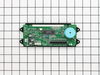
My microwave is stacked on this stove. I had to pull cover off to slide part off. screws were a snap. only problem was the slip catches on the ribon strips. Sperating with flat head was scary but worked fine.
Parts Used:
-
Karl from Rockford, MI
-
Difficulty Level:Easy
-
Total Repair Time:15 - 30 mins
-
Tools:Screw drivers
1 person
found this instruction helpful.
Was this instruction helpful to you?
Thank you for voting!
Clock light was out. Oven worked but it was a guess that I could not see the temp
Cut of electricity. Opened the oven door and removed some screw that were over the door that let a plate be removed. Then that let the part drop down that was holding the clock. I removed 2 screws that was holding the clock in place, unplugged the 3 connectors that feed the clock, attached the 2 screws back in that held the clock, put the part back up in place, added the plate and was done. Turned the power back on. I was delighted when I saw the clock light on. Easy to install.
Parts Used:
-
Ila from Carthage, NC
-
Difficulty Level:Really Easy
-
Total Repair Time:15 - 30 mins
-
Tools:Screw drivers, Socket set
1 person
found this instruction helpful.
Was this instruction helpful to you?
Thank you for voting!
Very dim display
Loosened the contol panel until I was able to get to the Digital Display board.
Removed the three cables and the screws that held the display unit to the control panel.
Reversed the procedure to instll new digital clock display unit.
Removed the three cables and the screws that held the display unit to the control panel.
Reversed the procedure to instll new digital clock display unit.
Parts Used:
-
Robert from West Columbia, SC
-
Difficulty Level:Easy
-
Total Repair Time:15 - 30 mins
-
Tools:Nutdriver, Screw drivers
1 person
found this instruction helpful.
Was this instruction helpful to you?
Thank you for voting!
The clock lights were so dim could not read anymore
First I took the screws off of the top hood which can be found right underneatch, this allowed me to access the panel bolts and unscreww them. We then got it far enough so that we could easily replace the old with the new and plug things back in and we were good to go. I am not sure but we must have save hundreds of dollars in a repairman.. This website is awesome..
Parts Used:
-
Gail from Silver lake, MN
-
Difficulty Level:Easy
-
Total Repair Time:15 - 30 mins
-
Tools:Nutdriver, Screw drivers
1 person
found this instruction helpful.
Was this instruction helpful to you?
Thank you for voting!
Clock would restart and controlls would stop working
This is the second clock I have had to put in this unit in about that many years. The first time I disassembled far to many things. This time I knew to only unscrew the front panel and side triangle plates. The process was much faster the second time. I hope this is not a chronic problem though.
Parts Used:
-
Craig from lexington, KY
-
Difficulty Level:Easy
-
Total Repair Time:15 - 30 mins
-
Tools:Screw drivers, Wrench set
1 person
found this instruction helpful.
Was this instruction helpful to you?
Thank you for voting!
Oven door was locked, couldn't set oven temps
Got a bent metal coathook to temporarily release the oven door, removed the screws from the old probe, inserted the new one, and hooked it up, using the one of the plug adapters provided. Problem solved! The oven door latch was now disengaged, the oven would now accept temperature inputs, and the rear cooling fan (which wouldn't shut off) now turned off. That's a lot of things working better for less than $50!
Parts Used:

-
William from Nashville, TN
-
Difficulty Level:Easy
-
Total Repair Time:15 - 30 mins
-
Tools:Screw drivers
1 person
found this instruction helpful.
Was this instruction helpful to you?
Thank you for voting!
Bottom (bake) is not heating, broiler is working
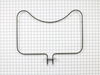
I replaced the heating element but that didn’t help. So then I replaced the oven sensor and that didn’t work either. Both were pretty easy to do but I’ve now spend $170 and my oven still isn’t working. I called number listed and got a recording that all agents were busy and there was a high call volume so I can’t get any help.
Parts Used:
-
Amy from MCKINNEY, TX
-
Difficulty Level:Really Easy
-
Total Repair Time:15 - 30 mins
-
Tools:Screw drivers
1 person
found this instruction helpful.
Was this instruction helpful to you?
Thank you for voting!
Broken oven door hinge
My daughter & I followed the instructions in your video and had fun repairing the door. The video showed exactly how to do the repair. I hope I don't need any appliance parts very soon but I will certainly pull up your web site if I do. Thanks for an excellent instruction video.
John - Hot Springs Village, AR
John - Hot Springs Village, AR
Parts Used:
-
John from HOT SPRINGS, AR
-
Difficulty Level:Very Easy
-
Total Repair Time:15 - 30 mins
-
Tools:Screw drivers
1 person
found this instruction helpful.
Was this instruction helpful to you?
Thank you for voting!
oven not heating to set temp. 100 degrees too cold
installed part,turned unit on-temp still cold. reset digital control, up 35 degrees, still cold. un-plugged unit,re-connect after 10 min. still cold.
Parts Used:
-
Robert from Funston, GA
-
Difficulty Level:Really Easy
-
Total Repair Time:Less than 15 mins
-
Tools:Screw drivers
2 of 4 people
found this instruction helpful.
Was this instruction helpful to you?
Thank you for voting!
The clock went dim to the point of being unable to read
I removed the screws that hold the front of the range on, removed the two screws holding the clock assembly, and replaced the old with the new. It was brainlessly easy.
Parts Used:
-
Tim from Waxhaw, NC
-
Difficulty Level:Really Easy
-
Total Repair Time:Less than 15 mins
-
Tools:Nutdriver, Screw drivers
1 person
found this instruction helpful.
Was this instruction helpful to you?
Thank you for voting!
The LCD The LCD of the Clock Assy. was too light to see.
The front panel was removed by unscrewing six screws just above the oven door and then four nuts were removed fron the burner assy. using a nut driver. The circuit board with the clock assy was then available. It was then just a matter of removing three cable connectors and a ribbon cable connector and two screws to remove the old clock assy. The reverse was done to install the new clock assy. The whole operation took about 15 minutes.
Parts Used:
-
Thomas from Sunset Beach, NC
-
Difficulty Level:Really Easy
-
Total Repair Time:Less than 15 mins
-
Tools:Nutdriver, Screw drivers
1 person
found this instruction helpful.
Was this instruction helpful to you?
Thank you for voting!
Oven would not hold temperature, not turn on, and would shut off during use.
Extremely simple repair to make. Move stove away from wall and disconnect power. Remove the oven racks. Remove the rear sheet metal panel covering the wiring harnesses. Caution: Sharp edges and corners on sheet metal.Sensor is located in upper left corner on rear oven wall. Using a long-shafted #2 Philips screwdriver, remove the two Philips head screws and gently pull the sensor 1" away from the oven wall. At this point, it will help to have an assist from someone while you are behind the range. Have the assistant gently tug on the sensor while you watch for wires moving on the rear of the range. After locating the sensor wires, gently disconnect the plastic connector clip. Note: plastic connectors become brittle with age and exposure to heat Move to front of range and gently remove sensor from rear wall by pulling the wiring through the oven wall. Before inserting the new sensor wire through the oven wall, "dry fit" the wiring connectors to see that the new sensor is a correct connection. Make connection, and secure the sensor to the rear oven wall with the two screws. Install racks, reinstall rear sheet metal panel, and connect the power. Set the oven baking temperature to a moderately low temp, 300 - 350 deg. to test the new sensor.
Parts Used:
-
John from Arvada, CO
-
Difficulty Level:Very Easy
-
Total Repair Time:Less than 15 mins
-
Tools:Nutdriver, Screw drivers
1 person
found this instruction helpful.
Was this instruction helpful to you?
Thank you for voting!
No problem installing the sensor
I removed the two mounting screws and pulled the harness through the opening unsnapped the sensor from the harness and installed the new sensor i didn't have to used the adapters the new sensor fitted
Parts Used:
-
tommy from FAYETTEVILLE, NC
-
Difficulty Level:Very Easy
-
Total Repair Time:Less than 15 mins
-
Tools:Screw drivers
1 person
found this instruction helpful.
Was this instruction helpful to you?
Thank you for voting!
Clock Assembly very dim, hard to read
Remove four screws behind control knobs. Remove four hex nuts under control panel (open oven door to locate). Pull control panel down and out. Remove two hex nuts holding clock assembly. Remove three wire connectors on the old clock assembly and carefully insert on new clock assembly. Reverse instructions to re-assemble. It's a breeze to do! Took longer to get my tool box than the time it took to replace the clock assembly.
Parts Used:
-
Richard from Ellijay, GA
-
Difficulty Level:Really Easy
-
Total Repair Time:Less than 15 mins
-
Tools:Nutdriver, Screw drivers
1 person
found this instruction helpful.
Was this instruction helpful to you?
Thank you for voting!
Clock and oven display quit working.
Turn off breaker to stove. Open oven door and remove screws up under display. Slide display down and tip top edge forward so you can see the back side. Remove 2 screws holding digital display and disconnect 3 wiring plugs. One of them is a ribon connector and you must squeeze it to make the front edge rise up to disconnet the ribbon and again when putting new part in. Reverse the proceedure. It took my husband 10 min to replace the part. Being able to read how others had done it was invaluable.
Parts Used:
-
Carol from Florence, AL
-
Difficulty Level:Really Easy
-
Total Repair Time:Less than 15 mins
-
Tools:Nutdriver
1 person
found this instruction helpful.
Was this instruction helpful to you?
Thank you for voting!