




















SVE47100BC Jenn-Air Range - Instructions
Keep searches simple. Use keywords, e.g. "leaking", "pump", "broken" or "fit".
Oven door was locked, couldn't set oven temps
Got a bent metal coathook to temporarily release the oven door, removed the screws from the old probe, inserted the new one, and hooked it up, using the one of the plug adapters provided. Problem solved! The oven door latch was now disengaged, the oven would now accept temperature inputs, and the rear cooling fan (which wouldn't shut off) now turned off. That's a lot of things working better for less than $50!
Parts Used:

-
William from Nashville, TN
-
Difficulty Level:Easy
-
Total Repair Time:15 - 30 mins
-
Tools:Screw drivers
1 person
found this instruction helpful.
Was this instruction helpful to you?
Thank you for voting!
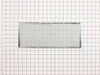
Grease filter needed replacing
-
Freda from Elizabethtown, NC
-
Difficulty Level:Really Easy
-
Total Repair Time:Less than 15 mins
2 of 4 people
found this instruction helpful.
Was this instruction helpful to you?
Thank you for voting!
No problem installing the sensor
I removed the two mounting screws and pulled the harness through the opening unsnapped the sensor from the harness and installed the new sensor i didn't have to used the adapters the new sensor fitted
Parts Used:
-
tommy from FAYETTEVILLE, NC
-
Difficulty Level:Very Easy
-
Total Repair Time:Less than 15 mins
-
Tools:Screw drivers
1 person
found this instruction helpful.
Was this instruction helpful to you?
Thank you for voting!
Grease filter needed replacing.
-
James from BEND, OR
-
Difficulty Level:Very Easy
-
Total Repair Time:Less than 15 mins
1 person
found this instruction helpful.
Was this instruction helpful to you?
Thank you for voting!
Top oven element works, but bottom element works only intermittently
Replaced the long Oven Sensor but have not resolved the root problem. Oven still will not reach required temperature. Bottom element becomes red hot, but turns off and will not start again.
Parts Used:
-
Bruce from Glencoe, MN
-
Difficulty Level:Really Easy
-
Total Repair Time:15 - 30 mins
-
Tools:Screw drivers
2 of 5 people
found this instruction helpful.
Was this instruction helpful to you?
Thank you for voting!
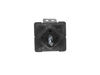
Burner would not turn off
It was easy enough I unplugged the stove. removed the screws under the control panel,removed the panel, removed the two screws holding the switch in place. moved the electrical wires from the old switch and placed them on the new switch. put it all back together in the reverse order.
it took greater than 15 minutes as this is the first time I did any work on my stove and wanted to be careful and not dismantle too much or scratch anything.
it took greater than 15 minutes as this is the first time I did any work on my stove and wanted to be careful and not dismantle too much or scratch anything.
Parts Used:
-
Randall from Colorado Springs, CO
-
Difficulty Level:Really Easy
-
Total Repair Time:15 - 30 mins
-
Tools:Nutdriver, Screw drivers
1 of 2 people
found this instruction helpful.
Was this instruction helpful to you?
Thank you for voting!
Burner had one temp. hot
Changed out surface burner switch.Unscrewed two screws, changed plug onto new switch.Don't forget to turn off power!
Parts Used:
-
James from Charlotte, NC
-
Difficulty Level:Easy
-
Total Repair Time:Less than 15 mins
-
Tools:Pliers, Screw drivers
1 of 2 people
found this instruction helpful.
Was this instruction helpful to you?
Thank you for voting!
Oven not heating to desired temp
Had to remove oven from mounting cabinet to get to the back since the wire lenght to the conector was to short to come through the mounting hole.
Other than that the repair was straight forward. 4 screws to dismount the Oven from cabinet, 2 screws to remove Sensor and 3 srews to open the back of the oven once out in the open. New cable adapter that came with the new sensor was needed in my case.
Other than that the repair was straight forward. 4 screws to dismount the Oven from cabinet, 2 screws to remove Sensor and 3 srews to open the back of the oven once out in the open. New cable adapter that came with the new sensor was needed in my case.
Parts Used:
-
Raymond from Ridgecrest, CA
-
Difficulty Level:A Bit Difficult
-
Total Repair Time:1- 2 hours
-
Tools:Nutdriver, Screw drivers
2 of 5 people
found this instruction helpful.
Was this instruction helpful to you?
Thank you for voting!
burned up switch
Opened the back of the cooktop and found upper right element control switch burned. I removed the retaining screws and wires and spent two weeks chasing the switch at a local dealer. Found exactly what I needed at PartSelect.com and paid less even with shipping than at the local. Installed the switch with original screws and presto!! it worked.
Parts Used:
-
Scott from Chehalis, WA
-
Difficulty Level:Really Easy
-
Total Repair Time:15 - 30 mins
-
Tools:Screw drivers, Socket set
1 of 2 people
found this instruction helpful.
Was this instruction helpful to you?
Thank you for voting!
Control switch would not operate
Looked up schematic. Removed 3 screws holding cover. after I shut power off of course. Took off knob. Oriented new control to the one on panel. Disconnected each wire one at at time and immediately attached it to the new control for each wire. Removed screws holding old control and inserted and screwed to the new control and put the knob back on. Put the cover back on. Worked fine. Probably should replace the others as they don't turn as easily as the new one. Probably will spray some contact cleaner which will give me a few more years.
Parts Used:
-
Thomas from Batavia, NY
-
Difficulty Level:Easy
-
Total Repair Time:15 - 30 mins
-
Tools:Pliers, Screw drivers
1 of 2 people
found this instruction helpful.
Was this instruction helpful to you?
Thank you for voting!
F1-1 and F3-1 error code
Very easy to repair, but you have to be able to pull your stove out. Two screws in the oven and then remove part of back cover of oven and one plug from there. Simple to do, but did not fix our problem. We are waiting repair now from service company as it looks like it needs a control panel. Worth trying yourself to fix the problem. Inexpensive part and easy to install. Also be sure to turn power off your oven to reset the control panel as this may fix the problem - try this first and also after installing new part - like rebooting a computer...
Parts Used:
-
Barbara from Lakeville, MA
-
Difficulty Level:Really Easy
-
Total Repair Time:15 - 30 mins
-
Tools:Screw drivers
2 of 5 people
found this instruction helpful.
Was this instruction helpful to you?
Thank you for voting!
burned burner control out of warranty
switch power supply off at breaker panel
unscrew control box assembly from stove
slide control out of stove
unscrew burner control out of assembly
transfer wiring from old control to new in same relative location
reassemble in reverse order
restore power
test burner in all positions
unscrew control box assembly from stove
slide control out of stove
unscrew burner control out of assembly
transfer wiring from old control to new in same relative location
reassemble in reverse order
restore power
test burner in all positions
Parts Used:
-
Daniel from Temple, TX
-
Difficulty Level:A Bit Difficult
-
Total Repair Time:30 - 60 mins
-
Tools:Pliers, Screw drivers
1 of 2 people
found this instruction helpful.
Was this instruction helpful to you?
Thank you for voting!
Broken Surface Burner control
Remove 4 screws that holds down panel;removed dial;removed screw that held switch to panel. Took off wire one at a time ann put on corresponding lug. Repeated above in reverse.
Parts Used:
-
Thomas from Batavia, NY
-
Difficulty Level:Easy
-
Total Repair Time:30 - 60 mins
-
Tools:Pliers, Screw drivers
1 of 2 people
found this instruction helpful.
Was this instruction helpful to you?
Thank you for voting!
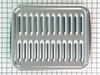
broiler pan missing
-
RAYMOND from JACKSONVILLE, FL
-
Difficulty Level:Really Easy
-
Total Repair Time:Less than 15 mins
1 of 2 people
found this instruction helpful.
Was this instruction helpful to you?
Thank you for voting!
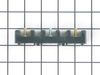
I snapped a bolt on the main power terminal block when connecting the pigtail.
Removed the small metal panel covering the main power terminal in back of the electric range. Removed the nuts holding the red, white and black electrical wires from the range using the appropriate socket (there will be two nuts on each bolt end). Removed the two screws holding the main power terminal block with appropriate screw driver. Connect the new main power terminal block to the range using the two screws. Reconnect the red, black and white electrical wires coming from the range using one nut for each wire. IMPORTANT: do no over tighten the nuts because the bolts could snap. Reconnect the pigtail and secure the small metal panel covering the main power panel.
Parts Used:
-
Frank from Palm Coast, FL
-
Difficulty Level:Easy
-
Total Repair Time:15 - 30 mins
-
Tools:Screw drivers, Socket set
3 of 8 people
found this instruction helpful.
Was this instruction helpful to you?
Thank you for voting!