




















SCE70600B Jenn-Air Range - Instructions
Keep searches simple. Use keywords, e.g. "leaking", "pump", "broken" or "fit".
No problem installing the sensor
I removed the two mounting screws and pulled the harness through the opening unsnapped the sensor from the harness and installed the new sensor i didn't have to used the adapters the new sensor fitted
Parts Used:

-
tommy from FAYETTEVILLE, NC
-
Difficulty Level:Very Easy
-
Total Repair Time:Less than 15 mins
-
Tools:Screw drivers
1 person
found this instruction helpful.
Was this instruction helpful to you?
Thank you for voting!
Very dim display
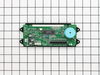
Loosened the contol panel until I was able to get to the Digital Display board.
Removed the three cables and the screws that held the display unit to the control panel.
Reversed the procedure to instll new digital clock display unit.
Removed the three cables and the screws that held the display unit to the control panel.
Reversed the procedure to instll new digital clock display unit.
Parts Used:
-
Robert from West Columbia, SC
-
Difficulty Level:Easy
-
Total Repair Time:15 - 30 mins
-
Tools:Nutdriver, Screw drivers
1 person
found this instruction helpful.
Was this instruction helpful to you?
Thank you for voting!
Clock was dim
I looked at the schematic from PartsSelect, undid the 8 screws and replaced the clock assembly. I probably saved $200 on labor doing it myself. I had the clock repaired in 30 minutes.
Parts Used:
-
Rick from Wakefield, MA
-
Difficulty Level:Really Easy
-
Total Repair Time:15 - 30 mins
-
Tools:Screw drivers
1 person
found this instruction helpful.
Was this instruction helpful to you?
Thank you for voting!
Character display on the clock gradually began to fade and finally went out completely.
I first turned the power off to the stove at the junction box. Removed the control panel that contained the clock assembly by removing 4 phillips head screws. While my wife held the control panel, I disconnected the two pin connectors and one ribbon connector attached to the clock. I then removed the two phillips screws holding the clock assembly in place. To disconnect the ribbon connector, press the release buttons on the side in and the center loosens and pulls out, releasing the ribbon. There are two plastic tabs that fit into two guide holes on the ribbon. The best part of this is that 6 months ago, two number keys and the timer button had quit functioning and I thought I was going to have to replace the touch panel also. Apparently it was a problem with the circuit board on the clock assembly because everything works now! My ife is very happy!
Parts Used:
-
William from Dothan, AL
-
Difficulty Level:Easy
-
Total Repair Time:15 - 30 mins
-
Tools:Screw drivers
1 person
found this instruction helpful.
Was this instruction helpful to you?
Thank you for voting!
readout dimmed to nothing
piece of cake KILL POWER AT BREAKER BOX. Remove burner knobs exposing 4 screws. Open oven door exposing 4 philips srews, four 1/4 hex head screws, and 2 philps screws for end caps. Had to pull out range about an inch (less) away from countertop. Remove screws. Move end caps away from face plate.Pull out face plate. Pull down / out bottom plate to expose Assembly. Unclip wire connection, carefully pull out ribbon connection. Remove 2 screws. Install in reverse.
Parts Used:
-
Edward from Rohnert Park, CA
-
Difficulty Level:Easy
-
Total Repair Time:15 - 30 mins
1 person
found this instruction helpful.
Was this instruction helpful to you?
Thank you for voting!
fading display
My microwave is stacked on this stove. I had to pull cover off to slide part off. screws were a snap. only problem was the slip catches on the ribon strips. Sperating with flat head was scary but worked fine.
Parts Used:
-
Karl from Rockford, MI
-
Difficulty Level:Easy
-
Total Repair Time:15 - 30 mins
-
Tools:Screw drivers
1 person
found this instruction helpful.
Was this instruction helpful to you?
Thank you for voting!
The LCD The LCD of the Clock Assy. was too light to see.
The front panel was removed by unscrewing six screws just above the oven door and then four nuts were removed fron the burner assy. using a nut driver. The circuit board with the clock assy was then available. It was then just a matter of removing three cable connectors and a ribbon cable connector and two screws to remove the old clock assy. The reverse was done to install the new clock assy. The whole operation took about 15 minutes.
Parts Used:
-
Thomas from Sunset Beach, NC
-
Difficulty Level:Really Easy
-
Total Repair Time:Less than 15 mins
-
Tools:Nutdriver, Screw drivers
1 person
found this instruction helpful.
Was this instruction helpful to you?
Thank you for voting!
Clock and oven display quit working.
Turn off breaker to stove. Open oven door and remove screws up under display. Slide display down and tip top edge forward so you can see the back side. Remove 2 screws holding digital display and disconnect 3 wiring plugs. One of them is a ribon connector and you must squeeze it to make the front edge rise up to disconnet the ribbon and again when putting new part in. Reverse the proceedure. It took my husband 10 min to replace the part. Being able to read how others had done it was invaluable.
Parts Used:
-
Carol from Florence, AL
-
Difficulty Level:Really Easy
-
Total Repair Time:Less than 15 mins
-
Tools:Nutdriver
1 person
found this instruction helpful.
Was this instruction helpful to you?
Thank you for voting!
Display on Oven initially dimmed then went blank
I removed the three screws that was on top of the display enclosure. I then removed the four screws on the bottom of the display enclosure.
I unplugged the two connectors going to the old enclosure and removed the enclosure to the kitchen table. I then pressed the two locks on the ribbon cable lock and pulled up on the ribbon cable lock. I was unsure how to do this, but if you press the two tabs and slightly pull up on the lock, the ribbon cable will come free.
I then removed the four screws holding on the old display and put the new part in. Fastened with the four screws and connected the ribbon cable, squeezing tabs and raising the black lock, inserting ribbon cable and pressing down to lock in place.
I then took the enclosure to the oven, connected the other two sets of wires and mounted the enclosure with the three upper scres and four bottom screws. Took me about 15 minutes. My $148 PartsSelect part was $267 locally.
I unplugged the two connectors going to the old enclosure and removed the enclosure to the kitchen table. I then pressed the two locks on the ribbon cable lock and pulled up on the ribbon cable lock. I was unsure how to do this, but if you press the two tabs and slightly pull up on the lock, the ribbon cable will come free.
I then removed the four screws holding on the old display and put the new part in. Fastened with the four screws and connected the ribbon cable, squeezing tabs and raising the black lock, inserting ribbon cable and pressing down to lock in place.
I then took the enclosure to the oven, connected the other two sets of wires and mounted the enclosure with the three upper scres and four bottom screws. Took me about 15 minutes. My $148 PartsSelect part was $267 locally.
Parts Used:
-
James from Farmington, NM
-
Difficulty Level:Really Easy
-
Total Repair Time:Less than 15 mins
-
Tools:Screw drivers
1 person
found this instruction helpful.
Was this instruction helpful to you?
Thank you for voting!
The control paned lights went completely out over time.
Turned off power to stove
Removed control knobs and retaining screws under the knobs.
Opened oven door.
REmoved screws (4) holding the face plate to the stove.
pulled the panel downwards.
Unscreewed clock circuit board.
Removed connectors (3) (See Below)
NOTE the flat ribbon needs to be removed by pinching the ends of the black connector , liftiing and GENTLY pulling the ribbon out of the connector. The black connector remains on the circuit board.
When in stalling the ribbon, pinch the ends of the black connector and lift slightly, insert ribbon, then push down on the loose side of the connector until it snaps shut ,forming a tight connection.
Reverse steps
Removed control knobs and retaining screws under the knobs.
Opened oven door.
REmoved screws (4) holding the face plate to the stove.
pulled the panel downwards.
Unscreewed clock circuit board.
Removed connectors (3) (See Below)
NOTE the flat ribbon needs to be removed by pinching the ends of the black connector , liftiing and GENTLY pulling the ribbon out of the connector. The black connector remains on the circuit board.
When in stalling the ribbon, pinch the ends of the black connector and lift slightly, insert ribbon, then push down on the loose side of the connector until it snaps shut ,forming a tight connection.
Reverse steps
Parts Used:
-
James from Virginia Beach, VA
-
Difficulty Level:Really Easy
-
Total Repair Time:Less than 15 mins
-
Tools:Screw drivers
1 person
found this instruction helpful.
Was this instruction helpful to you?
Thank you for voting!
glass broke out of the oven door.
put in the new glass. very easy! just goes in the bracket and gets screwed in. everything should be that easy.
Parts Used:

-
jody from frisco, TX
-
Difficulty Level:Really Easy
-
Total Repair Time:Less than 15 mins
-
Tools:Screw drivers
2 of 4 people
found this instruction helpful.
Was this instruction helpful to you?
Thank you for voting!
Right rear burner under glass no longer would heat
Turned off power to cooktop and double checked
Lifted up entire cooktop and rested it on two pieces of wood that spanned gap underneath
Removed screws from around edges to free the metal framework that holds the cooktop in place-- this requires spinning the cooktop a bit to get access to the back.
Lifted metal framework off
Lifted glass from cooktop off
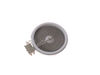
Checked configuration of power plug ins against new part and noted where they should go. There was a slight difference of how plugs were arranged, but it was easy to logic out.
Removed old burner unit and plugged in new one. Ensure that nothing was touching contacts.
Replaced the glass top onto cooktop
Put metal frame back in place and screwed in
Lifted entire cooktop, removed boards, and lowered back into place
Lifted up entire cooktop and rested it on two pieces of wood that spanned gap underneath
Removed screws from around edges to free the metal framework that holds the cooktop in place-- this requires spinning the cooktop a bit to get access to the back.
Lifted metal framework off
Lifted glass from cooktop off
Checked configuration of power plug ins against new part and noted where they should go. There was a slight difference of how plugs were arranged, but it was easy to logic out.
Removed old burner unit and plugged in new one. Ensure that nothing was touching contacts.
Replaced the glass top onto cooktop
Put metal frame back in place and screwed in
Lifted entire cooktop, removed boards, and lowered back into place
Parts Used:
-
John from Maple Valley, WA
-
Difficulty Level:Easy
-
Total Repair Time:30 - 60 mins
-
Tools:Pliers, Screw drivers
1 person
found this instruction helpful.
Was this instruction helpful to you?
Thank you for voting!
LED Display to dim to read
I first turned the breaker off. Then removed the screws under the display with the oven door open. Then removed the side screws. Then removed the trim kit for the microwave which exposed 3 more screws. The middle one with the Micro Door open. The complete display panel then was removable. I took a digital picture of the 2 wire and 1 ribbon connectiors (I know-anal). Then removed the 2 wire groups-struggled somewhat with the ribbon connector until I realized by trial & Error that the 2 little tabs on the sides only pull upward, releasing the ribbon. Removed 4 nutdriver screws to remove old display-installed new one in reverse fashion. Then I CLEANED everything I could reach it was so dirty! (I live in the desert,duh!) I just paid great attention to how it came apart and it was relatively easy. The best part is that I didn't have to remove the Oven/Microwave unit to do the repair.The new part works perfectly, thanks!
Parts Used:
-
Dennis from Scottsdale, AZ
-
Difficulty Level:Easy
-
Total Repair Time:30 - 60 mins
-
Tools:Nutdriver, Screw drivers
1 person
found this instruction helpful.
Was this instruction helpful to you?
Thank you for voting!
Small burner on glass top stove stopped working.
First, the diagram on your website said remove two screws. The diagram looked like they were on the back of the stove on each side. On my stove there were three screws that were visible under the front lip upon opening the oven door. I removed the top, which comes completely off and set it aside. Be careful when removing the top. Don't drag it out, otherwise you'll tear up the asbestos around the other burners. Two people would be better for the inexperienced people. The new elements have been redesigned, so the diagram doesn't fit what you are looking at. Plus, the diagram on paper is looking underneath the element when you are looking down on the top of the element. I removed one wire and put it in the same spot on the new. Turned out it was not the element that was bad. It was a loose wire in the inside of the control panel.
Parts Used:
-
REX from VIRGINIA BEACH, VA
-
Difficulty Level:A Bit Difficult
-
Total Repair Time:1- 2 hours
-
Tools:Screw drivers
1 person
found this instruction helpful.
Was this instruction helpful to you?
Thank you for voting!
Element burn out. Would not heat
Turn Circuit breaker off.Open the Oven door removed the 2 screws to the top surface. Disconnect the wire harness mark and remove the wires from the Old Element, removed the screws holding the element to top surface, Remove element replace with new element. Install wires, install screws, reconnect wire harness reposition surface. Reinstall screws and turn Circuit breaker power back on. Done and Done
Parts Used:
-
Dennis from AIKEN, SC
-
Difficulty Level:Very Easy
-
Total Repair Time:15 - 30 mins
-
Tools:Nutdriver
1 person
found this instruction helpful.
Was this instruction helpful to you?
Thank you for voting!