




















SCE70600B Jenn-Air Range - Instructions
Keep searches simple. Use keywords, e.g. "leaking", "pump", "broken" or "fit".
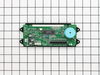
The clock went dim to the point of being unable to read
I removed the screws that hold the front of the range on, removed the two screws holding the clock assembly, and replaced the old with the new. It was brainlessly easy.
Parts Used:
-
Tim from Waxhaw, NC
-
Difficulty Level:Really Easy
-
Total Repair Time:Less than 15 mins
-
Tools:Nutdriver, Screw drivers
1 person
found this instruction helpful.
Was this instruction helpful to you?
Thank you for voting!
oven not heating to set temp. 100 degrees too cold
installed part,turned unit on-temp still cold. reset digital control, up 35 degrees, still cold. un-plugged unit,re-connect after 10 min. still cold.
Parts Used:

-
Robert from Funston, GA
-
Difficulty Level:Really Easy
-
Total Repair Time:Less than 15 mins
-
Tools:Screw drivers
2 of 4 people
found this instruction helpful.
Was this instruction helpful to you?
Thank you for voting!
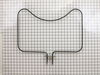
Bake element exploded on Christmas Eve
My son put in the new part and turned on the oven. The broiler heated, but not the bake element. He switched the wires to find out if the bake element would work. It heated, but not the broiler. That told him the control board was a problem. He took it off and could see that one of the solder points had burned off in the explosion. He cleaned the board and put on a new dot of solder. He put it all together and it worked perfectly.
Parts Used:
-
Lois from Rancho Palos Verdes, CA
-
Difficulty Level:Difficult
-
Total Repair Time:1- 2 hours
-
Tools:Nutdriver, Screw drivers
1 person
found this instruction helpful.
Was this instruction helpful to you?
Thank you for voting!
Oven temperature fluctuates
Replaced the thermostat according to existing videos and had to adjust the thermostat using instuctions in the user manual for model CWE4800ACB.
Parts Used:
-
Larry from SOLON, IA
-
Difficulty Level:Easy
-
Total Repair Time:30 - 60 mins
-
Tools:Screw drivers
1 person
found this instruction helpful.
Was this instruction helpful to you?
Thank you for voting!
The clock lights were so dim could not read anymore
First I took the screws off of the top hood which can be found right underneatch, this allowed me to access the panel bolts and unscreww them. We then got it far enough so that we could easily replace the old with the new and plug things back in and we were good to go. I am not sure but we must have save hundreds of dollars in a repairman.. This website is awesome..
Parts Used:
-
Gail from Silver lake, MN
-
Difficulty Level:Easy
-
Total Repair Time:15 - 30 mins
-
Tools:Nutdriver, Screw drivers
1 person
found this instruction helpful.
Was this instruction helpful to you?
Thank you for voting!
Clock faded out until you could no longer see it or the oven temp
Turned power off to oven, removed control knobs, took out four screws under panel. Removed four 1/4" sheetmetal screws. Removed front cover, Removed two additioanl screws that held front cover to corner bracketts, Removed two screws that held clock to plate, removed each wiring harness and pluged into new part, unplugged wiring ribbon from old part plugged into new. reassembled. Turned power back on and tested and we had light!!!One repair company was going to charge us over $400 to make this repair!!!
Parts Used:
-
Joel from Decatur, GA
-
Difficulty Level:Easy
-
Total Repair Time:15 - 30 mins
-
Tools:Nutdriver, Screw drivers
1 person
found this instruction helpful.
Was this instruction helpful to you?
Thank you for voting!
Clock and time display went dim.
Once the display became too dim to read, I removed the front panel to determine how to access the piece and to check part numbers so that I could order the proper piece. Once the part arrived, being familiar with the disassembly, it was simple enough to replace the part quickly. The part came out with two screws and the connections were standard electronic multi plug, making the replacement simple. When we turned the power to the unit on, it worked first time.
Parts Used:
-
Marvin from Miami, FL
-
Difficulty Level:Really Easy
-
Total Repair Time:15 - 30 mins
-
Tools:Nutdriver, Screw drivers
1 person
found this instruction helpful.
Was this instruction helpful to you?
Thank you for voting!
Oven LED Display blank
Open oven door
Remove two sets of four screws underneath the LED display
Remove stove handles (pull off easily - no tools needed)
Lower flat plate width of oven and about two inches deep should be able to drop out from under the clock display.
Remove face plate over clock.
Unscrew four screws holding clock unit down.
Undo two electric connectors and the thin ribbon connector - the thin ribbon connector is different - the ribbon comes loose and the black plastic connector stays in place on the board.
Press the thin ribbon connector ends inward and pull up to detan ribbon on old one and then to insert ribbon on new one.
Reverse the rest.
Not too bad!
Remove two sets of four screws underneath the LED display
Remove stove handles (pull off easily - no tools needed)
Lower flat plate width of oven and about two inches deep should be able to drop out from under the clock display.
Remove face plate over clock.
Unscrew four screws holding clock unit down.
Undo two electric connectors and the thin ribbon connector - the thin ribbon connector is different - the ribbon comes loose and the black plastic connector stays in place on the board.
Press the thin ribbon connector ends inward and pull up to detan ribbon on old one and then to insert ribbon on new one.
Reverse the rest.
Not too bad!
Parts Used:
-
Vick from Arlington, VA
-
Difficulty Level:Easy
-
Total Repair Time:15 - 30 mins
-
Tools:Screw drivers, Socket set
1 person
found this instruction helpful.
Was this instruction helpful to you?
Thank you for voting!
display stoped lighting up
1. Removed knobs and front panel. Disconnect wiring.
2. Order part and installed. Done
2. Order part and installed. Done
Parts Used:
-
Frank from Little Egg Harbor, NJ
-
Difficulty Level:Really Easy
-
Total Repair Time:15 - 30 mins
-
Tools:Nutdriver, Screw drivers
1 person
found this instruction helpful.
Was this instruction helpful to you?
Thank you for voting!
F5 fault code kept appearing
I installed the new oven sensor but the problem continued. So I ordered a new relay board and installed it. Still no luck. So I pulled the new board back out and started trouble shooting it using my electronic background. I discovered the new board was using a pin for L2 that had no exit on the backplane, so I removed it and installed it where I believed it should go. Reinstalled the power relay board and presto. My oven is working lie a champ. Louis
Parts Used:
-
Louis Rodriguez from Granbury, TX
-
Difficulty Level:Very Difficult
-
Total Repair Time:More than 2 hours
-
Tools:Nutdriver, Screw drivers
1 person
found this instruction helpful.
Was this instruction helpful to you?
Thank you for voting!
Element burned out.
This slide out range requires that you remove two screws that hold the element into the back of the oven, slide the range out, remove a metal cover, and then disconnect the two spade connectors from the element. Reverse is the opposite. I could not find the element anywhere locally. I live in a rural area of the Smokey Mountains. Thanks to PartSelect, I was up and running in only four days.
Parts Used:
-
Bob from Cosby, TN
-
Difficulty Level:Easy
-
Total Repair Time:15 - 30 mins
-
Tools:Nutdriver, Screw drivers
1 person
found this instruction helpful.
Was this instruction helpful to you?
Thank you for voting!
Clock Assembly very dim, hard to read
Remove four screws behind control knobs. Remove four hex nuts under control panel (open oven door to locate). Pull control panel down and out. Remove two hex nuts holding clock assembly. Remove three wire connectors on the old clock assembly and carefully insert on new clock assembly. Reverse instructions to re-assemble. It's a breeze to do! Took longer to get my tool box than the time it took to replace the clock assembly.
Parts Used:
-
Richard from Ellijay, GA
-
Difficulty Level:Really Easy
-
Total Repair Time:Less than 15 mins
-
Tools:Nutdriver, Screw drivers
1 person
found this instruction helpful.
Was this instruction helpful to you?
Thank you for voting!
Oven bake element damaged and needed replacement
I went on line on Sunday. I identified the part needed ordered it on line and it was delivered on Tuesday at 7:30AM. Incredibly easy, fast and reasonably priced.
Parts Used:
-
Wayne from East Moline, IL
-
Difficulty Level:Really Easy
-
Total Repair Time:Less than 15 mins
-
Tools:Screw drivers
1 person
found this instruction helpful.
Was this instruction helpful to you?
Thank you for voting!
Time and temp not displaying
I have only two things to add to the other repair stories on this site: (1) Unlike the ribbon cables inside desktop computers, the ribbon cable on this range is entirely separate from the connector, which is permanently attached to the clock assembly. There are clips on the top of the connector at each end. Push them in and raise them gently to release the ribbon cable. (2) There are two Molex connectors attached to the clock assembly. The pins for one of them were bent on the new clock assembly I received. Before installing it, I spent some time gently coaxing those pins back into alignment. Use your fingernail, and be patient.
Parts Used:
-
John from Hadley, MA
-
Difficulty Level:Easy
-
Total Repair Time:Less than 15 mins
-
Tools:Nutdriver, Screw drivers
1 person
found this instruction helpful.
Was this instruction helpful to you?
Thank you for voting!
display dimmed to nothing
unscrewed the top face plate assembly disconnect 2 wire harnesses 4 screws to release display clock 1 wire harness and then reverse order
Parts Used:
-
Geoff from Madison, CT
-
Difficulty Level:Easy
-
Total Repair Time:Less than 15 mins
-
Tools:Screw drivers
1 person
found this instruction helpful.
Was this instruction helpful to you?
Thank you for voting!