




















SCE30600B Jenn-Air Range - Instructions
Keep searches simple. Use keywords, e.g. "leaking", "pump", "broken" or "fit".
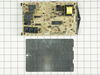
Oven would not heat
I cut off the electricity. Removed the back panel. Moved 1 wire at a time from old board to new board. Then removed the old board and replaced the new one. Reattached the back panel and turned on the electricity. I was happy when the oven began to heat.
Parts Used:
-
Ila from Carthage, NC
-
Difficulty Level:Easy
-
Total Repair Time:30 - 60 mins
-
Tools:Nutdriver
2 of 3 people
found this instruction helpful.
Was this instruction helpful to you?
Thank you for voting!
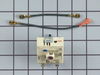
replaced a broken dual burner switch
IMPORTANT WIRE CONNECTIONS: The manufacturer instructions describing where each wire connects is woefully incomplete. There are 6 or 7 wires to connect and only 2 are explained in the instructions. I took several photos of the original switch showing where each of the wires was connected before disconnecting and installing the new switch. If I hadn't taken the photos I would have been completely lost on where each wire connected.
Parts Used:
-
chris from ann arbor, MI
-
Difficulty Level:A Bit Difficult
-
Total Repair Time:30 - 60 mins
-
Tools:Nutdriver, Pliers, Screw drivers, Socket set, Wrench set
3 of 6 people
found this instruction helpful.
Was this instruction helpful to you?
Thank you for voting!
Dual surface switch replacement
My cook top has the red wire piggybacked along all the cook top switches. It was easy enough to reroute the red wire coming from the dual surface burner to pin 4 i believe on the new switch. Follow the previous thread and look at the instruction sheet online for this switch
Parts Used:
-
Charles from SAN ANTONIO, TX
-
Difficulty Level:A Bit Difficult
-
Total Repair Time:1- 2 hours
-
Tools:Nutdriver, Pliers, Screw drivers
2 of 3 people
found this instruction helpful.
Was this instruction helpful to you?
Thank you for voting!
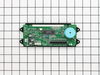
could not read time or temp
it took me longer to get my portable screwdriver from my shop than to remove four screws from the panel and two screws from the clock assembly and to unplug and replug wiring , then reassemble the panel
Parts Used:
-
martin from castalian springs, TN
-
Difficulty Level:Really Easy
-
Total Repair Time:Less than 15 mins
2 of 3 people
found this instruction helpful.
Was this instruction helpful to you?
Thank you for voting!
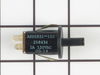
The oven door slammed shut and the door lock switch broke causing the light to stay on continuously.
I contacted a local appliance repair store who didn't know what I was talking about. I looked online and the store called me back to tell me the part would probably be $75.00. I took the broken part out of the door frame and found the exact part online at your site, and ordered it for $14.00. Received the part within 2 days and put it in in 10 minutes.
Parts Used:
-
Lynne from Belchertown, MA
-
Difficulty Level:Easy
-
Total Repair Time:Less than 15 mins
-
Tools:Screw drivers
2 of 3 people
found this instruction helpful.
Was this instruction helpful to you?
Thank you for voting!
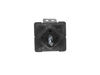
Any setting selected (1 thru 9) would result in the surface burner going to full hot
Opened oven door, took four screws out of the front control panel, removed the two screws holding the burner control switch to the front panel, removed the wires from the old switch one at a time and installed them on the new switch. secured the new switch to the front panel, put the four screws back into the front panel, and closed the oven door. Real easy repair.
Parts Used:
-
Randall from Eureka, MO
-
Difficulty Level:Really Easy
-
Total Repair Time:15 - 30 mins
-
Tools:Pliers, Screw drivers
2 of 3 people
found this instruction helpful.
Was this instruction helpful to you?
Thank you for voting!
Oven Temperature was 50 degrees low
Took screws out of the back on the side the sensor was on, unplugged it & took out the two screws on the inside of the oven to release the sensor. Put new sensor in place with the two screws & used one of the adapters to plug in the new sensor. Put screws back in the back panel & turned on the oven which unfortunately is still 50 degrees low. Need a new clock with computer which is out of stock & unavailable. I was an electrician for 25 years so didn't experience any problems. It was a cheap thing to try.
Parts Used:

-
Eugene from Clinton, IA
-
Difficulty Level:Really Easy
-
Total Repair Time:15 - 30 mins
-
Tools:Screw drivers
2 of 3 people
found this instruction helpful.
Was this instruction helpful to you?
Thank you for voting!
Display Very Dim & Broil not working
Turn off the electrical breaker before starting! Open the oven door & remove the 4 silver hex head screws under the bottom of the control panel with a 1/4 " nut driver. Pull out on the bottom of panel. This will access the clock assembly. Unplug the ribbon cable by pushing in & up on the small clips on each end of the connector - this is a little tricky but not that difficult. Remove the two small connectors and remove the two clock assembly mounting screws. Reverse the procedure for installation. This corrected the problem with the broil element not working - apparently the electronic clock assembly was the problem there as well.
Parts Used:
-
Roger from Oxford, NC
-
Difficulty Level:Easy
-
Total Repair Time:15 - 30 mins
-
Tools:Nutdriver, Screw drivers
2 of 3 people
found this instruction helpful.
Was this instruction helpful to you?
Thank you for voting!
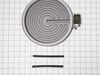
front burner would not heat
simply took off smooth surface top flipped it upsde down on a towel. unbolted the entire burner assembly. matched connections with the new burner with limit switch. replaced smooth surface top plugged it in. no problems. extremely easy fix no repair charges.
Parts Used:
-
Jack A from Biloxi, MS
-
Difficulty Level:Really Easy
-
Total Repair Time:Less than 15 mins
-
Tools:Socket set
2 of 3 people
found this instruction helpful.
Was this instruction helpful to you?
Thank you for voting!
Lefrt Front Burner Quit Working
Removed two nut screws (accessed with oven door open) with nutdriver, panel dropped out. Transferred wiring one-by-one to new switch, removed old switch with allen wrench, installed new switch, replaced panel. Done! However, the problem is not corrected and all other possibilities have been explored with no solution in site. Ideas needed.
Parts Used:
-
Jerry from Sedro-Woolley, WA
-
Difficulty Level:Really Easy
-
Total Repair Time:Less than 15 mins
-
Tools:Nutdriver, Pliers
2 of 3 people
found this instruction helpful.
Was this instruction helpful to you?
Thank you for voting!
The display faded away almost to nothing
There were only 4 screws to remove to take off the thingy that houses the electronics portion. Then, there was a ribbon connector and two push on connectors to unconnect. Unscrewed the 4 nuts holding the faulty Assembly in place, replaced with new Assembly, and reversed the process.
That easy. The only problem was making sure which of the parts we actually needed.
That easy. The only problem was making sure which of the parts we actually needed.
Parts Used:
-
Vicky from Fort Bragg, AR
-
Difficulty Level:Really Easy
-
Total Repair Time:Less than 15 mins
-
Tools:Nutdriver, Screw drivers
2 of 3 people
found this instruction helpful.
Was this instruction helpful to you?
Thank you for voting!
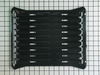
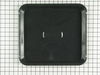
I needed a broiler pan
I took the broiler pan out of the shipping container and put it in the oven.
Parts Used:
-
Rhoda P. from Secaucus, NJ
-
Difficulty Level:Really Easy
-
Total Repair Time:Less than 15 mins
4 of 9 people
found this instruction helpful.
Was this instruction helpful to you?
Thank you for voting!
The clock went dim to the point of being unable to read
I removed the screws that hold the front of the range on, removed the two screws holding the clock assembly, and replaced the old with the new. It was brainlessly easy.
Parts Used:
-
Tim from Waxhaw, NC
-
Difficulty Level:Really Easy
-
Total Repair Time:Less than 15 mins
-
Tools:Nutdriver, Screw drivers
1 person
found this instruction helpful.
Was this instruction helpful to you?
Thank you for voting!
oven not heating to set temp. 100 degrees too cold
installed part,turned unit on-temp still cold. reset digital control, up 35 degrees, still cold. un-plugged unit,re-connect after 10 min. still cold.
Parts Used:
-
Robert from Funston, GA
-
Difficulty Level:Really Easy
-
Total Repair Time:Less than 15 mins
-
Tools:Screw drivers
2 of 4 people
found this instruction helpful.
Was this instruction helpful to you?
Thank you for voting!
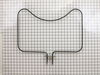
Bake element exploded on Christmas Eve
My son put in the new part and turned on the oven. The broiler heated, but not the bake element. He switched the wires to find out if the bake element would work. It heated, but not the broiler. That told him the control board was a problem. He took it off and could see that one of the solder points had burned off in the explosion. He cleaned the board and put on a new dot of solder. He put it all together and it worked perfectly.
Parts Used:
-
Lois from Rancho Palos Verdes, CA
-
Difficulty Level:Difficult
-
Total Repair Time:1- 2 hours
-
Tools:Nutdriver, Screw drivers
1 person
found this instruction helpful.
Was this instruction helpful to you?
Thank you for voting!