




















PT970SM2SS General Electric Microwave Oven Combo - Instructions
Keep searches simple. Use keywords, e.g. "leaking", "pump", "broken" or "fit".
Turntable does not rotate
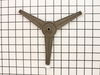
A slam-dunk...just replaced the old roller guide with the new one. Simpler than replacing a light bulb and no tools required.
Parts Used:
-
Patrick from Placentia, CA
-
Difficulty Level:Really Easy
-
Total Repair Time:Less than 15 mins
Was this instruction helpful to you?
Thank you for voting!
Quit working

-
William from Socorro, NM
-
Difficulty Level:Really Easy
-
Total Repair Time:Less than 15 mins
-
Tools:Pliers, Screw drivers
Was this instruction helpful to you?
Thank you for voting!
Turntable roller guide broken
Simply remove the broken turntable roller guide from the rotor and put in the new replacement -- less time than opening the box!
Parts Used:
-
Bob from Niskayuna, NY
-
Difficulty Level:Really Easy
-
Total Repair Time:Less than 15 mins
Was this instruction helpful to you?
Thank you for voting!
Turntable roller replacement
This was as easy as it gets. The whole process took seconds to complete. Simply remove the old roller and install the new one. It was wonderfully easy.
Parts Used:
-
Nicholas from Durham, NC
-
Difficulty Level:Really Easy
-
Total Repair Time:Less than 15 mins
Was this instruction helpful to you?
Thank you for voting!
Not heating
Removed the above stove microhood. Removed the side panels & the top panel. Diode located on right hand side of microwave. Removed with screwdriver & replaced new diode. It's best to get the microwave schematic online to pinpoint location of the part.
Parts Used:
-
Debra from Concord, CA
-
Difficulty Level:Easy
-
Total Repair Time:Less than 15 mins
-
Tools:Nutdriver, Screw drivers
Was this instruction helpful to you?
Thank you for voting!
I had a broken turntable roller quide under the glass plate
opened the microwave door, removed the glass plate, removed the bad roller quide, replaced with the new one, replaced the glass plate and then closed the door. :)
Parts Used:
-
Danny from Glendora, MS
-
Difficulty Level:Really Easy
-
Total Repair Time:Less than 15 mins
Was this instruction helpful to you?
Thank you for voting!
Oven temperature was low when reading was correct
First of all, the sensor had the proper ohm reading...at ambient temperatures. I suspected the sensor because it would jump in large degree increments over 200°F. From what I read online, the only other part that would cause this was a faulty circuit board. I opted to try the $20 part first vs. the $200 part. It worked. One screw on the back top of the inside is all that holds the sensor in. Pull the wires out and you will find a quick-disconnect. New part had the same connector (thank you). Thread the wires back through the hole and replace the screw. Works like a champion (verified with an independent thermometer. That is all she wrote. I only wish I purchased two, since they don't last that long... 4 years...or so. I just bought the house built in 2007 and empty for a year... and it took 45 minutes to cook a pizza, and even then the bottom dough was light. A house without an oven is like a hot dog without mustard!
Parts Used:
-
Orion from Vancouver, WA
-
Difficulty Level:Really Easy
-
Total Repair Time:Less than 15 mins
-
Tools:Nutdriver
Was this instruction helpful to you?
Thank you for voting!
Oven Probe broke
-
Kathleen from Munt Laurel, NJ
-
Difficulty Level:Really Easy
-
Total Repair Time:Less than 15 mins
Was this instruction helpful to you?
Thank you for voting!
missing meat thermistor
-
John R from Asheville, NC
-
Difficulty Level:Really Easy
-
Total Repair Time:Less than 15 mins
Was this instruction helpful to you?
Thank you for voting!
diode burnt
-
MANUEL from ESCONDIDO, CA
-
Difficulty Level:Really Easy
-
Total Repair Time:Less than 15 mins
-
Tools:Screw drivers
Was this instruction helpful to you?
Thank you for voting!
gasket on door was brittle
I feel like Macho Mom. I called in the repair guy since I was afraid of dealing with the gas. HE repaired one item but could tell I was comfortable fixing things and pointed out that the gasket was brittle and would cause major problems if not replaced. Took longer to order the part than do the repair, don't know what I was afraid of!
Parts Used:
-
Barbara from Bethesda, MD
-
Difficulty Level:Really Easy
-
Total Repair Time:Less than 15 mins
Was this instruction helpful to you?
Thank you for voting!
oven temp. was not what setting called for
turned oven off, pulled oven out from wall, removed back of oven, unscrewed sensor from oven replaced with new sensor, put back on, turned power to oven on, tried oven at 425, my temp. gage and the oven temp matched. a very easy fix.
Parts Used:
-
John from Acme, WA
-
Difficulty Level:Easy
-
Total Repair Time:1- 2 hours
-
Tools:Nutdriver
Was this instruction helpful to you?
Thank you for voting!
Microwave died-no display-15amp fuse blows
I shut off power to the microwave, discharged the Hi-voltage capaciator and disconnected the wires to it, then removed the screw and bracket that held the capaciator in place. After removing and replacing the capaciator, reattaching wires and mounting bracket, and replacing the 15amp fuse, the microwave woked fine.
Parts Used:
-
David from Hot Springs Village, AR
-
Difficulty Level:Easy
-
Total Repair Time:1- 2 hours
-
Tools:Pliers, Screw drivers
Was this instruction helpful to you?
Thank you for voting!