




















PCB940DF2WW General Electric Range - Instructions
Keep searches simple. Use keywords, e.g. "leaking", "pump", "broken" or "fit".
the temp was not accurate
had to remove the oven from the wall. once i realized that i had to take the side wall brackets off before removing the oven it was quite easy. then just had to remove oven door and slide the unit onto a chair while replacing the sensor. put it all back in and the wife was so happy to have her oven back she made me a batch of brownies. yum.
Parts Used:
-
scott from new harmony, UT
-
Difficulty Level:A Bit Difficult
-
Total Repair Time:15 - 30 mins
-
Tools:Socket set
7 of 12 people
found this instruction helpful.
Was this instruction helpful to you?
Thank you for voting!
I broke the left drawer glide on our oven
I unscrewed to old glide and replaced it then re attached the screw
Parts Used:
-
Keith from Freeport, IL
-
Difficulty Level:Really Easy
-
Total Repair Time:Less than 15 mins
-
Tools:Screw drivers
5 of 6 people
found this instruction helpful.
Was this instruction helpful to you?
Thank you for voting!
replaced gasket on oven door
-
mary from MODESTO, CA
-
Difficulty Level:Easy
-
Total Repair Time:15 - 30 mins
5 of 6 people
found this instruction helpful.
Was this instruction helpful to you?
Thank you for voting!
dishwasher did not start
Took out interlock switch (two leads) and replaced with new one. As simple as that.
Parts Used:
-
Lawrence from ROLESVILLE, NC
-
Difficulty Level:Very Easy
-
Total Repair Time:Less than 15 mins
7 of 13 people
found this instruction helpful.
Was this instruction helpful to you?
Thank you for voting!
Oven slow to heat.
First I removed the 4 screws that hold the element in place. I then pulled the element out about 3 inches. I removed the sensor and disconnected the connector.
Parts Used:
-
Scott from Burleson, TX
-
Difficulty Level:Really Easy
-
Total Repair Time:Less than 15 mins
-
Tools:Nutdriver, Pliers, Screw drivers
6 of 10 people
found this instruction helpful.
Was this instruction helpful to you?
Thank you for voting!
oven not as hot as temp display said it was
pull out stove, unbolt old temp sensor inside stove with 1/4 nutdriver, go to back of stove and take off cover and unhook sensor and hook up new one, put all back together and slide stove back in place.
Parts Used:
-
John from HOT SPRINGS, AR
-
Difficulty Level:Really Easy
-
Total Repair Time:30 - 60 mins
-
Tools:Nutdriver
4 of 4 people
found this instruction helpful.
Was this instruction helpful to you?
Thank you for voting!
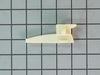
nylon guide was broke off
took drawer out removed broken guide. It had 1 screw removed it put the new guide in place put screw back in. Put drawer back in stove, It works fine.
Parts Used:
-
Lathan from Goodyear, AZ
-
Difficulty Level:Really Easy
-
Total Repair Time:15 - 30 mins
-
Tools:Screw drivers
5 of 7 people
found this instruction helpful.
Was this instruction helpful to you?
Thank you for voting!
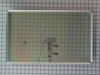
Broker inner glass
-
marc from PARK RIDGE, NJ
-
Difficulty Level:Really Easy
-
Total Repair Time:15 - 30 mins
-
Tools:Screw drivers
4 of 5 people
found this instruction helpful.
Was this instruction helpful to you?
Thank you for voting!
Difficulty in removing the old switch
The old switch was hard to remove. Thinking that I may have to loosen the wires I used a socket wrench to remove a clamp. This was unnecessary. In the end the switch did come out using a large size screwdriver. The problem was that the expanding plastic tongue is not visible from the ouside so you have to try to feel your way around. If i had ordered the replacement before and not afterwards I would have seen this before hand.
Parts Used:

-
James from Federal Way, AL
-
Difficulty Level:A Bit Difficult
-
Total Repair Time:30 - 60 mins
-
Tools:Screw drivers, Socket set
5 of 8 people
found this instruction helpful.
Was this instruction helpful to you?
Thank you for voting!
Refrigerator light wouldn't come on.
After replacing the light bulb and still no light I manually pushed the light switch button. Intermittently the light would come on then go out. I removed the power plug from the power source then replaced the light switch. I plugged the refrigerator back in and now I open the door the light comes on and stays on until the door is closed.
Parts Used:
-
Daniel from Crown Point, IN
-
Difficulty Level:Easy
-
Total Repair Time:15 - 30 mins
-
Tools:Pliers, Screw drivers
4 of 5 people
found this instruction helpful.
Was this instruction helpful to you?
Thank you for voting!
Interior Light did not go on due to faulty switch
I ordered two switches, replaced both with a knife in 10 minutes. Interior light works, thanks.
Parts Used:
-
Robert from Coto de Caza, CA
-
Difficulty Level:Really Easy
-
Total Repair Time:Less than 15 mins
4 of 6 people
found this instruction helpful.
Was this instruction helpful to you?
Thank you for voting!
F2 Warning - Oven overheating
I checked various sites on the net and decided that the temperature sensor was the problem. The GE price for the replacement part was about $105, most of the other sites offered the sensor in the $70 range. PartSelect $12.95 When the part arrived, I removed a small self taping screw, pulled the high temperature wire connector into the oven space, disconnected the quick disconnect fitting, attached the new temperature sensor, pushed the connecting wire into its hole, replaced the screw and that was it. I probably saved about $200 in parts and labor over what a local repairman would have charged. Oh yes!! I first disconnected the power at the breaker box. Very important.
Parts Used:
-
john from bend, OR
-
Difficulty Level:Really Easy
-
Total Repair Time:Less than 15 mins
-
Tools:Socket set
3 of 3 people
found this instruction helpful.
Was this instruction helpful to you?
Thank you for voting!
Drawer glide broken
took nut driver to remove the old and replaced with new. simple.
Parts Used:
-
TERESA from SALTVILLE, VA
-
Difficulty Level:Very Easy
-
Total Repair Time:15 - 30 mins
-
Tools:Socket set
3 of 3 people
found this instruction helpful.
Was this instruction helpful to you?
Thank you for voting!
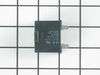
The lights were on inside however the the water/ice dispenser did not work and the fridge and freezer side was not cooling
Simply take off the back panel. Remove the old run capacitor which is attached to the compressor by a white part. It pulls right off. You will have to unplug two wires. I took a pic to ensure I plugged the wires back up the correct way. Then I attached the new capacitor to the white part and put on the sleeve that was included, plugged it back into the compressor and zip tied the excess part of the sleeve. Once done plug fridge back up (always unplug electric devices when doing maintenance) to check before replacing back panel. It may take a few minutes before it kicks on.
Parts Used:
-
Rickey from DUMAS, AR
-
Difficulty Level:Really Easy
-
Total Repair Time:30 - 60 mins
-
Tools:Socket set
4 of 6 people
found this instruction helpful.
Was this instruction helpful to you?
Thank you for voting!
Inner glass assembly had cracked
Took the oven door off and removed the inner door panel, put new glass assembly part in and reassembled. The hard part was getting the door hinges locked back into place.
Parts Used:
-
Richard from Gorham, ME
-
Difficulty Level:Really Easy
-
Total Repair Time:30 - 60 mins
-
Tools:Socket set, Wrench set
3 of 3 people
found this instruction helpful.
Was this instruction helpful to you?
Thank you for voting!