




















KT2651-3 KitchenAid Mixer - Instructions
Keep searches simple. Use keywords, e.g. "leaking", "pump", "broken" or "fit".
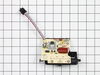
Speed control stuck from sugar/flour build up on slide
Took housing off, removed computer board and disconnected speed control assembly from board. Soaked plastic slide in hot water and freed up mech. Discovered a crack in plastic slide from forcing it. Ordered new assembly and installed. TIP: Keep slide clean of substances that will jam it by cleaning occasionally with water. For a complete cleaning you will have to remove it. Total of 6 easy to reach screws.
Parts Used:
-
David from Dekalb, IL
-
Difficulty Level:Easy
-
Total Repair Time:15 - 30 mins
-
Tools:Screw drivers
Was this instruction helpful to you?
Thank you for voting!
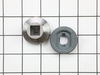
Worn gears
Took mixer apart and then the gear compartment. inspected components. Replaced the worn gears and re-greased the new parts. Put the gear compartment back together, tested the operation of the unit and then replaced the rest of mixer, re-tested and declared victory.
Parts Used:


-
Ronald from Spring Field, VA
-
Difficulty Level:Easy
-
Total Repair Time:15 - 30 mins
-
Tools:Pliers, Screw drivers
Was this instruction helpful to you?
Thank you for voting!
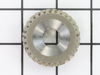
Motor running but not driving mixer shaft
Remove screw and nut from back of mixer head to release the silver name band. Remove the exposed four cross head screws, (two each side), and lift off the motor and gear cover. Wipe excess grease from gear wheels to expose the retaining ring clip at top of vertical gear shaft. Using small nose circlip pliers, remove retaining ring and bevel gear wheel to expose shaft pin and worm gear. Support the shaft from below and remove pin. Lift off worn worm gear wheel allowing shaft to drop down. The horizontal worm gear shaft can now be lifted out taking care to keep assembled. Carefully clean old grease from all gears and from the gear housing, (note that broken pieces of the old worm gear are in the old grease. Repack housing with fresh high performance grease recommended for worm drives. Cover new and reuseable gears with grease. Reverse the process to reassemble the unit.
Parts Used:
-
Brian from New Bern, NC
-
Difficulty Level:Really Easy
-
Total Repair Time:15 - 30 mins
-
Tools:Pliers, Screw drivers
Was this instruction helpful to you?
Thank you for voting!
mixer skips and making noises when mixing the dough
Remove the top cover , inspect the gears . In my case the worm gear and the gear follower worn out . I removed the damage gears and the old grease , clean the inside and reinstalled everything . Now , the mixer is working good again.
Parts Used:

-
Fred from Jonesboro, GA
-
Difficulty Level:Really Easy
-
Total Repair Time:15 - 30 mins
-
Tools:Pliers, Screw drivers
Was this instruction helpful to you?
Thank you for voting!
Thumb screw
the plastic covering the thumb screw cracked almost half way and lost the piece....so the new one is being used to replace this old one...very easy to install
Parts Used:

-
Linda from Lynden, WA
-
Difficulty Level:Really Easy
-
Total Repair Time:Less than 15 mins
Was this instruction helpful to you?
Thank you for voting!
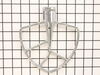
missing part
-
Bill from Charlotte, NC
-
Difficulty Level:Really Easy
-
Total Repair Time:Less than 15 mins
Was this instruction helpful to you?
Thank you for voting!
worn gear causing slippage under load
removed cover. Removed cover over gears. Used lock washer pliers to remove lock washer. Took out gears. Cleaned metal shavings from old gear and grease. Reassembled using new gear. Took about 15 minutes and saved $$ over sending mixer out for the repair.
Parts Used:
-
Rodney from Thornton, NH
-
Difficulty Level:Easy
-
Total Repair Time:Less than 15 mins
-
Tools:Screw drivers
Was this instruction helpful to you?
Thank you for voting!
Mixer wouldn't slow down
I unplugged the mixer, then I removed the Phillips screw holding the beauty ring, then removed the 4 screws that hold the motor housing together. I removed the housing top, and unscrewed the speed control switch. I marked each one of the connectors of the switch (there are 4) 1-4 then disconnected the speed sensor from the switch and the motor. Replaced the new sensor and connected that to the new speed control switch. reconnected the connectors to the terminals I took them from ( 1 - 4 ) screwed it into place. replaced the top motor housing, I screwed that back with the four screws. replaced the beauty ring and screw. plugged it in and tested it and it was like new
Parts Used:
-
Sal from STATEN ISLAND, NY
-
Difficulty Level:Easy
-
Total Repair Time:Less than 15 mins
-
Tools:Screw drivers
Was this instruction helpful to you?
Thank you for voting!
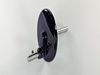
Drive shaft separated from the planetary
Open the case, removed gear cover, removed planetary drive shaft and gear, replaced with new planetary and reassemble.
Parts Used:
-
Ann from Chico, CA
-
Difficulty Level:Easy
-
Total Repair Time:15 - 30 mins
-
Tools:Screw drivers
Was this instruction helpful to you?
Thank you for voting!
$500 mixer had only 1 yr. warranty
___ Remove silver decorative band/1 screw ___ Remove top of mixer/4 screws ___ Remove circuit board/2 screws ___ remove 5 wires from ckt. bd. (be sure where they go) ___ Install new ckt. bd. with proper electircal connections ___ test mixer/OK ___ Reassemble & retest/OK
Parts Used:
-
wilfred from north yarmouth, ME
-
Difficulty Level:A Bit Difficult
-
Total Repair Time:15 - 30 mins
-
Tools:Screw drivers
Was this instruction helpful to you?
Thank you for voting!
Mixer stopped working and gave grinding sounds
Following Replacement Part Youtube instructions, I disassembled the mixer and found what caused the sounds and prevented the mixer from operating. The worm follower gear had been ground down by the worm gear. I found that the shaft from the planetary gear had not been adequately greased and siezed preventing the worm follower gear from turning. The worm gear is obviously made of harder material and thus, was able to wear away the follower. I appreciate the your help which saved having to replace a perfectly good/expensive mixer. Thanks.
Parts Used:
-
brian from carlsbad, CA
-
Difficulty Level:Easy
-
Total Repair Time:15 - 30 mins
-
Tools:Screw drivers
Was this instruction helpful to you?
Thank you for voting!
Worn worm gear
The KitchenAid is "old school" in that it is held together with simple (but very stout) bolts and screws. I removed about 10 such fasteners, slipped off the gear retainer, and pulled it out. On Sunday, a very nice customer service rep helped me order the right part, but I did the rest on line in a matter of seconds. It shipped on Monday and arrived on Wednesday. Took about 10 minutes to put everything back. I REALLY WISH everything was this easy in 2012!!!
Parts Used:
-
Dennis from Frankfort, IN
-
Difficulty Level:Really Easy
-
Total Repair Time:Less than 15 mins
-
Tools:Pliers, Screw drivers
Was this instruction helpful to you?
Thank you for voting!
head of screw was broken in half
I looked on line found the product sent in information and 3 days later was in my mailbox,great service and ease of ordering. thanks marjorie
Parts Used:
-
marjorie from juda, WI
-
Difficulty Level:Really Easy
-
Total Repair Time:Less than 15 mins
Was this instruction helpful to you?
Thank you for voting!
Trouble with switch
removed top casing, removed old switch and sensor,and replaced with new ones. It was just a matter of a half dozen screws and unpluging 4 or 5 wires and then reversing the process. Couldn't be easier. thank you
Parts Used:
-
Dawn L from Ceres, NY
-
Difficulty Level:Really Easy
-
Total Repair Time:Less than 15 mins
-
Tools:Screw drivers
Was this instruction helpful to you?
Thank you for voting!
Mixer goes full speed even when on low setting.
Removed one screw to remove deco band around mixer body. Removed four screws under band to remove mixer top. Removed two screws holding switch. Removed wires one at a time putting them in the same position on the new switch. Re-attached switch, mixer top, and deco band. Works perfectly.
Parts Used:
-
JOHN from RIVERSIDE, CA
-
Difficulty Level:Easy
-
Total Repair Time:Less than 15 mins
-
Tools:Screw drivers
Was this instruction helpful to you?
Thank you for voting!