




















KSM195PSBE0 KitchenAid Mixer - Instructions
Keep searches simple. Use keywords, e.g. "leaking", "pump", "broken" or "fit".
Mixer suddenly ceased operation after sharp noise
To access the interior of the mixer, I first removed the single screw holding the cup-shaped part at the rear. Then I removed the 4 large screws on the under surface of the mixer head. Next I removed the bright metal ring around the planetary gear area by prying it off. I then pried the dish-shaped part off the shaft using a large-bladed screwdriver. This exposed 5 screws on the circumference of the planetary gear. By removing them, one can pull up the gears and see into the area below. I found the worm gear had fractured. By removing 3 screws at the base I extracted it for closer inspection, checking for any loose pieces. Beware of the jelly-like grease. The replacement part goes into position, and one then follows the steps in reverse.
Parts Used:

-
Walter from Athens, GA
-
Difficulty Level:A Bit Difficult
-
Total Repair Time:1- 2 hours
-
Tools:Screw drivers
2 of 5 people
found this instruction helpful.
Was this instruction helpful to you?
Thank you for voting!
The mixer started getting weak like a gear was stripped and then quite working all together.
I removed the decorative band that covers the seam by removing 1 screw. I then removed the top portion of mixer by removing 4 square head screws. You will then see the gear housing in the front of the mixer. Remove the 4 screws holding that on. There are no spring that are going to pop out and you never know where they went, but be careful because there is a lot of grease and a gear that it just laying in there on the right side. You will see the stainless shaft with a couple on gear cogs on it. Remove the retaing spring from the shaft and pull the top gear off, it may be a little snug. You will then see the dowel pin, mine was sheared off but I could see where it was. Be sure to remove the broken pieces. Use the punch to knock out the remaining pin. Replace with new pin making sure it is evenly exposed on both side of the shaft. Replace the top gear, then the retaining spring, the the gear housing cover, then the mixer top cover and finally the decorative band. Be sure to unplug before you start. These mixers are expensive and expensive to have someone fix them. I ordered 2 pins because shipping is a little high and the pin is cheap. I fixed this for $17.00 total and have a spare pin.
Parts Used:

-
Lane from Warrior, AL
-
Difficulty Level:Easy
-
Total Repair Time:30 - 60 mins
-
Tools:Nutdriver
3 of 8 people
found this instruction helpful.
Was this instruction helpful to you?
Thank you for voting!
Motor did not turn on.
I removed the excess of grease to clear all parts. Then I installed new mechanical parts. Finally, I installed all electrical parts. I followed a logical sequence of removing and installing steps. Tip: Never remove parts without a logical order of sequence.
Parts Used:



-
Gonzalo from HAINES CITY, FL
-
Difficulty Level:Very Easy
-
Total Repair Time:30 - 60 mins
-
Tools:Pliers, Screw drivers, Socket set
2 of 6 people
found this instruction helpful.
Was this instruction helpful to you?
Thank you for voting!
Mixer still ran, but seemed to be getting very loose as if gears or a shaft were wearing out.
I followed the video provided online. The model shown was not exactly the same as mine, but very close. The step-wise progression demonstrated on the video helped a lot. I had to double check the video a couple of times which added to the work time....I could probably do it again without the video in under 1 hour. As shown in the video, I laid out an old towel across two pieces of 2x4 which helped keep the mixer head in a position that was easy to work on and also prevented scratches.
Parts Used:
-
Harry from MILTON, WA
-
Difficulty Level:Easy
-
Total Repair Time:1- 2 hours
-
Tools:Screw drivers
1 of 3 people
found this instruction helpful.
Was this instruction helpful to you?
Thank you for voting!
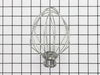
Broken whip, no local availability
No nstallation required, simply attach.
Your website was the only one that made sense. I am blind and follow the instructions with a screen reader. I had no difficulty. It was much easier than this questionaire.
Your website was the only one that made sense. I am blind and follow the instructions with a screen reader. I had no difficulty. It was much easier than this questionaire.
Parts Used:
-
Carl from Austin, TX
-
Difficulty Level:Really Easy
-
Total Repair Time:Less than 15 mins
1 of 3 people
found this instruction helpful.
Was this instruction helpful to you?
Thank you for voting!
I was missing parts to stand mixer

-
Dennis from Laramie, WY
-
Difficulty Level:Really Easy
-
Total Repair Time:Less than 15 mins
-
Tools:Screw drivers
0 of 7 people
found this instruction helpful.
Was this instruction helpful to you?
Thank you for voting!
The head of my machine was sagging
and I thought replacing the hinge pin would fix it, I used an awl to push out the old pin then used the new pin to push the old one all the way out. That did not fix the problem. Went to a store to look over a new one and saw that the screw under the head at the hinge point on the new machines was not screwed in tight. Turns out that screw is the "bumper" for the head against the neck, so the head is held back by the screw. FIXED
Parts Used:

-
Lee from Valencia, CA
-
Difficulty Level:Easy
-
Total Repair Time:Less than 15 mins
-
Tools:Nutdriver, Pliers
Was this instruction helpful to you?
Thank you for voting!
Pin fell out of neck
Placed pin in the hole...some wiggling had to be done for a tight fit. Installation complete!
Parts Used:
-
Tiffany from San Antonio, TX
-
Difficulty Level:Really Easy
-
Total Repair Time:Less than 15 mins
Was this instruction helpful to you?
Thank you for voting!
Motor would not turn on
Initially removed carbon brushes then inserted the new carbon brushes. The motor still did not turn on. Then I removed the brushes again, used a flashlight to look in the hole where the carbon brushes are installed. I noticed that there was a square notch on one side of the hole. I then reinstalled the carbon brushes, ensuring that the beveled side of the carbon brush was installed so it lines up with the square notch. This allows the carbon brushes to touch the motor. I turned the unit on and it worked.
Parts Used:
-
Paul from Reno, NV
-
Difficulty Level:Easy
-
Total Repair Time:Less than 15 mins
-
Tools:Screw drivers
Was this instruction helpful to you?
Thank you for voting!
Bent wires in a wire whip
I ordered a new wire whip and attached it just like it was the original. WALLA!!! Done.
Parts Used:
-
Robert from Blairsville, GA
-
Difficulty Level:Really Easy
-
Total Repair Time:Less than 15 mins
Was this instruction helpful to you?
Thank you for voting!
The screw cap no longer held the bowl in place.
This is the easiest repair ever! I removed the 3 screws, cleaned around the area with a sponge and kitchen cleaner and put on the new cap. The screws went back in easily and voila ! Done!
Parts Used:
-
Roberta from Glen Ellyn, IL
-
Difficulty Level:Really Easy
-
Total Repair Time:Less than 15 mins
-
Tools:Screw drivers
Was this instruction helpful to you?
Thank you for voting!
original part worn out, wouldn't hold mixing bowl
unscrewed old part, put in new part.New part much better design than old one. Works great. Your service is great. Had the part in a 2-3 days. Awesome.
Parts Used:
-
Diane from Holland, MI
-
Difficulty Level:Really Easy
-
Total Repair Time:Less than 15 mins
-
Tools:Screw drivers
Was this instruction helpful to you?
Thank you for voting!
Lost a rubber foot on my Kitchen Aid mixer. The remaining feet we're hard and mushroomed. I decided to replace all 5. That was the correct decision.
I griped each foot with a pliers and twisted it out of its setting. I then set a new foot in place and hammered it into place with a small hammer. The feet fit snugly and did not need to be glued. Job was easy and mixer sits like new. I was glad I spent the money to replace all of the feet at once.
Parts Used:

-
Dale from Manheim, PA
-
Difficulty Level:Really Easy
-
Total Repair Time:Less than 15 mins
-
Tools:Pliers
Was this instruction helpful to you?
Thank you for voting!
Brush's Wore
-
Gary from Scottsburg, IN
-
Difficulty Level:Really Easy
-
Total Repair Time:Less than 15 mins
-
Tools:Screw drivers
Was this instruction helpful to you?
Thank you for voting!
would not run
-
andrew from bridgeville, PA
-
Difficulty Level:Really Easy
-
Total Repair Time:Less than 15 mins
-
Tools:Screw drivers
Was this instruction helpful to you?
Thank you for voting!