




















KP2671KATRW KitchenAid Mixer - Instructions
Keep searches simple. Use keywords, e.g. "leaking", "pump", "broken" or "fit".
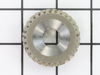
The front gear was worn
I took all the grease out of the top of the mixer. Saw that the gear was worn. When the new parts came I put as much grease in as was in before. Put it back together and it worked like a champ.
Parts Used:

-
Marcelline from PENFIELD, NY
-
Difficulty Level:Really Easy
-
Total Repair Time:15 - 30 mins
-
Tools:Screw drivers
10 of 10 people
found this instruction helpful.
Was this instruction helpful to you?
Thank you for voting!
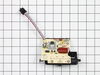
when turned on mixer went full speed for 10 secs. then shut off. when turned off then this repeated. Trouble guide indicates defective speed control.
per e.g. and put cover on and secured screws. Pluged in unit turned it on and it worked for 25 secs then went full speed and shut down.. repeat this several times got same results. Put old unit back in and it worked for 2 days then same results. I now suspect coil on shaft is defective. I'll order that and see. Unless some one knows of another problem.
Parts Used:
-
jerry from farmland, IN
-
Difficulty Level:Really Easy
-
Total Repair Time:15 - 30 mins
-
Tools:Screw drivers
10 of 13 people
found this instruction helpful.
Was this instruction helpful to you?
Thank you for voting!
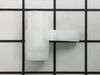
The mixer would not raise the bowl
I removed the motor assembly from the mixer. This left the stand assembly. The raising lift arm had to be removed by unscrewing the set screw, and then the lift arm was removed. I replaced the plastic arm bowl lift by sliding it over the lift arm, and then I had to remove the spring with a clip washer with the pliers, and replaced the spring back on to the new part. Total time about ten minutes for the actual fix, and about 45 minutes remove and reinstall the 12 screws that held the motor in place. It was well worth my efforts. The mixer arm works perfectly now.
Parts Used:
-
Stephen from Charlotte, NC
-
Difficulty Level:Easy
-
Total Repair Time:1- 2 hours
-
Tools:Pliers, Screw drivers
12 of 19 people
found this instruction helpful.
Was this instruction helpful to you?
Thank you for voting!
speed surged after mixer warmed up
Took off cover, marked leads, unscrewed two screws and replaced circuit board (speed swith unit). This one was really easy.
Parts Used:
-
Thomas from Christiana, TN
-
Difficulty Level:Really Easy
-
Total Repair Time:15 - 30 mins
-
Tools:Screw drivers
8 of 9 people
found this instruction helpful.
Was this instruction helpful to you?
Thank you for voting!
Replacement of Speed Control Board/Knob Assembly
1) Unplug power cord from outlet.
2) Remove #2 Phillips screw from metal band at the back of the mixer.
3) Remove band and set aside.
4) Remove 4 #2 Phillips screws that connect top of mixer housing with bottom.
5) Gently pry up on top housing to remove.
6) Remove two screws hold original speed board in place.
7) Old board and new board may have board components in different locations.
8) Lugs are marked Motor 1, Motor 2, Line 1 and Line 2.
9) One at a time move a lead from old board to new, making certain you match the leads up to the printing on the board. e.g.; Motor 1 must go to Motor 1.
10) When all leads are moved install new board with the two screws.
11) Put top back on and install four screws.
12) Clean and install stainless steel band.
13) Plug in and bump start to check for proper operation.
2) Remove #2 Phillips screw from metal band at the back of the mixer.
3) Remove band and set aside.
4) Remove 4 #2 Phillips screws that connect top of mixer housing with bottom.
5) Gently pry up on top housing to remove.
6) Remove two screws hold original speed board in place.
7) Old board and new board may have board components in different locations.
8) Lugs are marked Motor 1, Motor 2, Line 1 and Line 2.
9) One at a time move a lead from old board to new, making certain you match the leads up to the printing on the board. e.g.; Motor 1 must go to Motor 1.
10) When all leads are moved install new board with the two screws.
11) Put top back on and install four screws.
12) Clean and install stainless steel band.
13) Plug in and bump start to check for proper operation.
Parts Used:
-
Keith from OKLAHOMA CITY, OK
-
Difficulty Level:Really Easy
-
Total Repair Time:15 - 30 mins
-
Tools:Pliers, Screw drivers
7 of 7 people
found this instruction helpful.
Was this instruction helpful to you?
Thank you for voting!
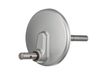
Planetary Drive shaft broke in two.
The old planetary unit dropped out when it broke leaving the upper part of the broken shaft and beveled gear in the motor housing. Removed label band and upper motor housing with phillips screwdriver. Removed beveled gear housing with phillips screwdriver and pulled out broken shaft. Used snap ring pliers to remove gear retaining ring and slid gear off broken shaft and pressed out retaining pin below gear. Put seal and o-ring on new shaft and inserted new planetary unit up into bearings and reinstalled pin and snap ring. Greased top end of shaft and reassembled gear housing and motor housing. The unit works better than before as the upper part of old shaft had never been greased. The new drive shaft is much stronger than the original which had a deep groove cut around it which weakened the shaft where it broke in two.
Parts Used:
-
John from Rockport, TX
-
Difficulty Level:Easy
-
Total Repair Time:30 - 60 mins
-
Tools:Pliers, Screw drivers
7 of 7 people
found this instruction helpful.
Was this instruction helpful to you?
Thank you for voting!
Speed control failed to work properly
Unscrewed stainless steel Kitchenaid band, removed screws holding down the main housing to get to the speed control panel. Removed two screws from to release the speed control panel, replaced the panel with new part, and replaced all the screws to the main housing, and stainless steel band and it worked like new. So easy, and it only took about 15 minutes to repair.
Parts Used:
-
Christine from Maple Valley, WA
-
Difficulty Level:Really Easy
-
Total Repair Time:Less than 15 mins
-
Tools:Screw drivers
7 of 8 people
found this instruction helpful.
Was this instruction helpful to you?
Thank you for voting!
gears were stripped from overload of bread dough
At the back of mixer is 1 screw that holds metal band. Remove to reveal 4 screws that hold top half of mixer. Inside locate transmission housing remove 4 more screws. Inside housing carefully scrape away grease and broken bits of gear. Take out worm gear drive shaft wipe off and inspect. Clean up grease inside tranny locate keeper ring on vertical shaft spread and slide off use 2 screwdrivers to jimmy gears up. Replace with new parts put back together and use fresh grease. Not too hard at all and alot cheaper than a new kitchen-aid.
Parts Used:
-
karl from Eureka, MT
-
Difficulty Level:A Bit Difficult
-
Total Repair Time:30 - 60 mins
-
Tools:Pliers, Screw drivers
5 of 6 people
found this instruction helpful.
Was this instruction helpful to you?
Thank you for voting!
Speed control switch kept getting stuck and we had to use the dough hook to move the control back and forth
I ordered the switch control. Opened up the top part of the mixer using a Philips screwdriver. Then I unscrewed all the screws that connected the old part. Disconnected the wires, connected them to the new panel , screwed everything back together and i was done. It was that easy.
Parts Used:
-
Ronie from NEW YORK, NY
-
Difficulty Level:Very Easy
-
Total Repair Time:Less than 15 mins
-
Tools:Screw drivers
4 of 4 people
found this instruction helpful.
Was this instruction helpful to you?
Thank you for voting!
speed control went. The beater would fly in any setting
I carefully removed the cover of my mixer. I first made sure that all of my part numbers corresponded, then I labeled the 5 wires that needed to be disconnected. I then disconnected the wires, removed the two screws holding the part in place, switched out the old for new, reconnected all of my wires. Mades sure everything looked tight, and put my cover back on. Works like a charm. I cried because what I really thought was going to be a $200+ fix, ended up costing me less than $50! And it was so easy.
Parts Used:
-
Brandy from Thorp, WI
-
Difficulty Level:Really Easy
-
Total Repair Time:15 - 30 mins
-
Tools:Screw drivers
5 of 7 people
found this instruction helpful.
Was this instruction helpful to you?
Thank you for voting!
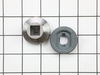
grinding, wouldn't turn
Took it apart, found stripped gears, a common problem. Reviewed parts diagram on your website. Got the parts, reviewed the diagram, removed defective parts, used retaining ring pliers. put it back together, put new grease in, tried it out. Very easy fix
Parts Used:


-
KERRY from NASHUA, NH
-
Difficulty Level:Very Easy
-
Total Repair Time:15 - 30 mins
-
Tools:Screw drivers
4 of 4 people
found this instruction helpful.
Was this instruction helpful to you?
Thank you for voting!
Speed control switch not working on Kitchenaid stand mixer
Unplugged unit. Took top housing off of mixer (half dozen small screws). Disconnected speed control circuit card from five wiring connections. Removed card from mixer chassis (two screws). When new part came (the next day) I reversed the procedure in about 5 minutes and had a working mixer! Thanks.
Parts Used:
-
Steve from Reno, NV
-
Difficulty Level:Really Easy
-
Total Repair Time:Less than 15 mins
-
Tools:Screw drivers
7 of 14 people
found this instruction helpful.
Was this instruction helpful to you?
Thank you for voting!
Plastic boke on the old thumb screw
unscrewed the old one........screwed in the new one, no chance for electrocution or power tools..........darn!
Parts Used:

-
Alice from St Louis, MO
-
Difficulty Level:Really Easy
-
Total Repair Time:Less than 15 mins
4 of 5 people
found this instruction helpful.
Was this instruction helpful to you?
Thank you for voting!
plastic outer casing on tightening screw had broken
This is the tightening screw that holds the attachments into the motor unit of the mixer. Found your web site and reordered 2 replacement pieces (in case one breaks!). Very EZ and user friendly. Thank you!
Parts Used:
-
Peggy from Escondido, CA
-
Difficulty Level:Really Easy
-
Total Repair Time:Less than 15 mins
4 of 6 people
found this instruction helpful.
Was this instruction helpful to you?
Thank you for voting!
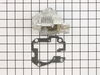
Gears were stripped and mixer would not mix
This was easy once Igot all the parts. The mxer wouldn't mix and when I opened it up the drive gear between the motor and the planetary drive was missing some teeth. Turns out the bearing, which was sintered bronze, had broken so I needed a new gear, new bearing, and the jumping gear had broken the housing so I needed a new housing. The new gearing ( really a bushing since there are no rollers or balls in the "bearing") waws now steel and the molded plastic housing is now cast metal. Some new grease ( I had to buy a quart can of grease to get two tablespooons) a new gasket and put the screws in and we're back in business. Total repair time 10 minutes, total time to get all the parts 3 weeks,
Parts Used:
-
Gregory from Califon, NJ
-
Difficulty Level:Really Easy
-
Total Repair Time:Less than 15 mins
-
Tools:Screw drivers
3 of 3 people
found this instruction helpful.
Was this instruction helpful to you?
Thank you for voting!