




















JVM1533WD002 General Electric Microwave - Instructions
Keep searches simple. Use keywords, e.g. "leaking", "pump", "broken" or "fit".
Lawn mower would not start
removed cover over motor blew it out of leaves and dust. Removes 4 screws and removed piece ordered. The coil was rusted and not connecting. Changed oiece its working again
Parts Used:
-
Lorraine from MIDDLETOWN, NY
-
Difficulty Level:Very Easy
-
Total Repair Time:Less than 15 mins
-
Tools:Screw drivers
2 of 4 people
found this instruction helpful.
Was this instruction helpful to you?
Thank you for voting!
Door Switch went bad, Internal Fan would run every time you open the door
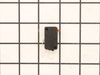
Unscrewed the control panel (2 screws), lift up and let hang, with a plan screwdriver open bracket holding the switch, unplug 2 wires, replace with new switch, plug in the 2 wires, push switch back into bracket. Then slide on the control panel, put the 2 screws back. Easy fix.
Parts Used:
-
gilbert from TOMS RIVER, NJ
-
Difficulty Level:Really Easy
-
Total Repair Time:15 - 30 mins
-
Tools:Screw drivers
1 person
found this instruction helpful.
Was this instruction helpful to you?
Thank you for voting!
Microwave would not heat up
-
Suzanne from POWELL, OH
-
Difficulty Level:Really Easy
-
Total Repair Time:15 - 30 mins
1 person
found this instruction helpful.
Was this instruction helpful to you?
Thank you for voting!
Door would not indicate closed
Disassembly control panel and remove switch holder; test for micro switches for continuity. Holder had broken post on micro switch holder.
Parts Used:

-
David from CARY, NC
-
Difficulty Level:A Bit Difficult
-
Total Repair Time:More than 2 hours
-
Tools:Pliers, Screw drivers
1 person
found this instruction helpful.
Was this instruction helpful to you?
Thank you for voting!
Timer, light and control pad worked. Turn table and heat did not work. Oven would not start up.
I first read where someone had the same problem. Their solution was a burned-out fuse. I ordered a new fuse...installed it and that did not solve my problem. I revisted PartSelect and read how Marla (from Arlington, TX)solved her problem. I purchased a secondary switch and when it arrived, I made a copy of Marla's instructions and followed them to the letter. I installed the new secondary switch into the secondary space, put everything back together and the oven STILL DID NOT WORK. I had to take the latching panel apart again and test each switch to see if there was another bad one. I found that the third switch was burned out. So I took the new switch out of the second slot and installed it into the third slot. I tested the switches before reinstalling the latching panel. This time everything worked. So I put everything back together, reinstalled the microwave on the wall, tested it again, and everything worked perfectly.
Parts Used:

-
Pearlie from Beulaville, NC
-
Difficulty Level:A Bit Difficult
-
Total Repair Time:30 - 60 mins
-
Tools:Screw drivers
1 person
found this instruction helpful.
Was this instruction helpful to you?
Thank you for voting!
Not heat
-unplug
-remove top and front covers
-unplug wire connectors from heating assembly
-remove heating assembly from metal stand and push out of the way
-remove metal stand from dry
-pull out heating assembly
-install new one in reserve order
-remove top and front covers
-unplug wire connectors from heating assembly
-remove heating assembly from metal stand and push out of the way
-remove metal stand from dry
-pull out heating assembly
-install new one in reserve order
Parts Used:
-
Kip from POWELL, OH
-
Difficulty Level:Very Easy
-
Total Repair Time:15 - 30 mins
-
Tools:Screw drivers, Socket set
1 person
found this instruction helpful.
Was this instruction helpful to you?
Thank you for voting!
Microwave fan would come on when the door was opened and light would turn on. Determine that the Main Interlock Switch had gone bad.
Replaced all 3 switches and Holder for all 3 switches. All is working great now.
Parts Used:
-
Daniel from HOLMEN, WI
-
Difficulty Level:Easy
-
Total Repair Time:15 - 30 mins
-
Tools:Screw drivers
1 person
found this instruction helpful.
Was this instruction helpful to you?
Thank you for voting!
Received damaged parts
The first holder locker was shipped in a soft envelope and was damaged in shipping. I ordered a second holder locker with instructions to ship in a hard container and mentioned what happened to the first holder locker. The second holder locker was shipped also in a soft envelope and was received damaged.
I notified customer service and have yet to receive a response.
I now have the part on order with a local company.
Kenneth Files
(831) 688-0740
I notified customer service and have yet to receive a response.
I now have the part on order with a local company.
Kenneth Files
(831) 688-0740
Parts Used:
-
Kenneth from APTOS, CA
-
Difficulty Level:Very Difficult
-
Total Repair Time:30 - 60 mins
1 person
found this instruction helpful.
Was this instruction helpful to you?
Thank you for voting!
M/W would not start. control panel OK
unplugged power
removed main black cover.
located part WB24X10047 and replaced
removed main black cover.
located part WB24X10047 and replaced
Parts Used:
-
Jeffrey from FULSHEAR, TX
-
Difficulty Level:A Bit Difficult
-
Total Repair Time:30 - 60 mins
-
Tools:Pliers, Screw drivers
1 person
found this instruction helpful.
Was this instruction helpful to you?
Thank you for voting!
Holder bracket broken so Door swithch could not be activated
Part arrived next day! Thank you Parts Select. Holder bracket on older GE microwave was broken so MW would not start because door latch did not activate door switch. Removed front panel unplugged all the wiring (after I had taken a picture) to gain access to the holder bracket. Unplugged the three door switches. Removed two screws that held the holder bracket. Installed three new door switches into the new holder bracket. Positioned the bracket behind the frame and screwed back in the two screws. Snapped in this seven wire attachments, set the control panel back in the microwave and secured it with two screws. I only needed one screwdriver and one needle nose plier to remove the wire attachment from a door switch which made it easier to remove. 40 minutes.
Parts Used:
-
David from MISSION VIEJO, CA
-
Difficulty Level:Easy
-
Total Repair Time:30 - 60 mins
-
Tools:Screw drivers
1 person
found this instruction helpful.
Was this instruction helpful to you?
Thank you for voting!
Changing door switch
When removing a non-working door switch, you will see a hooked piece of plastic on the holder locker that looks like a latch. If you try to pull it back in order to either remove the bad switch or install a good one, it will likely break. Instead, you need to pivot the switch (It pivots on a little post which is fitted into a hole at the corner of the switch) out of position so that it is not held back by the 'latch'. Then lift the switch out. If you have to use lots of force anything, you're doing something wrong. Reverse all this when installing the new switch.
Parts Used:
-
STEPHEN from MINNEAPOLIS, MN
-
Difficulty Level:Really Easy
-
Total Repair Time:30 - 60 mins
1 person
found this instruction helpful.
Was this instruction helpful to you?
Thank you for voting!
replaced Charcoal Filter
I couldn’t to it didn’t know where to put the Filter
Had to get a technician he knew what to do but it cost us 139.00 but we need the Filter
Erika Velati
Had to get a technician he knew what to do but it cost us 139.00 but we need the Filter
Erika Velati
Parts Used:

-
Erika from LITTLE FALLS, NJ
-
Difficulty Level:A Bit Difficult
-
Total Repair Time:15 - 30 mins
-
Tools:Screw drivers
1 person
found this instruction helpful.
Was this instruction helpful to you?
Thank you for voting!
The unit would run when the door was open!
First I had to accept the fact that the unit was designed to keep non-professional people from doing any repairs. The switch was installed in such a manner that I had to break the mounting to remove the switch, then drill a hole in the mounting to secure the new switch in place.
Parts Used:
-
Mike from BLUFFTON, SC
-
Difficulty Level:A Bit Difficult
-
Total Repair Time:1- 2 hours
-
Tools:Nutdriver, Pliers, Screw drivers, Socket set, Wrench set
1 person
found this instruction helpful.
Was this instruction helpful to you?
Thank you for voting!
To heat a cup of coffee, user entered "10:00" instead of "1:00". Mess! After cleanup, microwave ran, but would not heat. While running, it made 2 or 3 time the noise volume as before.
I went for the cheap things first. Ohmmeter showed one of the thermostats in the magnetron compartment was open. I ordered and replaced all three thermostats. Still no heat. I took the unit off the wall (aaarrgh!) and checked the oven cavity thermal cutout. It said 7 ohms. I tested by shorting the wires together, but still no heat. So, I ordered the magnetron and diode cable. When replacing the diode cable (be sure to discharge the big cap!) either I broke it, or it was already damaged. It came off in two pieces. The new diode cable was re-enforced with thick heat shrink tubing, to prevent such breaking. You need a very short screwdriver to replace the magnetron. Now, all fixed! ~$150. A new one lists for $2000, installed in the overhead. My wife thinks I am a genius.
Parts Used:

-
G. Wayne from GARDNERVILLE, NV
-
Difficulty Level:Easy
-
Total Repair Time:1- 2 hours
-
Tools:Pliers, Screw drivers
1 of 2 people
found this instruction helpful.
Was this instruction helpful to you?
Thank you for voting!
no back plate 2 mount
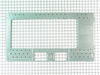
mtg plate came and the rest was easy,did wiring in upper cabinet 4 microwave,drilled 1 1/8 hole in btm of cab 4 power cord 2 go thru.All this was done by common sence and a tape measure,no templates were with this unit (YARD SALE)GE1600,3 bolt holes 2 hold micro upafter installing on back plate,plugged it in and it worked! end of story.
Parts Used:
-
Michael from Bradenton, FL
-
Difficulty Level:Really Easy
-
Total Repair Time:1- 2 hours
1 of 3 people
found this instruction helpful.
Was this instruction helpful to you?
Thank you for voting!