




















JMW9530AAW Jenn-Air Microwave Oven Combo - Instructions
Keep searches simple. Use keywords, e.g. "leaking", "pump", "broken" or "fit".
Very Easy Repair
The door came off easily after I removed the two hinge covers that are attached to the oven. Taking the door off can be done with one person but ideally two.
The new parts fit in perfectly and the hinge pin used for shipping comes out easiest with a pair or wire cutters (you do not cut it just grab it and pull).
After that, re-assemble the door and drop in place. It was a snap.
FYI...the shipping was ultra fast and the price was great.
No issues whatsover with the entire process.
The new parts fit in perfectly and the hinge pin used for shipping comes out easiest with a pair or wire cutters (you do not cut it just grab it and pull).
After that, re-assemble the door and drop in place. It was a snap.
FYI...the shipping was ultra fast and the price was great.
No issues whatsover with the entire process.
Parts Used:
-
Donald from Edmond, OK
-
Difficulty Level:Really Easy
-
Total Repair Time:15 - 30 mins
-
Tools:Screw drivers
2 of 6 people
found this instruction helpful.
Was this instruction helpful to you?
Thank you for voting!
burned oven bulb
The hardest part was taking out original light bulb because screws on shield where hard to unscrew after all this years . The old bulb vent out leaving neck in socket. It took narrow electrical pliers to get neck out .The generic appliance bulb did not fit and had aluminum neck ,not recommended for brass sockets in ovens.Putting new light bulb in was not the problem.
Parts Used:
-
Ivanka from Atlantra, GA
-
Difficulty Level:Really Easy
-
Total Repair Time:30 - 60 mins
-
Tools:Pliers, Screw drivers
3 of 9 people
found this instruction helpful.
Was this instruction helpful to you?
Thank you for voting!
The inner glass of the oven door was cracked
First, there are NO instructions on how to replace the glass on this type of oven door! Nothing came with the replacement glass and we could not find anything on the internet for this model. The oven door hinges are like no other oven door. There is no hinge lock and you can't just remove the guard plate and lift the door off the hinge. I ended up with a smashed finger because the hinge slammed shut before I could move my hand. The oven glass is STILL not replaced and we are having a heck of a time trying to find an expert to come to our home to fix it.
Parts Used:
-
Katherine from Southfield, MI
-
Difficulty Level:Very Difficult
-
Total Repair Time:More than 2 hours
-
Tools:Screw drivers
4 of 12 people
found this instruction helpful.
Was this instruction helpful to you?
Thank you for voting!
Digital Display on oven went out
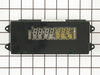
I followed other postings about this repair. It was easy. Open oven door, remove 4 screws that secure oven in the cabinet. Slide oven out a few inches. I thought it would be too heavy for me, but it wasn't. Remove 4 screws along the underside of where the clock panel sits. Have the oven door open, look up and you will see the four screws. Lift up and off for the glass front of the clock area. Undo the 4 sets of wire connections. They just snap in and out. Lay the glass on a towel, remove the clock assembly with a nut driver, replace with new clock assembly and reverse the instructions. When putting the glass panel back on, make sure you hook it over the top ledge. I missed that and after I replaced the 4 screws, I realized the top was not secure. Don't forget to kill the circuit breaker while working on this.
Parts Used:
-
Margaret from San Antonio, TX
-
Difficulty Level:Easy
-
Total Repair Time:30 - 60 mins
-
Tools:Nutdriver, Screw drivers
0 of 1 people
found this instruction helpful.
Was this instruction helpful to you?
Thank you for voting!
Oven temperature lagging set temperature by almost 100F
Removed frame to cabinet lag screws
Slid oven out of cabinet (required because wire harness could not be pulled through inside of oven)
Removed two screws holding attaching sensor inside oven
Uncoupled wire harness
Installed new sensor in reverse order
Unfortunately, neither the new bake element or sensor fixed the problem, so I just ordered the more expensive control board -- hope that does it.
Slid oven out of cabinet (required because wire harness could not be pulled through inside of oven)
Removed two screws holding attaching sensor inside oven
Uncoupled wire harness
Installed new sensor in reverse order
Unfortunately, neither the new bake element or sensor fixed the problem, so I just ordered the more expensive control board -- hope that does it.
Parts Used:

-
William from Edgewood, WA
-
Difficulty Level:Easy
-
Total Repair Time:30 - 60 mins
-
Tools:Pliers, Screw drivers
0 of 1 people
found this instruction helpful.
Was this instruction helpful to you?
Thank you for voting!
The LED display failed - for the second time
The display belongs to the convection oven. We still could use the oven because we knew how all the buttons and beeps worked, but we replaced the control module because we couldn't sell the house without it. Here's how to replace the module:
- Remove the bezel on the microwave above the oven (4 screws on the sides).
- Now you can remove four up-facing screws on top of the control panel. Don't unwire the panel, just lay it face-down on the topmost oven shelf, as one of the others above advised.
- Looking at the back of the clock module, remove the two connectors. The larger one is difficult to pull. Just force each end gently straight up with a flat screwdriver.
- Remove the screws holding the clock in place. They're at the two ends.
- Swap the clocks and put everything back.
I bought this module from PartSelect because of all the customer feedback you see here. It gave me the confidence to do it myself.
- Remove the bezel on the microwave above the oven (4 screws on the sides).
- Now you can remove four up-facing screws on top of the control panel. Don't unwire the panel, just lay it face-down on the topmost oven shelf, as one of the others above advised.
- Looking at the back of the clock module, remove the two connectors. The larger one is difficult to pull. Just force each end gently straight up with a flat screwdriver.
- Remove the screws holding the clock in place. They're at the two ends.
- Swap the clocks and put everything back.
I bought this module from PartSelect because of all the customer feedback you see here. It gave me the confidence to do it myself.
Parts Used:
-
Kenneth from INDIANAPOLIS, IN
-
Difficulty Level:Easy
-
Total Repair Time:30 - 60 mins
-
Tools:Nutdriver, Screw drivers
0 of 1 people
found this instruction helpful.
Was this instruction helpful to you?
Thank you for voting!
Display went dim then completely out.
It was nice to be able to find this site and see that my problem was the same as others and they had all solved it with replacing the control module. So I ordered the part. Received it. Removed the 4 screws on the panel, then removed the connectors, then removed the bolts holding the control panel on the board. Replaced control panel and hooked it all back up. Very easy and was working in 15 minutes.
Parts Used:
-
David from Gilbert, AZ
-
Difficulty Level:Really Easy
-
Total Repair Time:30 - 60 mins
-
Tools:Screw drivers
0 of 1 people
found this instruction helpful.
Was this instruction helpful to you?
Thank you for voting!
Digital clock had dimmed to the point of being unreadable
1. Remove 4 screws at the bottom of the control panel (above oven door) that hold it in place.
2. Pull the control panel away from oven and lift to remove.
3. Unplug two wire connectors to remove panel from oven.
4. Unplug two wire connectors from the clock panel. Used a putty knife to disengage the connector locking mechanism.
5. Remove 4 screws holding clock in place.
6-10. Installed new clock in reverse order of removal.
2. Pull the control panel away from oven and lift to remove.
3. Unplug two wire connectors to remove panel from oven.
4. Unplug two wire connectors from the clock panel. Used a putty knife to disengage the connector locking mechanism.
5. Remove 4 screws holding clock in place.
6-10. Installed new clock in reverse order of removal.
Parts Used:
-
Conrad from Bridgewater, NJ
-
Difficulty Level:Easy
-
Total Repair Time:15 - 30 mins
-
Tools:Nutdriver, Screw drivers
0 of 1 people
found this instruction helpful.
Was this instruction helpful to you?
Thank you for voting!
Oven temperature all over the place
I slide the oven out from the counter and unpluged it. I removed all the oven racks. I then removed the machine screws that held the sheet metal that covered the back of the unit. This made it a lot easier to disconnect the long oven sensor wire and put the wire through the insulation. I removed the two screws on the inside of the oven that held the sensor onto the inside rear wall of the oven. The old sensor did not test too bad but the temperature is reaching the set temperature. I still had to adjust the oven temp up ten degrees using the control panel. I have learned that it takes a few cycles of the element going off and on during the warming to reach the desired set temperature. One more issue is that the buzzer goes off signaling that the set temperature has been reached when it has not. When I set it for 350 F the buzzerr goes off at 280 F and I have a good oven thermometer. I own three oven thermometers and they all read the same. We use to have nothing but Maytag appliances but no more. We have had issues with Maytag front loading washers and ranges. PartSelect is great. Good prices and fast delivery.
Parts Used:
-
Paul from Plaistow, NH
-
Difficulty Level:Really Easy
-
Total Repair Time:15 - 30 mins
-
Tools:Nutdriver, Screw drivers
0 of 1 people
found this instruction helpful.
Was this instruction helpful to you?
Thank you for voting!
clock was dim unable to read
shut power to unit removed front top cover,four screws holding it down.diconnect element and install new one.its that easy.
Parts Used:
-
Kamil from Closter, NJ
-
Difficulty Level:Really Easy
-
Total Repair Time:15 - 30 mins
-
Tools:Nutdriver, Screw drivers
0 of 1 people
found this instruction helpful.
Was this instruction helpful to you?
Thank you for voting!
Clock assembly did not work
Removed 4 screws that hold the clock assembly panel in place. Removed the defective part and replaced it with the new part. The wiring connectors were almost impossible to incorrectly connect.
Easy and saved $ 100
Easy and saved $ 100
Parts Used:
-
John from Silas, AL
-
Difficulty Level:Really Easy
-
Total Repair Time:15 - 30 mins
-
Tools:Nutdriver, Screw drivers
0 of 1 people
found this instruction helpful.
Was this instruction helpful to you?
Thank you for voting!
Oven light and dsiplay did not work but the oven did
Turned off power to the oven
I removed the three screws holding the front panel on, then tilted it slightly and removed it. Then gently pulled the three wiring clips off the posts and set the panel down. Removed the 4 screws holing the dispay with a 1/4 " nutdriver and replaced the screen and reversed the procedure. Turned the power on and it worked!!
I removed the three screws holding the front panel on, then tilted it slightly and removed it. Then gently pulled the three wiring clips off the posts and set the panel down. Removed the 4 screws holing the dispay with a 1/4 " nutdriver and replaced the screen and reversed the procedure. Turned the power on and it worked!!
Parts Used:
-
Todd from Brighton, MI
-
Difficulty Level:Easy
-
Total Repair Time:15 - 30 mins
-
Tools:Nutdriver, Screw drivers
0 of 1 people
found this instruction helpful.
Was this instruction helpful to you?
Thank you for voting!
dim display
Very easy to replace. open oven door,
remove four screws holding oven control
cover, remove 4 1/2 in screws holding
display unit with a nut wrench, unplug
three connectors. intall new unit, replug
connectors and replace screw in reverse
order.
remove four screws holding oven control
cover, remove 4 1/2 in screws holding
display unit with a nut wrench, unplug
three connectors. intall new unit, replug
connectors and replace screw in reverse
order.
Parts Used:
-
James from Socorro, NM
-
Difficulty Level:Easy
-
Total Repair Time:15 - 30 mins
-
Tools:Nutdriver, Screw drivers
0 of 1 people
found this instruction helpful.
Was this instruction helpful to you?
Thank you for voting!
Digital display dissapeared
I have a stacked microwave and oven. Removing the oven control panel was easy, removing the circuit board was easy, Replacing the wiring strips and board was easy. Reataching the control panel with the four screws was the hardest part., Gotta wirk upside down!! Saved about $200 doing it myself.
Parts Used:
-
Harvey from Sussex, NJ
-
Difficulty Level:Easy
-
Total Repair Time:15 - 30 mins
-
Tools:Nutdriver, Screw drivers
0 of 1 people
found this instruction helpful.
Was this instruction helpful to you?
Thank you for voting!
Oven Clock Module didn't work
My friend actually replaced this but it was really quick and easy. If I'd had to do it myself, I think I could have because it came with the simpilist step-by-step directions! The best part of all was that I ordered it online on Monday and had it on Tuesday....during Christmas week!! Unbelievable service. Will definitely recommend this company to anyone needing any appliance parts!
Parts Used:
-
Judith from Rancho Mirage, CA
-
Difficulty Level:Really Easy
-
Total Repair Time:15 - 30 mins
-
Tools:Screw drivers
0 of 1 people
found this instruction helpful.
Was this instruction helpful to you?
Thank you for voting!