




















JMW9530AAW Jenn-Air Microwave Oven Combo - Instructions
Keep searches simple. Use keywords, e.g. "leaking", "pump", "broken" or "fit".
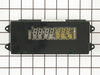
LED clock Display Not lit
I took out 4 screws under the display panel. Lifted the panel up and off the oven. It was connected to 3 or 4 plugs on the control panel. I unplugged them and un screwed the control panel and screwwd the new panel in replugged the wires into the panel. walla it worked.
Parts Used:
-
Frank from Petoskey, MI
-
Difficulty Level:Really Easy
-
Total Repair Time:Less than 15 mins
-
Tools:Screw drivers
2 of 3 people
found this instruction helpful.
Was this instruction helpful to you?
Thank you for voting!
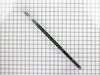
Broken oven door hinge
I watched a You Tube video,removed and dismantled the door, installed the new hinge. I forgot to remove the small pin which is similar to a rivet. When I tried to close the door it bent. Eventually, I remembered the shipping pin and pulled it out with any damage. Believe it or not, I had read about the shipping pin on customer comments on PartsSelect...Good luck, it is relatively easy!
Parts Used:
-
Stephen from Monmouth, OR
-
Difficulty Level:Really Easy
-
Total Repair Time:Less than 15 mins
-
Tools:Screw drivers
2 of 3 people
found this instruction helpful.
Was this instruction helpful to you?
Thank you for voting!
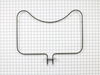
bake element weakened in one spot and burned through
I removed two screws holding the element in place. Carefully pulled the element from its mounting throught insulation to expose the two wires connected by electric wire clips. I removed the clips and searched the part online using google. Part Select was provided as the top source. I ordered the part and it was delivered in two days. Taking care to thread the connection through the insulation, I was pleased to have installed it in about 5 minutes. All tools were still out and ready for use. Thank you for your service
Parts Used:
-
Paul from Woodward, IA
-
Difficulty Level:Easy
-
Total Repair Time:15 - 30 mins
-
Tools:Nutdriver
3 of 6 people
found this instruction helpful.
Was this instruction helpful to you?
Thank you for voting!
Oven Temperature was 50 degrees low
Took screws out of the back on the side the sensor was on, unplugged it & took out the two screws on the inside of the oven to release the sensor. Put new sensor in place with the two screws & used one of the adapters to plug in the new sensor. Put screws back in the back panel & turned on the oven which unfortunately is still 50 degrees low. Need a new clock with computer which is out of stock & unavailable. I was an electrician for 25 years so didn't experience any problems. It was a cheap thing to try.
Parts Used:

-
Eugene from Clinton, IA
-
Difficulty Level:Really Easy
-
Total Repair Time:15 - 30 mins
-
Tools:Screw drivers
2 of 3 people
found this instruction helpful.
Was this instruction helpful to you?
Thank you for voting!
Clock & Temp display fadded out
After reading how the others did this repair, I told Nancy, no sweat, you can do it. We removed the four screws from under the panal, removed the panal, unpluged the wire leads and laid the unit on a towel. We then removed the four nuts that held the clock assembly and exchanged the old for the new. Reversed the proceedure and it worked. Don't forget to turn the power off before the repair.
Parts Used:
-
Bob from Castle Rock, CO
-
Difficulty Level:Really Easy
-
Total Repair Time:15 - 30 mins
-
Tools:Nutdriver, Screw drivers
1 person
found this instruction helpful.
Was this instruction helpful to you?
Thank you for voting!
Oven clock display out
Remove 4 screws above oven door. Lift glass clock display from oven. Remove four nuts, unplug 3 connectors, lift module out. Install new module, reverse removal procedure. Shazam! Like new.
Parts Used:
-
Barbara from Port Charlotte, FL
-
Difficulty Level:Easy
-
Total Repair Time:15 - 30 mins
-
Tools:Nutdriver, Screw drivers
1 person
found this instruction helpful.
Was this instruction helpful to you?
Thank you for voting!
clock/light display dim or off
shut power off to wall oven,open oven door & with phillips screw driver remove 4 screws. lift clock display up & out,unplug three harness's & remove.unscrew the four 5/16 bolts and remove and replace the light display.
Parts Used:
-
Douglas from Nesconset, NY
-
Difficulty Level:Really Easy
-
Total Repair Time:15 - 30 mins
-
Tools:Nutdriver, Screw drivers
1 person
found this instruction helpful.
Was this instruction helpful to you?
Thank you for voting!
Oven clock was real dim.
First I removed the four screws from the control panel. This was done by opening the oven door. Lifted up on the control panel and removed it. Then unplulged the three conecters to the control board. Removed the four screws holding the board in place. Put the new board in, connected three plugs, put the control panel back on and attached it with the four screws from under neath.Simple!!!!!!!
Parts Used:
-
Gary from Lake Lure, NC
-
Difficulty Level:Really Easy
-
Total Repair Time:15 - 30 mins
-
Tools:Nutdriver, Screw drivers
1 person
found this instruction helpful.
Was this instruction helpful to you?
Thank you for voting!
Time light dimmed and then no longer seen
First I had to remove the cover for the oven because my appliance is an oven/microwave combination. Then I just followed the directions of the people on site and it worked like a charm!!!
Parts Used:
-
Carol from Kilgore, TX
-
Difficulty Level:Really Easy
-
Total Repair Time:15 - 30 mins
-
Tools:Screw drivers, Wrench (Adjustable)
1 person
found this instruction helpful.
Was this instruction helpful to you?
Thank you for voting!
LED light on over temp gave up &died
I removed the front cover piece and looked at what I was going to replace and then put it back in place. I went on line and got the part from the manufacture, not returnable if I screw up and get the wrong part. Ordered and recieved-right one. I removed the front cover snaped in the electrical tested to make sure it worked, it did. 4 screws back together and it is working fine.
Parts Used:
-
Keith from Petaluma, CA
-
Difficulty Level:Really Easy
-
Total Repair Time:15 - 30 mins
-
Tools:Screw drivers
1 person
found this instruction helpful.
Was this instruction helpful to you?
Thank you for voting!
Bottom (bake) is not heating, broiler is working
I replaced the heating element but that didn’t help. So then I replaced the oven sensor and that didn’t work either. Both were pretty easy to do but I’ve now spend $170 and my oven still isn’t working. I called number listed and got a recording that all agents were busy and there was a high call volume so I can’t get any help.
Parts Used:
-
Amy from MCKINNEY, TX
-
Difficulty Level:Really Easy
-
Total Repair Time:15 - 30 mins
-
Tools:Screw drivers
1 person
found this instruction helpful.
Was this instruction helpful to you?
Thank you for voting!
Broken oven door hinge
My daughter & I followed the instructions in your video and had fun repairing the door. The video showed exactly how to do the repair. I hope I don't need any appliance parts very soon but I will certainly pull up your web site if I do. Thanks for an excellent instruction video.
John - Hot Springs Village, AR
John - Hot Springs Village, AR
Parts Used:
-
John from HOT SPRINGS, AR
-
Difficulty Level:Very Easy
-
Total Repair Time:15 - 30 mins
-
Tools:Screw drivers
1 person
found this instruction helpful.
Was this instruction helpful to you?
Thank you for voting!
Oven door was locked, couldn't set oven temps
Got a bent metal coathook to temporarily release the oven door, removed the screws from the old probe, inserted the new one, and hooked it up, using the one of the plug adapters provided. Problem solved! The oven door latch was now disengaged, the oven would now accept temperature inputs, and the rear cooling fan (which wouldn't shut off) now turned off. That's a lot of things working better for less than $50!
Parts Used:
-
William from Nashville, TN
-
Difficulty Level:Easy
-
Total Repair Time:15 - 30 mins
-
Tools:Screw drivers
1 person
found this instruction helpful.
Was this instruction helpful to you?
Thank you for voting!
Oven control panel did not light up
Removed 4 screws from the front panel. Disconnected the wiring harness at three locations. The printed circuit popped out of the framework. Exhanged with a new one, and reversed procedure to reinstall.
Parts Used:
-
Sally from Walnut Grove, CA
-
Difficulty Level:Really Easy
-
Total Repair Time:15 - 30 mins
-
Tools:Screw drivers
1 person
found this instruction helpful.
Was this instruction helpful to you?
Thank you for voting!
"F3" error message and no oven heat
Unplugged the range, removed screws holding the old sensor. When I pulled it out, the wire connecting to the sensor was completely broken through,therefore I could not just pull the wire to get to the connector. Unscrewed one side of back panel to access the connector. Pushed the connector and wire of the new sensor through the hole ( and behind the insulation), disconnected the old sensor and connected the new one. Re screwed the new connector in place plus rescrewed the back panel. Plugged the range in and - Viola! Everything now works like a charm and I have my oven back. Easy-Peasy. Oh - I am an older female with very limited DYI experience. I just saved myself $650.00!
Parts Used:
-
Pat from PAYSON, AZ
-
Difficulty Level:Very Easy
-
Total Repair Time:15 - 30 mins
-
Tools:Screw drivers
1 person
found this instruction helpful.
Was this instruction helpful to you?
Thank you for voting!