




















JKP90SP4SS General Electric Microwave Oven Combo - Instructions
Keep searches simple. Use keywords, e.g. "leaking", "pump", "broken" or "fit".
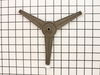
I had a broken turntable roller quide under the glass plate
opened the microwave door, removed the glass plate, removed the bad roller quide, replaced with the new one, replaced the glass plate and then closed the door. :)
Parts Used:
-
Danny from Glendora, MS
-
Difficulty Level:Really Easy
-
Total Repair Time:Less than 15 mins
Was this instruction helpful to you?
Thank you for voting!
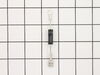
diode burnt
-
MANUEL from ESCONDIDO, CA
-
Difficulty Level:Really Easy
-
Total Repair Time:Less than 15 mins
-
Tools:Screw drivers
Was this instruction helpful to you?
Thank you for voting!
Quit working

-
William from Socorro, NM
-
Difficulty Level:Really Easy
-
Total Repair Time:Less than 15 mins
-
Tools:Pliers, Screw drivers
Was this instruction helpful to you?
Thank you for voting!
Turntable roller guide broken
Simply remove the broken turntable roller guide from the rotor and put in the new replacement -- less time than opening the box!
Parts Used:
-
Bob from Niskayuna, NY
-
Difficulty Level:Really Easy
-
Total Repair Time:Less than 15 mins
Was this instruction helpful to you?
Thank you for voting!
Powered Off completely
After reading reviews that there was no power what so ever and a fuse replacement will solve the problem, I tried it. Replacing the fuse is very easy (and I am not handy at all). All you have to do is remove the microwave cover from the top by removing two screws, slide the cover to the left and pulling the cover off. Then remove the grill in front of you, by removing one or two screws. The fuse is in front of you, use pliers and be firm but gentle. Replacing the fuse is easy but it did not solve my problem.
Parts Used:
-
Mohammad from Piscataway, NJ
-
Difficulty Level:Easy
-
Total Repair Time:Less than 15 mins
-
Tools:Screw drivers
Was this instruction helpful to you?
Thank you for voting!
Broken Roller Guide
Lifted up the glass plate. Put in the new roller guide. Set the glass plate back in place. Repair done in about 30 seconds! Thanks for prompt service in sending the new part. My only regret is that the part was expensive, and I have already replaced it once before. The new part is still plastic so will probably need to be replaced again.
Parts Used:
-
Claudia from Monroe, WA
-
Difficulty Level:Really Easy
-
Total Repair Time:Less than 15 mins
Was this instruction helpful to you?
Thank you for voting!
All power to the microwave went out.
PartSelect had helpful repair instructions on-line which made the repair easier and faster. Unfortunately, there were other problems with the oven that immediately blew the new fuse I had just installed. It was then determined that additional repair would most likely cost almost as much as a new microwave.
Parts Used:
-
Michael from East China Township, MI
-
Difficulty Level:Easy
-
Total Repair Time:Less than 15 mins
-
Tools:Screw drivers
Was this instruction helpful to you?
Thank you for voting!
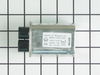
Microwave died-no display-15amp fuse blows
I shut off power to the microwave, discharged the Hi-voltage capaciator and disconnected the wires to it, then removed the screw and bracket that held the capaciator in place. After removing and replacing the capaciator, reattaching wires and mounting bracket, and replacing the 15amp fuse, the microwave woked fine.
Parts Used:
-
David from Hot Springs Village, AR
-
Difficulty Level:Easy
-
Total Repair Time:1- 2 hours
-
Tools:Pliers, Screw drivers
Was this instruction helpful to you?
Thank you for voting!