




















JJW8530CAS Jenn-Air Wall Oven - Instructions
Keep searches simple. Use keywords, e.g. "leaking", "pump", "broken" or "fit".
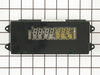
Display was dim
Removed the display panel with 4 screws. Then disconnected the wires and plugged in the new display panel. Turned on the power again and it was brand new.
Parts Used:
-
glen from manchester, NH
-
Difficulty Level:Really Easy
-
Total Repair Time:Less than 15 mins
-
Tools:Nutdriver
2 of 3 people
found this instruction helpful.
Was this instruction helpful to you?
Thank you for voting!
LED clock Display Not lit
I took out 4 screws under the display panel. Lifted the panel up and off the oven. It was connected to 3 or 4 plugs on the control panel. I unplugged them and un screwed the control panel and screwwd the new panel in replugged the wires into the panel. walla it worked.
Parts Used:
-
Frank from Petoskey, MI
-
Difficulty Level:Really Easy
-
Total Repair Time:Less than 15 mins
-
Tools:Screw drivers
2 of 3 people
found this instruction helpful.
Was this instruction helpful to you?
Thank you for voting!
No temperature control
Turned off breakers to oven. Removed two screws that held oven in cabinet. Removed oven door by opening slightly and pulling up on door. Pulled oven out 1/3 of way. Took out four screws on top of control panel. Took oven light switch off by unscrewing holding ring. Removed temp knob on right by pulling. Removed start / stop knob same way.Removed glass straight out. Removed four screws that held elecrtonic clock conrtol board. Unpluged three wire plug from right side and the nine wire plug from the left side. Worked board out at and angle. Went backwards to connect and replace board, screws and door.Slid oven back in and tested oven after turning breakers back on, worked like new.
Parts Used:

-
Max from Houston, TX
-
Difficulty Level:Easy
-
Total Repair Time:30 - 60 mins
-
Tools:Screw drivers
2 of 3 people
found this instruction helpful.
Was this instruction helpful to you?
Thank you for voting!
Oven would not hold temperature, not turn on, and would shut off during use.
Extremely simple repair to make. Move stove away from wall and disconnect power. Remove the oven racks. Remove the rear sheet metal panel covering the wiring harnesses. Caution: Sharp edges and corners on sheet metal.Sensor is located in upper left corner on rear oven wall. Using a long-shafted #2 Philips screwdriver, remove the two Philips head screws and gently pull the sensor 1" away from the oven wall. At this point, it will help to have an assist from someone while you are behind the range. Have the assistant gently tug on the sensor while you watch for wires moving on the rear of the range. After locating the sensor wires, gently disconnect the plastic connector clip. Note: plastic connectors become brittle with age and exposure to heat Move to front of range and gently remove sensor from rear wall by pulling the wiring through the oven wall. Before inserting the new sensor wire through the oven wall, "dry fit" the wiring connectors to see that the new sensor is a correct connection. Make connection, and secure the sensor to the rear oven wall with the two screws. Install racks, reinstall rear sheet metal panel, and connect the power. Set the oven baking temperature to a moderately low temp, 300 - 350 deg. to test the new sensor.
Parts Used:
-
John from Arvada, CO
-
Difficulty Level:Very Easy
-
Total Repair Time:Less than 15 mins
-
Tools:Nutdriver, Screw drivers
1 person
found this instruction helpful.
Was this instruction helpful to you?
Thank you for voting!
Door hinge
My wife help take the door off. It was a little heavy . The door came apart very easy and went back the same way.We save over $300 by doing it our selfs.
Parts Used:
-
Mr. Mike F from SAN ANTONIO, TX
-
Difficulty Level:Really Easy
-
Total Repair Time:30 - 60 mins
-
Tools:Screw drivers
1 person
found this instruction helpful.
Was this instruction helpful to you?
Thank you for voting!
Oven temperature fluctuates
Replaced the thermostat according to existing videos and had to adjust the thermostat using instuctions in the user manual for model CWE4800ACB.
Parts Used:
-
Larry from SOLON, IA
-
Difficulty Level:Easy
-
Total Repair Time:30 - 60 mins
-
Tools:Screw drivers
1 person
found this instruction helpful.
Was this instruction helpful to you?
Thank you for voting!
F5 fault code kept appearing
I installed the new oven sensor but the problem continued. So I ordered a new relay board and installed it. Still no luck. So I pulled the new board back out and started trouble shooting it using my electronic background. I discovered the new board was using a pin for L2 that had no exit on the backplane, so I removed it and installed it where I believed it should go. Reinstalled the power relay board and presto. My oven is working lie a champ. Louis
Parts Used:
-
Louis Rodriguez from Granbury, TX
-
Difficulty Level:Very Difficult
-
Total Repair Time:More than 2 hours
-
Tools:Nutdriver, Screw drivers
1 person
found this instruction helpful.
Was this instruction helpful to you?
Thank you for voting!
the clock digets on the control panel faded away
I removed the four screws that hold the control panel in place, unpluged the three wire connectors, and removed the clock assembly by removing four screws that hold it in place. Next I replaced the four screws that hold the clock in place, pluged in the wire connectors, and replaced the control panel. It was a very simple task.
Parts Used:
-
William from Hayden Lake, ID
-
Difficulty Level:Really Easy
-
Total Repair Time:Less than 15 mins
-
Tools:Screw drivers
1 person
found this instruction helpful.
Was this instruction helpful to you?
Thank you for voting!
Jenn-air oven electronic display ceased working
Number one: trip the breaker on the oven. Next, I removed four screws from the bottom of the front display panel. Then, unhooked the panel and gently placed it on the counter next to it. Then I un-plugged each of the three inputs and plugged them into the new component. I then unscrewed the four hex screws from assembly and removed the old unit. I reversed the process and screwed it back in, and when I turned on the circuit breaker, everything worked as advertised. Total time: less than 15 minutes.
Parts Used:
-
Jeffery from Seguin, TX
-
Difficulty Level:Really Easy
-
Total Repair Time:Less than 15 mins
-
Tools:Screw drivers, Socket set
1 person
found this instruction helpful.
Was this instruction helpful to you?
Thank you for voting!
Needed to replace the clock assembly
Repair was just exactly like a dozen I read before I ordered the part. Turn off breaker. Remove 4 phillips head screws on the bottom of the clock face. Tilt out from the bottom, take out 4 screws with 1/4" nutdriver, unplug 3 wiring harnesses. Replace in reverse order and turn the power back on.
Parts Used:
-
Terry from Grand Prairie, TX
-
Difficulty Level:Really Easy
-
Total Repair Time:Less than 15 mins
-
Tools:Nutdriver, Screw drivers
1 person
found this instruction helpful.
Was this instruction helpful to you?
Thank you for voting!
No problem installing the sensor
I removed the two mounting screws and pulled the harness through the opening unsnapped the sensor from the harness and installed the new sensor i didn't have to used the adapters the new sensor fitted
Parts Used:
-
tommy from FAYETTEVILLE, NC
-
Difficulty Level:Very Easy
-
Total Repair Time:Less than 15 mins
-
Tools:Screw drivers
1 person
found this instruction helpful.
Was this instruction helpful to you?
Thank you for voting!
LED clock faded then black,oven worked but no clock
First: my problem was with the oven. Turn power off at breaker,should be one of the largest breakers, 30 or 40 amp. type.Then open door look up under LED readout you will see 4 phillip head screws, remove them,then lift LED section upward and off.You may want/need someone to hold this section.Then unplug the wires by pulling firmly upward and off of the LED plastic box. The box is held on by 4 hex nut screws, unscrew and remove box,install new LED display in reverse order. turn power back on.Set clock. Your done.Sounds like a long project but I actually had two ovens to do.Total time for the first oven was 12 minutes.
Parts Used:
-
George from Wilmington, DE
-
Difficulty Level:Really Easy
-
Total Repair Time:Less than 15 mins
-
Tools:Nutdriver, Screw drivers
1 person
found this instruction helpful.
Was this instruction helpful to you?
Thank you for voting!
The Clock Assy LED was so dim I could not see it.
I removed 4 screws on the under side of the glass that held the clock assy. removed the glass panel and removed 3 connectors off the back. Removed the 4 screws holding down the clock assy with a nut driver. Put the new part in place and it was back together in 3 min. Easy Peezy I would of felt foolish hireing a repairman to do this job....
Parts Used:
-
William from Morgan Hill, CA
-
Difficulty Level:Easy
-
Total Repair Time:Less than 15 mins
-
Tools:Screw drivers
1 person
found this instruction helpful.
Was this instruction helpful to you?
Thank you for voting!
Digital readout went very dim
Open oven door, remove four phillips screws, lift off the faceplate. Remove circiut board containing the readouts with nutdriver unplug two connectors and install the new board. Very happy with results and saved a bundle !!
Parts Used:
-
Wallace from Mason City, IA
-
Difficulty Level:Really Easy
-
Total Repair Time:Less than 15 mins
-
Tools:Nutdriver, Screw drivers
1 person
found this instruction helpful.
Was this instruction helpful to you?
Thank you for voting!
LED light on over temp gave up &died
I removed the front cover piece and looked at what I was going to replace and then put it back in place. I went on line and got the part from the manufacture, not returnable if I screw up and get the wrong part. Ordered and recieved-right one. I removed the front cover snaped in the electrical tested to make sure it worked, it did. 4 screws back together and it is working fine.
Parts Used:
-
Keith from Petaluma, CA
-
Difficulty Level:Really Easy
-
Total Repair Time:15 - 30 mins
-
Tools:Screw drivers
1 person
found this instruction helpful.
Was this instruction helpful to you?
Thank you for voting!