




















JJW8530CAS Jenn-Air Wall Oven - Instructions
Keep searches simple. Use keywords, e.g. "leaking", "pump", "broken" or "fit".
Oven was not correctly heating to set temperature
Removed the approximatly 10 screws that hold on both the upper and lower pieces of sheet metal that cover the back of the oven. Removed the screw holding in the temp sensor. Unplugged and removed the old sensor. Plugged in and installed the new sensor (using one of the included adapter wires supplied with the sensor). Put the 2 pieces of sheet metal back on and plugged in the oven.
Parts Used:

-
Trace from Ofallon, MO
-
Difficulty Level:Really Easy
-
Total Repair Time:Less than 15 mins
-
Tools:Nutdriver
4 of 5 people
found this instruction helpful.
Was this instruction helpful to you?
Thank you for voting!
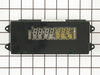
Over a period of a few months, the digital diplay gradually faded out until no longer visible
Searching the internet, I found the part I needed for the lowest price at PartSelect.com. I reviewed the exploded parts diagram for my oven at PartSelect.com to get a general overview of how the oven was assembled - then I read the customer stories to get some hints from those who had done this repair before. My oven is a combination wall oven with a microwave on top. First, I shut off the power to the oven at the breaker box and then removed the thin, long rails from each side of the oven using a philips screwdriver to remove the 4 screws. This then allowed me to remove the plastic faceplate from around the microwave. Opening the oven door, I found 4 philips pan head screws underneath the control panel and removed them. The control panel will then easily lift up and then out. There are 3 areas where you must disconnect electrical connections on the control module - pay a bit of attention here, but they are sized differently and are not hard to match back up appropriately when you reconnect them to the new module. These connection plugs pull straight out with no tool needed. The old control module is held in place with 4 hex-head screws I removed with a nutdriver. After you remove the old module, it is a good time to clean the inside of the clear diplay area of the front panel with a paper towel dampened with a bit of window cleaner. Allow this to dry and then install your new control module reversing the procdures you used to remove it and reverse the procedures to reinstall the control panel, the microwave faceplate and the side rails. Cut the power back on and sit back as your wife finally thinks you are the genius that you truly are........
Parts Used:
-
Joseph from Macon, GA
-
Difficulty Level:Really Easy
-
Total Repair Time:15 - 30 mins
-
Tools:Nutdriver, Screw drivers
3 of 3 people
found this instruction helpful.
Was this instruction helpful to you?
Thank you for voting!
no time/temperature display
Screws removed from below panel. The most difficult procedure was removing the panel from the oven unit to get to the part. After lifting up and out, the panel back was revealed. Disconnected old part by pulling the three connections and replacing with new part.
Parts Used:
-
Julie from Parkersburg, WV
-
Difficulty Level:Easy
-
Total Repair Time:15 - 30 mins
-
Tools:Socket set
3 of 3 people
found this instruction helpful.
Was this instruction helpful to you?
Thank you for voting!
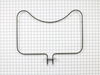
Elements went out in oven.
Shut off electricity to stove. Took out bolts, removed old element. Slide tabs out of connectors. Put new heating element in. Put bolts back in and turned electricity back on.
Parts Used:
-
Kathy from WHITE HALL, AR
-
Difficulty Level:Very Easy
-
Total Repair Time:Less than 15 mins
-
Tools:Screw drivers
3 of 3 people
found this instruction helpful.
Was this instruction helpful to you?
Thank you for voting!
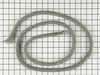
My daughter tipped a large dish of lasagna onto the oven door and the seal.
The door seal was an exact fit for the factory one. There are little clips that hold the seal to the door. The clips are already installed in the seal. To remove just grasp the seal at each clip and pull up. The seal comes off easily. The ends of the seal are tucked into holes at the bottom of the door so you can just pull them out. For the installation of the new seal grasp the seal at each clip and push them into the littles holes. I used a flat blade screwdriver to tuck the seal ends into the two larger holes at the door bottom. The whole process took about 10 minutes.
I wouldn't have changed the seal but the hot lasagna made the seal sort of hard after it cooled off.
I wouldn't have changed the seal but the hot lasagna made the seal sort of hard after it cooled off.
Parts Used:
-
Thomas from LK HAVASU CTY, AZ
-
Difficulty Level:Really Easy
-
Total Repair Time:Less than 15 mins
-
Tools:Screw drivers
3 of 3 people
found this instruction helpful.
Was this instruction helpful to you?
Thank you for voting!
Oven erratic, not heating correctly, timer beeper sounding
The video indicating •unscrew old sensor, •pull wiring, •unplug old sensor, and •plug in replacement was good until I pulled the old one and saw wire nuts behind the small square hole! After some research, I learned that the nuts COULD come through that small hole with use of needle nose pliers. One of the wire nuts had the edges pinched off (chipped) in the process. Then I learned about ceramic wire nuts, which I'd never previously encountered. Very important if you don't want to melt your nuts! I cut and stripped the end of a disconnect plug to the stove wiring and now I have a plug in place; which, hopefully, I'll never need to use.
Parts Used:
-
Dave from SANTA BARBARA, CA
-
Difficulty Level:A Bit Difficult
-
Total Repair Time:30 - 60 mins
-
Tools:Pliers, Screw drivers
3 of 3 people
found this instruction helpful.
Was this instruction helpful to you?
Thank you for voting!
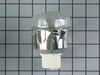
needed new oven light assembly/part #PS1864256
Removed old assembly, attached wires to new and inserted into space for same. Of course you must turn off the range circuit breaker. The part that took the most time was removing the old assembly. Once that was done, the rest took only a few minutes.
Parts Used:
-
Sara from Harwich Port, MA
-
Difficulty Level:A Bit Difficult
-
Total Repair Time:15 - 30 mins
-
Tools:Pliers, Screw drivers
25 of 70 people
found this instruction helpful.
Was this instruction helpful to you?
Thank you for voting!
clock not illuminated, controls not responding
Turned off power at beaker box. Opened oven door. Removed four screws from botton of display panel. Lifted display panel up and out to remove. Unplugged three wire bundles from back of circuit board. Removed four screws holding circuit board and replaced circuit board. Reassembled panel. Turned power back on. Presto.....saved $200.00 from repair estimate.
Parts Used:
-
John from Upland, CA
-
Difficulty Level:Easy
-
Total Repair Time:15 - 30 mins
-
Tools:Screw drivers
3 of 4 people
found this instruction helpful.
Was this instruction helpful to you?
Thank you for voting!
ovens wouldn't maintain temperature after preheat cycle
unplugged oven. removed 2 screws that hold the sensor in place, then removed the dozen or so screws that hold on the rear panel, unplugged sensor and fed wire through insulation. identified and installed correct harness adapter then fed new wire and connecter through insulation and connected to adapter. installed sensor retaining screws.plugged oven back in and tested function.no dice. unplugged oven once again. removed oven control panel and upon inspection of printed circuit board discovered 3 solder joints had failed. dang. resoldered failed joints and also sweetened up a few others that looked suspect. reinstalled controller, replaced all retaining hardware, and plugged in the oven. tah-dah!! works like a charm now. moral of the story is check the pc board first and save $50 for unneeded pats!!! or buy the controller from parts direct for $260ish. btw a roll of solder and soldering iron from an auto parts store cost around $10, learned to solder on you-tube $0. amazing all the home appliances yo can fix if you're not afraid to take a few screws out and poke around a bit. CHEERS!
Parts Used:
-
sherri from elk horn, IA
-
Difficulty Level:A Bit Difficult
-
Total Repair Time:30 - 60 mins
-
Tools:Screw drivers
3 of 4 people
found this instruction helpful.
Was this instruction helpful to you?
Thank you for voting!
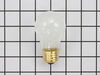
Replacing the bulb in the freezer side
Removed the ice brucket,
Removed the light shield by releasing one screw using a nutdriver.
Replacing the bulb and reinstalled the light shield.
Your web site is one of the best and most helpfull service sites I ever used. Just wish that in the future you will ship parts overseas.
Removed the light shield by releasing one screw using a nutdriver.
Replacing the bulb and reinstalled the light shield.
Your web site is one of the best and most helpfull service sites I ever used. Just wish that in the future you will ship parts overseas.
Parts Used:
-
Yafa (and David) from Bothell, WA
-
Difficulty Level:Easy
-
Total Repair Time:Less than 15 mins
-
Tools:Nutdriver
5 of 11 people
found this instruction helpful.
Was this instruction helpful to you?
Thank you for voting!
left cover for the oven light broke when trying to replace the bulb
Ordered the part. when it arrived-quite speedily, I just unpacked it and put the cotton gasket around the glass and screwed it to the proper place in the oven. Very easy.
Parts Used:

-
Mark from SHOREVIEW, MN
-
Difficulty Level:Very Easy
-
Total Repair Time:Less than 15 mins
2 of 2 people
found this instruction helpful.
Was this instruction helpful to you?
Thank you for voting!
Maytag range had "F3" code display, oven would not work.
Oven sensor replacement was easy. Thermistor was installed in less than 15 minutes. After installation STILL had "F3" error message. Harness was ok, "Clock" or ECU needed to be replaced. "Computer" is obsolete, no spares available, some companies will rebuilt for $400+. Since the stove was going to the landfill I had nothing to lose by taking the "Clock" apart. It has one chip that is probably the power supply and control chip, another chip is an EEPROM with 128 bytes of storage and the last is a darlington chip that controls the relays. Cleaned up everything that looked like it needed cleaning with alcohol. When I reassembled the unit the pins for the thermistor harness felt loose, so I took it apart, again, and found cold solder joints on all four pins. It must have been there all along but plugging and unplugging the harness finally broke out the solder so I could see it. Soldered the pins back in and now it all works. It's worth a try if you're getting the "F3" message. If the relays on your stove aren't working it would be a good idea to replace the darlington chip. Good luck.
Parts Used:
-
phillip from Farmington, NM
-
Difficulty Level:Difficult
-
Total Repair Time:More than 2 hours
-
Tools:Nutdriver, Screw drivers
2 of 2 people
found this instruction helpful.
Was this instruction helpful to you?
Thank you for voting!
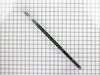
Both door hinges was simply worn out from 20+ years of usage.
Bought a pair for needed door hinges for replacement. Found a DIY video on You Tube showing technique to replace. Door removal was a bit awkward but hinge replacement and door reinstallation was as detailed in video. Could not nor would not have tackled this project without video. Premium quality parts sent and received within days of ordering. Wife happy therefore so am I.
Parts Used:
-
Ron from SCROGGINS, TX
-
Difficulty Level:A Bit Difficult
-
Total Repair Time:1- 2 hours
-
Tools:Pliers, Screw drivers
2 of 2 people
found this instruction helpful.
Was this instruction helpful to you?
Thank you for voting!
Cooling fan runs fault code displayed
Removed the two screws holding the sensor to the rear oven wall. pulled out sensor wire. It was caught on other wires behind the oven. removed the three screws holding the 8" inspection plate in the center of the rear panel. Carefully move the insulation and reach in to grasp the back end of the sensor wire. Once free from the snag it easily pulls out with the sensor just as stated in the video. using the appropriate adaptor it was easy to re-asseble and and attach to the oven wall. Replace the rear panel with the three screws and it was done
Parts Used:
-
FRANK from CLARENCE CTR, NY
-
Difficulty Level:Easy
-
Total Repair Time:30 - 60 mins
-
Tools:Screw drivers
2 of 2 people
found this instruction helpful.
Was this instruction helpful to you?
Thank you for voting!
Hinge on one side had snapped.
Although only one side hinge had snapped, I replaced both sides with new oven door hinges. Followed the website video installation directions and all went well; the new hinges work perfectly.
Parts Used:
-
Michael from ALTADENA, CA
-
Difficulty Level:Really Easy
-
Total Repair Time:30 - 60 mins
-
Tools:Screw drivers
2 of 2 people
found this instruction helpful.
Was this instruction helpful to you?
Thank you for voting!