




















JBC26*07 General Electric Range - Instructions
Keep searches simple. Use keywords, e.g. "leaking", "pump", "broken" or "fit".
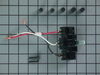
When moving the range, the 220 wire popped off the terminal and arced melting the plastic terminal
I looked for a new terminal locally, but no one had s terminal that would fit a 40-year old range. I went on line to PartSelect and could not find my model range, so I looked through all the terminals listed on the website (about 500) but found only one that was close to mine. Mounting holes did not match, but it had 3 connectors with 220 capability, so I ordered it. I requested express shipping by UPS and thought I paid for the extra charge. When I got notification of shipment. I saw it was via ground. It went from Louisville to Jacksonville to Clearwater, FL. I ordered it on Thursday night and received it the following Tuesday night. Meanwhile, we had no stove to cook on. When the part came, it took two days to get the contractor back to our condo. He drilled new holes on the mounting box and jerry-rigged the wiring to make it fit. The range is now working, but I was disappointed in the delay in shipping which I agreed to express shipping.
Parts Used:
-
Randall from ST PETERSBURG, FL
-
Difficulty Level:Difficult
-
Total Repair Time:30 - 60 mins
-
Tools:Nutdriver, Pliers, Screw drivers
1 person
found this instruction helpful.
Was this instruction helpful to you?
Thank you for voting!
Change bulb

-
Louis from LEAGUE CITY, TX
-
Difficulty Level:Really Easy
-
Total Repair Time:30 - 60 mins
-
Tools:Nutdriver
3 of 8 people
found this instruction helpful.
Was this instruction helpful to you?
Thank you for voting!
Bake element failure
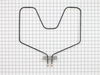
I removed the old element and replaced it with a new part. It was very simple.
The power was turned off. The elemnt wiring was removed. The new one was installed in reverse order. Power back on and the oven tested just fine.
The power was turned off. The elemnt wiring was removed. The new one was installed in reverse order. Power back on and the oven tested just fine.
Parts Used:
-
Daniel from St Mary's, GA
-
Difficulty Level:Easy
-
Total Repair Time:15 - 30 mins
-
Tools:Nutdriver, Screw drivers
1 of 2 people
found this instruction helpful.
Was this instruction helpful to you?
Thank you for voting!
no power going to burner when switch is on, switch bad
I followed the easy instructions and everything went well. I had the new switch installed in about 30 minutes. My wires were different colors than on the instructions but it was still easy to figure out where the wires went on the new switch. Just do not be in a hurry and make sure you measure before you break off the extension bar. My knob fit on the new switch without any of the parts that came with the switch.
Parts Used:

-
Robert from Woolwich Twp., NJ
-
Difficulty Level:Easy
-
Total Repair Time:15 - 30 mins
-
Tools:Pliers, Screw drivers
2 of 5 people
found this instruction helpful.
Was this instruction helpful to you?
Thank you for voting!
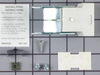
Corrosion of terminal block led to poor performance of elements.
Unplugged oven from mains.
Removed screw holding terminal block to oven top. Used screwdriver to remove clip holding protective card to terminal block. Removed Philips screws holding wires onto terminal block.
Replacing the terminal block was just doing the above instructions in reverse. The only thing different was to put the speed clip on the range top before attaching the block to the range top.
Removed screw holding terminal block to oven top. Used screwdriver to remove clip holding protective card to terminal block. Removed Philips screws holding wires onto terminal block.
Replacing the terminal block was just doing the above instructions in reverse. The only thing different was to put the speed clip on the range top before attaching the block to the range top.
Parts Used:
-
Barnaby from Alameda, CA
-
Difficulty Level:A Bit Difficult
-
Total Repair Time:30 - 60 mins
-
Tools:Screw drivers
1 of 2 people
found this instruction helpful.
Was this instruction helpful to you?
Thank you for voting!
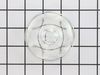
dropped & broke the oven light bulb cover
-
joseph from san jose, CA
-
Difficulty Level:Really Easy
-
Total Repair Time:Less than 15 mins
1 of 2 people
found this instruction helpful.
Was this instruction helpful to you?
Thank you for voting!
lower element did not heat
First shut off power to the store and used a socket set to remove 2 screws and disconnnect the element. Connected the new element but had to use the old screws as the new ones did not work with my appliance.
Parts Used:
-
mary from cape coral, FL
-
Difficulty Level:Easy
-
Total Repair Time:15 - 30 mins
-
Tools:Screw drivers, Socket set
1 of 2 people
found this instruction helpful.
Was this instruction helpful to you?
Thank you for voting!
Element had a crack in it and was shooting sparks from it
Unplugged range. Removed old element from back of oven which was held in by two screws. Unscrewed the wires that were attached to old element and screwed them into the new one.
Parts Used:
-
Tiffany from WINCHESTER, KY
-
Difficulty Level:Very Easy
-
Total Repair Time:Less than 15 mins
-
Tools:Screw drivers, Socket set
1 of 2 people
found this instruction helpful.
Was this instruction helpful to you?
Thank you for voting!
Bake element burned out
Turned off power. Removed oven racks. Removed the 2 screws that held the element in place. Pulled element out about 3 in. & disconnected 3 wires. Placed new element, reconnected 3 wires & reconnected the 2 screws that hold element in place. Turned power back on & it works great!!. Was very pleased at how easy it was & also how fast I received the part, which was day after I ordered it.
Parts Used:
-
Dora from Port Orange, FL
-
Difficulty Level:Really Easy
-
Total Repair Time:15 - 30 mins
-
Tools:Nutdriver, Screw drivers
1 of 2 people
found this instruction helpful.
Was this instruction helpful to you?
Thank you for voting!
Lower oven element burnt out
I first removed the two hex head screws, pulled the element slowly forward about four to five inches and disconected the two wires on the old element.
I removed the old element and attached the wires to the new element. I then slowly pushed it back into the rear wall of the oven, carefull not to disturb the insulation around the opening and replaced the two screws that hold the element to the back wall of the oven. It was easy enough to do, even for a woman. I turned on the oven and it worked great. No problems so far.
I removed the old element and attached the wires to the new element. I then slowly pushed it back into the rear wall of the oven, carefull not to disturb the insulation around the opening and replaced the two screws that hold the element to the back wall of the oven. It was easy enough to do, even for a woman. I turned on the oven and it worked great. No problems so far.
Parts Used:
-
Brenda from Elida, OH
-
Difficulty Level:Easy
-
Total Repair Time:15 - 30 mins
-
Tools:Nutdriver, Screw drivers, Socket set
1 of 2 people
found this instruction helpful.
Was this instruction helpful to you?
Thank you for voting!
Oven would not heat, but broiler, burners and thermostat was clicking, so we figured it was the bake element.
Had to take back panel off of the inside of the oven to get to the screws to remove the old element and attache the new. Removed the two screws to remove the old, pulled it out unattached the wires and attached the new one.
Parts Used:
-
Patricia from Reading, MA
-
Difficulty Level:Easy
-
Total Repair Time:15 - 30 mins
-
Tools:Nutdriver, Screw drivers
1 of 2 people
found this instruction helpful.
Was this instruction helpful to you?
Thank you for voting!
Element died
The hardest part was working in the oven.
Turn off power
Open Oven Door, remove racks
Remove two mounting screws with nut driver.
Slide the element out to expose the wire connections.
Remove the screws and pull the element out.
Place the new element in oven.
Clamp on to each of the terminals with vice grips to keep from bending the element and install the screws.
Slide the element back into place and put the two mounting screws back in.
Put the racks back in and turn on the power and test. You may get a little smoke off the new coil.
Like I said the hardest part is leaning into the oven to attach the screws, do not sit on the oven door.
Turn off power
Open Oven Door, remove racks
Remove two mounting screws with nut driver.
Slide the element out to expose the wire connections.
Remove the screws and pull the element out.
Place the new element in oven.
Clamp on to each of the terminals with vice grips to keep from bending the element and install the screws.
Slide the element back into place and put the two mounting screws back in.
Put the racks back in and turn on the power and test. You may get a little smoke off the new coil.
Like I said the hardest part is leaning into the oven to attach the screws, do not sit on the oven door.
Parts Used:
-
John from Mount Airy, MD
-
Difficulty Level:Easy
-
Total Repair Time:Less than 15 mins
-
Tools:Nutdriver, Screw drivers
1 of 2 people
found this instruction helpful.
Was this instruction helpful to you?
Thank you for voting!
bake element burned out
removed the two screws, unsnapped the burnedout element and snapped new element in place, replaced two screws.
Parts Used:
-
Joe from Ashland, MO
-
Difficulty Level:Really Easy
-
Total Repair Time:Less than 15 mins
-
Tools:Nutdriver
1 of 2 people
found this instruction helpful.
Was this instruction helpful to you?
Thank you for voting!
element burned out
Could not believe how fast the part shipped. 2 days and it was here. All it took was using a nut driver to remove 4 screws and then put the new one in.
Parts Used:
-
Randy from Seagoville, TX
-
Difficulty Level:Really Easy
-
Total Repair Time:Less than 15 mins
-
Tools:Nutdriver
1 of 2 people
found this instruction helpful.
Was this instruction helpful to you?
Thank you for voting!
Bad Bake Element
The bake element in my 17 year old GE free standing electric range became defective. This element has 2 terminals -- black (240V) and white (neutral). While removing the element from the range, a 2nd black wire was pulled out of the back of the oven. This wire had a bare terminal connection and apparently had been loose behind the oven shell for all these 17 years. Inspection of this wire showed it carried 115V. I wrapped this wire with electrical tape and reinserted it into the insulation behind the oven shell.
Parts Used:
-
John from Spring Grove, PA
-
Difficulty Level:Easy
-
Total Repair Time:Less than 15 mins
-
Tools:Nutdriver, Screw drivers
1 of 2 people
found this instruction helpful.
Was this instruction helpful to you?
Thank you for voting!