




















GTS22FBMBRCC General Electric Refrigerator - Instructions
Keep searches simple. Use keywords, e.g. "leaking", "pump", "broken" or "fit".
lights blown out

-
Gerald from WINTERVILLE, GA
-
Difficulty Level:Very Easy
-
Total Repair Time:Less than 15 mins
6 of 14 people
found this instruction helpful.
Was this instruction helpful to you?
Thank you for voting!
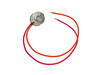
The refrigerator and freezer were running hot.
I followed the onsite video and had no problems. Shut off refrigerator, removed storage trays and bind, removed the rear panel under the light, identified the orange and pink electrical wires and cut them. Spliced the new wires of the thermostat with refrigerator wire and capped them, applied electrical tape to insure no moister makes contact with wires. Replaced rear panel and storage racks and bind. Plugged in the refrigerator and it is operations like new. I was about to purchase a new refrigerator for $ 1,300.00 and the thermostat costed $ 13.00. What a Christmas present!
Parts Used:
-
Glenn from GLENSIDE, PA
-
Difficulty Level:Really Easy
-
Total Repair Time:30 - 60 mins
-
Tools:Pliers, Screw drivers
2 of 2 people
found this instruction helpful.
Was this instruction helpful to you?
Thank you for voting!
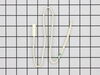
Refrigerator not defrosting, ice tray clogging up in ice tray, refrigerator making loud humming noise, and compressed running all the time.
First, turn off power - since I did not want to pull the refrigerator out on my wood floor I tripped the circuit breaker to that circuit and opened door to make sure interior light was off (ensuring power was off). This unit has a bottom freezer, I took out all shelves, ice maker and all parts in the way of accessing back of interior of freezer section. Removed back plastic section by removing one screw in middle top of back panel and prying it out. This was a bit difficult as it was in there a bit tight but once the plastic warmed up it pulled out ok. This revealed the compressor section and temp sensor that was attached to the copper coils with of all things - a zip tie! In pictures of this that I looked at on various web sites the sensor was on a metal bracket attached to the coil so it made me wonder if tf the factory took a shortcut? I cut the old sensor wire, stripped the two wires 1/2", and connected them to the new sensor wire with butt connectors, I put some silicone into the ends of the butt connectors to prevent moisture from entering into connectors and wrapped the connection in black electrical tape. I then "attached" the sensor to the coil using a zip tie, put the plastic back piece back on, inserted everything I took out and put power back to refrigerator. It's been 3 days and temp of refrigerator is stable, ice maker not clogging up, and compressor not running all the time! So far so good.
Parts Used:
-
Mark from ROSEMOUNT, MN
-
Difficulty Level:A Bit Difficult
-
Total Repair Time:30 - 60 mins
-
Tools:Screw drivers
2 of 3 people
found this instruction helpful.
Was this instruction helpful to you?
Thank you for voting!
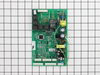
replace main control board
Unplug the refrigerator from the wall plug and take the plate off of the circuit board in the back of the refrigerator. Remove the screws holding the board in place. Remove the board by pinching the little white pins holding the board inplace. Disconnect the wires from the circuit board and install the new board in its place. Notice the wire prongs so that they are connected the same as they were on the previous board. Replace the screws that hold the cover. Plug it in. If it does not turn on, remove the plug from the wall and re insert it. The new board has to reset itself.
Parts Used:
-
Edsel from Haynesville, LA
-
Difficulty Level:Really Easy
-
Total Repair Time:Less than 15 mins
-
Tools:Pliers
2 of 3 people
found this instruction helpful.
Was this instruction helpful to you?
Thank you for voting!
Periodic and intermittent "clicking," during which the lights on the temp control unit would go out. When clicking stopped and lights returned, temp control unit was not accepting adjustments in temp
Had friend assist in pulling fridge out from it's area so that I could access back. Unplugged unit. For the bottom freezer units (mine) the compartment containing the main control board is middle of the fridge and on the left. Took off the protective metal plate and then followed the video demonstrating the repair. One other discrepancy between the video and the instructions that came with the new main control board, is that the instructions suggested locating and cutting some other green wire to the compressor unit. I chose not to do that, as the unit was otherwise working fine as is prior to my main control board going south.
Parts Used:
-
Terry from Cheyenne, WY
-
Difficulty Level:Easy
-
Total Repair Time:15 - 30 mins
-
Tools:Pliers, Screw drivers
2 of 3 people
found this instruction helpful.
Was this instruction helpful to you?
Thank you for voting!
Defroster fan burned up
First I removed the ice tray rack lifting it out of the way to reach the back cover of the fan. Then, the whole back inside panel had to be removed. Two screws removed the fan and bracket from the freezer unit. The missing bumper lid just snapped into place. Replaced everything in reverse order. Pretty easy job.
Parts Used:
-
Peter M. from Lincoln Park, NJ
-
Difficulty Level:Easy
-
Total Repair Time:30 - 60 mins
-
Tools:Nutdriver, Pliers, Screw drivers, Socket set
3 of 6 people
found this instruction helpful.
Was this instruction helpful to you?
Thank you for voting!
The evaporator fan in the freezer would slow down and speed up for a long period of time before eventually shutting down at the end of a cooling cycle.
Tom Paone at quality@applianceeducator.com. was very helpful at recommending that a solution to my problem was to replace the ASM Main Domestic Motherboard. I ordered and received the board in two days from PartSelect. After unplugging the refrigerator I used a nut driver to remove the three screws that held the motherboard cover in place and then disconnected all of the connections to the board. Next, using a pair of needle nose pliers, I gently squeezed on the white plastic anchor retainers that fastened the motherboard to the refrigerator. While doing this at each anchor I gently pulled on the motherboard until it was separated from the retainer anchor post. There were four retainers total. I removed the old board and in the reverse order installed the new board. All of the connectors were easy to match to the new board because the wiring connectors coming out of the back of the refrigerator were only long enough to hook to the correct connectors on the circuit board. There was an extra connector that I didn't use on the new board and also the connection for the ground wire used a ring connector instead of a spade connector. To remedy this I simply used the ground wire assembly from my old board. I also took the time to remove the lower cover on my refrigerator and cleaned the condensing coil with a vacuum cleaner. The total time to replace the motherboard and clean the condensing coil was about 20 minutes from start to finish. This repair solved the problem with my evaporator fan. A big thanks to Tom Paone at quality@applianceeducator.com. for helping diagnosis my problem and suggesting the correct replacement part. I saved between $100.00 to $150.00 not having to call out an appliance repair person to fix my refrigerator.
Parts Used:
-
Michael from Pacheco, CA
-
Difficulty Level:Easy
-
Total Repair Time:Less than 15 mins
-
Tools:Nutdriver, Pliers
2 of 3 people
found this instruction helpful.
Was this instruction helpful to you?
Thank you for voting!
Frige stopped cooling completely
i Removed back panels and then I removed the faulty circuit board. Installed new circuit board and presto everything worked. I can't believe how easy it was but on the other hand I couldn't believe a refrigerator had such a sophisticated part..
Parts Used:
-
WILLIAM from YUMA, AZ
-
Difficulty Level:Really Easy
-
Total Repair Time:Less than 15 mins
-
Tools:Nutdriver, Pliers
2 of 3 people
found this instruction helpful.
Was this instruction helpful to you?
Thank you for voting!
Relay on motherboard was clicking-Quit cooling
Followed the partselect video on how to replace motherboard and the video described the exact replacement procedure.
Parts Used:
-
Rodney from Dallas, TX
-
Difficulty Level:Easy
-
Total Repair Time:Less than 15 mins
-
Tools:Socket set
2 of 3 people
found this instruction helpful.
Was this instruction helpful to you?
Thank you for voting!
Clicking sound. Ice maker would not work and trip the braker if you tries to use it.
1. Pulled refrigerator out
2. Unpluged the refrigerator
3. Removed the three screws holding the cover on.
4. Removed Board ASM Main Control.
5. Unpluged Connector's.
6. Pluged Connector's in to new Board ASM Main Control.
7. Put cover back on.
8. Pluged refrigerator back in.
9. Pushed refrigerator back into place.
2. Unpluged the refrigerator
3. Removed the three screws holding the cover on.
4. Removed Board ASM Main Control.
5. Unpluged Connector's.
6. Pluged Connector's in to new Board ASM Main Control.
7. Put cover back on.
8. Pluged refrigerator back in.
9. Pushed refrigerator back into place.
Parts Used:
-
Marty from Aztec, NM
-
Difficulty Level:Really Easy
-
Total Repair Time:Less than 15 mins
-
Tools:Pliers, Screw drivers
2 of 3 people
found this instruction helpful.
Was this instruction helpful to you?
Thank you for voting!
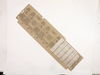
brand new ge refrigerator delivered with broken access cover. cost 6.95 so i repaced it myself.
-
Gerald from Shelton, CT
-
Difficulty Level:Really Easy
-
Total Repair Time:Less than 15 mins
-
Tools:Nutdriver
4 of 9 people
found this instruction helpful.
Was this instruction helpful to you?
Thank you for voting!
whining noise coming from GE refrigerator
It was a very simple installation after reading about everyone else having the same "noise" problem with their GE side by side refrigerator.
I simply; pulled the refrigerator out, turned off the power, took off the 3 screws to remove the plate, unhooked the 5 or so connections with my hands, put the new part in, hooked the connections up, put the plate back on, plugged the refrigerator back in, and slid in back into place. It took around 10 minutes to do, very simple.
I simply; pulled the refrigerator out, turned off the power, took off the 3 screws to remove the plate, unhooked the 5 or so connections with my hands, put the new part in, hooked the connections up, put the plate back on, plugged the refrigerator back in, and slid in back into place. It took around 10 minutes to do, very simple.
Parts Used:
-
Kyle from Norwalk, IA
-
Difficulty Level:Really Easy
-
Total Repair Time:Less than 15 mins
-
Tools:Nutdriver
3 of 6 people
found this instruction helpful.
Was this instruction helpful to you?
Thank you for voting!
would not regulate temp.
-
Ron from Bonney Lake, WA
-
Difficulty Level:Really Easy
-
Total Repair Time:Less than 15 mins
2 of 3 people
found this instruction helpful.
Was this instruction helpful to you?
Thank you for voting!
Broken slide
Removed 2 screws and removed the old slide. Installed new slide and 2 screws . Done.
Parts Used:
-
Ronald from HILLSBOROUGH, NC
-
Difficulty Level:Very Easy
-
Total Repair Time:Less than 15 mins
-
Tools:Screw drivers
2 of 3 people
found this instruction helpful.
Was this instruction helpful to you?
Thank you for voting!
Heavy frosting/icing in freezer
Replaced both the Defrost Thermostat and Defrost Heating Element. The You Tube repair video clips were extremely helpful for both operations. My difficulty was getting access to the parts that needed to be replaced in a very tight side by side freezer space. Otherwise, the repair went smoothly and the refrigerator is back in normal operation in time to save the perishable food inside.
Parts Used:
-
Frank from Reston, VA
-
Difficulty Level:A Bit Difficult
-
Total Repair Time:30 - 60 mins
-
Tools:Nutdriver, Screw drivers
2 of 3 people
found this instruction helpful.
Was this instruction helpful to you?
Thank you for voting!