




















GTS22FBMBRCC General Electric Refrigerator - Instructions
Keep searches simple. Use keywords, e.g. "leaking", "pump", "broken" or "fit".
Not cooling, Defrost issues, whining loud noises
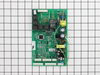
Unbolted the back cover, pulled out old board, replaced with new bored and powered back on. It is working great now.
Parts Used:
-
William from Wylie, TX
-
Difficulty Level:Really Easy
-
Total Repair Time:Less than 15 mins
-
Tools:Nutdriver
3 of 4 people
found this instruction helpful.
Was this instruction helpful to you?
Thank you for voting!
Ghostly Sounds From Fan Motor - Variable Speeds All Night - Motherboard Problem
Simple directions were provided. It took more to clean and vaccuum than the actual repair. Yes I replaced the motherboard in a referigerator. Just keep not of the connectors and were they came off from on the original board. Dont just rip them off because the new board has some different connections. So follow the directions and take your time if your not sure. But really it a cinch. No more whoooo sheeesh and howling noises from the referigerator. Thank goodness.
Parts Used:
-
Glenn from PORT JEFFERSON, NY
-
Difficulty Level:Really Easy
-
Total Repair Time:15 - 30 mins
-
Tools:Nutdriver
3 of 4 people
found this instruction helpful.
Was this instruction helpful to you?
Thank you for voting!
The fridge was making a clicking sound, and not cooling the food
The back panel was unscrewed, we read the directions with the circuit board and followed them. It was very easy to unplug the old faulty unit and plug in the new replacement part. It was done in 4 minutes flat. Very easy to do yourselves!
Parts Used:
-
Sharon from West Winfield, NY
-
Difficulty Level:Really Easy
-
Total Repair Time:More than 2 hours
-
Tools:Screw drivers
3 of 4 people
found this instruction helpful.
Was this instruction helpful to you?
Thank you for voting!
no water from dispenser, then constant clicking sound, and frig went warm
After reading this forum and other searches, I assumed replacing the board may solve my problem. Unscrewed the back plate, used pliers to pull out the connectors, squeezed in the sides of the 4 plastic white board holders to release the board, and then replaced old board with the new one and reconnected connectors. (My model was not one of the mentioned models for cutting the 2nd pin of the J1 connector, so I left it in.) Upon plugging my frig back in, it began working perfectly again. So thankful to have found this forum!
Parts Used:
-
Sonya from Sugar Land, TX
-
Difficulty Level:Really Easy
-
Total Repair Time:15 - 30 mins
-
Tools:Pliers, Screw drivers
2 of 2 people
found this instruction helpful.
Was this instruction helpful to you?
Thank you for voting!
Refrigerator would not get cold
UNPLUG! (Read Instructions for wiring configuration) Remove cover lower back right hand side.Remove ribbon plugs top and bottom you will need to lever back holding tab while pulling plug they will more than likely break dont worry you are throwing this part away., disconnect ground wire, compress plastic holding tabs,
pull off control board, plug in new board push on to holding tabs reconnect ground and turn on refrigerator and check replace cover, everything is now working great.
pull off control board, plug in new board push on to holding tabs reconnect ground and turn on refrigerator and check replace cover, everything is now working great.
Parts Used:
-
Trudy from Saint Cloud, FL
-
Difficulty Level:A Bit Difficult
-
Total Repair Time:15 - 30 mins
-
Tools:Screw drivers
4 of 8 people
found this instruction helpful.
Was this instruction helpful to you?
Thank you for voting!
Fan was not running to circulate the air; found resistors burned on main board
Removed the board cover from the back, removed old board, installed new board, installed cover.
Parts Used:
-
Greg from Damon, TX
-
Difficulty Level:Really Easy
-
Total Repair Time:Less than 15 mins
-
Tools:Nutdriver
2 of 2 people
found this instruction helpful.
Was this instruction helpful to you?
Thank you for voting!
Refigerator quit running
Removed back cover from unit. unpluged wirring harness installed new control board and refigerator runs lik new
Parts Used:
-
Allen from Smithland, KY
-
Difficulty Level:Really Easy
-
Total Repair Time:Less than 15 mins
2 of 2 people
found this instruction helpful.
Was this instruction helpful to you?
Thank you for voting!
Main Board failed
Part arrived 2 days before anticipated. I was able to keep my fridge running long enough to get the new part in, which took no time at all. The Main Board relay would start clicking and the compressor would shut down. By unplugging the top right plug for a minute and plugging it back in I was able to keep it running for a few hours at a time. Good enough to keep my food from going bad. Thr part was an easy plug in replacement, was a good price, and works great.
Parts Used:
-
Joseph from Marrero, LA
-
Difficulty Level:Really Easy
-
Total Repair Time:Less than 15 mins
-
Tools:Nutdriver
2 of 2 people
found this instruction helpful.
Was this instruction helpful to you?
Thank you for voting!
Lost Temperature in Refrigerator and Freezer, making clicking noise
Removed main control board cover on back of refrigerator (3 screws). Unplugged power to refrigerator and removed electrical connections to control board using a screwdriver. Using a screwdriver disconnected (4) plastic self -locking prongs holding the board. Matched new replacement board with old board. Plugged in electrical connections to new board. Snapped main control board onto (4) self- locking prongs. Reinstalled cover (3) screws. Plugged in refrigerator and tested refrigerator operation.
Parts Used:
-
john from Madison, OH
-
Difficulty Level:Easy
-
Total Repair Time:Less than 15 mins
-
Tools:Screw drivers
2 of 2 people
found this instruction helpful.
Was this instruction helpful to you?
Thank you for voting!
noisy evaporator fan motor
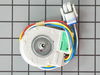
Replaced evaporator fan motor, and this solved the whistling noise that had developed. Reviewed and followed the removal and installation instruction video as closely as possible. This was very helpful, with a few additions. For the model PS123NGPBBB GE refrigerator/freezer, there were a few differences from the video. There a was an additional cover panel that was positioned vertically at the back of the freezer compartment below the auger motor assembly. It was necessary to remove this cover (4 screws) to gain access to the auger motor cover screws. The unit also has a different light configuration with 2 lights. I found it helpful to remove these light bulbs and the corresponding light fixtures in order to remove the evaporator motor assembly. As mentioned in the video, it was necessary to cut the 4 wires from the wire harness of the new motor, and use butt end connectors to reattach these wires to the corresponding wires in the unit. Total job took between 1 and 2 hours, and the motor change solved the noise problem.
Parts Used:
-
Russell from GLEN, NH
-
Difficulty Level:Easy
-
Total Repair Time:1- 2 hours
-
Tools:Screw drivers, Socket set, Wrench set
2 of 2 people
found this instruction helpful.
Was this instruction helpful to you?
Thank you for voting!
The light inside the oven had burned out
0. As a safety precaution, unplug the range or hit the relevant fuse breaker before you start. You might also want to grab a flashlight. Definitely do not try to do this while the oven is hot.
1. Pinch the wire over the light bulb cap to remove it. This is inside the oven at the back.
2. Pop off the hemispherical glass cap.
3. Unscrew the old light bulb, and screw the new light bulb in its place.
4. Put the cap back.
5. Secure the cap by putting the wire back in its slots on the cap.
No tools needed, the cap is just held in place with pressure from the wire.
1. Pinch the wire over the light bulb cap to remove it. This is inside the oven at the back.
2. Pop off the hemispherical glass cap.
3. Unscrew the old light bulb, and screw the new light bulb in its place.
4. Put the cap back.
5. Secure the cap by putting the wire back in its slots on the cap.
No tools needed, the cap is just held in place with pressure from the wire.
Parts Used:

-
Catherine from SEATTLE, WA
-
Difficulty Level:Very Easy
-
Total Repair Time:Less than 15 mins
3 of 5 people
found this instruction helpful.
Was this instruction helpful to you?
Thank you for voting!
both freezer and refigerator were warm.
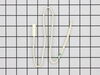
I watched the video online and it said there were three sensors in the refrigerator, two in the freezer and one in the refrigerator. I only ordered one sensor and was going to try the one in the refrigerator first. He said the upper one in the freezer is the most difficult, but is usually the problem. So, I replaced the upper sensor and tried restarting the unit. Everything went well and it fixed the problem.
Parts Used:
-
Harry from DURYEA, PA
-
Difficulty Level:Easy
-
Total Repair Time:15 - 30 mins
-
Tools:Nutdriver
2 of 2 people
found this instruction helpful.
Was this instruction helpful to you?
Thank you for voting!
Unit was dead
-
Carl from BELLVILLE, TX
-
Difficulty Level:Really Easy
-
Total Repair Time:15 - 30 mins
-
Tools:Nutdriver, Pliers
2 of 2 people
found this instruction helpful.
Was this instruction helpful to you?
Thank you for voting!
Temp panel flashed "hrs", refrigerator would not work
Remove back panel to expose the control board. Simply unplug cables from old board and pull the board out, no tools required. Put new board in place and replace the cables. Very easy.
Parts Used:
-
Christopher from Chicago, IL
-
Difficulty Level:Really Easy
-
Total Repair Time:15 - 30 mins
-
Tools:Nutdriver
2 of 2 people
found this instruction helpful.
Was this instruction helpful to you?
Thank you for voting!
No Cooling on either freezer or refrigerator
Everything seemed to be working right, but no cooling, so I tried turning on and off the switch that turns the light on 5 times within two seconds, refrigerator did not shot. so I removed the main board and I notice a short had taken place on one of the relay legs. I ordered the main board and replaced it. The main board is on the back of the freezer covered with a sheet metal panel about 8"x8" and is secured with hex sheet metal screws. Everything is working now. Please make sure to unplug the unit from power before removing the main board.
Parts Used:
-
jaime from SYLMAR, CA
-
Difficulty Level:Very Easy
-
Total Repair Time:Less than 15 mins
-
Tools:Screw drivers, Socket set
2 of 2 people
found this instruction helpful.
Was this instruction helpful to you?
Thank you for voting!