




















GSF26C4EXF02 Whirlpool Refrigerator - Instructions
Keep searches simple. Use keywords, e.g. "leaking", "pump", "broken" or "fit".
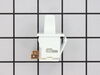
Light didnt go on
The light rocker switch wasnt working. I found the part on the web site. It was so easy. I used a screw driver to pop out the old one and pop the new one in. It took 5 min. Thanks!!!
Parts Used:
-
dorotea from staten island, NY
-
Difficulty Level:Really Easy
-
Total Repair Time:Less than 15 mins
-
Tools:Screw drivers
3 of 5 people
found this instruction helpful.
Was this instruction helpful to you?
Thank you for voting!
No problem
-
Janet from PITTSFORD, NY
-
Difficulty Level:Really Easy
-
Total Repair Time:Less than 15 mins
-
Tools:Pliers
2 of 3 people
found this instruction helpful.
Was this instruction helpful to you?
Thank you for voting!
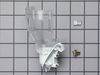
Refrigerator light would not turn on.
I first replaced the switch and had no results, I then ordered the Light Socket Kit, and because I had the experience of removing the panel to replace the switch, it took a few minutes to remove the two screws behind the panel, removing the temperature control knobs and then releasing the face plate which is secured by tabs at the bottom. The kit came with extra connectors in case they were needed, but they were not in my case and so I pulled off the wires, pushed the old socket out and the new one in. Attaching the wires to the correct pins, I screwed in the light bulb to be sure that the fix was correct and determining that, I replaced the screws that held the panel in place. Voila, I'm a happy camper who found some outdated jars in the back corners of the newly lighted shelves.
Parts Used:
-
Suzanne from STERLING HTS, MI
-
Difficulty Level:Really Easy
-
Total Repair Time:Less than 15 mins
-
Tools:Nutdriver
3 of 6 people
found this instruction helpful.
Was this instruction helpful to you?
Thank you for voting!
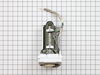
Ice maker Quit working
Got new part. Removed cover. Tape at top had to be pried loose from door.
Had to turn cup cover from top portion to access power wire. Door and light wires had to be unplugged and moved from clips.
Two screws at bottom removed. Motor unit was freed up and set on table.
Had to remove bottom white section due to light Assembly was not on new section. Removed three screws. Removed three screws from new unit.
Attached old white section with light to new motor unit.
Reattached power wire routed into cup and plugged in. Cup turned clockwise so as to attach.Other wires re-routed and plugged back in.
Cover section screws inserted and reattached.
Turned on/off button back on. Checked all light switches in refrigerator and freezer section to ensure operating. Put bin back in and closed door. No warning lights present. Approximately one hour later, bin had ice in it.
Had to turn cup cover from top portion to access power wire. Door and light wires had to be unplugged and moved from clips.
Two screws at bottom removed. Motor unit was freed up and set on table.
Had to remove bottom white section due to light Assembly was not on new section. Removed three screws. Removed three screws from new unit.
Attached old white section with light to new motor unit.
Reattached power wire routed into cup and plugged in. Cup turned clockwise so as to attach.Other wires re-routed and plugged back in.
Cover section screws inserted and reattached.
Turned on/off button back on. Checked all light switches in refrigerator and freezer section to ensure operating. Put bin back in and closed door. No warning lights present. Approximately one hour later, bin had ice in it.
Parts Used:
-
Peter from DE KALB, MS
-
Difficulty Level:Really Easy
-
Total Repair Time:30 - 60 mins
-
Tools:Nutdriver, Screw drivers, Socket set
2 of 3 people
found this instruction helpful.
Was this instruction helpful to you?
Thank you for voting!
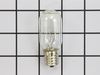
Light over range burned out
Philips screwdriver
Removed screw (1)
Removed light bulb
Put in new light bulb
Closed door to bulb compartment
Returned screw.
Pro tip! Check how many bulbs you need before ordering. Mine only needed two. I got two. I suspect I’ll buy a new microwave before new bulb burns out again. Ordering/delivery was fast. No need to have spare on hand.
Removed screw (1)
Removed light bulb
Put in new light bulb
Closed door to bulb compartment
Returned screw.
Pro tip! Check how many bulbs you need before ordering. Mine only needed two. I got two. I suspect I’ll buy a new microwave before new bulb burns out again. Ordering/delivery was fast. No need to have spare on hand.
Parts Used:
-
Vincent from CHICAGO, IL
-
Difficulty Level:Very Easy
-
Total Repair Time:Less than 15 mins
-
Tools:Screw drivers
3 of 6 people
found this instruction helpful.
Was this instruction helpful to you?
Thank you for voting!
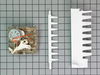
Icemaker failed to function
Removed and disconnected the icemaker, cleaned all areas and disassembled the failed parts. Reassembled with the new parts inlcuded with the purchased package and resinstalled the unit. Started the unit and chedked for proper operation. Successful repair.
Parts Used:
-
Terry from Glendora, CA
-
Difficulty Level:Easy
-
Total Repair Time:15 - 30 mins
-
Tools:Nutdriver, Screw drivers
2 of 3 people
found this instruction helpful.
Was this instruction helpful to you?
Thank you for voting!
freezer (later fridge too) wouldn't stay cold~
****Make are you order Capacitor & Starter relay too (we ordered separtely so had to pay shipping twice)**** Super easy just open access panel on back near compressor and remove retention clip with fingers, remove & replace both capacitor & starter, put clip and access panel back on, plug in and allow 8 hours to cool! Works like new again! Hope it goes another 10 years
Parts Used:

-
David from MARYLAND HTS, MO
-
Difficulty Level:Very Easy
-
Total Repair Time:30 - 60 mins
-
Tools:Nutdriver
2 of 3 people
found this instruction helpful.
Was this instruction helpful to you?
Thank you for voting!
ice maker quit working
I was amazed when Fed Ex pulled up to our front door the following day after I ordered the parts, I was wondering what they were delivering and to my amazement it was the parts I had ordered from parts select the previous day , thank you so much , you are awesome. My 73 year old husband who is a 5 year cancer survivor had the part installed and we were ready to start making ice within 1 hour.He went by the installation information sent in by your customers. Thank you all, Jo Mesplay
Parts Used:
-
Thomas from Hornsby, TN
-
Difficulty Level:Really Easy
-
Total Repair Time:30 - 60 mins
-
Tools:Screw drivers
2 of 3 people
found this instruction helpful.
Was this instruction helpful to you?
Thank you for voting!
timing contact wheel was not making reliable contact
Repair was replacing motor kit. I did not use the plastic parts - ejector arm and separator. Went same as others described. I had removed ice maker from refrigerator although this was not necessary to replace motor unit(Please unplug refrigerator whether or not you remove the entire ice maker).
Removed three screws, removed old motor unit, inserted new unit making sure the ice level wire arm end was in slot. Ejector is D shaped so can't go in wrong. Replaced screws and replaced ice maker in freezer. Note - be sure the water tube is in the trough before trying to refasten ice maker.
Added note: If for whatever reason you need to remove ice maker note that there are three mounting screws (others have mentioned this) Completely remove one under middle of ice maker. For the two at top of ice maker - just loosen a few turns. The ice maker can be lifted and pulled away from the wall without removing these screws. Also there is a tab on the electrical wire connector for ice maker at back wall of freezer. Tab must be depressed with a flat tip screw driver while pulling out to remove wire connector. Tab is on wide side of connector facing inside of freezer.
Repair worked. Have lots of ice again.
Removed three screws, removed old motor unit, inserted new unit making sure the ice level wire arm end was in slot. Ejector is D shaped so can't go in wrong. Replaced screws and replaced ice maker in freezer. Note - be sure the water tube is in the trough before trying to refasten ice maker.
Added note: If for whatever reason you need to remove ice maker note that there are three mounting screws (others have mentioned this) Completely remove one under middle of ice maker. For the two at top of ice maker - just loosen a few turns. The ice maker can be lifted and pulled away from the wall without removing these screws. Also there is a tab on the electrical wire connector for ice maker at back wall of freezer. Tab must be depressed with a flat tip screw driver while pulling out to remove wire connector. Tab is on wide side of connector facing inside of freezer.
Repair worked. Have lots of ice again.
Parts Used:
-
Robert from Pebble Beach, CA
-
Difficulty Level:Really Easy
-
Total Repair Time:Less than 15 mins
-
Tools:Nutdriver, Screw drivers
2 of 3 people
found this instruction helpful.
Was this instruction helpful to you?
Thank you for voting!
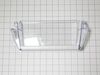
Tab on door bin broke off.
-
Gerald from KINGWOOD, TX
-
Difficulty Level:Very Easy
-
Total Repair Time:Less than 15 mins
2 of 3 people
found this instruction helpful.
Was this instruction helpful to you?
Thank you for voting!
Broke light switch while cleaning
use kitchen knife to pry out. replaced switch assemble and pressed back into place. Could not have done this with out help from previous customers. Thanks
Parts Used:
-
Gail from Golden, CO
-
Difficulty Level:Really Easy
-
Total Repair Time:Less than 15 mins
2 of 3 people
found this instruction helpful.
Was this instruction helpful to you?
Thank you for voting!
refrigerator not freeze
i didn't repair replace capacitor, bi metal defrost thermostat and still not freeze also replace light door switch any suggestion thanks
Parts Used:

-
edgar from PAWTUCKET, RI
-
Difficulty Level:Really Easy
-
Total Repair Time:30 - 60 mins
-
Tools:Nutdriver, Pliers, Screw drivers
2 of 3 people
found this instruction helpful.
Was this instruction helpful to you?
Thank you for voting!
Freezer 4-15 F refrigerator 50 - 55 F
Just follow youtube examples. Work in freezer. Troubles was I didn't fix the problem. Experts say thermostat is the best one to replace (53%). Anyway they are not always right.
Parts Used:
-
Chingnan from SUGAR LAND, TX
-
Difficulty Level:Really Easy
-
Total Repair Time:1- 2 hours
-
Tools:Nutdriver, Pliers, Screw drivers
1 person
found this instruction helpful.
Was this instruction helpful to you?
Thank you for voting!
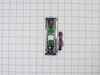
The ice dispener gradually stopped responding when the pad was pressed.
What took the most time was figuring out how to access the back of the pad. This is what I finally put together. First, remove the two screws(with nut driver) holding on the silver plastic cover around the water dispenser orifice and the ice dispenser chute. Next there are two or three black plastic clips that hold the electronic face in place. They are located near the front of the face on the bottom. Take a small flashlight and point it up from the bottom of the dispenser area, and look for a hole in the clear plastic with a small black catch in it. There is one on the right, one on the left, and I think one in the middle. I released these catches by pressing up in the holes with a small flathead screw driver while pulling out on the electronic face. One by one I got them free and the electronic face came away, revealing two Phillips head screws which held the dispensers trim in place. I removed the screws then pulled off the base or drip catcher part of the dispenser. It pulled straight off revealing two more Phillips head screws. After removing them I used my small flathead to work my way around the narrow trim piece disengaging the four clips on either side of the trim that locks it onto the backsplash liner piece. On the bottom I worked the trim up and down to get it to come free of the metal edges of the door and the plastic splash guard. It was kind of a hassle as its job is to lock the splash guard to the door, it hooks to both easily. Once the trim is off and the splash guard the pad is attached too is removed and in your hands its a simple matter to slide the pad up and free of the back splash. The red and blue wire has simple routing to the back of the electronic face previously removed. Disconnect the black connector at the end of the blue and red wires that lead to the pad you are removing. Install the new pad following the original routing path and reassemble dispenser face in reverse order of removal. Be patient and look around to locate the parts described, sorry I don't know their proper names so I am calling the parts names that make sense to me. I hope that helps. Best of luck.
Parts Used:
-
Mark from Bakersfield, CA
-
Difficulty Level:A Bit Difficult
-
Total Repair Time:15 - 30 mins
-
Tools:Nutdriver, Screw drivers
1 person
found this instruction helpful.
Was this instruction helpful to you?
Thank you for voting!
Ice maker quit making ice
I took the cover off, and noticed the tabs holding the timer wheel were broken off on one side. after removing the wheel, I noticed the shaft from the ice lifters was broken. Since the only way I could repair it was to buy the entire module, which I did. I received my part in 3 days. When it came, I began removing the old module by taking out the three screws holding it. After replacing the module which took about 10 minutes, my machine was making ice within about an hour. My ice holder was full in 3 days. Albert Moran, Milton, Fl
Parts Used:
-
Albert from Milton, FL
-
Difficulty Level:Really Easy
-
Total Repair Time:Less than 15 mins
-
Tools:Screw drivers
1 person
found this instruction helpful.
Was this instruction helpful to you?
Thank you for voting!