




















EMO3000CCC001 General Electric Microwave - Instructions
Keep searches simple. Use keywords, e.g. "leaking", "pump", "broken" or "fit".
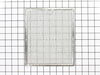
Grease Filters underneath microwave can not be cleaned. Must replace them.
Very easy repair to replace filters. Step 1: Note position of filter and which end is towards you and position of latch handle. Slide old grease filter away from you and forward until it drops out, Set it aside. Step 2: Take new filter and put in slot away (as you noted) from you then slide towards you until seated properly underneath microwave. Repeat steps for the second filter. It takes about 2 minutes.
Parts Used:
-
Albert from LAUREL, MD
-
Difficulty Level:Very Easy
-
Total Repair Time:Less than 15 mins
2 of 2 people
found this instruction helpful.
Was this instruction helpful to you?
Thank you for voting!
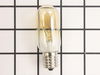
NO light
-
Dan from Leesburg, FL
-
Difficulty Level:Easy
-
Total Repair Time:Less than 15 mins
-
Tools:Screw drivers
2 of 2 people
found this instruction helpful.
Was this instruction helpful to you?
Thank you for voting!
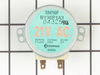
Motor went out. Glass tray wouldn't rotate any longer
Removed the 6 screws that held the cover below my microwave. Unplugged the part, plugged in the new one and I was done. My part arrived from you just one day after I ordered it! It was my first microwave repair ever, and it couldn't have been easier.
Parts Used:
-
Ina from Horn Lake, MS
-
Difficulty Level:Really Easy
-
Total Repair Time:Less than 15 mins
-
Tools:Screw drivers
2 of 2 people
found this instruction helpful.
Was this instruction helpful to you?
Thank you for voting!
Glass lens and two light bulbs replacements
My microwave is built in above the stove which provides lighting and fans for my stove. The glass lens cover for the lighting was cracked in several places and the light bulbs had burned out. I taped the glass lens for removal so it didn't break apart due to the cracks Removed the one screw. .Both light bulbs broke away from the base sockets as I tried to unscrew them. I used electrical tape wrapping in reverse on a lightbulb (socket end) so it was sticky for a grip on the base, shoved it in the sockets and was unable to unscrew the broke off bases. So it was very successful and no repair man was needed.
Parts Used:
-
Linda from SEASIDE, CA
-
Difficulty Level:Very Easy
-
Total Repair Time:30 - 60 mins
-
Tools:Screw drivers
2 of 2 people
found this instruction helpful.
Was this instruction helpful to you?
Thank you for voting!
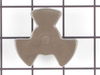
Turntable coupler became very charred and brittle and was sparking.
The old one was extremely difficult to remove, like it was ‘welded‘ in place. I had to crush and destroy it with vice grips in order to get it. it off. The new one would not go on unless I modified it by removing a “spur“ which prevented it from sitting flush with the bottom of the oven. All in all it took less than 25 minutes and it is now working well.
Parts Used:
-
Leonard from DAVIE, FL
-
Difficulty Level:Really Easy
-
Total Repair Time:30 - 60 mins
-
Tools:Pliers
2 of 2 people
found this instruction helpful.
Was this instruction helpful to you?
Thank you for voting!
Frost build up on bottom to ice bin and delivery chute in door creating ice blockage
Remove the ice bin.
Turn the ice maker selection to "OFF"
Use small flat blade screwdriver to open the plastic ears on the electic plug in connectiion
Use #2 Phillips screwdriver to remove the screw on the front left side of the ice maker
Pull the ice maker forward until free of the two studs in the left side rear of the freezer wall
Check to see if the supplied water chute is the correct size for your application, if not remove the water chute from the old ice maker and place it on the new one.
Place the new ice maker in the freezer connecting the slots on the left read with the studs on the left wall
NOTE; IF THE ICE MAKER DOES NOT APPEAR TO BE LEVEL HORIZONTALLY REMOVE IT AND CAREFULLY REINSTALL IT TO ACHIEVE LEVEL
NOTE: ENSURE THE WATER DELIVERY TUBE RESTS IN THE RECEIVER TRAY
Reconnect the electrical plug ( needle nose pliers may be helpful in aligning the male plug with the female plug)
Move the selector from "OFF" to "ON"
Replace the ice bin and close the freezer door
Turn the ice maker selection to "OFF"
Use small flat blade screwdriver to open the plastic ears on the electic plug in connectiion
Use #2 Phillips screwdriver to remove the screw on the front left side of the ice maker
Pull the ice maker forward until free of the two studs in the left side rear of the freezer wall
Check to see if the supplied water chute is the correct size for your application, if not remove the water chute from the old ice maker and place it on the new one.
Place the new ice maker in the freezer connecting the slots on the left read with the studs on the left wall
NOTE; IF THE ICE MAKER DOES NOT APPEAR TO BE LEVEL HORIZONTALLY REMOVE IT AND CAREFULLY REINSTALL IT TO ACHIEVE LEVEL
NOTE: ENSURE THE WATER DELIVERY TUBE RESTS IN THE RECEIVER TRAY
Reconnect the electrical plug ( needle nose pliers may be helpful in aligning the male plug with the female plug)
Move the selector from "OFF" to "ON"
Replace the ice bin and close the freezer door
Parts Used:

-
Ronald from PONCA CITY, OK
-
Difficulty Level:Really Easy
-
Total Repair Time:15 - 30 mins
-
Tools:Pliers, Screw drivers
3 of 5 people
found this instruction helpful.
Was this instruction helpful to you?
Thank you for voting!
Remove old light sockets and replace in Microwave over stove
Have a microwave that the light and sockets just broke in pieces so I ordered two sockets from this site . The fit perfectly and it was a breeze to install. Took out 7 screws and the plate dropped down, hooked up the little wire which was so simple and bingo I had lite again. I just wished the hold plate came down but it didn't but it was still very easy to install. Will continue to get my appliance parts from this company.
Parts Used:
-
Cathy from LINCOLN, CA
-
Difficulty Level:Very Easy
-
Total Repair Time:Less than 15 mins
-
Tools:Screw drivers
2 of 2 people
found this instruction helpful.
Was this instruction helpful to you?
Thank you for voting!
Broken Light Socket
Turned the power to the unit off. Removed seven- (7) small screws from the base plate, not removing the rear screws. The plate dropped a few inches allowing me to get to the light socket. I removed one- (1) screw that allowed the socket to be removed. I then detached the two- (2) electrical leads. I now installed the new socket, replacing the leads and the screw along with a new bulb. I pushed the bottom plate back into the up position and replaced the seven- (7) screws. Turned the power back on and we were good to go.
Parts Used:
-
Richard from Batavia, OH
-
Difficulty Level:Easy
-
Total Repair Time:Less than 15 mins
-
Tools:Screw drivers
3 of 5 people
found this instruction helpful.
Was this instruction helpful to you?
Thank you for voting!
Glass light lens cover was cracked
I first read the previously posted directions from other customers that were sent with my part order confirmation, which were all very helpful. Then, I basically used a screw driver to unscrew the screw holding the lens cover in place - be careful as it is a very tiny screw and it can easily fall behind your oven. You might want to place a large piece of cardboard over the space between oven and wall, as I did, so that you don't lose the screw in case it falls. Next I pried open the prongs, carefully slid out the cracked lens, and slid the new lens in place, pushed back the prongs and put the screw back in. I found that it was easier to use my fingers to first place and tighten the screw because it is very small and will keep falling out of place if you try to just use the screwdriver. Good luck!
Parts Used:
-
Marion from GILBERTSVILLE, PA
-
Difficulty Level:Very Easy
-
Total Repair Time:Less than 15 mins
-
Tools:Screw drivers
2 of 2 people
found this instruction helpful.
Was this instruction helpful to you?
Thank you for voting!
no lights on microwave
ordered 2 new sockets and bulbs easy replacement great service from this site
Parts Used:
-
james from CHESTERFIELD, VA
-
Difficulty Level:Very Easy
-
Total Repair Time:Less than 15 mins
-
Tools:Screw drivers
2 of 2 people
found this instruction helpful.
Was this instruction helpful to you?
Thank you for voting!
light lens broke a couple of years ago
unscrewed the screw, pried up metal tabs that hold in light lens. took out broken pieces, slid in new light lens re-secured tabs with fingers, screwed in the screw again.
Parts Used:
-
KAREN from MANSFIELD, MA
-
Difficulty Level:Really Easy
-
Total Repair Time:Less than 15 mins
-
Tools:Screw drivers
3 of 6 people
found this instruction helpful.
Was this instruction helpful to you?
Thank you for voting!
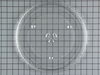
rotating plate broke
-
regina from weston, FL
-
Difficulty Level:Really Easy
-
Total Repair Time:Less than 15 mins
2 of 3 people
found this instruction helpful.
Was this instruction helpful to you?
Thank you for voting!
Noisy cooking tray motor with electrical smoke smell
Just removed the screws from botton of unit, unplugged and removed the burned up motor, reveresed the process to install new motor. Less than 10 minute job.
Parts Used:
-
Larry from Sedalia, MO
-
Difficulty Level:Really Easy
-
Total Repair Time:Less than 15 mins
-
Tools:Screw drivers
3 of 6 people
found this instruction helpful.
Was this instruction helpful to you?
Thank you for voting!
burnt out bulb and broken light socket
removed the bottom plate from microwave and replaced parts
Parts Used:
-
Richard from Jackson Center, OH
-
Difficulty Level:Easy
-
Total Repair Time:Less than 15 mins
-
Tools:Screw drivers
2 of 3 people
found this instruction helpful.
Was this instruction helpful to you?
Thank you for voting!
The turn table was making a terrible noise and wouldn't turn. I called a repair company and they told me it would be at least a hundred dollars to fix it.
I removed the screws that held the bottom in and then dropped it down to access the motor. I removed the 2 screws that held the motor in and unplugged it. I then plugged the new one in and reattached it with the 2 screws and put the bottom back on. It took me about 5 minutes to fix it for only $40.00.
Parts Used:
-
Kathie from Tipton, IN
-
Difficulty Level:Really Easy
-
Total Repair Time:Less than 15 mins
-
Tools:Screw drivers
2 of 3 people
found this instruction helpful.
Was this instruction helpful to you?
Thank you for voting!