




















EMO3000CCC001 General Electric Microwave - Instructions
Keep searches simple. Use keywords, e.g. "leaking", "pump", "broken" or "fit".
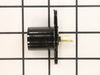
Left light socket was damaged beyond repair
Handed the part to my son. He unscrewed 5 screws in the base of the microwave, it dropped down. The light mechanism was clearly in view. With the exception of some corrosion on the old piece, it was simple to remove and replace, put back together, screw back up and all worked fine.
Parts Used:
-
Kathleen from Streamwood, IL
-
Difficulty Level:Really Easy
-
Total Repair Time:Less than 15 mins
-
Tools:Pliers, Screw drivers
4 of 5 people
found this instruction helpful.
Was this instruction helpful to you?
Thank you for voting!
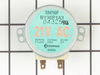
noise eminating from carousel
I removed 4 screw from the under carriage of the microwave then, removed the 2 screws from the motor, replaced the motor and replaced the screws. It was so easy it took only 4 minutes to perform, better than replacing the whole unit (microwave) and less expensive too. i only wish it was made in the US, I wouldn't mind to spend a little more.
Parts Used:
-
Paul from Mableton, GA
-
Difficulty Level:Really Easy
-
Total Repair Time:Less than 15 mins
-
Tools:Screw drivers
3 of 3 people
found this instruction helpful.
Was this instruction helpful to you?
Thank you for voting!
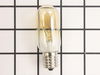
Light bulb burned out and assembly broke when trying to replace bulb
I used the internet and your directions to complete the repair. It was easy!
Parts Used:
-
Jeanne from Kirkwood, MO
-
Difficulty Level:Really Easy
-
Total Repair Time:Less than 15 mins
-
Tools:Screw drivers
4 of 6 people
found this instruction helpful.
Was this instruction helpful to you?
Thank you for voting!
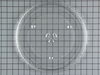
The cooking tray cracked.
-
William from Columbus, OH
-
Difficulty Level:Really Easy
-
Total Repair Time:Less than 15 mins
3 of 3 people
found this instruction helpful.
Was this instruction helpful to you?
Thank you for voting!
bulb fused to jolder
removed electrical wires, unscrewed holder, inserted holder, attached wires, added bulb, and put cover back on.
Parts Used:
-
James from Big Rock, IL
-
Difficulty Level:Really Easy
-
Total Repair Time:Less than 15 mins
-
Tools:Screw drivers
4 of 6 people
found this instruction helpful.
Was this instruction helpful to you?
Thank you for voting!
Both under mount lights were burned out
Unscrewed bottom panel, then unscrewed light socket, then replaced with new socket and bulb. Reattached socket and panel.
Parts Used:
-
Divina from Grand Rapids, MI
-
Difficulty Level:Really Easy
-
Total Repair Time:Less than 15 mins
-
Tools:Screw drivers
3 of 3 people
found this instruction helpful.
Was this instruction helpful to you?
Thank you for voting!
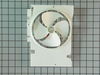
Microwave was making terrible squealing noise; replacing turntable motor didn't fix it but replacing fan assembly did!
My microwave was squealing horribly and replacing the turntable motor (SUPER easy btw) didn't fix it. So I figured it was a spun bearing or bushing in the cooling fan (spoiler alert -- it was!). Installation was simple and did NOT require removing the cabinet-mounted microwave from its position above our stove: Unplug microwave, carefully unscrew the 2 screws holding the vent grate above the door, remove the grate, then unscrew the one screw holding the top of the control panel to the case. Carefully pivot top of control panel down and unhook it from the case (at the bottom of the control panel there are two little legs or extensions that insert into slots in the case). Then disconnect the 3 or 4 wires that attach the control panel to the wiring harness (I marked them each with tape so I would remember where they go, but you can just take a picture with your phone). Set the control panel aside. Where the control panel was, you will be looking at the fan, with a bunch of wires between you and it. Take another phone picture for reference, just in case. Disconnect the various wires, starting at the top right and working your way around clockwise. I marked each wire with a piece of tape and a number, starting from 1 and working my way around an imaginary clock face. I think I got to 12 and then the last two (sort of buried in the middle) I labeled as "0" and "-1" but you can use any numbering series you like. Once the wires are all disconnected you can gently push them aside and unscrew the two screws holding the fan assembly in place, and disconnect the fan wire. Then gently maneuver the fan assembly out the front of the case. Installation is simply the reverse of this simple disassembly process. Voila! Back to a nice quiet microwave.
Parts Used:
-
Andrew from SEATTLE, WA
-
Difficulty Level:Easy
-
Total Repair Time:30 - 60 mins
-
Tools:Screw drivers
3 of 3 people
found this instruction helpful.
Was this instruction helpful to you?
Thank you for voting!
Lens Was Not Sized To Fit And Was Left Extremely Sharp
Had to take to a local glass shop for sizing and to remove sharp edges. Will never order again.
Parts Used:

-
robert from salmon, ID
-
Difficulty Level:Easy
-
Total Repair Time:15 - 30 mins
-
Tools:Screw drivers
3 of 4 people
found this instruction helpful.
Was this instruction helpful to you?
Thank you for voting!
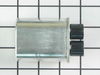
chattering noise/ burning smell
Removed control panel disconnected old capacitor installed new and returned the leads back on to the new. replaced control cover and tested
Parts Used:
-
James from Enfield, CT
-
Difficulty Level:Easy
-
Total Repair Time:15 - 30 mins
4 of 7 people
found this instruction helpful.
Was this instruction helpful to you?
Thank you for voting!
Tray cracked after only 4 months of use
Replacement tray was installed. It was larger than the original tray, but it fits in.
Parts Used:
-
Florence from Lake Forest, IL
-
Difficulty Level:Really Easy
-
Total Repair Time:Less than 15 mins
3 of 4 people
found this instruction helpful.
Was this instruction helpful to you?
Thank you for voting!
Lost screws for the covers on the lights over the cook-top
Placed the screws in the proper areas, used the screw driver to tighten down and I was in business with light to spare. I am happy to have found the proper screws.
Thank you.
Thank you.
Parts Used:
-
Geraldine from Clearwater, FL
-
Difficulty Level:Really Easy
-
Total Repair Time:Less than 15 mins
-
Tools:Screw drivers
3 of 4 people
found this instruction helpful.
Was this instruction helpful to you?
Thank you for voting!
Dropped and broke the cooking tray
New one arrived very quickly.
Right part. Right on time. Fit like it should.
Excellent service.
Right part. Right on time. Fit like it should.
Excellent service.
Parts Used:
-
DAVID from IRVINE, CA
-
Difficulty Level:Really Easy
-
Total Repair Time:Less than 15 mins
4 of 7 people
found this instruction helpful.
Was this instruction helpful to you?
Thank you for voting!
broken
-
Janet from Fort Worth, TX
-
Difficulty Level:Really Easy
-
Total Repair Time:Less than 15 mins
3 of 5 people
found this instruction helpful.
Was this instruction helpful to you?
Thank you for voting!
microwave turntable wouldn't turn
Wow! It really was as easy as everyone says. I ordered the part. It came overnight. I took out the 6 screws on the bottom of the microwave (AFTER unplugging the microwave of course), unscrewed the part and unplugged it, put in the new motor, plugged it in and screwed it in, and replaced the bottom screws. The only trouble I had, which really has nothing to do with this part or the repair, was that some of the screws on the bottom of the microwave were very difficult to replace as they didn't seem to line up with the holes beneath. I had a handyman coming to do some deck repairs and had him put those in. Ah well. I did MOST of it myself.
Stephanie, age 52
Stephanie, age 52
Parts Used:
-
Stephanie from Voorhees, NJ
-
Difficulty Level:Really Easy
-
Total Repair Time:Less than 15 mins
-
Tools:Screw drivers
2 of 2 people
found this instruction helpful.
Was this instruction helpful to you?
Thank you for voting!
Drive motor not working
There where five screws to remove to get the bottom off then two to release the motor from the housing pull the electrical supply cord out then reverse the process. Piece of cake.
Parts Used:
-
Lorraine J from Yuma, AZ
-
Difficulty Level:Really Easy
-
Total Repair Time:15 - 30 mins
-
Tools:Screw drivers
2 of 2 people
found this instruction helpful.
Was this instruction helpful to you?
Thank you for voting!