




















DVM1950DR2WW General Electric Microwave - Instructions
Keep searches simple. Use keywords, e.g. "leaking", "pump", "broken" or "fit".
Not heating
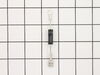
Removed the above stove microhood. Removed the side panels & the top panel. Diode located on right hand side of microwave. Removed with screwdriver & replaced new diode. It's best to get the microwave schematic online to pinpoint location of the part.
Parts Used:
-
Debra from Concord, CA
-
Difficulty Level:Easy
-
Total Repair Time:Less than 15 mins
-
Tools:Nutdriver, Screw drivers
Was this instruction helpful to you?
Thank you for voting!
Glass broke
We put the new glass lens in the metal frame and screwed the frame in under the microwave. Easy, breezy! Like new condition!
Parts Used:

-
Lisa from Fairland, IN
-
Difficulty Level:Really Easy
-
Total Repair Time:Less than 15 mins
-
Tools:Screw drivers
Was this instruction helpful to you?
Thank you for voting!
Unit would not come on.
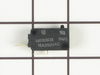
removed access panal, found soft switch as discribed on your web site. removed and replaced.
Parts Used:
-
Phillip from Umatilla, FL
-
Difficulty Level:Really Easy
-
Total Repair Time:Less than 15 mins
-
Tools:Screw drivers
Was this instruction helpful to you?
Thank you for voting!
Glass cover for Light Bulb was cracked..
-
Donna from Denver, CO
-
Difficulty Level:Really Easy
-
Total Repair Time:Less than 15 mins
-
Tools:Screw drivers
Was this instruction helpful to you?
Thank you for voting!
diode burnt
-
MANUEL from ESCONDIDO, CA
-
Difficulty Level:Really Easy
-
Total Repair Time:Less than 15 mins
-
Tools:Screw drivers
Was this instruction helpful to you?
Thank you for voting!
Charcoal filter installation
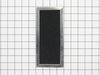
Very easy. Removed two screws holding the top vent cover, slid it to the left and removed it. Next I installed the filter and replaced the cover and the screws. Just that easy. Less than 5 minutes.
Parts Used:
-
Macklin from Danville, VA
-
Difficulty Level:Really Easy
-
Total Repair Time:Less than 15 mins
-
Tools:Screw drivers
Was this instruction helpful to you?
Thank you for voting!
glass cooking tray broke
I laid the new tray in the microwave. There was nothing to really install....but, the woman I spoke to in order to order the tray was terrific and I had the part in two days!! I would recommend this company every time!!!!!!
Parts Used:
-
Patricia from Dublin, OH
-
Difficulty Level:Really Easy
-
Total Repair Time:Less than 15 mins
Was this instruction helpful to you?
Thank you for voting!
Light worked, timer and control pad worked, but no turntable, no heat, no noises of any sort, just didn't start up
It was a snap using the instructions given. The key is getting into the unit. I did have to use a multimeter to find the failed switch since there are two of that type.
Parts Used:
-
Timothy from Middletown, NJ
-
Difficulty Level:Really Easy
-
Total Repair Time:Less than 15 mins
-
Tools:Screw drivers, Wrench set
Was this instruction helpful to you?
Thank you for voting!
Microwave would not turn on
Microwave would not turn on. Lights and fan worked fine. Before the microwave stopped completely, it would turn the microware fan on even when door was open. I read the reviews and they were exactly the same issue that others were facing. Once I opened the front panel and got to the switches it was easy to figure out which switch was bad as it was the one that was soft (When clicking it). It was hard to take it out though (it seemed stuck). So, I used a plier to yank it out. I put in the new switch and everything worked just great! I would like to thank other comments that were left on the site to make my task much easier. Thank you (to the commenters on PartsSelect), you not only saved me money, but also ensured that I learn about the microwave more and give me the confidence that I could fix it.
Parts Used:
-
Prashant from Dardenne Prairie, MO
-
Difficulty Level:Really Easy
-
Total Repair Time:1- 2 hours
-
Tools:Pliers, Screw drivers, Socket set
Was this instruction helpful to you?
Thank you for voting!