




















DGCIFW3 Frigidaire Dryer - Instructions
Keep searches simple. Use keywords, e.g. "leaking", "pump", "broken" or "fit".
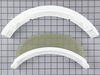
Needed new lint screen for dryer
Removed 2 screws and dropped new screen holder in with lint screen in it and replaced screws. Really easy
Parts Used:
-
Harriett from Leesburg, FL
-
Difficulty Level:Really Easy
-
Total Repair Time:Less than 15 mins
-
Tools:Screw drivers
3 of 4 people
found this instruction helpful.
Was this instruction helpful to you?
Thank you for voting!
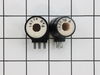
No heat.
As others have described in more detail... I lifted the top, removed the 2 screws holding the front panel (one on each side, inside the control panel on either side - not the easiest to get at, but not too bad), popped the clips holding the front panel in place and removed it. With the front panel off, the location of the coils is obvious (lower left side). The only challenging aspect of this repair is that the 2 screws holding the coils in place are really torqued in so it was crucial to use the exactly correct size screwdriver and not let the screwdriver slip while unscrewing those screws. Actually swapping out the coils took seconds, of course they have to go in exactly the same way as the old ones. I did take a few minutes extra to vacuum out years of lint from the inside of the dryer. Overall, much easier and cheaper than I was expecting and now I know where everything is inside the cabinet.
Parts Used:
-
Steven from San Francisco, CA
-
Difficulty Level:Easy
-
Total Repair Time:Less than 15 mins
-
Tools:Screw drivers
3 of 4 people
found this instruction helpful.
Was this instruction helpful to you?
Thank you for voting!
Needed temperature select knob for dryer
It was just a matter of pushing the knob into dryer selector device. We were so relieved, and very pleased with the convenience and effficiency in placing a special order for Frigidare appliance part on the website with PartsSelect.com. Thank you and we look forward to your services in the future.
Parts Used:

-
Loretta from Memphis, TN
-
Difficulty Level:Really Easy
-
Total Repair Time:Less than 15 mins
3 of 4 people
found this instruction helpful.
Was this instruction helpful to you?
Thank you for voting!
heat would initially come on then go off or sometimes not come on at all.
1. unpluged the dryer and turned off the gas.
2. pulled dryer out so i'd have ample room to work on it.
3. used large flat blade screwdriver in the front between the top lid and dryer face to gently pop-up the lid.
4. removed 4 screws from inside, that hold the face to the main box leaving the wires all intact.
Found the coils on the lower left, held in place by two screws and plate.
5. took a good look at thier orientation before unpluging old and installing new, I recommend one at a time.
6. Vacuumm any exceess lint and check foam seal between lint trap and exhuast duc, the glue came undone on mine causing extra lint dust that is potentially flamable.
6. screw dryer front back on to main box, make sure to check wiring harness and that all electrical blade connectors are still pluged in to their componants.
7. At this point plug in, turn on gas and do a test run.
8.if everything checks out good then lower top make sure flexable exhuast hose is still connected on hte back of the dryer.
9. Tell your wife or girlfriend or husband or boy friend they can now finish your laundry :)
2. pulled dryer out so i'd have ample room to work on it.
3. used large flat blade screwdriver in the front between the top lid and dryer face to gently pop-up the lid.
4. removed 4 screws from inside, that hold the face to the main box leaving the wires all intact.
Found the coils on the lower left, held in place by two screws and plate.
5. took a good look at thier orientation before unpluging old and installing new, I recommend one at a time.
6. Vacuumm any exceess lint and check foam seal between lint trap and exhuast duc, the glue came undone on mine causing extra lint dust that is potentially flamable.
6. screw dryer front back on to main box, make sure to check wiring harness and that all electrical blade connectors are still pluged in to their componants.
7. At this point plug in, turn on gas and do a test run.
8.if everything checks out good then lower top make sure flexable exhuast hose is still connected on hte back of the dryer.
9. Tell your wife or girlfriend or husband or boy friend they can now finish your laundry :)
Parts Used:
-
Vincent from Fairfield, CA
-
Difficulty Level:Easy
-
Total Repair Time:Less than 15 mins
-
Tools:Screw drivers
3 of 4 people
found this instruction helpful.
Was this instruction helpful to you?
Thank you for voting!
replace old screen
-
charles from nantucket, MA
-
Difficulty Level:Really Easy
-
Total Repair Time:Less than 15 mins
2 of 2 people
found this instruction helpful.
Was this instruction helpful to you?
Thank you for voting!
Wire Meshing Had Broken Away From The Rubber Framing Tha Was To Hold It Together And Lint Was Bypassing The Screen And Getting Into The Vent Tube.
Opened the dryer door unsrewed the two phillips holding the filter framework in place did a two second swap-out dropped the new unit into place the new unit and refastened it with the 2 screws that held the old one in place . And was drying a load of clothes within two minutes . . Thank you jg
Parts Used:
-
JOHN from NAUGATUCK, CT
-
Difficulty Level:Really Easy
-
Total Repair Time:Less than 15 mins
-
Tools:Screw drivers
2 of 2 people
found this instruction helpful.
Was this instruction helpful to you?
Thank you for voting!
Riped lint screen
This was easer than, well brushing my teeth. And it took less time than that too. Really, really easy, just like I read.
Parts Used:
-
Bill from Shelby, MI
-
Difficulty Level:Really Easy
-
Total Repair Time:Less than 15 mins
-
Tools:Screw drivers
3 of 5 people
found this instruction helpful.
Was this instruction helpful to you?
Thank you for voting!
The lint screen was old, rusty, and torn.
This was the easiest and most inexpensive repair I ever had on a dryer. I did a search on the internet, found "PartSelect.com" searched their web site, found the part I needed (at a very reasonably low price) ordered it, received it within 2 days, opened the box, removed 2 screws from the old part, put the new part in, replaced the 2 screws, inserted the filter screen... and my wife was happy. Thank You PartSelect.com for perfect selection, ordering and service.
Parts Used:
-
Paul from Dennis, MA
-
Difficulty Level:Really Easy
-
Total Repair Time:Less than 15 mins
-
Tools:Screw drivers
2 of 2 people
found this instruction helpful.
Was this instruction helpful to you?
Thank you for voting!
Gas flame turns off after a while, dryer keeps turning but no heat is generated.
Before this fix which worked beautifully, I tried replacing the flame sensor which did not work. To read that story, search under part number PS459818 (Flame Sensor). Our model is a Westinghouse, so access to the unit is a bit different than the other stories. It's a stacked front-loader sitting on top of a washing machine.
1. Open the little front door (lower left side) by unscrewing the little screw right below it. The door will pivot and slide out vertically.
2. Disconnect the electrical main lead coming from the back of the unit (just in case).
3. Close the gas switch lever on main gas pipe coming from the back on left side (just in case).
2. Remove 2 phillips screws on top of the metal bracket holding the two coils. The screws have to be removed completely along with the bracket. It's easy, they are right in front and there is room for the screwdriver. Use a thin long one instead of one with multiple bits to better align with the screws, which are very close to the coils.
3. The two coils slide right out and are very different so it's easy to keep them straight. Remove electrical connectors before or after removing the coils (I marked the plastic on top with a sharpie to keep them in the right orientation).
4. Drop in the two new coils and reconnect them to the electrical leads.
5. Reconnect main electrical lead from back (match wire colors)
6. Reopen gas lever on gas pipe.
7. Drop in front cover at an angle, tilt vertically and put screw back underneath. Use magnetized screwdriver or a piece of scotch tape to hold the screw or it might fall off the screwdriver.
8. Voila'. It worked.
This website is great. Our dryer is a Westinghouse bought in 1991 (almost 20 years old!) and with this fix it's just like new. In 1994 we used parts bought here to fix our washing machine (Westinghouse LT350RXW1). That machine is now 15 years old and still going!
1. Open the little front door (lower left side) by unscrewing the little screw right below it. The door will pivot and slide out vertically.
2. Disconnect the electrical main lead coming from the back of the unit (just in case).
3. Close the gas switch lever on main gas pipe coming from the back on left side (just in case).
2. Remove 2 phillips screws on top of the metal bracket holding the two coils. The screws have to be removed completely along with the bracket. It's easy, they are right in front and there is room for the screwdriver. Use a thin long one instead of one with multiple bits to better align with the screws, which are very close to the coils.
3. The two coils slide right out and are very different so it's easy to keep them straight. Remove electrical connectors before or after removing the coils (I marked the plastic on top with a sharpie to keep them in the right orientation).
4. Drop in the two new coils and reconnect them to the electrical leads.
5. Reconnect main electrical lead from back (match wire colors)
6. Reopen gas lever on gas pipe.
7. Drop in front cover at an angle, tilt vertically and put screw back underneath. Use magnetized screwdriver or a piece of scotch tape to hold the screw or it might fall off the screwdriver.
8. Voila'. It worked.
This website is great. Our dryer is a Westinghouse bought in 1991 (almost 20 years old!) and with this fix it's just like new. In 1994 we used parts bought here to fix our washing machine (Westinghouse LT350RXW1). That machine is now 15 years old and still going!
Parts Used:
-
Giuseppe from San Francisco, CA
-
Difficulty Level:Easy
-
Total Repair Time:15 - 30 mins
-
Tools:Screw drivers
3 of 5 people
found this instruction helpful.
Was this instruction helpful to you?
Thank you for voting!
dryer lint screen rplacement
removed two screws - replaced lint screen replacement, TIME TO REPLACE UNIT - ONE MINUTE. What made this project a snap was the pictures and graphs( parts replace) uses to ensure you are ordering the exact screen .
Parts Used:
-
Frank from Las Vegas, NV
-
Difficulty Level:Really Easy
-
Total Repair Time:Less than 15 mins
-
Tools:Screw drivers
2 of 2 people
found this instruction helpful.
Was this instruction helpful to you?
Thank you for voting!
screen fell out of lint screan frame
remove 2 screws,pull frame out. put new in. tighten 2 screws. put lint screen in
Parts Used:
-
steve from scottsville, KY
-
Difficulty Level:Really Easy
-
Total Repair Time:Less than 15 mins
-
Tools:Screw drivers
2 of 2 people
found this instruction helpful.
Was this instruction helpful to you?
Thank you for voting!
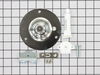
Lound noise inside dryer
1. unplug the dryer, remove the aluminum vent and move it to an area that has a lot of elbow room.
2. remove the top lid with a flat screwdriver. It seems that the top lid was being held by 2 metal clips on each end.
3. on the right hand side removed the 2 wires from the front face of the dryer. this is the switch for the open door sensor. remember which wire goes where.
4. the on the left and right side will be one screw and one metal clip, unscrew and pop the front panel with a flat screwdriver.
5. in front of the drum remove the plastic clip that is used as a guide for the drum to be in place.
6. look in the drum and there is 3 screws that form a triangle shape. remove the screws.
7. remove the belt from the drum. inspect the belt. replace if necessary.
8. lift up and pull out the drum.
9. remove the rear drum assembly and replace it with the new parts.
10. repeat in reverse and your done.
It took me 40 minutes the first time i replaced the rear drum assembly then i forgot to hook the belt up correctly and i unassemble the unit in 5 minutes fix the belt and assemble the unit in 5 more minutes. Now the wife is happy.
2. remove the top lid with a flat screwdriver. It seems that the top lid was being held by 2 metal clips on each end.
3. on the right hand side removed the 2 wires from the front face of the dryer. this is the switch for the open door sensor. remember which wire goes where.
4. the on the left and right side will be one screw and one metal clip, unscrew and pop the front panel with a flat screwdriver.
5. in front of the drum remove the plastic clip that is used as a guide for the drum to be in place.
6. look in the drum and there is 3 screws that form a triangle shape. remove the screws.
7. remove the belt from the drum. inspect the belt. replace if necessary.
8. lift up and pull out the drum.
9. remove the rear drum assembly and replace it with the new parts.
10. repeat in reverse and your done.
It took me 40 minutes the first time i replaced the rear drum assembly then i forgot to hook the belt up correctly and i unassemble the unit in 5 minutes fix the belt and assemble the unit in 5 more minutes. Now the wife is happy.
Parts Used:
-
Joseph from little Egg Harbour, NJ
-
Difficulty Level:Easy
-
Total Repair Time:1- 2 hours
-
Tools:Screw drivers
3 of 5 people
found this instruction helpful.
Was this instruction helpful to you?
Thank you for voting!
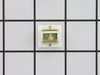
Door catch broken
Popped in the new door catch! Tightened the hinge screws( which work loose and allow the door to droop. The reason the catch broke!) Also put red Loctite on the screws in an attempt to keep them from backing out again! Working great so far!!!
Parts Used:
-
TJ from SCOTT DEPOT, WV
-
Difficulty Level:Very Easy
-
Total Repair Time:Less than 15 mins
2 of 2 people
found this instruction helpful.
Was this instruction helpful to you?
Thank you for voting!
Loud Squealing
Remove top panel with large flat screwdriver and 2 screws in back.Remove bottom panel with 2 screws.Release belt tensioner and remove belt.Remove 3 screws in center of drum inside.Remove drum. Remove rear bearing by pulling up on assembly.Replace all parts in reverse order.
Parts Used:
-
William from Hudson Falls, NY
-
Difficulty Level:A Bit Difficult
-
Total Repair Time:30 - 60 mins
-
Tools:Nutdriver, Screw drivers
2 of 2 people
found this instruction helpful.
Was this instruction helpful to you?
Thank you for voting!
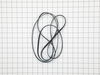
replaced broken belt
Romoved front from dryer . Then loosened tub , slid belt on , reached in back and put belt on pulley , turned tub till belt went into place and reassembled dryer all with the help of a 3 year old and an8 year old,so in my oppinion it was one of the easiest fixes i've ever done!
Parts Used:
-
Shelia from Elizabethtown, IL
-
Difficulty Level:Easy
-
Total Repair Time:30 - 60 mins
-
Tools:Wrench set
2 of 2 people
found this instruction helpful.
Was this instruction helpful to you?
Thank you for voting!