














CVM9179SL2SS General Electric Microwave - Instructions
Keep searches simple. Use keywords, e.g. "leaking", "pump", "broken" or "fit".
no hot
-
charlie from spring, TX
-
Difficulty Level:Difficult
-
Total Repair Time:30 - 60 mins
-
Tools:Pliers, Screw drivers
Was this instruction helpful to you?
Thank you for voting!
Replaced burned out lightbulbs
Disassembled the bottom of the microwave in order to access the lightbulb sockets. Unfortunately, 1 of the 2 replacement bulbs broke during the installation process - 1 of the pins broke off while trying to insert it. Now I have only 1 bulb so the light is not as bright as it should be. It took me several trips the HomeDepot only to have to return the bulbs. Fortunately, PartSelect shipped the correct replacement bulbs the first time.
Parts Used:
-
Teri from Carmel, NY
-
Difficulty Level:Difficult
-
Total Repair Time:30 - 60 mins
-
Tools:Screw drivers
Was this instruction helpful to you?
Thank you for voting!
Microwave would not turn on
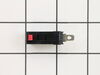
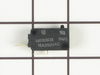
Microwave would not turn on. Lights and fan worked fine. Before the microwave stopped completely, it would turn the microware fan on even when door was open. I read the reviews and they were exactly the same issue that others were facing. Once I opened the front panel and got to the switches it was easy to figure out which switch was bad as it was the one that was soft (When clicking it). It was hard to take it out though (it seemed stuck). So, I used a plier to yank it out. I put in the new switch and everything worked just great! I would like to thank other comments that were left on the site to make my task much easier. Thank you (to the commenters on PartsSelect), you not only saved me money, but also ensured that I learn about the microwave more and give me the confidence that I could fix it.
Parts Used:
-
Prashant from Dardenne Prairie, MO
-
Difficulty Level:Really Easy
-
Total Repair Time:1- 2 hours
-
Tools:Pliers, Screw drivers, Socket set
Was this instruction helpful to you?
Thank you for voting!
How to remove microwave first?
The instructions for removing and installing the new bulbs appear to be great; however, nothing tells me how to remove the microwave from the mounting so I can then invert it and take care of the bulb issue.
Parts Used:
-
James K. from Humble, TX
-
Difficulty Level:Very Difficult
-
Total Repair Time:More than 2 hours
-
Tools:Screw drivers
Was this instruction helpful to you?
Thank you for voting!
both bulbs burned out
I used a phillips screwdiver to open the light cover protecting the halogen bulbs (2) both had burned out and needed to be replaced. A bit akward to replace, but within 5 minutes both were removed. I called your part service department to order replacements,(friendly and courteous service I might add!)was told that they would arive in about 3-5 days. 1.5 days later they were on my doorstep...They were promptly plugged into my GE underhood mounted microwave, now I am back in service! You've won me over and I will tell all my friends about you. Thanks again!
Parts Used:
-
Jerry from Laguna Niguel, CA
-
Difficulty Level:Really Easy
-
Total Repair Time:Less than 15 mins
-
Tools:Screw drivers
Was this instruction helpful to you?
Thank you for voting!
Glass tray broke
-
Vicki from Mokena, IL
-
Difficulty Level:Really Easy
-
Total Repair Time:Less than 15 mins
Was this instruction helpful to you?
Thank you for voting!
Light Bilbao burned out
Simple repair..took off covering with screwdriver removed the halogen bulb and replaced with the one I ordererd..wish all repairs went so well..
Parts Used:
-
Stephen from Kennett Square, PA
-
Difficulty Level:Really Easy
-
Total Repair Time:Less than 15 mins
-
Tools:Screw drivers
Was this instruction helpful to you?
Thank you for voting!
The light lens was cracked
Had to remove one screw from the light lens metal frame. Then slid the broken glass out and replaced. Pulled out the two prong bulb and put the new one straight in. Put back frame and screw. Very easy
Parts Used:
-
Steven from El Cerrito,, CA
-
Difficulty Level:Really Easy
-
Total Repair Time:Less than 15 mins
-
Tools:Screw drivers
Was this instruction helpful to you?
Thank you for voting!
Burned out bulbs
-
Arthur from Boynton Beach, FL
-
Difficulty Level:Really Easy
-
Total Repair Time:Less than 15 mins
-
Tools:Screw drivers
Was this instruction helpful to you?
Thank you for voting!
Light worked, timer and control pad worked, but no turntable, no heat, no noises of any sort, just didn't start up
It was a snap using the instructions given. The key is getting into the unit. I did have to use a multimeter to find the failed switch since there are two of that type.
Parts Used:
-
Timothy from Middletown, NJ
-
Difficulty Level:Really Easy
-
Total Repair Time:Less than 15 mins
-
Tools:Screw drivers, Wrench set
Was this instruction helpful to you?
Thank you for voting!
Both Nite lights burned out, again.
So simple, unscrew the hatch underneath the microwave oven, pull out old bulbs, and insert new.
Parts Used:
-
Karen from Berea, OH
-
Difficulty Level:Really Easy
-
Total Repair Time:Less than 15 mins
-
Tools:Screw drivers
Was this instruction helpful to you?
Thank you for voting!
Surface lights burned out
Opened the cover. Removed burned out bulbs. Ordered replacements which arrived fairly quickly. Forgot to turn off power to unit (didn't matter in the end!). Using the bubble wrap the new bulbs came in, I inserted the bulbs one by one into their respective sockets. Not really tricky but the surface light is in the back of the microwave so I had to lean over the stove to get all the way back. Once in the bulbs worked fine. Closed the cover. All back to normal.
Parts Used:
-
Robert from Las Cruces, NM
-
Difficulty Level:Really Easy
-
Total Repair Time:Less than 15 mins
-
Tools:Screw drivers
Was this instruction helpful to you?
Thank you for voting!
light bulbs burned out
Used screwdriver, removed cover, took out old bulbs and replaced with new ones. Couldn't get any easier.
Parts Used:
-
Kim from Poway, CA
-
Difficulty Level:Really Easy
-
Total Repair Time:Less than 15 mins
-
Tools:Screw drivers
Was this instruction helpful to you?
Thank you for voting!
glass broken
-
jerry from gulfport, MS
-
Difficulty Level:Really Easy
-
Total Repair Time:Less than 15 mins
-
Tools:Screw drivers
Was this instruction helpful to you?
Thank you for voting!
broken cooking tray
Checked the make and model number of unit, went on line and it was quite easy to find the replacement part and order it. The part fit exactly as the original and I didn't need to replace the entire microwave.
Parts Used:
-
Mrs Barbara from Howard Beach, NY
-
Difficulty Level:Really Easy
-
Total Repair Time:Less than 15 mins
Was this instruction helpful to you?
Thank you for voting!