




















CVM1790SS4SS General Electric Microwave - Instructions
Keep searches simple. Use keywords, e.g. "leaking", "pump", "broken" or "fit".
the rack holder was fried

-
Patrick from Zion, IL
-
Difficulty Level:Really Easy
-
Total Repair Time:Less than 15 mins
-
Tools:Pliers
Was this instruction helpful to you?
Thank you for voting!
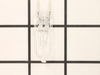
Surface lights burned out
Opened the cover. Removed burned out bulbs. Ordered replacements which arrived fairly quickly. Forgot to turn off power to unit (didn't matter in the end!). Using the bubble wrap the new bulbs came in, I inserted the bulbs one by one into their respective sockets. Not really tricky but the surface light is in the back of the microwave so I had to lean over the stove to get all the way back. Once in the bulbs worked fine. Closed the cover. All back to normal.
Parts Used:
-
Robert from Las Cruces, NM
-
Difficulty Level:Really Easy
-
Total Repair Time:Less than 15 mins
-
Tools:Screw drivers
Was this instruction helpful to you?
Thank you for voting!
broken turntable
-
Bonnie from Lutz, FL
-
Difficulty Level:Really Easy
-
Total Repair Time:Less than 15 mins
Was this instruction helpful to you?
Thank you for voting!
both lights burned out, used for 8 years or more
My daughter hand installed bulbs without a problem, took a minute and used a phillips to reinstall the cover. I shopped on-line because I wasted two hours between Lowe's and Home Depot trying to get the right bulb. I did think your postage was crazy high, otherwise glad to get the right bulbs to solve the problem.
Parts Used:
-
diana from lincoln, CA
-
Difficulty Level:Really Easy
-
Total Repair Time:Less than 15 mins
-
Tools:Screw drivers
Was this instruction helpful to you?
Thank you for voting!
Interior lightbulb needed to be replaced
I could not for the life of me figure out how to get into the light housing so I could replace the bulb, nor did I have any idea which bulb to buy. The manual for this model descibes how to replace the underside lighting but they seem to have left out instructions about the interior. I watched the short "how-to" video on this site, bought the bulb that was described and replaced the bulb in five minutes without any issues.
Parts Used:
-
Jean from Princeton, NJ
-
Difficulty Level:Really Easy
-
Total Repair Time:Less than 15 mins
-
Tools:Screw drivers
Was this instruction helpful to you?
Thank you for voting!
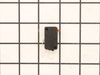
When trying to run, intermittently, the light would come on but the tray wouldn't rotate or cook. When the door was open, the tray would intermittently rotate.
I pulled out the unit and found 2 interlock switches that are depressed when the door closes. After cycling the door open/closed I found that one of the switches occasionally would stay depressed. The repair was easy (after I took off the panels so I could get to the switch) I simply removed 2 screws that attached the interlock switch assemblies to the main unit. Then I popped out the defective switch and popped in the new one. This did indeed fix my problem.
Parts Used:
-
Sam from Chandler, AZ
-
Difficulty Level:Easy
-
Total Repair Time:15 - 30 mins
-
Tools:Nutdriver, Screw drivers
Was this instruction helpful to you?
Thank you for voting!
Rack Bracket Holder Broken
Take the pliers and place a tight grip on the broken rack bracket, twist toward front of microwave until loose, pop out and by hand insert new rack bracket, twist toward the back of microwave until fully in place. One side was slightly harder than the other taking off and replacing rack bracket.
Parts Used:
-
Alaska Division of Forestry from Soldotna, AK
-
Difficulty Level:Easy
-
Total Repair Time:15 - 30 mins
-
Tools:Pliers
Was this instruction helpful to you?
Thank you for voting!
Microwave interior lamp burned out
Unplug the microwave. Remove front grill and cover by removing 2 screws on top of microwave. You have to look down from the top. I could not locate the screws by feel. Once the two screws are out, remove the grill by sliding slightly to the left to lift out. Open the oven door to facilitate removal. Then remove the steel light cover (1 Phillips screw in the center of the unit) and unclip the bulb holder on the right. Do not touch the halogen bulb when you replace. Reseat the bulb holder and test by plugging in the unit with the door open. Unplug and replace the light cover and grill.
Parts Used:
-
Mark from Chantilly, VA
-
Difficulty Level:Really Easy
-
Total Repair Time:15 - 30 mins
-
Tools:Screw drivers
Was this instruction helpful to you?
Thank you for voting!
3 lights out--1 inside 2 below
the ones below were easy --underneath take out screws--take out old bulb--put in new one--the one inside a little more difficult--but not bad--take off panel on the front of microwave over door--the light is in a metal housing on the right--take out old bulb --put in new--wore rubber gloves putting in new lights--do not want to touch them with your fingers--i just watched the GE video on the parts website and it told me exactly what to do--if i can do it anybody can do it !
Parts Used:
-
Cindy from Alpharetta, GA
-
Difficulty Level:Really Easy
-
Total Repair Time:15 - 30 mins
-
Tools:Screw drivers
Was this instruction helpful to you?
Thank you for voting!
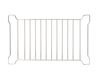
No rack in the Convection/Microwave
-
Maxine from Flagstaff, AZ
-
Difficulty Level:Really Easy
-
Total Repair Time:Less than 15 mins
Was this instruction helpful to you?
Thank you for voting!
light bulbs burned out
Used screwdriver, removed cover, took out old bulbs and replaced with new ones. Couldn't get any easier.
Parts Used:
-
Kim from Poway, CA
-
Difficulty Level:Really Easy
-
Total Repair Time:Less than 15 mins
-
Tools:Screw drivers
Was this instruction helpful to you?
Thank you for voting!
Powered Off completely
After reading reviews that there was no power what so ever and a fuse replacement will solve the problem, I tried it. Replacing the fuse is very easy (and I am not handy at all). All you have to do is remove the microwave cover from the top by removing two screws, slide the cover to the left and pulling the cover off. Then remove the grill in front of you, by removing one or two screws. The fuse is in front of you, use pliers and be firm but gentle. Replacing the fuse is easy but it did not solve my problem.
Parts Used:

-
Mohammad from Piscataway, NJ
-
Difficulty Level:Easy
-
Total Repair Time:Less than 15 mins
-
Tools:Screw drivers
Was this instruction helpful to you?
Thank you for voting!
We had no ring so the turning plate tipped
I lifted out the glass plate, put the ring down, and put the glass plate on top of it. Voila!
Parts Used:
-
Sian from Harrisonburg, VA
-
Difficulty Level:Really Easy
-
Total Repair Time:Less than 15 mins
Was this instruction helpful to you?
Thank you for voting!
Broken Glass plate.
No installation was required...I simply placed the glass plate replacement inside of my microwave oven.
Parts Used:
-
Ursula from Centennial, CO
-
Difficulty Level:Really Easy
-
Total Repair Time:Less than 15 mins
Was this instruction helpful to you?
Thank you for voting!
Our Microwave was missing the grease filters
-
Douglas from Chelsea, AL
-
Difficulty Level:Really Easy
-
Total Repair Time:Less than 15 mins
Was this instruction helpful to you?
Thank you for voting!