




















CPLEFMZ9GCA Frigidaire Range - Instructions
Keep searches simple. Use keywords, e.g. "leaking", "pump", "broken" or "fit".
lens was broken
after pulling away from wall and unplugging remove 5 screws in upper back panel lift off being careful of sharp edges if part of lens is still in hole push it out towards the front insert lens from front of unit slide light assy over pin on back of lens replace back panel plug in range push back against wall check for level you're done
Parts Used:
-
Kenneth from Coeur d'Alene, ID
-
Difficulty Level:Really Easy
-
Total Repair Time:Less than 15 mins
2 of 3 people
found this instruction helpful.
Was this instruction helpful to you?
Thank you for voting!
There was no instructions. The wires don't match up old vs new. I read the reviews and this helped.
However the 1a 1b etc. Are very hard to see thus the need to magnify. Then it was easy.
I must say the guy I talked to was very nice.
I must say the guy I talked to was very nice.
Parts Used:
-
Lisa from APACHE JCT, AZ
-
Difficulty Level:A Bit Difficult
-
Total Repair Time:15 - 30 mins
-
Tools:Pliers, Screw drivers
2 of 3 people
found this instruction helpful.
Was this instruction helpful to you?
Thank you for voting!
Oven temperature was not consistent.
I pulled the oven away from the wall, unplugged the cord, removed the back panel then removed the screw from the old sensor.
Parts Used:
-
Kimberly from OWASSO, OK
-
Difficulty Level:Really Easy
-
Total Repair Time:30 - 60 mins
-
Tools:Nutdriver
2 of 3 people
found this instruction helpful.
Was this instruction helpful to you?
Thank you for voting!
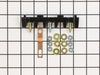
Old terminal block was melted
removed back panel on range, removed old terminal block installed new terminal block, replaced back panel cover.
Parts Used:
-
Anthony from LEWES, DE
-
Difficulty Level:Easy
-
Total Repair Time:30 - 60 mins
-
Tools:Nutdriver, Screw drivers
1 person
found this instruction helpful.
Was this instruction helpful to you?
Thank you for voting!
wrong part
my original part arrived and it did not fit. When I called to explain the problem I was told it was the wrong part. The big problem is... Frigidaire calls the receptacle a terminal block kit as well as a terminal block kit which is a totally different part. I tried to explain that to several different folks I spoke to at your company as well as Frigidaire but I'm not sure if I got that point across. Take a look at part # 530 393 5058 and part # 530 440 9888 and you will see that they both mention terminal block kit. Hopefully the part I am getting from Frigidaire is an OEM part and will fit.
Parts Used:
-
Barbara from WICKENBURG, AZ
-
Difficulty Level:Very Difficult
-
Total Repair Time:30 - 60 mins
2 of 4 people
found this instruction helpful.
Was this instruction helpful to you?
Thank you for voting!
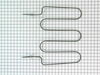
Element burned out
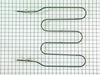
Turned off power at breaker, took back off range, removed red and blue wires, removed oven door, removed two screws holding in broil element, removed wires supporting old element, installed new element and reversed procedure.
Parts Used:
-
Stephen from AUGUSTA, ME
-
Difficulty Level:Really Easy
-
Total Repair Time:30 - 60 mins
-
Tools:Nutdriver
1 person
found this instruction helpful.
Was this instruction helpful to you?
Thank you for voting!
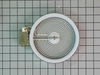
Element would not heat up
Removed 2 screws located underneath the front lip of the range top. Lifted range top and supported. Removed the 2 screws at either end of the support bracket. This bracket holds the elements in position. Be careful not to let the elements fall out when removing. The elements are now free to replace. Swap out the old with the new and be sure to reconnect the wires to the correct terminals on the new element. I did 1 wire at a time so as to not make a mistake at reconnecting the wires. Then replace the support bracket with the 2 screws and lower the range top in place and put back the 2 screws that hold the range top in position. VOILA!! Success. It works. The wife is now happy again:)
Parts Used:
-
Everett from Colchester, CT
-
Difficulty Level:Really Easy
-
Total Repair Time:15 - 30 mins
-
Tools:Nutdriver, Screw drivers
1 person
found this instruction helpful.
Was this instruction helpful to you?
Thank you for voting!
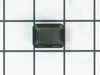
cracked LED lens
Pulled out the cracked pieces with tweezers. The only really important thing is that the bottom tab of the replacement lens is the 'hooked' shape, whereas the straight tab goes ton top. Place the bottom tab in first, push to get the side tabs in, then the top tab snaps into place. Easy peasy.
Parts Used:
-
Gregg from EDMONDS, WA
-
Difficulty Level:Easy
-
Total Repair Time:Less than 15 mins
1 person
found this instruction helpful.
Was this instruction helpful to you?
Thank you for voting!
Broken lens above heating element knob.
First remove all pieces of the broken lens. You may have to use tweezers to do this. after all broken pieces are removed place the replacement lens inthe opening and carefully snap the bottom side in place then snap the top side in place useing ypour thumb to apply pressure to the lens.
Parts Used:
-
Robert from Carmel, IN
-
Difficulty Level:Really Easy
-
Total Repair Time:Less than 15 mins
2 of 4 people
found this instruction helpful.
Was this instruction helpful to you?
Thank you for voting!
Replace oven element
-
Connie from BARTLESVILLE, OK
-
Difficulty Level:Really Easy
-
Total Repair Time:15 - 30 mins
-
Tools:Nutdriver
1 person
found this instruction helpful.
Was this instruction helpful to you?
Thank you for voting!
Oven would not reach temperature or it would finally reach temp but would not stay warm.
Pulled oven away from cabinet area
Unplugged oven from wall outlet
Removed screws to free top panel from back of oven
Removed screws to free lower panel from back of oven
Probe backing was now exposed
Unplugged probe from connector
Removed one screw from probe housing
Twisted probe housing counterclockwise then pulled probe out
Reversed the process to install probe
Plugged probe into connector
Reversed the panel removal process
Plugged oven back in to wall outlet
Turned on oven and tested with no further issue
Unplugged oven from wall outlet
Removed screws to free top panel from back of oven
Removed screws to free lower panel from back of oven
Probe backing was now exposed
Unplugged probe from connector
Removed one screw from probe housing
Twisted probe housing counterclockwise then pulled probe out
Reversed the process to install probe
Plugged probe into connector
Reversed the panel removal process
Plugged oven back in to wall outlet
Turned on oven and tested with no further issue
Parts Used:
-
Craig from FAYETTEVILLE, NY
-
Difficulty Level:Really Easy
-
Total Repair Time:Less than 15 mins
-
Tools:Screw drivers
1 of 2 people
found this instruction helpful.
Was this instruction helpful to you?
Thank you for voting!
temp. probe
-
Deane from WINCHESTER, KY
-
Difficulty Level:Really Easy
-
Total Repair Time:30 - 60 mins
-
Tools:Nutdriver
1 of 2 people
found this instruction helpful.
Was this instruction helpful to you?
Thank you for voting!
I had a F31 code which means oven isn't working
Called fridgidaire and they told me the a F31 code means my temperature sensor is not working.
So I ordered one online. I installed it and I still have F31 code and still won't work. So what now? Do I trust them to tell me another part?
So I ordered one online. I installed it and I still have F31 code and still won't work. So what now? Do I trust them to tell me another part?
Parts Used:
-
Terry from CHELSEA, OK
-
Difficulty Level:Really Easy
-
Total Repair Time:Less than 15 mins
-
Tools:Nutdriver
1 of 3 people
found this instruction helpful.
Was this instruction helpful to you?
Thank you for voting!
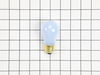
light bilb went out
-
Denise from Landover, MD
-
Difficulty Level:Really Easy
-
Total Repair Time:Less than 15 mins
2 of 6 people
found this instruction helpful.
Was this instruction helpful to you?
Thank you for voting!
No Power to the Oven
Watching the video showed an easy, unscrew and screw back on process while connecting the wires back. It was really that simple. Once it was complete (not even 10mins), plugged it back in, and its been working great since.
Parts Used:
-
Tony from Hartford, CT
-
Difficulty Level:Really Easy
-
Total Repair Time:Less than 15 mins
-
Tools:Screw drivers
1 of 3 people
found this instruction helpful.
Was this instruction helpful to you?
Thank you for voting!