




















CGLMV168KB001 General Electric Range - Instructions
Keep searches simple. Use keywords, e.g. "leaking", "pump", "broken" or "fit".
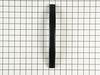
Broken door handle and front panel
Following the instructions from prior PartSelect folks for this part (thank you for great instructions), I removed the door from the microwave (first had to remove the fan vent grill above the door (2 Phillips screws), then I carefully removed the back plastic door frame using the thin puddy knife to carefully pop it off. Removed the first 2 screws on that are visible. Removed the inner door frame (was the most difficult part of the process to do without breaking the front panel frame) to expose the inner 2 screws. On our microwave, the front panel was also cracked, so I removed and replaced it (very simple), attached the new handle to the front panel with the inner screws (Phillips 2) and then popped the inner door back in, screwed in the last 2 screws and attached the back plastic door frame. Reattached the vent fan cover and the door. A bit more complicated than originally thought, but overall not bad. Charlie C
Parts Used:
-
Charles from Ithaca, NY
-
Difficulty Level:A Bit Difficult
-
Total Repair Time:1- 2 hours
-
Tools:Pliers, Screw drivers
1 person
found this instruction helpful.
Was this instruction helpful to you?
Thank you for voting!
We couldn't install it - received wrong part.
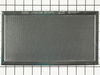
The filter we have is 6x4. I ordered by phone.They sent the wrong part - 6x11.
We returned it to Post Office at our own cost - $8.85 May26. Tracked - it arrived May 28. So far we do not have the correct filter. We are waiting for the refund. Charged $49.99 plus tax & shipping of $7.75.
Thank you for helping us get the correct filter and a refund. We should not be charged for returning the wrong part they sent us by mistake.
Marilyn Tostado
We returned it to Post Office at our own cost - $8.85 May26. Tracked - it arrived May 28. So far we do not have the correct filter. We are waiting for the refund. Charged $49.99 plus tax & shipping of $7.75.
Thank you for helping us get the correct filter and a refund. We should not be charged for returning the wrong part they sent us by mistake.
Marilyn Tostado
Parts Used:
-
MARILYN from SOLANA BEACH, CA
-
Difficulty Level:Very Difficult
-
Total Repair Time:More than 2 hours
1 person
found this instruction helpful.
Was this instruction helpful to you?
Thank you for voting!
My turntable stopped working
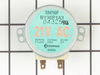
I read several customer reviews before starting the repair. Removed the old drive motor to make sure I was ordering the correct part. Removal consisted of removing the screws on the bottom plate, disconnecting the electrical plug from the motor, and removing the one screw that attached the motor to the housing. Installation of the new motor was the reverse.
Parts Used:
-
Carl from Blakely, PA
-
Difficulty Level:Really Easy
-
Total Repair Time:Less than 15 mins
-
Tools:Screw drivers
1 person
found this instruction helpful.
Was this instruction helpful to you?
Thank you for voting!
Original drive motor was making noise and not turning the glass cooking tray.
I removed the five screws that held the bottom plate in place. After removing the bottom plate, I unscrewed the one screw holding the drive motor, unplugged the motor, and then installed the new motor. Replaced the botton plate and then tested the new motor. Everything worked like new.
The part was less expensive than buying it from GE. I ordered the motor on a Monday morning and received it Wednesday afternoon. I was completely satisified with the price, part, and shipping time.
Thanks,
The part was less expensive than buying it from GE. I ordered the motor on a Monday morning and received it Wednesday afternoon. I was completely satisified with the price, part, and shipping time.
Thanks,
Parts Used:
-
Richard from Vienna, VA
-
Difficulty Level:Really Easy
-
Total Repair Time:Less than 15 mins
-
Tools:Screw drivers
1 person
found this instruction helpful.
Was this instruction helpful to you?
Thank you for voting!
This was so easy. I'm really glad I did not call a repairman!
Removed six screws that allowed the "bottom" to swing down; then removed the two screws holding the motor - disconnected the two wires. Installed the motor and reversed this procedure to finish the project.
Parts Used:
-
Donald L from Shafer, MN
-
Difficulty Level:Really Easy
-
Total Repair Time:Less than 15 mins
-
Tools:Screw drivers
1 person
found this instruction helpful.
Was this instruction helpful to you?
Thank you for voting!
Drive motor failed
I removed the screws (7) around perimeter of bottom. Don't remove the middle screw as it holds some gizmo in place. Dropped down hinged bottom. Removed motor (2 screws and a plug) matched to picture on website and ordered.
2 days later, part arrived, installed, good to go.
Bill, Kentucky
2 days later, part arrived, installed, good to go.
Bill, Kentucky
Parts Used:
-
Bill from Bronston, KY
-
Difficulty Level:Really Easy
-
Total Repair Time:15 - 30 mins
-
Tools:Screw drivers
1 person
found this instruction helpful.
Was this instruction helpful to you?
Thank you for voting!
Turntable / cooking tray not rotating
Let me keep this short and simple.
Disconnect the power to the microwave
Remove the (7) screws from the bottom panel
Disconnect the wires from the old Drive Motor
Remove the retaining screws of the drive motor
Then install the new drive motor in the reverse order
Disconnect the power to the microwave
Remove the (7) screws from the bottom panel
Disconnect the wires from the old Drive Motor
Remove the retaining screws of the drive motor
Then install the new drive motor in the reverse order
Parts Used:
-
Cory from Galesburg, IL
-
Difficulty Level:Really Easy
-
Total Repair Time:Less than 15 mins
-
Tools:Screw drivers
1 person
found this instruction helpful.
Was this instruction helpful to you?
Thank you for voting!
rotary dish tray would not revolve
Dropped the bottom of the microwave,removed the two screws holding the motor in, disconnected the electric wires, reversed the procedure and it worked like new!
Parts Used:
-
william from las vegas, NV
-
Difficulty Level:Really Easy
-
Total Repair Time:15 - 30 mins
-
Tools:Screw drivers
1 person
found this instruction helpful.
Was this instruction helpful to you?
Thank you for voting!
Previoous glass lens was broken
This repair was easy and could be done by anyone. If you undertake to do this replacement, remember to slowly bend the medal tabs back that hold the lens. Handled roughly these tabs could break off.
This repair can be don in under 5 minutes, easily !!
This repair can be don in under 5 minutes, easily !!
Parts Used:

-
Tommy from Santa clarita, CA
-
Difficulty Level:Really Easy
-
Total Repair Time:15 - 30 mins
-
Tools:Screw drivers
1 person
found this instruction helpful.
Was this instruction helpful to you?
Thank you for voting!
cooking tray would not rotate
ha to remove the bottom ,to get at the internal screws that held the drive motor. after disconnecting the power to the moter, i removed the two screws that held it in place. i installed thre new motor , reconnected the wire plug to motor . replaced the outer screws, and the project was done.
Parts Used:
-
robert from franklin, WI
-
Difficulty Level:Easy
-
Total Repair Time:15 - 30 mins
-
Tools:Screw drivers
1 person
found this instruction helpful.
Was this instruction helpful to you?
Thank you for voting!
Microwave cooking tray stopped turning
Unplugged microwave from the wall. Removed the screws on the bottom of the oven. Detached the light, removed the bottom panel. Unscrewed one more screw on the turn table motor and twisted to remove. Plugged in the new one and reattached the Electrical wires and bottom panel. Piece of cake. Just don't forget to reconnect the lights!
Parts Used:
-
Cecil from Gilbert, AZ
-
Difficulty Level:Really Easy
-
Total Repair Time:15 - 30 mins
-
Tools:Screw drivers
1 person
found this instruction helpful.
Was this instruction helpful to you?
Thank you for voting!
the tray started running slower to where it would not turn
about 6 philips head screws along the bottom drops that cover off. 2 more hold the motor in place.
carefully remove the 2 wire plug onto the motor . do not touch or get near the black wire.unless you want to get shocked.like i did.
remove the 2 motor screws.put the new one up and turn untill the screw holes are the holes in the
lower inner cover. reinstall the screws .reinstall the plug and lower plate.
having been a auto mechanic till i retired, helped me a lot.total time to make the repair was about 15 min.
this is not my first order from parts select and all i can say is they rock with the best of service i have ever gotten for appliance parts. and prices one can not found to beat for factory parts.
carefully remove the 2 wire plug onto the motor . do not touch or get near the black wire.unless you want to get shocked.like i did.
remove the 2 motor screws.put the new one up and turn untill the screw holes are the holes in the
lower inner cover. reinstall the screws .reinstall the plug and lower plate.
having been a auto mechanic till i retired, helped me a lot.total time to make the repair was about 15 min.
this is not my first order from parts select and all i can say is they rock with the best of service i have ever gotten for appliance parts. and prices one can not found to beat for factory parts.
Parts Used:
-
charles from highland lakes, NJ
-
Difficulty Level:Really Easy
-
Total Repair Time:Less than 15 mins
-
Tools:Screw drivers
1 person
found this instruction helpful.
Was this instruction helpful to you?
Thank you for voting!
Turn table not turning
Removed the 5 screws that held the housing so it dropped down. removed the 2 screws to the motor. Disconnedted the plug. reinstalled the new motor. connected the plug and raised the housing and replaced the 5 screws. Took less than 10 minutes start to finish. Piece-of-cake.
Parts Used:
-
Joan from Hampstead, NC
-
Difficulty Level:Really Easy
-
Total Repair Time:Less than 15 mins
-
Tools:Screw drivers
1 person
found this instruction helpful.
Was this instruction helpful to you?
Thank you for voting!
Broken lens
remove two screws bend out flaps remove broken glass install new glas bend flaps back to hold glass install two screws. Done.
Parts Used:
-
Norman from Voorheesville, NY
-
Difficulty Level:Really Easy
-
Total Repair Time:Less than 15 mins
-
Tools:Screw drivers
1 person
found this instruction helpful.
Was this instruction helpful to you?
Thank you for voting!
Glass cooking tray not turning
First I removed the 6 screws that hold the bottom panel in place. I removed the two screws that hold the element in place. I then pulled the element out about 3 inches and disconnected the two wires and then connected the two wires to the new element. Secured the element in place and replaced bottom panel.
Real simple process!
Thanks!
Real simple process!
Thanks!
Parts Used:
-
Antonio from Colorado Springs, CO
-
Difficulty Level:Really Easy
-
Total Repair Time:Less than 15 mins
-
Tools:Screw drivers
1 person
found this instruction helpful.
Was this instruction helpful to you?
Thank you for voting!