




















CGLMV168KB001 General Electric Range - Instructions
Keep searches simple. Use keywords, e.g. "leaking", "pump", "broken" or "fit".
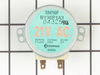
Noisy Glass Cooking tray
The Glass cooking tray was very noisy. This was verified by turning off the tray rotation.
1. Removed the two metal filters.
2. Removed the screws holding the bottom cover of the microwave. 6 or 7 I believe.
3. Removed the two screws holding the drive motor in place.
4. Started the microwave with the motor hanging down to to verify it was defective. I could hear the motor rotating and making noise.
5. Replaced the motor, bottom cover, & filters in reverse order.
6. Tested, Works fine!
1. Removed the two metal filters.
2. Removed the screws holding the bottom cover of the microwave. 6 or 7 I believe.
3. Removed the two screws holding the drive motor in place.
4. Started the microwave with the motor hanging down to to verify it was defective. I could hear the motor rotating and making noise.
5. Replaced the motor, bottom cover, & filters in reverse order.
6. Tested, Works fine!
Parts Used:
-
Mike from Youngsville, NC
-
Difficulty Level:Easy
-
Total Repair Time:15 - 30 mins
-
Tools:Screw drivers
1 person
found this instruction helpful.
Was this instruction helpful to you?
Thank you for voting!
the cooking tray would not turn (Motor was froze up)
ordered part from partselect received in about 3-4 days removed 6 ea screws from lower panel , removed 1 ea screw holding motor in place, pulled wire receptacle loose from motor, threw old motor in trash, put new motor up into plastic tray rotating device turned motor to secure on one side and installed screw to hold motor reinstalled wire plug and panel ops ckd good about 15 minutes to do could have done it quicker but my eyes ain't what they use to be Very easy fix when you get the right part and I got it on the first order with partselect ......Thank You Very Much
Parts Used:
-
William T. from San Antonio, TX
-
Difficulty Level:Really Easy
-
Total Repair Time:15 - 30 mins
-
Tools:Screw drivers
1 person
found this instruction helpful.
Was this instruction helpful to you?
Thank you for voting!
tray turned slow or stopped
Remove the 8 screws in the bottom pan covering the bottom, unpluged the lights and motor plug-ins, slid or pulled the pan forward or to me and removed pan. prized the triange piece which fit into the glass tray to turn it to remove it. removed the two screws which held the motor in place. presto, got the model # off the inside panel and ordered the part on the compiiter, \. arrived in 5 days.
P.S. cleaned everything while I had it apart, toke longer than chancing the part.
P.S. cleaned everything while I had it apart, toke longer than chancing the part.
Parts Used:
-
Lanier from Adairsville, GA
-
Difficulty Level:Really Easy
-
Total Repair Time:15 - 30 mins
-
Tools:Screw drivers
1 person
found this instruction helpful.
Was this instruction helpful to you?
Thank you for voting!
Turntable would not turn
took screws out of bottom of microwave.dropped down bottom cover to get at drive motor I took out one screw droped down cooking tray motor disconnnected 2 wires reconnected put back up and put 1 screw in ,fastened bottom and was fixed very easy ,and parts select is the best place to find what you are looking for if I ever need parts this is where I will order from service is great and only took about 2 days to receive my part .I went to store where I bought my microwave and they wanted to sell me a new one.saved over $200
Parts Used:
-
Barbarba from Tamaqua, PA
-
Difficulty Level:Really Easy
-
Total Repair Time:Less than 15 mins
-
Tools:Screw drivers
1 person
found this instruction helpful.
Was this instruction helpful to you?
Thank you for voting!
turn table would not rotate
As in other postings, remove six screws on the bottom of the microwave, disconnected the the plug,unscrew two screws to remove the old motor...(it took longer to get the new part out its box then it did to make the repair) unpacked the new part, put in the two motor screws, put in the six screws to hold the microwave bottom in place and waalaa...done!
Thanks,
Hank
Thanks,
Hank
Parts Used:
-
Henry from Schoolcraft, MI
-
Difficulty Level:Really Easy
-
Total Repair Time:Less than 15 mins
-
Tools:Screw drivers
1 person
found this instruction helpful.
Was this instruction helpful to you?
Thank you for voting!
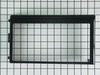
brokened frame that houses the control panel display
removed upper vent panel...removed broken frame that houses the control panel display...installed new frame onto display panel...snap frame onto control panel...screwed down...reinstalled upper vent...back in business...
Parts Used:
-
Frank from El Dorado Hills, CA
-
Difficulty Level:Really Easy
-
Total Repair Time:Less than 15 mins
-
Tools:Screw drivers
2 of 4 people
found this instruction helpful.
Was this instruction helpful to you?
Thank you for voting!
Microwave noisey
Removed 5 screws to allow lower pan to hang down. Unplug motor, remove 2 more screws that hold motor in and pull it out. and reverse process for reinstallation of new motor. Took all of 4 minutes allowing time to drink a beer while taking the new motor out of the box
Parts Used:
-
Henry from Fort Stewart, GA
-
Difficulty Level:Really Easy
-
Total Repair Time:Less than 15 mins
-
Tools:Screw drivers
1 person
found this instruction helpful.
Was this instruction helpful to you?
Thank you for voting!
Glass turntable stopped turning
Removed five phillips head screws. Dropped metal cover of microwave. The cover is on hinges and will stay up on its own. Removed two screws holding old motor. Replaced with new motor and replaced bottom cover of microwave. Extemely easy repair.
Parts Used:
-
William from Molino, AL
-
Difficulty Level:Really Easy
-
Total Repair Time:Less than 15 mins
-
Tools:Screw drivers
1 person
found this instruction helpful.
Was this instruction helpful to you?
Thank you for voting!
turntable was loud and not turning
I removed the screws for the bottom plate, removed the motor and installed new motor. VERY EASY. I do love that you show pictures for your parts, will definately recommend your site. Thanks for all of your help.
Parts Used:
-
Portofino Island Resort from Pensacola Beach, FL
-
Difficulty Level:Really Easy
-
Total Repair Time:Less than 15 mins
-
Tools:Screw drivers
1 person
found this instruction helpful.
Was this instruction helpful to you?
Thank you for voting!
turntable did not operate properly
took 6 screws out of the oven bottom
removed 2 screws that held the motor
diconnected the power plug.
plugged in power to new motor, replaced 2 screws that held it in place, replaced 6 screws that held bottom of oven
That was it...
removed 2 screws that held the motor
diconnected the power plug.
plugged in power to new motor, replaced 2 screws that held it in place, replaced 6 screws that held bottom of oven
That was it...
Parts Used:
-
William from Vidalia, GA
-
Difficulty Level:Really Easy
-
Total Repair Time:Less than 15 mins
-
Tools:Screw drivers
1 person
found this instruction helpful.
Was this instruction helpful to you?
Thank you for voting!
Broken Door Handle
I first went on you tube and typed in my brand and model number. It brought up how to take apart the door to get at the four screws. I used a butter knife to pop out the door frame. With the inner door off the first two screws came out then you can get at the other two screws. I used the same old screws to reinstall the new handle. The door handle arrived in two days via ups. The frame snaps together, very easy. Never installed a handle before. The price was right and the wife wanted this fixed, now!
Parts Used:
-
Marvin from Flower Mound, TX
-
Difficulty Level:Really Easy
-
Total Repair Time:30 - 60 mins
-
Tools:Screw drivers
1 person
found this instruction helpful.
Was this instruction helpful to you?
Thank you for voting!
Timer, light and control pad worked. Turn table and heat did not work. Oven would not start up.
I first read where someone had the same problem. Their solution was a burned-out fuse. I ordered a new fuse...installed it and that did not solve my problem. I revisted PartSelect and read how Marla (from Arlington, TX)solved her problem. I purchased a secondary switch and when it arrived, I made a copy of Marla's instructions and followed them to the letter. I installed the new secondary switch into the secondary space, put everything back together and the oven STILL DID NOT WORK. I had to take the latching panel apart again and test each switch to see if there was another bad one. I found that the third switch was burned out. So I took the new switch out of the second slot and installed it into the third slot. I tested the switches before reinstalling the latching panel. This time everything worked. So I put everything back together, reinstalled the microwave on the wall, tested it again, and everything worked perfectly.
Parts Used:

-
Pearlie from Beulaville, NC
-
Difficulty Level:A Bit Difficult
-
Total Repair Time:30 - 60 mins
-
Tools:Screw drivers
1 person
found this instruction helpful.
Was this instruction helpful to you?
Thank you for voting!
Stirrer Motor stopped working
Using a phillips screwdriver, remove 7 screws from the unerpanel of the Spacesaver Microwave. The panel will swing down from the rear edge hinge, exposing the lights and the stirrer motor. Remove the electrical connector and two screws holding the motor in place and remove the motor. The stirrer inside the oven can then be removed if desired. Install the new motor in reverse order. Note rotate the stirrer inside the oven to align the motor shaft to facilitate assembly.
Parts Used:
-
Dik from QUINCY, MA
-
Difficulty Level:Really Easy
-
Total Repair Time:15 - 30 mins
-
Tools:Screw drivers
1 person
found this instruction helpful.
Was this instruction helpful to you?
Thank you for voting!
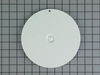
Had a fire in M/W, melting the film and also the spinner cover
Removed old film, installed new horizontally and pulled it downward (match it along the top first). The cover required 2 "hooks" to be removed, only needed 4 clips. Used a screwdriver to remove the 2 clips.
Parts Used:

-
john from LAGUNA NIGUEL, CA
-
Difficulty Level:Really Easy
-
Total Repair Time:15 - 30 mins
-
Tools:Screw drivers
1 person
found this instruction helpful.
Was this instruction helpful to you?
Thank you for voting!
Not heat
-unplug
-remove top and front covers
-unplug wire connectors from heating assembly
-remove heating assembly from metal stand and push out of the way
-remove metal stand from dry
-pull out heating assembly
-install new one in reserve order
-remove top and front covers
-unplug wire connectors from heating assembly
-remove heating assembly from metal stand and push out of the way
-remove metal stand from dry
-pull out heating assembly
-install new one in reserve order
Parts Used:
-
Kip from POWELL, OH
-
Difficulty Level:Very Easy
-
Total Repair Time:15 - 30 mins
-
Tools:Screw drivers, Socket set
1 person
found this instruction helpful.
Was this instruction helpful to you?
Thank you for voting!