




















CDG7500KR0 Crosley Dryer - Instructions
Keep searches simple. Use keywords, e.g. "leaking", "pump", "broken" or "fit".
Dryer Won't Heat Up
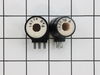
Never knew I was handy, but I did it! I was reluctant to spend a couple $100 on a repair visit, so found this site and bought the coils I needed for only $26+tax. It's pretty easy. I just lifted up the top of the dryer with a screw driver, should snap open. Then unscrewed the front panel with two screws from the inside. Then located the old coils on the bottom left. The bracket that holds them is a little difficult to remove as you need to have a small philips screw driver to get the back one. But once I got that off, just unplugged the old ones and put the bracket back, then the panels and it WORKED. The only problem I have is that I didn't take the door switch off properly and now the dryer doesn't stop spinning if I open the door and want to check the clothes. So I may have to get someone in eventually.
Parts Used:
-
Michael from Los Angeles, CA
-
Difficulty Level:Easy
-
Total Repair Time:15 - 30 mins
-
Tools:Screw drivers
Was this instruction helpful to you?
Thank you for voting!
Dryer just barely got warm
Everything I needed to know was already on your website. Prying off the top of the dryer (with a big screwdriver under the front of the top) was the hardest thing, since I was afraid I would break something. Only then can the front be removed (taking out just 2 phillips screws). The rest is easy.
Parts Used:
-
J Martin from Guerneville, CA
-
Difficulty Level:Easy
-
Total Repair Time:15 - 30 mins
-
Tools:Screw drivers
Was this instruction helpful to you?
Thank you for voting!
No reheat
Pried the lid up and flipped it back then disconnected the front panel wiring harness and then popped the front panel loose at the top and dropped it down. Disconnected the ignition coils, removed the coil retainer bracket and replaced the coils. Reassembled it in reverse order, performed functional test. Success!
Parts Used:
-
PETER from Fremont, CA
-
Difficulty Level:Really Easy
-
Total Repair Time:30 - 60 mins
-
Tools:Screw drivers
Was this instruction helpful to you?
Thank you for voting!
Error code 66 - door open
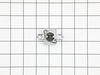
Remove 2 screws at the upper rear attached to the top panel. Slide panel rear back and remove. Remove 2 screws attached to the front control panel. Lift panel upward. Remove 4 screws attached to the front panel (2 at the top, under the control panel, two at the very bottom). Lift front panel up and off, and unplug connector to door switch. Remove some more screws on the internal front panel edges, and the front to back brace holding up the control board. Lift panel up and out, and remove the drum, too. Thermal limiter located toward the rear, attached to the heating vent tube. Disconnect and replace. Re-assemble in reverse order.
Parts Used:
-
David from Irvine, CA
-
Difficulty Level:A Bit Difficult
-
Total Repair Time:30 - 60 mins
-
Tools:Pliers, Screw drivers
Was this instruction helpful to you?
Thank you for voting!
no heat
Remove top cover 2 screws then remove front panel 6 screws remove wire connecter on the door panel. ignition coil is on the bottom left side need a short hand srew driver remove 2 screws remove plate holding coils remove coils and connecter. Reinstall in reverse installation. Dryer still didnt heat up so back to the drawing board :)
Parts Used:
-
Edwin from Brooklyn, NY
-
Difficulty Level:A Bit Difficult
-
Total Repair Time:1- 2 hours
-
Tools:Screw drivers
Was this instruction helpful to you?
Thank you for voting!
The Heating System Of The Propane Dryer Stopped Working
When I direct the dryer exhaust into the room during the winter there is an external lint filter in the ducting. For some reason,enough lint got by the dryers filter and over a few cycles clogged the exhaust. I correctly assumed that the dryer overheated and some thermal limiter had opened up. The manual had exploded views and I located the limiter. Getting to it was another issue. The manual gave nbo instructions on getting to the limiter, but I had installed a propane conversion kit when I first got the dryer. It was necessary to remove the top, control panel, and front panel/door assembly. Disconnecting the gas line,some cable connectors, and a few screws allowed the removale of the burner assembly, then removal of the metal tube that surrounded the burner assembly and held a number of sensors, including the thermal limit, which, as expected, showed an open circuit. The replacement part was ordered and checked out as a closed circuit, which it should. Reassembly was the reverse. A little difficult to work in the cramped lower corner of the dryer. I'm 82 years old now but machines cannot beat me!!
Parts Used:
-
Bert from Silver City, NM
-
Difficulty Level:A Bit Difficult
-
Total Repair Time:More than 2 hours
-
Tools:Screw drivers
Was this instruction helpful to you?
Thank you for voting!