




















ACM2160AB (PACM2160AB0) Amana Microwave - Instructions
Keep searches simple. Use keywords, e.g. "leaking", "pump", "broken" or "fit".
Our turntable broke and wouldn't rotate
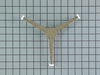
The turntable wouldn't rotate any more. The problem was the plastic roller guide (under the turntable glass) had cracked where it attached to the shaft. I installed the new part, it fit perfectly, now works great!
Parts Used:
-
Mark from Seattle, WA
-
Difficulty Level:Really Easy
-
Total Repair Time:Less than 15 mins
Was this instruction helpful to you?
Thank you for voting!
The turntable in my microwave quit moving
Opened the package and inserted the turntable roller guide. It was the right one and worked immediately!
Parts Used:
-
Janita from Andover, MN
-
Difficulty Level:Really Easy
-
Total Repair Time:Less than 15 mins
Was this instruction helpful to you?
Thank you for voting!
sparking in micowave
Ordered the part from Amana once I knew what I was looking for and what I needed to do to solve the problem. Then when it came I removed the old part, put in the new one - bang done & repaired.
Parts Used:

-
DOUG from EAGLE, NE
-
Difficulty Level:Really Easy
-
Total Repair Time:Less than 15 mins
-
Tools:Screw drivers
Was this instruction helpful to you?
Thank you for voting!
Two of three roller arms broke under microwave round glass tray.
-
Cuthbert from Valparaiso, IN
-
Difficulty Level:Really Easy
-
Total Repair Time:Less than 15 mins
Was this instruction helpful to you?
Thank you for voting!
Turntable roller guide broke
Pulled out broken roller guide, replaced it with new one. It was just that easy.
Parts Used:
-
Michael from Englewood, CO
-
Difficulty Level:Really Easy
-
Total Repair Time:Less than 15 mins
Was this instruction helpful to you?
Thank you for voting!
Stopped working completely
My wife was pushing a few buttons with her knuckle (hands were full)and the microwave just turned off. Just like we had blown a breaker. First I unpluged it. Then I removed the phillips screws of the front panel, and found and removed the ceramic fuse. 3 days later I received the new fuse in the mail, and put it in. I plugged the microwave back in and it works great.
Parts Used:

-
Ramo from Sylvan Grove, KS
-
Difficulty Level:Really Easy
-
Total Repair Time:Less than 15 mins
-
Tools:Screw drivers
Was this instruction helpful to you?
Thank you for voting!
turntable platform broke
-
Rex from Mount Sidney, VA
-
Difficulty Level:Really Easy
-
Total Repair Time:Less than 15 mins
Was this instruction helpful to you?
Thank you for voting!
Missing wheel on turntable
Easy! Just place it in the slot inside the microwave.Finished! Tah Dah!
Parts Used:
-
Laura Faye from Checotah, OK
-
Difficulty Level:Really Easy
-
Total Repair Time:Less than 15 mins
Was this instruction helpful to you?
Thank you for voting!
one of the rollers broke
-
Jesse from San Jose, CA
-
Difficulty Level:Really Easy
-
Total Repair Time:Less than 15 mins
Was this instruction helpful to you?
Thank you for voting!
Turntable Roller Guide Turned, But Glass Plate Did Not Turn. White Rollers Became Flat.
-
Rodger from Somerset, WI
-
Difficulty Level:Really Easy
-
Total Repair Time:Less than 15 mins
Was this instruction helpful to you?
Thank you for voting!
Approximately 5 seconds into heating something, the microwave went dead
It literally took me longer to unpackage the fuse than to install it. I removed the outer shell by unscrewing the five screws, lifted it off and set it aside. The old fuse was readily visible so I pulled it out and put the new one in its place. I set the shell back on and replaced the screws. I plugged it in and ran it for 30 seconds while still in the shop just to make sure that solved the problem and presto - it worked like a charm. A $20 part saved me from having to purchase a new microwave (sadly, I had to break the news to the wife).
Parts Used:
-
chap from edmond, OK
-
Difficulty Level:Really Easy
-
Total Repair Time:Less than 15 mins
-
Tools:Screw drivers
Was this instruction helpful to you?
Thank you for voting!
Microwave would not cook
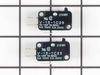
All the electrics worked on Amana microwave EXCEPT for the cooking function. Inspected the control board and found the upper switch on the door interlock was burnt. Installed new switch in minutes and everything now works fine. Unfortunately, had to purchase expensive two switch "kit" although only one switch was kaput. PartsSelect mailing was SUPER fast. Thanks for looking, Scott
Parts Used:
-
Scott from Mickleton, NJ
-
Difficulty Level:Easy
-
Total Repair Time:Less than 15 mins
-
Tools:Screw drivers
Was this instruction helpful to you?
Thank you for voting!
motor would start by itself when door closed
remove 4 screws from top, front louvered panel snaps out. remove 1 screw from top of keypad, keypad pivot's forward and can be removed. There is a white mounting bracket inside left. Remove two screws, one top and one bottom, bracket lifts up and out. 3 sets wires are attached, mark them with masking tape, top, center, bottom and pull out plugs. They can only attach one way. Using a very small screw tip, lift plastic latch from switch, it rotates out and is removed from the pivot pin. reassemble in reverse order after switches are replaced
Parts Used:
-
Lewis from Loveland, CO
-
Difficulty Level:Really Easy
-
Total Repair Time:15 - 30 mins
-
Tools:Screw drivers
Was this instruction helpful to you?
Thank you for voting!
turn table rotary motor stopped
removed microwave cover screws, unplugged motor, screwed on new one
Parts Used:

-
R. Doyle from La Grande, OR
-
Difficulty Level:Easy
-
Total Repair Time:15 - 30 mins
-
Tools:Screw drivers
Was this instruction helpful to you?
Thank you for voting!
Microwave was running, but would not heat
I started by calling a reputable service company to diagnose my problem. The repair tech told me it was the magnetron and it was a "very difficult" repair that required two people because the over-the-range unit needed to be taken down. I asked for a detailed estimate. He quoted $550 including parts and labor. After he left, I researched the part costs on this site and realized his costs were very inflated. I purchased the magnetron for $220. It arrived at my door two days later. Installation was very easy. First, I unplugged the unit. Then, while my wife was making sure it did not fall off the wall bracket, I unscrewed the two mounting screws from the top of the cabinet. I lifted the unit down from the wall and set it on the kitchen counter. The shell needed removed from the microwave which involved about 20 screws. This provided access to the magnetron on top. The magnetron is secured by five screws and a plug. I unplugged it, unscrewed it, and removed the old part. Then, I installed the new magnetron, and tested the microwave to make sure this did the trick. It worked. I put the outer shell back on the microwave and cleaned the microwave. (This is a great opportunity to clean the areas you do not typically see!). I then remounted the unit and plugged it back in. Saved myself a bit of money so I took the family out to dinner and a movie to celebrate. Microwave was in working order for heating up left overs the next day! Thank you!!!
Parts Used:

-
Keith from oakdale, PA
-
Difficulty Level:Easy
-
Total Repair Time:15 - 30 mins
-
Tools:Pliers, Screw drivers
Was this instruction helpful to you?
Thank you for voting!