














91147692100 Kenmore Microwave Oven Combo - Instructions
Keep searches simple. Use keywords, e.g. "leaking", "pump", "broken" or "fit".
oven not warming, f2 indicating overheat
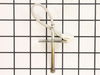
Removed 4 screws from back panel, disconnected small electricsl connector from sensor, removed one mounting screw from sensor inside oven,pulled wires through and removed old sensor. Fed wires for new sensor through and connected electrical connector, installed panel, installed mounting screw on sensor and checked oven, worked like a champ. Took 5 minutes.
Parts Used:
-
David from Lisle, IL
-
Difficulty Level:Really Easy
-
Total Repair Time:Less than 15 mins
-
Tools:Nutdriver
Was this instruction helpful to you?
Thank you for voting!
Broken Door Switch
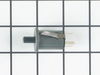
I unplugged the defective plug and replaced it with the new one. Took 5 min total
Parts Used:
-
Peter from Green Valley, AZ
-
Difficulty Level:Really Easy
-
Total Repair Time:Less than 15 mins
Was this instruction helpful to you?
Thank you for voting!
F2 error code
Really easy fix. Unplug oven. With a 5/16 nut driver take the 5 screws out of the center long tin cover and remove. Unplug little white temperature sensor plug located between broil heating element. Open oven door and remove one screw holding temp. sensor using same nut driver and simply pull out old sensor. Install new sensor. It's that easy. No more f2 been working like a champ!!!
Parts Used:
-
jud from gatesville, TX
-
Difficulty Level:Really Easy
-
Total Repair Time:Less than 15 mins
-
Tools:Nutdriver
Was this instruction helpful to you?
Thank you for voting!
Quit working

-
William from Socorro, NM
-
Difficulty Level:Really Easy
-
Total Repair Time:Less than 15 mins
-
Tools:Pliers, Screw drivers
Was this instruction helpful to you?
Thank you for voting!
All power to the microwave went out.
PartSelect had helpful repair instructions on-line which made the repair easier and faster. Unfortunately, there were other problems with the oven that immediately blew the new fuse I had just installed. It was then determined that additional repair would most likely cost almost as much as a new microwave.
Parts Used:
-
Michael from East China Township, MI
-
Difficulty Level:Easy
-
Total Repair Time:Less than 15 mins
-
Tools:Screw drivers
Was this instruction helpful to you?
Thank you for voting!
Powered Off completely
After reading reviews that there was no power what so ever and a fuse replacement will solve the problem, I tried it. Replacing the fuse is very easy (and I am not handy at all). All you have to do is remove the microwave cover from the top by removing two screws, slide the cover to the left and pulling the cover off. Then remove the grill in front of you, by removing one or two screws. The fuse is in front of you, use pliers and be firm but gentle. Replacing the fuse is easy but it did not solve my problem.
Parts Used:
-
Mohammad from Piscataway, NJ
-
Difficulty Level:Easy
-
Total Repair Time:Less than 15 mins
-
Tools:Screw drivers
Was this instruction helpful to you?
Thank you for voting!
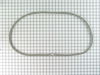
worn oven door gasket
simply pry off the old gasket and lay new gasket in place and press pins into slots
Parts Used:
-
ROBERT from MILLER PLACE, NY
-
Difficulty Level:Really Easy
-
Total Repair Time:Less than 15 mins
Was this instruction helpful to you?
Thank you for voting!
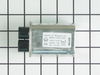
Microwave died-no display-15amp fuse blows
I shut off power to the microwave, discharged the Hi-voltage capaciator and disconnected the wires to it, then removed the screw and bracket that held the capaciator in place. After removing and replacing the capaciator, reattaching wires and mounting bracket, and replacing the 15amp fuse, the microwave woked fine.
Parts Used:
-
David from Hot Springs Village, AR
-
Difficulty Level:Easy
-
Total Repair Time:1- 2 hours
-
Tools:Pliers, Screw drivers
Was this instruction helpful to you?
Thank you for voting!