




















7KSM150PSZCU5 KitchenAid Mixer - Instructions
Keep searches simple. Use keywords, e.g. "leaking", "pump", "broken" or "fit".
Mixing bowl was no longer locking in place
Unscrewed the existing screw cap, put the new one in place, replaced the screws. So easy!
Parts Used:

-
Amelia from AURORA, CO
-
Difficulty Level:Really Easy
-
Total Repair Time:30 - 60 mins
-
Tools:Screw drivers
1 person
found this instruction helpful.
Was this instruction helpful to you?
Thank you for voting!
old stand mixer mixing bowl base will not firmly hold newer mixing bowls
With a screw driver remove the screws holding the old base in place. With a flat head screw driver carefully pry and remove old mixer base. With 600 grit sandpaper clean and make smooth any burrs or rough spots in the mixer base recessed area. You can use some light grease and coat the outer edges of new mixer base and place in the now cleaned mixer base recessed area. The new base maybe a tight fit and not be fully seated in the recess. If a tight fit, place the piece of 2x4 piece of wood over the new part that is in the recess and carefully tap the base home using the sledge hammer. Check to see, if the base is fully seated. If not fully seated, tap again When fully seated replace the screws. You may have to adjust the height of the stand mixer head with mixer paddle attached for proper clearance between bowl and paddle. See your mixer manual for adjustment procedure
Parts Used:
-
Susan from BATTLE GROUND, WA
-
Difficulty Level:Easy
-
Total Repair Time:30 - 60 mins
-
Tools:Screw drivers
1 person
found this instruction helpful.
Was this instruction helpful to you?
Thank you for voting!
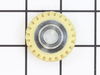
Plastic worm gear gave way (as designed) when the grain mill over-worked it.
I did exactly what the PartSelect video demonstrated after watching other DIY videos on the Internet, thus I did not remove the stand which seemed like a little too much for a simple straight forward repair. This is the second time I have replaced this gear. The first time was about 10 years ago when the bakelite gear broke on a 30 year old KitchenAid K
-45. That mixer made hundreds of loaves of bread after grinding many pounds of wheat berries. The only reason we had to replace it was that it walked off the flour dusted counter and landed on its head when my wife had her back turned. Otherwise we would still be using it. :-)
Thanks for the excellent service and instructions.
-45. That mixer made hundreds of loaves of bread after grinding many pounds of wheat berries. The only reason we had to replace it was that it walked off the flour dusted counter and landed on its head when my wife had her back turned. Otherwise we would still be using it. :-)
Thanks for the excellent service and instructions.
Parts Used:
-
Robert from CEDAR CITY, UT
-
Difficulty Level:Really Easy
-
Total Repair Time:30 - 60 mins
-
Tools:Screw drivers
1 person
found this instruction helpful.
Was this instruction helpful to you?
Thank you for voting!
cap screw was worn out and would not hold the bowl
-
Frank from Locust Grove, VA
-
Difficulty Level:Really Easy
-
Total Repair Time:Less than 15 mins
-
Tools:Screw drivers
2 of 4 people
found this instruction helpful.
Was this instruction helpful to you?
Thank you for voting!
The threads on the plate that holds the bowl had stripped and the bowl flew off when mixing
Removed old plate, screwed in new plate and works like new! Was so happy I wouldn’t have to replace my 30 year old mixer.
Parts Used:
-
Christine from CHARLESTON, SC
-
Difficulty Level:Really Easy
-
Total Repair Time:Less than 15 mins
-
Tools:Screw drivers
1 person
found this instruction helpful.
Was this instruction helpful to you?
Thank you for voting!
The white enamel coating was breaking off the mixer beater. There was a scrapimg noise when the beater was in motion.
I simply inserted the new beater into the mixer to see if it scraped the sides of the bowl. It fit perfectly and didn't scrape the bowl like the old one did.
Parts Used:

-
Carolyn from LEXINGTON, SC
-
Difficulty Level:Very Easy
-
Total Repair Time:Less than 15 mins
1 person
found this instruction helpful.
Was this instruction helpful to you?
Thank you for voting!
Bowl lock wouldn't hold when mixing bread
Repair is very straight forward. Remove the existing plate by removing the three phillip head screws. Use a regular screwdriver or knife to pop the plate off. (I cleaned the area while I was there but probably not necessary) Position the new plate with the screw holes lined up. Press down to pop the plate into position. Install original screws and tighten. You're done!
Parts Used:
-
John from COXS CREEK, KY
-
Difficulty Level:Really Easy
-
Total Repair Time:Less than 15 mins
-
Tools:Screw drivers
1 person
found this instruction helpful.
Was this instruction helpful to you?
Thank you for voting!
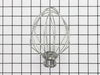
wire whip came apart
Really no help from Kitchen Aid sources; but phone call to PartSelect solved the problem. Kitchen Aid repair line didn't even know the part #! Thanks to Part/Select, Christmas cookies are being made.
Parts Used:
-
Beverly from St. James, MN
-
Difficulty Level:Really Easy
-
Total Repair Time:Less than 15 mins
1 of 2 people
found this instruction helpful.
Was this instruction helpful to you?
Thank you for voting!
wire whip got bent and had to be replaced
-
Robert from Lynchburg, VA
-
Difficulty Level:Really Easy
-
Total Repair Time:Less than 15 mins
1 of 2 people
found this instruction helpful.
Was this instruction helpful to you?
Thank you for voting!
Mixer suddenly ceased operation after sharp noise
To access the interior of the mixer, I first removed the single screw holding the cup-shaped part at the rear. Then I removed the 4 large screws on the under surface of the mixer head. Next I removed the bright metal ring around the planetary gear area by prying it off. I then pried the dish-shaped part off the shaft using a large-bladed screwdriver. This exposed 5 screws on the circumference of the planetary gear. By removing them, one can pull up the gears and see into the area below. I found the worm gear had fractured. By removing 3 screws at the base I extracted it for closer inspection, checking for any loose pieces. Beware of the jelly-like grease. The replacement part goes into position, and one then follows the steps in reverse.
Parts Used:

-
Walter from Athens, GA
-
Difficulty Level:A Bit Difficult
-
Total Repair Time:1- 2 hours
-
Tools:Screw drivers
2 of 5 people
found this instruction helpful.
Was this instruction helpful to you?
Thank you for voting!
worn gear
-
Robert from Auburn, ME
-
Difficulty Level:Easy
-
Total Repair Time:15 - 30 mins
-
Tools:Screw drivers
2 of 5 people
found this instruction helpful.
Was this instruction helpful to you?
Thank you for voting!
The mixer was given to my wife. Sometimes it would work or not.
When I took the back cover off I found two parts that "could" be the problem. The speed control plate was cracked which explained the spotty working. I ordered both parts and installed them very easily. The parts fit perfectly and resulted in the mixer working perfectly. I can't say enough about the excellent parts. They were perfect.
Parts Used:

-
James from SAINT PAUL, MN
-
Difficulty Level:Very Easy
-
Total Repair Time:15 - 30 mins
-
Tools:Pliers, Screw drivers
1 of 2 people
found this instruction helpful.
Was this instruction helpful to you?
Thank you for voting!
Damaged the worm gear in our 300w mixer.
After stalling the mixer while mixing dough I found that the motor still functioned but the blade didn't move. I basically took the mixer into my shop along with a digital camera to record any complicated disassembly procedure I might have to deal with for reassembly and proceeded to disassemble the mixer. Once apart, I cleaned the mixer parts, removed the broken worm gear and bracket, and got online for someone that carried the replacement piece. PartSelect sent the replacement within 3 days and now it works great again.
Parts Used:
-
H. from Hollister, CA
-
Difficulty Level:Really Easy
-
Total Repair Time:15 - 30 mins
-
Tools:Screw drivers
1 of 2 people
found this instruction helpful.
Was this instruction helpful to you?
Thank you for voting!
The mixer started getting weak like a gear was stripped and then quite working all together.
I removed the decorative band that covers the seam by removing 1 screw. I then removed the top portion of mixer by removing 4 square head screws. You will then see the gear housing in the front of the mixer. Remove the 4 screws holding that on. There are no spring that are going to pop out and you never know where they went, but be careful because there is a lot of grease and a gear that it just laying in there on the right side. You will see the stainless shaft with a couple on gear cogs on it. Remove the retaing spring from the shaft and pull the top gear off, it may be a little snug. You will then see the dowel pin, mine was sheared off but I could see where it was. Be sure to remove the broken pieces. Use the punch to knock out the remaining pin. Replace with new pin making sure it is evenly exposed on both side of the shaft. Replace the top gear, then the retaining spring, the the gear housing cover, then the mixer top cover and finally the decorative band. Be sure to unplug before you start. These mixers are expensive and expensive to have someone fix them. I ordered 2 pins because shipping is a little high and the pin is cheap. I fixed this for $17.00 total and have a spare pin.
Parts Used:

-
Lane from Warrior, AL
-
Difficulty Level:Easy
-
Total Repair Time:30 - 60 mins
-
Tools:Nutdriver
3 of 8 people
found this instruction helpful.
Was this instruction helpful to you?
Thank you for voting!
Mixer still ran, but seemed to be getting very loose as if gears or a shaft were wearing out.
I followed the video provided online. The model shown was not exactly the same as mine, but very close. The step-wise progression demonstrated on the video helped a lot. I had to double check the video a couple of times which added to the work time....I could probably do it again without the video in under 1 hour. As shown in the video, I laid out an old towel across two pieces of 2x4 which helped keep the mixer head in a position that was easy to work on and also prevented scratches.
Parts Used:
-
Harry from MILTON, WA
-
Difficulty Level:Easy
-
Total Repair Time:1- 2 hours
-
Tools:Screw drivers
1 of 3 people
found this instruction helpful.
Was this instruction helpful to you?
Thank you for voting!