




















79094212401 Kenmore Range - Instructions
Keep searches simple. Use keywords, e.g. "leaking", "pump", "broken" or "fit".
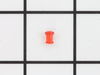
Lens missing for burner "on" indication
Lifted the oven top, removed the controls cover, slipped the lens into the hole and slid the light holder device onto the lens
Parts Used:
-
Carol from Houma, LA
-
Difficulty Level:Really Easy
-
Total Repair Time:Less than 15 mins
-
Tools:Screw drivers
22 of 28 people
found this instruction helpful.
Was this instruction helpful to you?
Thank you for voting!
Large burner would turn on high and not cycle off
TURN BREAKER TO RANGE OFF! Move range out to access rear of the unit. Remove 6 screws to gain access to rear of controls panel. Pull knob off switch. Remove 2 pan head Phillips screws to take switch out. Lugs not in matching pattern but are clearly labled, swap wires one at a time. Reverse the disassembly steps and push the range back in place. DONE
Parts Used:

-
Kevin from Nashville, TN
-
Difficulty Level:Really Easy
-
Total Repair Time:Less than 15 mins
-
Tools:Nutdriver, Pliers, Screw drivers
17 of 20 people
found this instruction helpful.
Was this instruction helpful to you?
Thank you for voting!
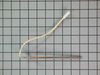
No heat when turning oven on.
Started by replacing element which was clearly broken. Still no heat. So then I changed the oven sensor. Was disappointed that when I received the sensor I had to cut and splice the connector that was on it with the old one that came off the old sensor. Did that and still no heat so I had to buy a new clock/timer. Went to another store for that because of the connector not being the right type and there was no picture of the clock/timer like the other website. Overall ok, normall troubleshooting steps, just wish I didn't have to cut and splice the connector on the new sensor I purchased from here.
Parts Used:
-
Joseph from Edgewater, FL
-
Difficulty Level:Easy
-
Total Repair Time:15 - 30 mins
-
Tools:Nutdriver
18 of 23 people
found this instruction helpful.
Was this instruction helpful to you?
Thank you for voting!
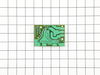
Short in switch and burned out board.
Removed control panel cover. Verified switch was bad with ohmmeter. Removed and replaced infinite switch. Removed and replaced board (simmer control) from back side of range. Need to reuse standoffs when replacing board. Used wiring diagram to verify correct installation of board and switch. Replaced cover. Everything is working fine since.
Parts Used:
-
Karl from Dayton, OR
-
Difficulty Level:A Bit Difficult
-
Total Repair Time:15 - 30 mins
-
Tools:Nutdriver, Pliers, Screw drivers
18 of 25 people
found this instruction helpful.
Was this instruction helpful to you?
Thank you for voting!
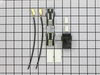
Block terminal burnt out, hot plate not working, needed to replace the terminal block
This should take approx 15-30 mins. It took me 1.5 hours as I pushed the terminals into the wrong end of the block. It's very difficult to get them out when you do that... However, there are no easy instructions on the block or in the instructions to tell you which end to push the terminals into!!! So, with a 50:50 chance of getting it right, I got it wrong. I think most people would need to buy a new part if they do this. It would be very much easier if the block, had an arrow that simply said IN here so that this type of simple mistake is less easy to do... If you get that right, the fix is quite and straight forward. Good luck.
Parts Used:
-
Shaun from Whitehall, MD
-
Difficulty Level:Difficult
-
Total Repair Time:More than 2 hours
-
Tools:Pliers, Screw drivers
17 of 22 people
found this instruction helpful.
Was this instruction helpful to you?
Thank you for voting!
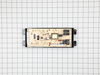
Clock Timer would turn off during use of oven
Pulled oven away from wall and unplugged. Removed back panel with nut driver. Took a picture of wiring on bad clock/timer. Removed wiring and installed new one.
Parts Used:
-
Mike from Beverly Hills, FL
-
Difficulty Level:Easy
-
Total Repair Time:1- 2 hours
-
Tools:Nutdriver
22 of 39 people
found this instruction helpful.
Was this instruction helpful to you?
Thank you for voting!
new switch was not wired like old one
i first replaced element after old smoked & quit. replaced switch but i noticed when i started to replace the wires one at a time something didn't seem right. after checking the #s on the old one, they didn't match up with the new one.luckily i had the stove diagram from a packet on the back of the stove. i traced each wire according to the diagram and everything worked out fine. i'm just glad i didn't replace each wire to wire.the #'s were on the switch where each wire went which was different than the org. even though they looked the same.
Parts Used:
-
PERRY from LECANTO, FL
-
Difficulty Level:A Bit Difficult
-
Total Repair Time:30 - 60 mins
-
Tools:Screw drivers
20 of 33 people
found this instruction helpful.
Was this instruction helpful to you?
Thank you for voting!
Oven Door could not close tightly
My problem with the door was a bit serious because not only would I lose heat from the top of the door, but could not use the convection oven unless the door closed tightly.
However, the repair could not have gone easier. The instructions were very simple and totally accurate. I would suggest that anyone doing this job with a door that has full glass across the front should have a helper neaby. The door is quite heavy.
This probably the easiest repair job I have ever done, and I have done many.
However, the repair could not have gone easier. The instructions were very simple and totally accurate. I would suggest that anyone doing this job with a door that has full glass across the front should have a helper neaby. The door is quite heavy.
This probably the easiest repair job I have ever done, and I have done many.
Parts Used:
-
Frank from Gwynn Oak, MD
-
Difficulty Level:Really Easy
-
Total Repair Time:30 - 60 mins
-
Tools:Screw drivers, Wrench set
14 of 16 people
found this instruction helpful.
Was this instruction helpful to you?
Thank you for voting!
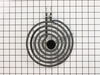
burner wont heat all of the time
removed old terminal block . cut wires and spliced new terminal block and insulated with shrink wrap. Very eazy
Parts Used:
-
Daivid from North Attleboro, MA
-
Difficulty Level:Really Easy
-
Total Repair Time:15 - 30 mins
-
Tools:Screw drivers
14 of 17 people
found this instruction helpful.
Was this instruction helpful to you?
Thank you for voting!
oven door would not close all the way
Removed the door and the inner panel of the door and replaced the hinges. Replaced the screws and put the oven door back on. It closes tight now just like new. I have now ordered the replacement cap so my oven looks like new again.
I only have one suggestion to make the installation easier. If the manufacturer would prethread the holes in the new parts, it would save time from having to prethread the holes with the screws, prior to installing them.
I only have one suggestion to make the installation easier. If the manufacturer would prethread the holes in the new parts, it would save time from having to prethread the holes with the screws, prior to installing them.
Parts Used:
-
Cheryl from Wellsburg, IA
-
Difficulty Level:A Bit Difficult
-
Total Repair Time:30 - 60 mins
-
Tools:Screw drivers
11 of 12 people
found this instruction helpful.
Was this instruction helpful to you?
Thank you for voting!
burner wouldnt heat
-
Doug from Ashton, IA
-
Difficulty Level:Really Easy
-
Total Repair Time:15 - 30 mins
11 of 13 people
found this instruction helpful.
Was this instruction helpful to you?
Thank you for voting!
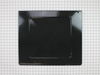
Aluminum foil accidentally put on bottom panel ....burnt up, left non removable residue.
After 15 minutes of frustration and back breaking I removed the oven door and had much better access to the panel, from there on it was all down hill.
Parts Used:
-
lewis from COLDWATER, MI
-
Difficulty Level:Easy
-
Total Repair Time:15 - 30 mins
-
Tools:Screw drivers
10 of 11 people
found this instruction helpful.
Was this instruction helpful to you?
Thank you for voting!
Oven would kick off after preheating to temp.
Sensor very accessible. Pull off the back panel, disconect the sensor and slide out from back of oven. The original plug was cut off the sensor, as well as the new one to get the proper connector type on the new sensor. Soldered and heat shrink, and presto we had our new sensor ready for install. Install was about 5 minutes which included putting the back panel on the range. Pretty easy and works like new. Total time for project was about 20 minutes.
Parts Used:
-
Mary from Castle Rock, CO
-
Difficulty Level:Easy
-
Total Repair Time:15 - 30 mins
-
Tools:Nutdriver
12 of 18 people
found this instruction helpful.
Was this instruction helpful to you?
Thank you for voting!
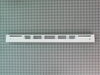
Bent Hinge Receptacles, Broken Door cap.
Easy just unscrewed the handle and changes it.
Same for the hinge receptacles.
Thanks to the ease of PartSelect.com web site and the fast shipping they provide. I was able to get my oven-range back into like new shape with in two days. Thanks for a super service.
Same for the hinge receptacles.
Thanks to the ease of PartSelect.com web site and the fast shipping they provide. I was able to get my oven-range back into like new shape with in two days. Thanks for a super service.
Parts Used:

-
Randal from Minominee, MI
-
Difficulty Level:Really Easy
-
Total Repair Time:15 - 30 mins
-
Tools:Pliers, Screw drivers
9 of 11 people
found this instruction helpful.
Was this instruction helpful to you?
Thank you for voting!
Electric burner switch shorted out.
First I unpluggd the range and removed the back cover using a nut driver. Then I removed the knob by pulling (using a little force),Not very hard to do. I uscrewed two screws that hold the switch from the front of the range. Then I pulled the switch out about three inches and used pliers to disconnect the wires one at a time and connect them to the new switch. finally I finished the installation by reversing all the steps. Total time to install the switch took approximately 5(five) minutes.
Parts Used:
-
Armando G from Alice, TX
-
Difficulty Level:Really Easy
-
Total Repair Time:Less than 15 mins
-
Tools:Nutdriver, Pliers, Screw drivers
9 of 12 people
found this instruction helpful.
Was this instruction helpful to you?
Thank you for voting!