




















7858XRW Magic Chef Range - Instructions
Keep searches simple. Use keywords, e.g. "leaking", "pump", "broken" or "fit".
Constant beebing and stopped working - F7 appeared
Followed the below instructions you provide me: error message is F-1, which is faulty membrane switch
Remove burners and disconnect igniter wires. Remove screws that hold on top of range. Remove screws that hold on front panel. Reach in and disconnect ribbon connector. Front control panel is just stuck on, so gently pry it off. Reverse procedure for new membrane switch. Due to poor engineering, mine goes out every 15-18 months.
Thank you very much for your invaluable assistance
Remove burners and disconnect igniter wires. Remove screws that hold on top of range. Remove screws that hold on front panel. Reach in and disconnect ribbon connector. Front control panel is just stuck on, so gently pry it off. Reverse procedure for new membrane switch. Due to poor engineering, mine goes out every 15-18 months.
Thank you very much for your invaluable assistance
Parts Used:

-
Rosolino from IRVINGTON, NJ
-
Difficulty Level:Easy
-
Total Repair Time:1- 2 hours
-
Tools:Pliers, Screw drivers
1 person
found this instruction helpful.
Was this instruction helpful to you?
Thank you for voting!
Oven door hinges broken
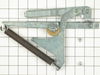
With the back removed, replacing the lamp receptacle is straight-forward. Likewise, the door gasket is very easy. However, in order to replace the hinges, you have to remove the burner glass top (screws underneath the front lip), and inner and outer side panels. Also the supplied hinges mounting holes were not threaded so I had to use my own bolts, lock-washers and nuts in order to attach them. Total time, including a bit of cleaning, was 5 hours.
Parts Used:


-
Brian from Lakewood, CO
-
Difficulty Level:A Bit Difficult
-
Total Repair Time:More than 2 hours
-
Tools:Pliers, Screw drivers
4 of 10 people
found this instruction helpful.
Was this instruction helpful to you?
Thank you for voting!
F5 fault code kept appearing
I installed the new oven sensor but the problem continued. So I ordered a new relay board and installed it. Still no luck. So I pulled the new board back out and started trouble shooting it using my electronic background. I discovered the new board was using a pin for L2 that had no exit on the backplane, so I removed it and installed it where I believed it should go. Reinstalled the power relay board and presto. My oven is working lie a champ. Louis
Parts Used:

-
Louis Rodriguez from Granbury, TX
-
Difficulty Level:Very Difficult
-
Total Repair Time:More than 2 hours
-
Tools:Nutdriver, Screw drivers
1 person
found this instruction helpful.
Was this instruction helpful to you?
Thank you for voting!
Replaced upper over light and assembly
I had to pull out the oven and balance the oven on two patio tables. Remove the back of the oven. Pull out the light assembly which was burnt. I was unable to remove the casing around the light, so I destroyed it with a pliers. Reinstalling the new light and assembly was easy. What made this job difficult, I could not remove the light assembly from the front of the oven and had to go in from the back.
Parts Used:
-
Thomas from SAN DIEGO, CA
-
Difficulty Level:Very Difficult
-
Total Repair Time:More than 2 hours
-
Tools:Pliers, Screw drivers
1 person
found this instruction helpful.
Was this instruction helpful to you?
Thank you for voting!
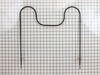
Element burned out.
First I removed the two screws that hold the element in place. I then pulled the element out aobut 3 inches and disconnected the wires.
Parts Used:
-
Raymond from Ottawa, OH
-
Difficulty Level:Really Easy
-
Total Repair Time:Less than 15 mins
-
Tools:Screw drivers
2 of 4 people
found this instruction helpful.
Was this instruction helpful to you?
Thank you for voting!
Bake element burned out
Removed the failed bake element per the video linked in the Partselect email. Unlike the video on YouTube the PartSelect video shows that the bake element can easily be replaced through the oven door and it is not necessary to slide the range out and remove a rear panel.
Parts Used:
-
Richard from BOULDER, CO
-
Difficulty Level:Very Easy
-
Total Repair Time:Less than 15 mins
-
Tools:Pliers, Screw drivers
1 person
found this instruction helpful.
Was this instruction helpful to you?
Thank you for voting!
Oven would not hold temperature, not turn on, and would shut off during use.
Extremely simple repair to make. Move stove away from wall and disconnect power. Remove the oven racks. Remove the rear sheet metal panel covering the wiring harnesses. Caution: Sharp edges and corners on sheet metal.Sensor is located in upper left corner on rear oven wall. Using a long-shafted #2 Philips screwdriver, remove the two Philips head screws and gently pull the sensor 1" away from the oven wall. At this point, it will help to have an assist from someone while you are behind the range. Have the assistant gently tug on the sensor while you watch for wires moving on the rear of the range. After locating the sensor wires, gently disconnect the plastic connector clip. Note: plastic connectors become brittle with age and exposure to heat Move to front of range and gently remove sensor from rear wall by pulling the wiring through the oven wall. Before inserting the new sensor wire through the oven wall, "dry fit" the wiring connectors to see that the new sensor is a correct connection. Make connection, and secure the sensor to the rear oven wall with the two screws. Install racks, reinstall rear sheet metal panel, and connect the power. Set the oven baking temperature to a moderately low temp, 300 - 350 deg. to test the new sensor.
Parts Used:
-
John from Arvada, CO
-
Difficulty Level:Very Easy
-
Total Repair Time:Less than 15 mins
-
Tools:Nutdriver, Screw drivers
1 person
found this instruction helpful.
Was this instruction helpful to you?
Thank you for voting!
Element didn't heat at all
Removed 2 screws, disconnected wires, attached wires to new element, put screws back. Turned oven on. Perfect.
Parts Used:
-
Roger from PATERSON, NJ
-
Difficulty Level:Very Easy
-
Total Repair Time:Less than 15 mins
-
Tools:Pliers, Screw drivers
1 person
found this instruction helpful.
Was this instruction helpful to you?
Thank you for voting!
No problem installing the sensor
I removed the two mounting screws and pulled the harness through the opening unsnapped the sensor from the harness and installed the new sensor i didn't have to used the adapters the new sensor fitted
Parts Used:
-
tommy from FAYETTEVILLE, NC
-
Difficulty Level:Very Easy
-
Total Repair Time:Less than 15 mins
-
Tools:Screw drivers
1 person
found this instruction helpful.
Was this instruction helpful to you?
Thank you for voting!
The Baking Element won't heat to bake.
I had the problem before and had to call in a Tech to repair the baking element in my oven. It cost me $150.00 for the repair. This time I decided to do the repair myself, so I went online and found this site The instruction video made it very easy. I am very proud of what I was able to do without calling a Tech. My oven works like new, It only cost less than $40.00 for the total repair. I am so glad this site were there when I needed them.. Thanks a Lot..
Parts Used:
-
Kiara from JACKSONVILLE, FL
-
Difficulty Level:Very Easy
-
Total Repair Time:Less than 15 mins
-
Tools:Screw drivers
1 person
found this instruction helpful.
Was this instruction helpful to you?
Thank you for voting!
Bake element had burnt in half.
Watched the video that was available and followed the instructions. Unplugged the stove first,removed the old element, and put the new one in. Video was very helpful and the installation was very easy. Was done in about 10 minutes.
Parts Used:
-
Joyce from ROCHESTER, IN
-
Difficulty Level:Really Easy
-
Total Repair Time:Less than 15 mins
-
Tools:Screw drivers
1 person
found this instruction helpful.
Was this instruction helpful to you?
Thank you for voting!
Bake Element Melted
Unplugged stove, unscrewed element pulled element out about 3 inces and disconnected element. Took model of stove looked on line for part. PartSelect had the best price and easiest web site to order part. Ordered part about 4pm and received part in 2 days. Took element out of box plug into connections and screwed the element back in. Plugged stove in and worked perfect.
Parts Used:
-
Bert from S. Easton, MA
-
Difficulty Level:Easy
-
Total Repair Time:Less than 15 mins
-
Tools:Screw drivers
1 person
found this instruction helpful.
Was this instruction helpful to you?
Thank you for voting!
bakeing element caught fire.
First I turned off power to the range at the fuse box (very important-The last time I didn't do this and ended up paying a repairman $150.00 to replace the damaged connectors). I removed the two screws that hold the element in place. I then pulled the element out about 3 inches and disconnected the two wires. I then connected the new element, pushed the element back in and replaced the screws. Turned the power back on and tested the element. The whole job took about 30 minutes because I had trouble disconnecting the old element. I used the flat end of the scrapper to push against the connector while I pulled the element out. Normally it would take only about 15 minutes.
Parts Used:
-
Leticia from Sunnyvale, CA
-
Difficulty Level:Really Easy
-
Total Repair Time:Less than 15 mins
1 person
found this instruction helpful.
Was this instruction helpful to you?
Thank you for voting!
Previous element burnt up
I let my husband to the work...But it was very easy. I could have done it! He removed the screws, pulled the wires off previous element. Reattached the wires to the new element and screwed the ends back in place.
Parts Used:
-
Betsy from Sun City, AZ
-
Difficulty Level:Really Easy
-
Total Repair Time:Less than 15 mins
-
Tools:Screw drivers
1 person
found this instruction helpful.
Was this instruction helpful to you?
Thank you for voting!
Bake Element shorted out
I first shut off the breaker to the stove - safety first!
I used a phillips screw driver to remove the two screws that held the old element in. Then I pulled the old element out and used the pliers to remove the electrical connections. I put the new element in, made the electrical connections and secured it with the screws. After restoring powere via the breaker, we tested the stove and it worked. Just call me the Maytag Man!
I used a phillips screw driver to remove the two screws that held the old element in. Then I pulled the old element out and used the pliers to remove the electrical connections. I put the new element in, made the electrical connections and secured it with the screws. After restoring powere via the breaker, we tested the stove and it worked. Just call me the Maytag Man!
Parts Used:
-
Laurie from Clarence, NY
-
Difficulty Level:Really Easy
-
Total Repair Time:Less than 15 mins
-
Tools:Pliers, Screw drivers
1 person
found this instruction helpful.
Was this instruction helpful to you?
Thank you for voting!