




















7858XRA Magic Chef Range - Instructions
Keep searches simple. Use keywords, e.g. "leaking", "pump", "broken" or "fit".
Element burned out.
Turn off breaker.
Unscrew old element, disconnect wires.
Connect wires to new element, tighten screws.
Breaker back to ON.
Done.
Unscrew old element, disconnect wires.
Connect wires to new element, tighten screws.
Breaker back to ON.
Done.
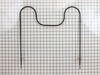
Parts Used:
-
Wayne from Marietta, GA
-
Difficulty Level:Easy
-
Total Repair Time:Less than 15 mins
-
Tools:Screw drivers
1 person
found this instruction helpful.
Was this instruction helpful to you?
Thank you for voting!
fireworks in the oven. Burned completely in two.
My husband has moved out of state for his job. I am left here with the children until the house sells. This is the first time I have ever had to do any oven repair. I had excellent and fast service - my part came right away. I took out the 2 screws holding the element in place, pulled the element out, disconnected the old element, connected the new one, pushed it back in, and replaced the screws. No problem at all. I was a little nervous turning it all back on, but it is working perfectly!
Parts Used:
-
Shelly from Allentown, PA
-
Difficulty Level:Really Easy
-
Total Repair Time:Less than 15 mins
-
Tools:Screw drivers
1 person
found this instruction helpful.
Was this instruction helpful to you?
Thank you for voting!
element burnt into.
The part came quick and packed very well. I moved the stove out and un pluged it. opened oven door and took a philips screwdriver and took the screws out at the back of element..Slid it out with the two wires attached and unpluged the conectors. pluged the conectors on to the new element and slid it back in. Had a chocolate cake in 35 minuts.
Thanks, John in Texas
Thanks, John in Texas
Parts Used:
-
John from Overton, TX
-
Difficulty Level:Really Easy
-
Total Repair Time:Less than 15 mins
-
Tools:Pliers, Screw drivers
1 person
found this instruction helpful.
Was this instruction helpful to you?
Thank you for voting!
Bake Element broke
****Threw the breaker switch for the oven to the 'off' position****. Opened the oven. Unscrewed the phillips head screws at the back of the old element. Removed the connecting wire, taping them to the stove so that they wouldn't recede into the hole. Securely attached the connecting wires to the new element. Pushed the wires back into the holes in the stove. Removed the tape from the oven. Screwed the element into place. ****Threw the breaker switch back to the 'on' position****. Process took under 10 minutes.
DO NOT FORGET TO UNPLUG OR TURN OFF BREAKER BEFORE DOING ANYTHING WITH THE WIRES. Don't forget to turn it back on again when you are done.
DO NOT FORGET TO UNPLUG OR TURN OFF BREAKER BEFORE DOING ANYTHING WITH THE WIRES. Don't forget to turn it back on again when you are done.
Parts Used:
-
Joseph from Warwick, RI
-
Difficulty Level:Really Easy
-
Total Repair Time:Less than 15 mins
-
Tools:Screw drivers
1 person
found this instruction helpful.
Was this instruction helpful to you?
Thank you for voting!
hot spot in center of bake element appeared suggesting failure was imminent
pulled breaker,removed oven door,removed 2 screws,pulled bake element out 3 inches,pulled connections off,pushed connectors on new element,pushed new element back and replaced screws,replaced oven door ,pushed breaker back and turned on oven and let it heat up to 350 degrees.
Total time 10 minutes,even a caveman could do it.
Total time 10 minutes,even a caveman could do it.
Parts Used:
-
burton from prides crossing, MA
-
Difficulty Level:Really Easy
-
Total Repair Time:Less than 15 mins
-
Tools:Screw drivers
1 person
found this instruction helpful.
Was this instruction helpful to you?
Thank you for voting!
BurntBaking Element Element
Turn Off the BREAKER!!!
Unplug the stove/oven
Opened the oven door
Unscrewed the baking element for the oven
Pulled the old element out about 3"
Disconnected the wire clip on both sides
Plugged the element into the clips
Screwed element back into place
Plugged oven in ,turned on breaker
PRESTO DONE
Unplug the stove/oven
Opened the oven door
Unscrewed the baking element for the oven
Pulled the old element out about 3"
Disconnected the wire clip on both sides
Plugged the element into the clips
Screwed element back into place
Plugged oven in ,turned on breaker
PRESTO DONE
Parts Used:
-
Matt from Lewisburg, TN
-
Difficulty Level:Really Easy
-
Total Repair Time:Less than 15 mins
-
Tools:Screw drivers
1 person
found this instruction helpful.
Was this instruction helpful to you?
Thank you for voting!
element had cracked
First I cut the power to the stove. Then I unscrewed the two screws. Pulled the element out a few inches. I had to use pliers to disconnect it from its wires. It was a very tight fit. Then I reconnected the new element. Cut the power back and and fired her up. Boy did she burn like fire.
Parts Used:
-
TONI from SALISBURY, NC
-
Difficulty Level:Really Easy
-
Total Repair Time:Less than 15 mins
-
Tools:Pliers, Screw drivers
1 person
found this instruction helpful.
Was this instruction helpful to you?
Thank you for voting!
My oven sparked, then wasn't working, so I turned to the internet.
I received the new element on the third day, followed simple directions, and voila! I'm baking again.
First I unplugged the stove. Important!. Then with a phillips head screwdriver I removed the two screws at the back of the oven. The transition from busted to new was easy because there was a slide-in connection to the wires, not screws. The best advice was sticking duct tape on the wires so they wouldn't go back into the inner sanctum before I was able to attach the new element. Hey, I'm a 72-year-old grandma, and it was easy!
First I unplugged the stove. Important!. Then with a phillips head screwdriver I removed the two screws at the back of the oven. The transition from busted to new was easy because there was a slide-in connection to the wires, not screws. The best advice was sticking duct tape on the wires so they wouldn't go back into the inner sanctum before I was able to attach the new element. Hey, I'm a 72-year-old grandma, and it was easy!
Parts Used:
-
Joan from Medford, OR
-
Difficulty Level:Really Easy
-
Total Repair Time:Less than 15 mins
-
Tools:Screw drivers
1 person
found this instruction helpful.
Was this instruction helpful to you?
Thank you for voting!
Bake element would no longer heat up
I unplug the stove first. Then took off two screws that held the bake element in place. Pulled off the connectors using the pliers. Had to use pliers because they were really snug. Plug in the wires to the new base element. Crimped down the connectors a little bit to make sure they were snug. Inserted the bake element back into the holes at the back of the oven. Put the two screws back in. Plugged the oven back in and turned it on to make sure it worked. Lastly, tossed the old bake element in the trash. Really easy job. Glad I didn't pay anybody to do this.
Parts Used:
-
Joe from Schertz, TX
-
Difficulty Level:Really Easy
-
Total Repair Time:Less than 15 mins
-
Tools:Pliers, Screw drivers
1 person
found this instruction helpful.
Was this instruction helpful to you?
Thank you for voting!
bottom bake element broken and burned
First throw the breaker on the stove. Remove two screws in back of oven then slowly pull out loosen the wire attachements ......got new part in 2 days just as simple reverse the removal directions.,,,I am over 60 female and it was simple.
Parts Used:
-
Carolyn S from white oak, NC
-
Difficulty Level:Really Easy
-
Total Repair Time:Less than 15 mins
-
Tools:Screw drivers
1 person
found this instruction helpful.
Was this instruction helpful to you?
Thank you for voting!
snapped element
switch off the range. undo the two screws & unplug the two tabs. Replace with new element, connect two tabs, screw back in place. done!
recieved my replacement part the next day after ordering
recieved my replacement part the next day after ordering
Parts Used:
-
Paul from Yukon, OK
-
Difficulty Level:Easy
-
Total Repair Time:Less than 15 mins
-
Tools:Screw drivers
1 person
found this instruction helpful.
Was this instruction helpful to you?
Thank you for voting!
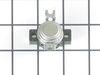
The oven would shut off after a few minutes of operation. Just touching the timer or opening and closing the door would usually turn it back on again.
Removed the electrical power. Lifted up the top. Slipped off the two connecting wires. Removed two screws. reinstalled new thermostat in reverse order.
Parts Used:
-
William from Greenville, AL
-
Difficulty Level:Really Easy
-
Total Repair Time:Less than 15 mins
-
Tools:Screw drivers
1 person
found this instruction helpful.
Was this instruction helpful to you?
Thank you for voting!
The element was completely gone.
Turned off power, removed 2 screws, un-hooked the connections, them put in the new element in reverse order.
Parts Used:
-
Hudson from Cockeysville, MD
-
Difficulty Level:Really Easy
-
Total Repair Time:Less than 15 mins
-
Tools:Screw drivers
1 person
found this instruction helpful.
Was this instruction helpful to you?
Thank you for voting!
Element burned in half
Took two screws out unplugged the element and plugged the new one in and replaced the screws and turned the breaker back on. Works great...Piece of cake..jk
Parts Used:
-
James from Allyn, WA
-
Difficulty Level:Really Easy
-
Total Repair Time:Less than 15 mins
-
Tools:Screw drivers
1 person
found this instruction helpful.
Was this instruction helpful to you?
Thank you for voting!
oven not heating to set temp. 100 degrees too cold
installed part,turned unit on-temp still cold. reset digital control, up 35 degrees, still cold. un-plugged unit,re-connect after 10 min. still cold.
Parts Used:

-
Robert from Funston, GA
-
Difficulty Level:Really Easy
-
Total Repair Time:Less than 15 mins
-
Tools:Screw drivers
2 of 4 people
found this instruction helpful.
Was this instruction helpful to you?
Thank you for voting!