




















64325419 General Electric Dryer - Instructions
Keep searches simple. Use keywords, e.g. "leaking", "pump", "broken" or "fit".
old bearing completley gone; shaft eating through race making a horrible noise when running
pull top and front of dryer (6 screws), take belt off drum and pull drum out the front of dryer. Take the three star head screws out of stainless heat vent inside of drum and take old bearing housing out of back wall of dryer housing. Pretty much self evident putting everything back in, some trouble installing new bearing housing in back wall of dryer, screws are hard to turn in by hand (new hole). Vacum inside of dryer housing, install everything the way in came out, , plug it in and WA-LA.
Parts Used:
-
greg from abilene, TX
-
Difficulty Level:A Bit Difficult
-
Total Repair Time:30 - 60 mins
-
Tools:Screw drivers
4 of 4 people
found this instruction helpful.
Was this instruction helpful to you?
Thank you for voting!
The on/off switch stem broke off
That happened because the on/off selector nob broke, so I instructed my wife to use a small pair pliers to turn the stem as a work around until I could get to it (6 mos). It eventually broke off. I called a repair service that charges $90 to look at it, but cannot estimate the whole job. The dilemma is that the dryer is over five years old, so a repair costing more than a few hundred dollars is not as reasonable as buying a new dryer. What to do? I ordered the parts and diagrams on the internet. They arrived two days later. The dryer is jammed into a narrow space, so to see the two screws in the back, I needed a small mirror on telescoping wand. To get at the broken switch, I needed unscrew two "star" screws and remove the control panel facing. Not Phillips head, not a common slot head. This star screw is hard to find. I finally located it in the fastener section. I bought a bit that fit my stubby ratchet screw driver. I had to use the stubby screw driver because it was such a cramped space. I finally got at the switch, loosened one screw (hex head) and replaced the two wires on clips - no solder needed. Got a kiss and a squeeze from the missus and a load of clean clothes.
Parts Used:
-
Peter from AMENIA, NY
-
Difficulty Level:Difficult
-
Total Repair Time:30 - 60 mins
-
Tools:Screw drivers, Wrench set
4 of 5 people
found this instruction helpful.
Was this instruction helpful to you?
Thank you for voting!
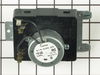
Timer had worn out & knobs needed replacing
I got the parts & a friend did the repair. He removed the "cover" from the top of the dryer to install the new timer. He "plugged" it back in, put the cover back with the screw driver & replaced the knobs & the dryer was good to go. It was much easier than I thought it would be. Getting the parts from you guys was awesome - the delivery was so speedy. If I ever need parts for older appliances that I cannot find at a hardware store, I will most definitely order from you guys.
Parts Used:
-
Elsa from Lorton, VA
-
Difficulty Level:Easy
-
Total Repair Time:15 - 30 mins
-
Tools:Pliers, Screw drivers
4 of 5 people
found this instruction helpful.
Was this instruction helpful to you?
Thank you for voting!
My husband was putting the dryer back in place after we finished putting down new tile. In the process, he broke off the start knob. Even though the dryer was about 18 years old, it still worked perfectly so needless to say I was upset. My son told me about this website, ordered the part and it was
My son in law installed the new part, I didn't watch him so not sure how he did it, think he removed 6 screws, took the front panel off, installed the new part , took less than 15 minutes, now, dryer working again! Sure saved me money, of course, the dryer might die tomorrow from old age but today, working like a charm.
Parts Used:
-
Mary Carole from Lindale, TX
-
Difficulty Level:Really Easy
-
Total Repair Time:Less than 15 mins
-
Tools:Screw drivers
4 of 5 people
found this instruction helpful.
Was this instruction helpful to you?
Thank you for voting!
Broken Handle
With my hands, a 2 yr old could of done it. But I was amazed how quickly I received the part. Thanks
Parts Used:
-
Geraldine from Tobyhanna, PA
-
Difficulty Level:Really Easy
-
Total Repair Time:Less than 15 mins
4 of 5 people
found this instruction helpful.
Was this instruction helpful to you?
Thank you for voting!
squeeky drum
Pull the two scews to release the top of the cabinet. Pull the two screws to release the face of the cabinet and tilt out.
Take the old slide out and install the new ones.
Put it back together.
No more squeeks
My wife thinks I'm a genius...
Take the old slide out and install the new ones.
Put it back together.
No more squeeks
My wife thinks I'm a genius...
Parts Used:


-
Brian from Kilgore, TX
-
Difficulty Level:Really Easy
-
Total Repair Time:Less than 15 mins
-
Tools:Screw drivers
4 of 6 people
found this instruction helpful.
Was this instruction helpful to you?
Thank you for voting!
Clothes were catching between the drum and front of dryer. Also was squeaking at times.
Opened dryer door and removed two screws that held front of top panel on. Lifted top panel off and removed two screws that held front panel to side panels. Tipped front panel forward and replaced all four slides. Cleaned everything off and put back together. Works great again. Thanks for this site and for others that have done these repairs before and posted their stories.
Parts Used:
-
Karl from Milford, NE
-
Difficulty Level:Easy
-
Total Repair Time:Less than 15 mins
-
Tools:Screw drivers
3 of 3 people
found this instruction helpful.
Was this instruction helpful to you?
Thank you for voting!
Timer knob broke

-
Sylvia from norristown, PA
-
Difficulty Level:Really Easy
-
Total Repair Time:Less than 15 mins
3 of 3 people
found this instruction helpful.
Was this instruction helpful to you?
Thank you for voting!
Noisy squeaking drum...
I replaced the drum bearing slides and also the main front drum bearing. First, disconnect the electric. Then I removed the two screws inside the door that attach the top cover, removed the top cover, removed two screws that attach the front cover, lift up the front cover and pivot it to the left leaving the wiring attached, removed the front bearing assembly by pulling it out at the top and then up, installed the new front bearing ring and snap it into place, installed the drum bearing slides, reinstalled the front cover, reinstalled the top cover, and tested the drum by turning it by hand first and then under power. The whole operation took less than 15 minutes....
Parts Used:
-
Ronald from MOUNT CARMEL, IL
-
Difficulty Level:Really Easy
-
Total Repair Time:Less than 15 mins
-
Tools:Screw drivers
3 of 3 people
found this instruction helpful.
Was this instruction helpful to you?
Thank you for voting!
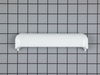
handle fell off
stuck it back in the holes just like the original handle. Had to do a little adjustment because I put screwdriver in them too many times to open the door after the original handle feel off, so the fit was loose. Fixed with tape.
Parts Used:
-
Lilly from CROSBY, TX
-
Difficulty Level:Very Easy
-
Total Repair Time:Less than 15 mins
3 of 3 people
found this instruction helpful.
Was this instruction helpful to you?
Thank you for voting!
The peg attached to the starter switch broke off.
* Please note, if only the starter switch peg is broken you do not need to replace the starter knob if it isn't damaged. The peg is not attached to the starter knob. You must replace the entire starter unit because the peg isn't detachable.
Remove the starter knob by gently pulling it towards you.
Remove the two screws on the bottom left and right sides of the front panel using an Allen Wrench.
On the rear panel of the dryer remove bolts using pliers or an adjustable wrench. Remove the back panel and place it to the side.
** Important ** Before disconnecting the wires from the starter unit take a digital photo (I used my cell phone) of the starter so you will know how and where to reconnect the blue and brown wires to the unit. Now, remove the wires.
Unscrew the bolt attaching the starter unit to the dryer. There's a hook on the back of the starter unit attaching it to the dryer. Push the starter unit downward to remove it from the dryer.
Take the new starter unit out of the box and connect it to the blue and brown wires. Refer to your photo for proper connection.
Insert the starter unit into the dryer and push it upward so the hook on the back of the starter locks onto the dryer. Screw the bolt back onto the starter unit to secure it to the dryer.
Replace the rear dryer panel and tighten all bolts.
Replace and tighten the two screws on the front panel of the dryer.
Replace the starter knob by lining it up with the peg shape and gently pushing it onto the peg.
You're done!!!
Remove the starter knob by gently pulling it towards you.
Remove the two screws on the bottom left and right sides of the front panel using an Allen Wrench.
On the rear panel of the dryer remove bolts using pliers or an adjustable wrench. Remove the back panel and place it to the side.
** Important ** Before disconnecting the wires from the starter unit take a digital photo (I used my cell phone) of the starter so you will know how and where to reconnect the blue and brown wires to the unit. Now, remove the wires.
Unscrew the bolt attaching the starter unit to the dryer. There's a hook on the back of the starter unit attaching it to the dryer. Push the starter unit downward to remove it from the dryer.
Take the new starter unit out of the box and connect it to the blue and brown wires. Refer to your photo for proper connection.
Insert the starter unit into the dryer and push it upward so the hook on the back of the starter locks onto the dryer. Screw the bolt back onto the starter unit to secure it to the dryer.
Replace the rear dryer panel and tighten all bolts.
Replace and tighten the two screws on the front panel of the dryer.
Replace the starter knob by lining it up with the peg shape and gently pushing it onto the peg.
You're done!!!
Parts Used:
-
Anita from BALTIMORE, MD
-
Difficulty Level:Really Easy
-
Total Repair Time:15 - 30 mins
-
Tools:Pliers, Wrench (Adjustable)
3 of 3 people
found this instruction helpful.
Was this instruction helpful to you?
Thank you for voting!
Bad Drive-Belt, Follower wheel and two front slider pads.
Unplug the AC cord. Open dryer door and unscrew 4 small Phillips screws that hold the top panel to the front panel. Tilt up the top panel.
To remove the front panel: Look on the inside of the front panel, disconnect all the wire connections that go to/from the front panel, such as the light and door switch. Remove 2 screws that attach the top of front panel to the side panels using a 8mm or 5/16" wrench. Undo or loosen 2 Phillips screws at the bottom of the front panel, one at each bottom corner. Remove the front panel. Go to the back of the dryer. Remove the 8 screws holding the lower access panel (8mm or 5/16"). Remove the access panel. Also, remove the 2"x4" access plate in the center of the back panel (2 8mm/5/16"). Reach inside the small panel opening with a needle nose pliers and remove a Cir-clip and washer that holds the rear drum bearing shaft in place. Now you can remove the drum straight forward. Clean, clean, clean the insides. Replace the worn drive belt, follower wheel and front slider pads as needed. Reverse the procedure to reassemble. Plug in and test. Drink beer.
To remove the front panel: Look on the inside of the front panel, disconnect all the wire connections that go to/from the front panel, such as the light and door switch. Remove 2 screws that attach the top of front panel to the side panels using a 8mm or 5/16" wrench. Undo or loosen 2 Phillips screws at the bottom of the front panel, one at each bottom corner. Remove the front panel. Go to the back of the dryer. Remove the 8 screws holding the lower access panel (8mm or 5/16"). Remove the access panel. Also, remove the 2"x4" access plate in the center of the back panel (2 8mm/5/16"). Reach inside the small panel opening with a needle nose pliers and remove a Cir-clip and washer that holds the rear drum bearing shaft in place. Now you can remove the drum straight forward. Clean, clean, clean the insides. Replace the worn drive belt, follower wheel and front slider pads as needed. Reverse the procedure to reassemble. Plug in and test. Drink beer.
Parts Used:

-
Joe R from BUELLTON, CA
-
Difficulty Level:Easy
-
Total Repair Time:30 - 60 mins
-
Tools:Pliers, Screw drivers, Wrench set
3 of 3 people
found this instruction helpful.
Was this instruction helpful to you?
Thank you for voting!
Dryer was making a loud noise while running
Easy repair, but did take a little longer than anticipated due to the extra cleaning that I did while the dryer was disassembled (highly recommend). First, unplug the power cord. Then, open the door, and locate the two screws in the upper corners, and remove. This will allow you to remove the top cover. Be careful and work the top panel up and down to loosen the control panel tabs, and set aside top panel. Next, remove the two screws located near the top on the inside of the front panel. Removing these two screws will allow you to lean the front panel forward, lift up, releasing the tabs holding the bottom of the panel. Be careful when you pull the front panel from the dryer as you will need to lift the drum off of the front bearing which is attached to the front panel as it is removed. You will also need to use your needle nose pliers to remove the wires prior to setting the panel aside. The wires are straight forward and power the light at the top, and the safety door switch. I always take a picture with my phone's camera just to validate when I re-connect them. Reaching underneath the drum you will be able to feel the belt and belt tensioner pulley. With both hands under the drum, use one hand to push the pulley to the right, releasing tension on the belt. Move the belt out of the groove, and let it hang freely. Now from the top of the drum, bump the drum to loosen, and remove from the cabinet. It is a tight fit, so you will need to spread the sides slightly in order to remove the drum. Next, remove the 3 screws holding the heat diffuser in the rear of the drum in order to remove the rear drum bearing. (Tip: It would be nice to have a helper hold the new drum bearing in place when starting the screws, and it also helped to tighten each a little at a time to keep the new bearing flat as it was drawn up next to the drum.) Tighten the screws holding the new bearing in place. Next, remove the 4 small screws holding the heating element housing to the rear of the dryer. (Tip: Rather than disconnecting the wires, I used a bent coat hanger to hold the housing while I removed the bearing retainer and clip from the rear of the housing.) Remove the 4 screws holding the bearing retainer and clip, and replace with you new part, paying close attention to the clip's position, and tighten. Replace the housing to the rear of the dryer. (Tip: Now is a good time to familiarize yourself with the belt and tensioner pulley for reassembly. Also, it may be a good idea to look at your belt, and replace as needed.) Next, reinstall the drum and insert the new bearing shaft into the new bearing housing. Using both hands again, reach underneath the drum, locate the tensioner pulley, and belt. Push the tensioner pulley over to the right, and move belt over the pulley on the motor, and behind the tensioner pulley. The belt should be tight. If not, inspect to ensure that the belt is over the motor pulley, and the tensioner pulley. Next step is to reinstall the front panel. I also spent the extra money and replaced the front drum bearing, and slides. Please note that the green slides are on top, and the white slides are on the bottom. Lift the panel over the tabs, lean forward while lifting the tub, resting the tub on the front bearing. Reinstall two screws in the upper corners, and tighten the front panel back in place. Now is a good time to turn the drum to ensure that the belt is in place, and that the drum turns correctly. (Tip: If your dryer is equipped with a light, you may also want to replace the bulb in the front panel (if needed) prior to attaching the front panel.) Reinstall the top panel by aligning the tabs in the control panel with the top panel, being careful not to bend the tabs. Next, open the front door and use the 2 long screws to reattach the top panel to the front panel. Plug in power cord.
Parts Used:
-
Carlton from Bedford, TX
-
Difficulty Level:Easy
-
Total Repair Time:1- 2 hours
-
Tools:Nutdriver, Pliers, Screw drivers
3 of 3 people
found this instruction helpful.
Was this instruction helpful to you?
Thank you for voting!
Plastic knob broke off the switch from fatigue
Unplugged the machine.
Removed four screws from the top of the machine to uncover the top of the machine.
Pulled the leads off the broken switch.
In the future I will make a note of which lead goes where. There are only two ways.
Went to PartSelect.com and found the part in less than a minute by using their part finder.
Placed the switch through the original opening in the machine and reattached the leads.
Reattached the cover. Plugged the machine back in. Turned the switch and it started right up.
Removed four screws from the top of the machine to uncover the top of the machine.
Pulled the leads off the broken switch.
In the future I will make a note of which lead goes where. There are only two ways.
Went to PartSelect.com and found the part in less than a minute by using their part finder.
Placed the switch through the original opening in the machine and reattached the leads.
Reattached the cover. Plugged the machine back in. Turned the switch and it started right up.
Parts Used:
-
Leigh from Long Island City, NY
-
Difficulty Level:Really Easy
-
Total Repair Time:Less than 15 mins
-
Tools:Pliers, Screw drivers
3 of 3 people
found this instruction helpful.
Was this instruction helpful to you?
Thank you for voting!
Timer knob broke.
Simply replaced it. I have ordered from Parts Select several times. Excellent customer service. They always have the parts that I need and ship them to me promptly. Great company!
Parts Used:
-
Julieanne from CLIFFSIDE PK, NJ
-
Difficulty Level:Really Easy
-
Total Repair Time:Less than 15 mins
3 of 3 people
found this instruction helpful.
Was this instruction helpful to you?
Thank you for voting!