




















20214 (1988) Kenmore Range - Instructions
Keep searches simple. Use keywords, e.g. "leaking", "pump", "broken" or "fit".
RF burner would not heat
1. Flipped breaker and confirmed no power at cooktop.
2. Removed the Fan grille and removed the two screws holding on the control panel. It tilts up and out to the rear.
3. Unscrewed the 2 screws on top holding old switch to panel.
4. Disconnected the wiring one lead at a time and connected it to the new switch in the same spot. There are 5 wires total and I carefully used needle nose pliers to remove reluctant wires and to adjust connectors if they were loose on new switch
5. Screwed the new switch onto the panel and screwed the panel back onto the cooktop.
6. Tested new switch...worked great.
2. Removed the Fan grille and removed the two screws holding on the control panel. It tilts up and out to the rear.
3. Unscrewed the 2 screws on top holding old switch to panel.
4. Disconnected the wiring one lead at a time and connected it to the new switch in the same spot. There are 5 wires total and I carefully used needle nose pliers to remove reluctant wires and to adjust connectors if they were loose on new switch
5. Screwed the new switch onto the panel and screwed the panel back onto the cooktop.
6. Tested new switch...worked great.
Parts Used:
-
Tim from Lorton, VA
-
Difficulty Level:Easy
-
Total Repair Time:30 - 60 mins
-
Tools:Nutdriver, Pliers, Screw drivers
0 of 1 people
found this instruction helpful.
Was this instruction helpful to you?
Thank you for voting!
Burnt out oven element, faulty surface burner switch
As an arthritic 83 yr old I had a little trouble removing the two screws holding old element but with penetrating oil and channel locks on the screwdriver for leverage that problem was solved. Installation of new element was a snap, a matter of minutes to connect the element spades to the wire contacts and relace the two screws holding the element to the oven cabinet.
To remove the old switch I removed the four screws holding the control panel (Oven door must be open to get at screws)Removing the old switch took a few more minutes as with age of the unit the male spade contacts of the switch were tight on the female wire contacts and I carefully used needle nose pliers to free them. I quickly learned not to remove the two screws holding the switch to the panel until the switch spades were free from the female wire contacts. Installation of the new switch was easy. I replaced the panel with four screws, checked everything, reset the circuit breaker and I was back in business.
To remove the old switch I removed the four screws holding the control panel (Oven door must be open to get at screws)Removing the old switch took a few more minutes as with age of the unit the male spade contacts of the switch were tight on the female wire contacts and I carefully used needle nose pliers to free them. I quickly learned not to remove the two screws holding the switch to the panel until the switch spades were free from the female wire contacts. Installation of the new switch was easy. I replaced the panel with four screws, checked everything, reset the circuit breaker and I was back in business.
Parts Used:
-
Thomas from Burlington, MA
-
Difficulty Level:Easy
-
Total Repair Time:30 - 60 mins
-
Tools:Pliers, Screw drivers
0 of 2 people
found this instruction helpful.
Was this instruction helpful to you?
Thank you for voting!
Bad burnes off on switch
-
Jim from Two Rivers, WI
-
Difficulty Level:Really Easy
-
Total Repair Time:15 - 30 mins
-
Tools:Pliers, Screw drivers
0 of 2 people
found this instruction helpful.
Was this instruction helpful to you?
Thank you for voting!
Front right burner did not turn on
We followed the instructions on the video after receiving our part - they were perfect instructions and led us right through the repair. I have to say it would have been harder to do with one person - but probably doable.
Parts Used:
-
Vanna from St. Johnsbury, VT
-
Difficulty Level:Easy
-
Total Repair Time:15 - 30 mins
-
Tools:Pliers, Screw drivers
0 of 2 people
found this instruction helpful.
Was this instruction helpful to you?
Thank you for voting!
Salve money
-
Okey from Jacksboro, TN
-
Difficulty Level:A Bit Difficult
-
Total Repair Time:30 - 60 mins
-
Tools:Wrench (Adjustable)
1 of 5 people
found this instruction helpful.
Was this instruction helpful to you?
Thank you for voting!
Baking element in oven burned out.
Took the old one out (screws); put the new on in!
Parts Used:
-
Laila from Elkview, WV
-
Difficulty Level:Really Easy
-
Total Repair Time:Less than 15 mins
-
Tools:Screw drivers
0 of 2 people
found this instruction helpful.
Was this instruction helpful to you?
Thank you for voting!
broken baking element
My Neighbor took about 5 min to put the new part in place. very easy!!!one screw was tough to remove but that was the hard part. It was very simple to do.
Parts Used:
-
marion from sanford, ME
-
Difficulty Level:Really Easy
-
Total Repair Time:Less than 15 mins
-
Tools:Screw drivers
0 of 2 people
found this instruction helpful.
Was this instruction helpful to you?
Thank you for voting!
Heating element had developed split
First I shut off the breaker that supplied power to the range. After removing the oven racks, I undid the two screws that hold the element in place. Then, I gently pulled the element out of the back wall of the over and removed the two clamps holding the wires in place. I put the new element in place, applied the wires, pushed it back into place, and replaced the screws. Last, I turned the circuit breaker back on and checked to make sure the oven heated up. Total time was less than 15 minutes.
Parts Used:
-
Judith from Jacksonville, NC
-
Difficulty Level:Really Easy
-
Total Repair Time:Less than 15 mins
-
Tools:Screw drivers
0 of 2 people
found this instruction helpful.
Was this instruction helpful to you?
Thank you for voting!
My oven light would NOT shut off
Al lI had to do remove the oh swith & attach th e new on & push in place
It took about 5 min. to turn off the electric & to turn it back on.
Glen V
It took about 5 min. to turn off the electric & to turn it back on.
Glen V
Parts Used:
-
Glenn from Saginaw, MI
-
Difficulty Level:Really Easy
-
Total Repair Time:Less than 15 mins
-
Tools:Screw drivers
4 of 14 people
found this instruction helpful.
Was this instruction helpful to you?
Thank you for voting!
Burner only operated on high, no medium or low heat.
First I moved the left rear burner to the right front. No change. Then I moved the burner units from left to right, No change. I guessed it was the control switch and ordered from PartSelect. Turnaround time from PartSelect was excellent.
I turned off the powerr to the range. Removed the screws holding on the front panel and then pulled the panel out far enough to see behind it. I located the faulty control switch and then held the new switch, next to it, and turning to proper orientation. I then, one at a time moved the wires to the new switch. After that it was mount the new switch, put the panel back in place and turn on the power.
I turned off the powerr to the range. Removed the screws holding on the front panel and then pulled the panel out far enough to see behind it. I located the faulty control switch and then held the new switch, next to it, and turning to proper orientation. I then, one at a time moved the wires to the new switch. After that it was mount the new switch, put the panel back in place and turn on the power.
Parts Used:
-
Paul from Collegeville, PA
-
Difficulty Level:Easy
-
Total Repair Time:15 - 30 mins
-
Tools:Nutdriver, Screw drivers
0 of 3 people
found this instruction helpful.
Was this instruction helpful to you?
Thank you for voting!
The burner didn't heat to full temperature.
First turn off the power to the stove/oven. Next I removed the 4 screws located on the bottom surface of the control panel. You need to open the oven door to see/access them. The control panel can then be removed by rotating the bottom outward which allows the flange on the top to disengage. Next remove the two screws that hold the switch to the control panel. Note which wire goes to which spade connector. A quick photo can help. Undo the wires. Remove the old switch. Reinstall the wires. Mount the new switch to the control panel. Mount the control panel back into the stove/oven. Turn on the power and test. The burner now works as new!
Parts Used:
-
Stephen from Grants Pass, OR
-
Difficulty Level:Really Easy
-
Total Repair Time:15 - 30 mins
-
Tools:Pliers, Screw drivers
Was this instruction helpful to you?
Thank you for voting!
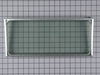
glass in oven door was broken
We took the door off, you have to be careful of the hinges popping back. We put small screwdrivers on each side and held the hinges out, this made the door easy to just stand up and slide back on the hinges. The glass replacement was simple just a few screws. We spent $127.00 on the part and shipping and a new wall oven would have cost us $1500.00. Thanks for making this part available.
Parts Used:
-
Vonnie from Indian Rocks Beach, FL
-
Difficulty Level:Easy
-
Total Repair Time:15 - 30 mins
-
Tools:Pliers, Screw drivers
Was this instruction helpful to you?
Thank you for voting!
It took high torque to dislodge the screws
Removed the two screws and inserted the new element. Applied a light coat of petroleum jelly to the screw threads and reinstalled.
Parts Used:
-
Jacob from Kings Mountain, NC
-
Difficulty Level:Really Easy
-
Total Repair Time:15 - 30 mins
-
Tools:Screw drivers
Was this instruction helpful to you?
Thank you for voting!
Replaced worn seal
Remove the door. Place small screwdriver in each door arm to prevent extraction. Remove approx 20 screws. Remove the seal. Replace the new seal. you will need help in holding the seal in place until you car install at least two screws. Very straight forward. Took 20 minutes. Even a cave man can do it.
Parts Used:
-
Horace from Las Vegas, NV
-
Difficulty Level:Really Easy
-
Total Repair Time:15 - 30 mins
-
Tools:Nutdriver, Screw drivers
Was this instruction helpful to you?
Thank you for voting!
thermal glass within oven door window shattered
The repair was straight forward. Remove about a million screws and several layers. The only challenge was loosening some baked on screws in the innermost layer. Repair would have been less than an hour if not for those screws. Key advice is to pay attention to the order that each layer went back on. My oven/stove is about 25 years old, but works great. The part was backordered at a local appliance part store from May to ???. I ordered it at PartSelect and it was also backordered for a couple of months. I got it delivered to my home from PartSelect before it ever came in from the local store.
Parts Used:
-
kathy from indianapolis, IN
-
Difficulty Level:Easy
-
Total Repair Time:1- 2 hours
-
Tools:Screw drivers
Was this instruction helpful to you?
Thank you for voting!