




















110C60222510 Kenmore Dryer - Instructions
Keep searches simple. Use keywords, e.g. "leaking", "pump", "broken" or "fit".
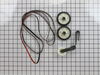
Rollers were wore out
Just follow the instructions the one was provided with Maitanace kit we bought from you.
Parts Used:
-
Chandra from Orange, CA
-
Difficulty Level:Easy
-
Total Repair Time:30 - 60 mins
-
Tools:Nutdriver, Pliers, Screw drivers, Wrench (Adjustable)
9 of 10 people
found this instruction helpful.
Was this instruction helpful to you?
Thank you for voting!
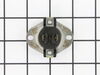
Dryer would leave clothes damp
First, I unplugged the dyer and then I removed all of the screws for the panel that covers the rear of the dryer. This exposed the cycling thermostat's location. I then removed the wires, one at a time so I would be able to put them back on in the same place. Then I removed the one screw using a nut driver and then put the new cycling thermostat in place. It was pretty easy.
Parts Used:
-
Luke from Elmira, NY
-
Difficulty Level:Easy
-
Total Repair Time:Less than 15 mins
-
Tools:Nutdriver
11 of 16 people
found this instruction helpful.
Was this instruction helpful to you?
Thank you for voting!
The main knob insert snapped.
Nothing to it. Just remember to put the insert in the knob, NOT on the selector stem. Line up the flat part of the insert with the flat part of the stem and push the knob in place.
Don NOT ram it on the selector stem. When it's seated, don't push any more. That's all there is to it. It works. If the pointer on the knob indicates the selector is lined up correctly, but it isn't, the problem is the selector, not the knob.
Don NOT ram it on the selector stem. When it's seated, don't push any more. That's all there is to it. It works. If the pointer on the knob indicates the selector is lined up correctly, but it isn't, the problem is the selector, not the knob.
Parts Used:
-
Larry from HICKORY, NC
-
Difficulty Level:Very Easy
-
Total Repair Time:Less than 15 mins
10 of 14 people
found this instruction helpful.
Was this instruction helpful to you?
Thank you for voting!
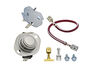
Dryer would spin but no heat
First I unplugged the dryer from 240V and removed the back cover upper (behind the switch) and lower (exposing the remainder of the parts)
Inside the upper section was a folded wiring diagram of the dryer (don't know if this was courtesy of Whirlpool or another individual, but it was a very nice touch.)
I did a resistance measurement across the heating coil and found out it was fine. I then plugged the dryer back in and carefully took voltage measurements from one phase of power (this was easily accessed where the power comes in to the dryer, just be careful not to touch or short the wires)
I had an assistant turn on the dryer (this makes things go a little faster, as you are behind the dryer otherwise) and checked for 240V across the heater coil.
Once I did not have this, I kept one lead on the left side wire (one of the power phases coming into the dryer) and moved the other lead to the left (as viewed on the wiring diagram) until I no longer had 240V. This identified the faulty component as the Thermostat High-Limit, non resetable.
I ordered the kit with the High Limit NR and High limit Thermostat (as both had to be bad). I also ordered the 150 degree cycling thermostat (although this was not necessary - for <$20 I opted to replace it as well)
Removing wires one at a time, each component is fairly easy to replace.
My only complaint is that with the combo kit, the wire attachment is a little different that the original component and requires you to cut an existing wire and crimp a different terminal to allow all three wires on the High Limit thermostat (250 degrees) to be attached. There is little to show you how exactly the crimp is to be connected (it goes on the smaller of the three wires - DO NOT CUT the jumper provided and USE A GOOD CRIMPER - not the $2 variety, or you'll be getting a new connector!!) The connector provided is designed for some strain relief from one connector to the other, however) An additional jumper with the appropriate connectors already attached would be a nicer design.
Also, make sure you do NOT screw in the smaller cover that covers the power in until you place the entire lower half cover back on the dryer (unless you want to take it off a second time, as I did...) as it uses a common screw to hold both in place.
Overall, fairly easy to do with a minimum of tools, straight blade screwdriver to remove stubborn wire connectors (esp. for HT thermostat 250), ratchet and socket for quick removal and replacement of covers, and a good T&B style crimper ($10-$20 at your local hardware and well worth it even if you only use it a couple of times)
30 minutes and done - the dryer now cranks out the heat and the advanced settings (Auto dry) work great - no more 2-3 times throug to get things dry.
If you have a minimum of mechanical ability and a little bit of electronic troubleshooting skill, you can check and repair this youself and save about an $80-$100 service call.
Thanks to Part Select for the diagram of the dryer layout as well!! (Schematic would be nice if available online, though!)
Shipped the part in about 2 days from order time, as well. Will be back (hopefully not soon, though, as something has to break first!!!)
Be safe and good luck!
(One last note: Make sure your lint trap is clear including the hose - either due to build up or a lazy kid...as this probably caused the failure as heat could not escape...)
Inside the upper section was a folded wiring diagram of the dryer (don't know if this was courtesy of Whirlpool or another individual, but it was a very nice touch.)
I did a resistance measurement across the heating coil and found out it was fine. I then plugged the dryer back in and carefully took voltage measurements from one phase of power (this was easily accessed where the power comes in to the dryer, just be careful not to touch or short the wires)
I had an assistant turn on the dryer (this makes things go a little faster, as you are behind the dryer otherwise) and checked for 240V across the heater coil.
Once I did not have this, I kept one lead on the left side wire (one of the power phases coming into the dryer) and moved the other lead to the left (as viewed on the wiring diagram) until I no longer had 240V. This identified the faulty component as the Thermostat High-Limit, non resetable.
I ordered the kit with the High Limit NR and High limit Thermostat (as both had to be bad). I also ordered the 150 degree cycling thermostat (although this was not necessary - for <$20 I opted to replace it as well)
Removing wires one at a time, each component is fairly easy to replace.
My only complaint is that with the combo kit, the wire attachment is a little different that the original component and requires you to cut an existing wire and crimp a different terminal to allow all three wires on the High Limit thermostat (250 degrees) to be attached. There is little to show you how exactly the crimp is to be connected (it goes on the smaller of the three wires - DO NOT CUT the jumper provided and USE A GOOD CRIMPER - not the $2 variety, or you'll be getting a new connector!!) The connector provided is designed for some strain relief from one connector to the other, however) An additional jumper with the appropriate connectors already attached would be a nicer design.
Also, make sure you do NOT screw in the smaller cover that covers the power in until you place the entire lower half cover back on the dryer (unless you want to take it off a second time, as I did...) as it uses a common screw to hold both in place.
Overall, fairly easy to do with a minimum of tools, straight blade screwdriver to remove stubborn wire connectors (esp. for HT thermostat 250), ratchet and socket for quick removal and replacement of covers, and a good T&B style crimper ($10-$20 at your local hardware and well worth it even if you only use it a couple of times)
30 minutes and done - the dryer now cranks out the heat and the advanced settings (Auto dry) work great - no more 2-3 times throug to get things dry.
If you have a minimum of mechanical ability and a little bit of electronic troubleshooting skill, you can check and repair this youself and save about an $80-$100 service call.
Thanks to Part Select for the diagram of the dryer layout as well!! (Schematic would be nice if available online, though!)
Shipped the part in about 2 days from order time, as well. Will be back (hopefully not soon, though, as something has to break first!!!)
Be safe and good luck!
(One last note: Make sure your lint trap is clear including the hose - either due to build up or a lazy kid...as this probably caused the failure as heat could not escape...)
Parts Used:
-
Timothy from Anderson, IN
-
Difficulty Level:Easy
-
Total Repair Time:15 - 30 mins
-
Tools:Screw drivers, Socket set
8 of 8 people
found this instruction helpful.
Was this instruction helpful to you?
Thank you for voting!
No heat on any applicable settings
Cleaned entire unit, replaced all thermostat assemblies and exhaust seal
Parts Used:

-
Russell from LOUISVILLE, KY
-
Difficulty Level:Easy
-
Total Repair Time:30 - 60 mins
-
Tools:Nutdriver, Pliers, Screw drivers
8 of 8 people
found this instruction helpful.
Was this instruction helpful to you?
Thank you for voting!
Loud rumble noise while drum was turning
First I pulled out lint catcher, you will see two screws ,removed two the screws on top ,( philips head screw driver) I than took a putty knife and pushed in the front of the dryer under the lid and lifted the top up, I than removed a self tapping screw on each side with a 5/16 wrench and lifted the front panel out. I than pulled out the drum and this exposed the two rollers, I than pulled of the nut locks with athe pliers , took off the plastic triangle snaps and pullled off the old rollers , replaceing them with the new ones,put the triangle locks on and that the lock nuts on , I than put the drum back in, than the front panel, replaceing the two self tapping screws , snapped down the top,replaced the other two screws again on top and replaced the lint catcher, I was done.
Parts Used:
-
Marcia from CAmden, NY
-
Difficulty Level:Easy
-
Total Repair Time:30 - 60 mins
-
Tools:Pliers, Screw drivers, Wrench set
9 of 12 people
found this instruction helpful.
Was this instruction helpful to you?
Thank you for voting!
Lost bearing on dryer motor
I looked at the parts breakdown to see how it cam apart.
I tore the dryer down,
1. removed the door
2. openned the top
3. removed front panel
4. removed fron bulkhead
5. removed belt and drum
6. removed back cover
7. removed the ductwork
8. removed the fan (this is the hardest part, it is very tight on the motor with left hand threads, there are flats on the (inside of the dryer)fan where the motor shaft goes into the fan for a wrench and you can put a socket on the front pulley on the motor. I ended up just knocking the center out of the fan and replacing it.
9. removed the motor and cleaned the entire unit
10. reinstalled everything in reverse order. Note:I went ahead and replaced the idler pulley and the rear wheels that support the drum, and put a new belt in (just about
everything that could fail) I spent about $200 to keep a $1200 dryer in service at least another 7 years.
I tore the dryer down,
1. removed the door
2. openned the top
3. removed front panel
4. removed fron bulkhead
5. removed belt and drum
6. removed back cover
7. removed the ductwork
8. removed the fan (this is the hardest part, it is very tight on the motor with left hand threads, there are flats on the (inside of the dryer)fan where the motor shaft goes into the fan for a wrench and you can put a socket on the front pulley on the motor. I ended up just knocking the center out of the fan and replacing it.
9. removed the motor and cleaned the entire unit
10. reinstalled everything in reverse order. Note:I went ahead and replaced the idler pulley and the rear wheels that support the drum, and put a new belt in (just about
everything that could fail) I spent about $200 to keep a $1200 dryer in service at least another 7 years.
Parts Used:
-
John from Wilmington, OH
-
Difficulty Level:Really Easy
-
Total Repair Time:30 - 60 mins
-
Tools:Nutdriver, Screw drivers
9 of 13 people
found this instruction helpful.
Was this instruction helpful to you?
Thank you for voting!
Old screen failed ripped needed replaced.
After researching and finding correct replacement unit placed order and waited to receive. Screen is located top of dryer so replacement simple and fit was perfect.
Parts Used:

-
Michael from Kingman, AZ
-
Difficulty Level:Really Easy
-
Total Repair Time:Less than 15 mins
8 of 10 people
found this instruction helpful.
Was this instruction helpful to you?
Thank you for voting!
Dryer air would not heat
Boyfriend stated it was simple, he removed the back and replaced the part using a few everyday tools.
Parts Used:
-
Jacqulyn from ANDERSON, CA
-
Difficulty Level:Really Easy
-
Total Repair Time:30 - 60 mins
-
Tools:Screw drivers, Socket set
7 of 8 people
found this instruction helpful.
Was this instruction helpful to you?
Thank you for voting!
handle broke on filter
-
Connie from Gaithersburg, MD
-
Difficulty Level:Really Easy
-
Total Repair Time:Less than 15 mins
7 of 8 people
found this instruction helpful.
Was this instruction helpful to you?
Thank you for voting!
Dryer too hot in all heat settings.
My dryer was running way too hot and the temperature settings didn't make any difference. Clothes were shrinking and coming out almost scalding hot. I followed simple directions posted on you tube for troubleshooting this problem. I checked that there were no lint blockages, visually inspected all connections and hardware. All seemed good. Metered out all thermostats and fuses. Everything checked good for continuity. For the reset-able thermostats, I heated them on a hot plate to verify that the normally closed switches opened near their specified temperatures. Dont do this for the non-resetable fuses and thermostats. If you're
not sure, avoid this step. Only the hi-limit thermostat seemed to open a little higher than expected but I couldn't with 100% accuracy determine the exact temp it opened. Made sure the heating element wasn't shorted in its housing or that too might give the dryer the same symptoms. That checked good too. Only thing left I could think of was to change that hi-limit thermostat. Ordered part, removed and replaced. Perfect fit. Op-checked good. All heat settings now operate normally. No more shrunken clothes that are too hot to touch even on the lowest setting lol. Hope this helps, happy hunting.
not sure, avoid this step. Only the hi-limit thermostat seemed to open a little higher than expected but I couldn't with 100% accuracy determine the exact temp it opened. Made sure the heating element wasn't shorted in its housing or that too might give the dryer the same symptoms. That checked good too. Only thing left I could think of was to change that hi-limit thermostat. Ordered part, removed and replaced. Perfect fit. Op-checked good. All heat settings now operate normally. No more shrunken clothes that are too hot to touch even on the lowest setting lol. Hope this helps, happy hunting.
Parts Used:
-
Jon from SALINAS, CA
-
Difficulty Level:Really Easy
-
Total Repair Time:30 - 60 mins
-
Tools:Nutdriver, Pliers
6 of 6 people
found this instruction helpful.
Was this instruction helpful to you?
Thank you for voting!
Loud Noise While Drying
Followed simple instructions to replace two pulleys and belt. The Virtual Repairman helped me identify the cause in minutes. Took another 5 minutes to place the order and the part arrived two days later. Saved $125 at least. Thank you!
john
john
Parts Used:
-
John from Metamora, OH
-
Difficulty Level:Easy
-
Total Repair Time:30 - 60 mins
-
Tools:Nutdriver, Screw drivers, Socket set
7 of 9 people
found this instruction helpful.
Was this instruction helpful to you?
Thank you for voting!
Dryer stopped heating
(Always unplug dryer before making any repairs) I opened the dryer and checked the heating element. Making sure that the connection was good and nothing was damaged, I determined the problem was overheated wires. They melted and lots connection. I replaced them with the heating element wire connection kit. Easy to install and simple to get right. I cleaned the dryer again with a vaccum cleaner, removing all the lint, and checked the vents, making sure they were clear...I turned the breaker on (it was tripped when the dryer overheated)and everything worked great.
Parts Used:
-
Joseph from Austin, TX
-
Difficulty Level:Really Easy
-
Total Repair Time:15 - 30 mins
-
Tools:Screw drivers, Socket set
6 of 7 people
found this instruction helpful.
Was this instruction helpful to you?
Thank you for voting!
Dryer making a rumbling sound
Purchased the dryer maintenqance repair kit. Very simple to do. Easy to follow instructions. Took less than an hour. Everything I needed was in th kit. Did not have to run to home depot for anything.
Parts Used:
-
Michael from Jacksonville, FL
-
Difficulty Level:Easy
-
Total Repair Time:30 - 60 mins
-
Tools:Nutdriver, Screw drivers
8 of 13 people
found this instruction helpful.
Was this instruction helpful to you?
Thank you for voting!
drum stopped rotating - broken belt
Super easy to repair...I had to idea how to get started; but after watching the video from your site it was a breeze. Thanks for having "how to repair" videos on your site.
Repair kit came in 2 days..fantastic..thank you so much....with new rollers, belt and tension roller she works like new
Repair kit came in 2 days..fantastic..thank you so much....with new rollers, belt and tension roller she works like new
Parts Used:
-
lisa from manteca, CA
-
Difficulty Level:Easy
-
Total Repair Time:15 - 30 mins
-
Tools:Nutdriver, Pliers, Screw drivers
7 of 10 people
found this instruction helpful.
Was this instruction helpful to you?
Thank you for voting!