























Get in touch, we're here to help!
1-866-883-8386
Monday to Saturday
8am - 8pm EST
Product Description
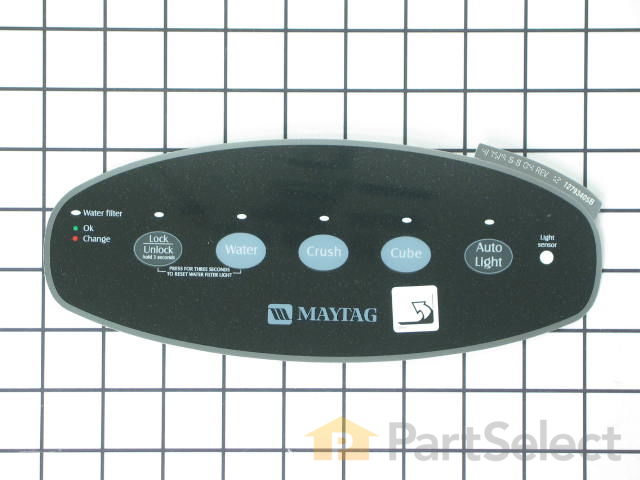
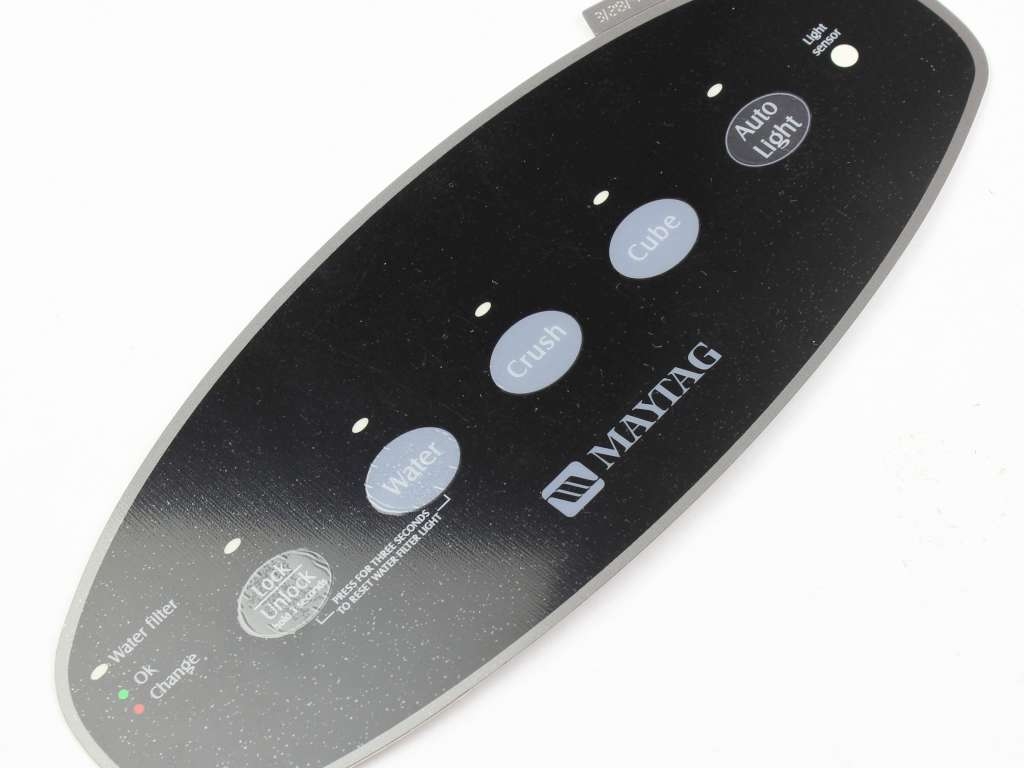
Facade Insert - Black Specifications
Restore the look and functionality of your refrigerator’s dispenser with this black oval control panel insert. Positioned over the touch controls, it serves as both a protective cover and a labeled interface for selecting water and ice options. This component helps prevent damage from spills and wear, and is a common solution for issues like sticky or unresponsive buttons and faded labels. Installation is straightforward and enhances both usability and aesthetics.

How Buying OEM Parts Can Save You Time and Money
Part Videos
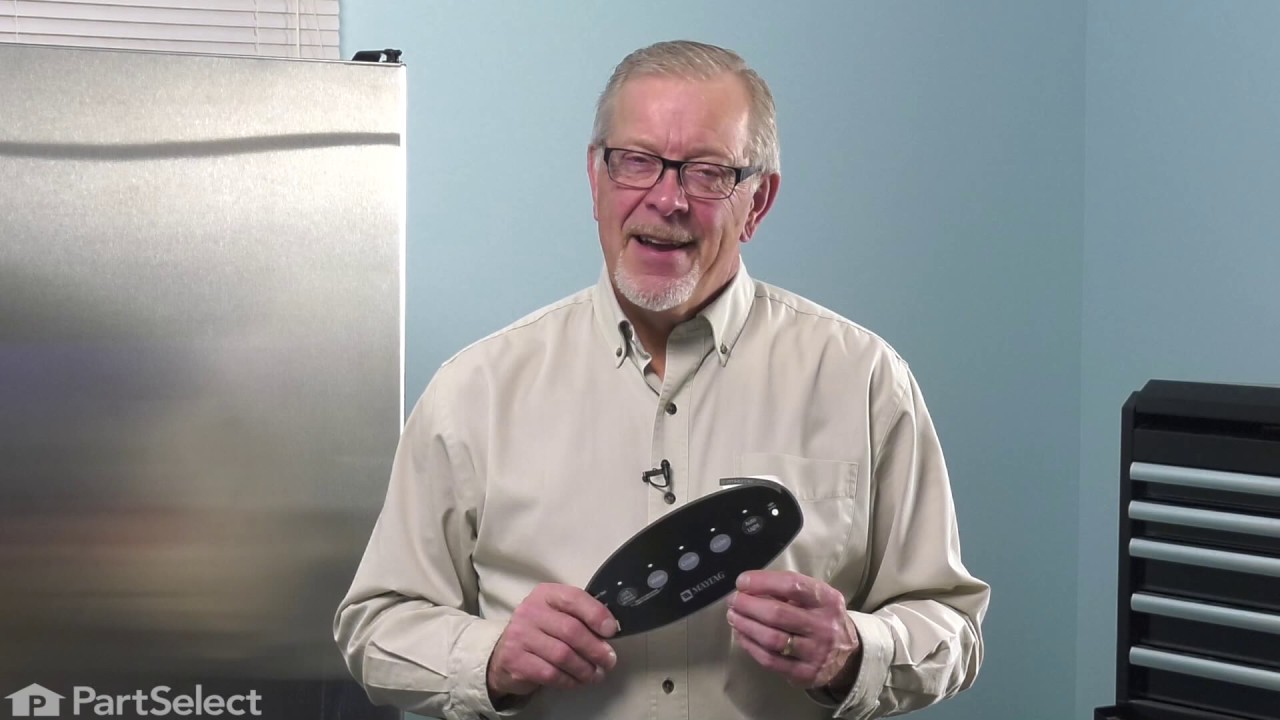
Replacing your Maytag Refrigerator Facade Insert - Black
Troubleshooting
This part fixes the following symptoms:
Not dispensing water
This part works with the following products:
Refrigerator.
This part works with the following products:
Maytag, Amana.
Part# WP67004151 replaces these:
AP6010400, 67004121, 67004151, 67004152, 67004901, WP67004121, WP67004152
Customer Reviews
Filter By Rating:
- < Prev
- 1
- Next >
Sort by:
Search filter:
Clear Filter
Your search term must have 3 or more characters.
Keep searches simple. Use keywords, e.g. "leaking", "pump", "broken" or "fit".
Sorry, we couldn't find any existing reviews that matched. Try using some different or simpler keywords.
Leverne B - May 23, 2024
Verified Purchase
Perfect.
The part was easy to install after we watched the video. The fridge is working properly. Other than the part being black, on a white fridge!! But black was all that was available, and the problem is fixed. Thank you.
Norbert C - November 9, 2019
Verified Purchase
Easy to install
Part was easy to install
Trevor P - May 12, 2020
Verified Purchase
Facade Insert
The part was in good condition it came a lot faster than I expected it was so very easy to install.....works perfectly. My refrigerator looks new again thanks!!
Richard B - November 8, 2020
Verified Purchase
Worked as expected
Quick delivery and the right part needed for the repair. The repair video as a big help. I will buy again.
Alan S - September 19, 2020
Verified Purchase
Perfect!
Best price and fast delivery all went as advertised.
Thank You Very Much
A.B.S.
David P - December 4, 2022
Verified Purchase
Happy customer
The original plastic face had a crack and the crushed ice button no longer did anything.I took a chance on the cheapest part and to my surprise and delight replacing this plastic film fixed the crushed ice button and now everything works perfectly. My original one was white. When I placed my order I did not check and I ended up with a black one. It looks fine.On line video was a big help to learning what was involved.
Annette B - December 14, 2023
Verified Purchase
Easy to install
The part we ordered arrived quickly and was easy to install. We have a white fridge and had tried to order a white facade, but the black one that was available has worked out fine. It does not look out of place.
- < Prev
- 1
- Next >
Customer Repair Stories
Average Repair Rating: 4.6 / 5.0, 9 reviews.
What's this?
- < Prev
- 1
- Next >
Sort by:
Search filter:
Clear Filter
Your search term must have 3 or more characters.
Keep searches simple. Use keywords, e.g. "leaking", "pump", "broken" or "fit".
Sorry, we couldn't find any existing installation instruction that matched.
the touch pad cover was cracked
I ordered the cover and the face plate because I was unsure of the condition of the cover and because the face plate is stuck on the cover. The repair was very simple. Turn off power to unit. Remove the spill plate, it just pulls out. Then remove the two screws that are seen when the spill plate is pulled out. The cover slides down and comes out. Disconnect the two wires to the operator switch, they just pull off. Take two small screw drivers and gently raise the tabs that latch in the circuit board jack and pull the jack down to remove it. Remove the one screw that secures the circuit board and use a small screw driver to gently raise the tabs that hold the circuit board in place on the bottom side and remove the circuit board. Install the circuit board on the new cover and intall the holding screw. Plug in the jack that connects the circuit board to the unit. The plug in the two wires to the microswitch. Install the cover and install the two holding screws. Slide in the spill plate. Finally install the face plate, it just sticks on and is very easy because the cover is resessed where it is to be installed. In all I think it took me longer to wright this than it did to do the repair.
Other Parts Used:
-
tom from lawrence, KS
-
Difficulty Level:Really Easy
-
Total Repair Time:15 - 30 mins
-
Tools:Nutdriver, Screw drivers
44 of 49 people
found this instruction helpful.
Was this instruction helpful to you?
Thank you for voting!
The facade plate had worn places due to age & Use
The facade plate is attached to the ice/water dispenser panel with an adhesive. I used a hair dryer to warm and soften the adhesive. Peeled off the old facade and attached the new facade. Never even had to unplug the old. Fun project!!
Other Parts Used:
-
David from Pensacola, FL
-
Difficulty Level:Really Easy
-
Total Repair Time:Less than 15 mins
32 of 36 people
found this instruction helpful.
Was this instruction helpful to you?
Thank you for voting!
The "Ice Dispense" button broke.
Unplugged refrigerator; removed two screws with a nut driver; removed front panel; removed circuit board; disconnected two electric connectors.
Reversed process to install new panel.
Reversed process to install new panel.
Other Parts Used:
-
David from Pensacola, FL
-
Difficulty Level:Easy
-
Total Repair Time:Less than 15 mins
-
Tools:Nutdriver, Pliers
24 of 34 people
found this instruction helpful.
Was this instruction helpful to you?
Thank you for voting!
The water/Ice fountain buttons wore out
Thanks to parts.com showing the schematic the repair was very easy. Note if the buttons fro dispensing water/ice break you need to order two parts. 1. dispenser Facade and 2. Dispenser facade Insert. To replace do the following. remove the catch tray at the bottom of facade. remove the two screws on the bottom and gently pull bottom of insert out and down. Next unsnap the two wires on the selonoid switch. Next pull down on the harness connector from the printed ckt. Next remove small phillips screw that secures the ckt to the insert and gently pry the six plastic clips that hold the ckt to the insert and remove. Next, install the ckt into the new insert and reconnect the selonoid switch. Next, install the insert back on the door. Next, install the Dispensor Facade sticker over the switch buttons taking care that it is aligned properly. Thats it ready to use.
Other Parts Used:
-
Ronald from Townsend, DE
-
Difficulty Level:Really Easy
-
Total Repair Time:Less than 15 mins
-
Tools:Nutdriver, Screw drivers
18 of 22 people
found this instruction helpful.
Was this instruction helpful to you?
Thank you for voting!
Water - Ice Dispenser not working
Took lower plate out then removed two screws. Unhooked electronic control board and remove board by removing two small screws. Disconnected wires and replaced with new board. Front cover plate was replaced as the "water - crush - cube buttons on face plate had cracked. Replaced front cover with new plate - used a little glue to keep the small buttons in place. Now we can select all three items and it is working fine.
Other Parts Used:
-
Jose from Floresville, TX
-
Difficulty Level:Really Easy
-
Total Repair Time:30 - 60 mins
-
Tools:Screw drivers
13 of 16 people
found this instruction helpful.
Was this instruction helpful to you?
Thank you for voting!
Dispenser buttons for water and ice wouldn't cycle
1.Unplug refrigerator and remove dispenser cup floor plate. 2.Remove two hex head screws.
3.Remove electronics board phillips head screw.
4.disconnect actuator switch from dispenser.
5.Remove electronics board.
6.Reverse the order on the new Facade and attach Facade insert-black
3.Remove electronics board phillips head screw.
4.disconnect actuator switch from dispenser.
5.Remove electronics board.
6.Reverse the order on the new Facade and attach Facade insert-black
Other Parts Used:
-
David from Pensacola, FL
-
Difficulty Level:Really Easy
-
Total Repair Time:Less than 15 mins
-
Tools:Nutdriver, Screw drivers
13 of 18 people
found this instruction helpful.
Was this instruction helpful to you?
Thank you for voting!
Facade face plate was broken.
This was a fairly easy and straightforward repair that simply involved removal of the old facade face plate by pealing it off and sticking the new one in it's place. The worst part was removing the adhesive from the old facade before I could stick the new one on in its place. Perhaps you could include some advice on how to remove the adhesive. I used Goof-off, but was concerned about it attacking the plastic surface. It seemed to work OK.
Other Parts Used:
-
Robert from East Providence, RI
-
Difficulty Level:Really Easy
-
Total Repair Time:15 - 30 mins
7 of 8 people
found this instruction helpful.
Was this instruction helpful to you?
Thank you for voting!
Old facade was cracked from use.
I checked previous installation instructions posted on your website. Since the facade is a peel and stick, I used a hair dryer to soften the old facade and was then able to just peel it off. I applied heat to one side for about 5 minutes. I then applied the new facade.
Other Parts Used:
-
Harry from KNOXVILLE, TN
-
Difficulty Level:Really Easy
-
Total Repair Time:Less than 15 mins
3 of 3 people
found this instruction helpful.
Was this instruction helpful to you?
Thank you for voting!
The low voltage transformer to under the counter lighting failed.
The first step in making any repair is finding the right replacement part. It took me about 5 minutes in the internet to locate the correct part at PartSelect. Another 5 minutes to order the correct part and receive a confirming email. Replacement installation of the defective part was 5 minutes to install the new part and verify that the problem was solved. The under-the-counter lighting worked once again which made my wife happy, which as you know make everybody's life better.
Thanks for the fast shipping.
Thanks for the fast shipping.
Other Parts Used:
-
David from Pensacola, FL
-
Difficulty Level:Really Easy
-
Total Repair Time:Less than 15 mins
2 of 5 people
found this instruction helpful.
Was this instruction helpful to you?
Thank you for voting!
- < Prev
- 1
- Next >
Questions and Answers
We're sorry, but our Q&A experts are temporarily unavailable.
Please check back later if you still haven't found the answer you need.
Related Parts

$27.28
In Stock
Produce Preserver Filter
$27.28
PartSelect Number: PS3503014
Fresh Flow Produce Preserver is made for your refrigerator to help keep produce fresh for longer by absorbing the chemical, ethylene, that causes your fruits and vegetables to ripen quicker. Your produce could be fresh f... 
$25.31
In Stock
Affresh Washing Machine Cleaner - 3 pack
$25.31
PartSelect Number: PS1960673
Having a problem with a funky-smelling washing machine, or one that just doesnt seem to clean your clothes as well as it used to? Say hello to the Affresh Washing Machine Cleaner by Whirlpool. This powerful washing helpe... 
$21.95
In Stock
Affresh Dishwasher Cleaner Tablets - 6
$21.95
PartSelect Number: PS12345667
Affresh dishwasher Cleaner is specially formulated to help remove limescale and mineral build-up that can be unsightly and could affect your dishwasher's performance. Each tablet is designed to clean inside your machine ... 
$37.89
In Stock
Refrigerator Deodorizer
$37.89
PartSelect Number: PS12739141
Refrigerator deodorizers help to reduce bacteria growth and therefore reduce smells and extend the life of food. 
$32.93
In Stock
Cooktop Cleaning Cream
$32.93
PartSelect Number: PS12717774
Make your cooktop shine with Frigidaire ReadyClean Glass and Ceramic Cleaner. Our scratch-free, streak-free formula removes smudges, grease, burnt-on food, dirt and oil, while protecting and polishing to repel dust and d... 
$35.68
In Stock
Model Cross Reference
This part works with the following models:
PartSelect Number: PS11743579
Manufacturer Part Number: WP67004151
Manufacturer Part Number: WP67004151
Brand
Model Number
Description
Get in touch, we're here to help!
1-866-883-8386
Monday to Saturday
8am - 8pm EST